
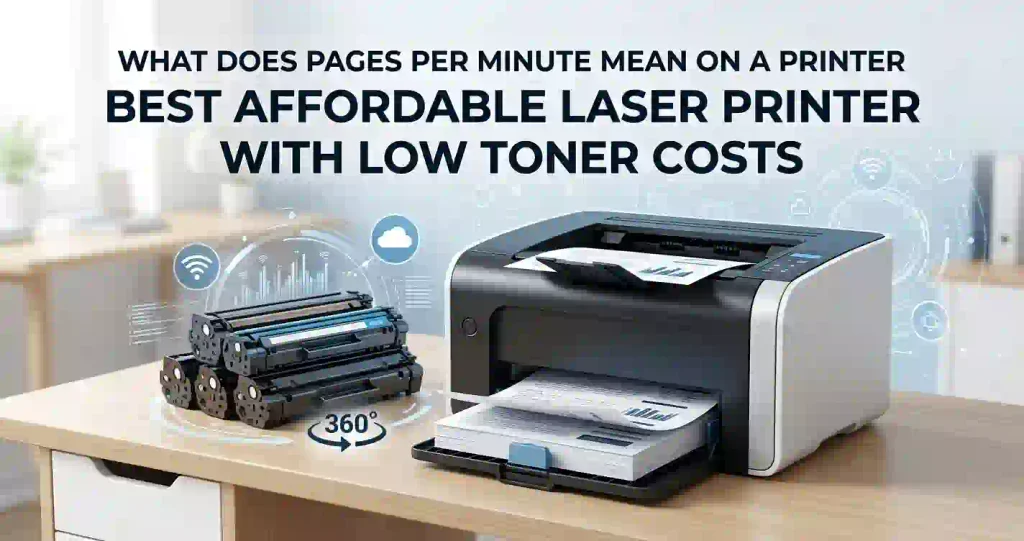
Buying a printer often feels like a trap. You find a sleek model on sale for $99 at Best Buy or Amazon, bring it home, and run out of starter toner three weeks later. When you go to buy a replacement cartridge, you realize a single set costs more than the printer itself.
To find the best affordable laser printer with low toner costs, you must look beyond the initial price tag. True affordability comes from long-term operating expenses: toner yield, cost per page, monthly print volume, and ongoing maintenance. Whether you need a compact monochrome workhorse for college papers or a reliable color unit for small business marketing flyers, picking the right machine depends entirely on matching your monthly workload to the printer’s consumables.
What Makes a Laser Printer Affordable to Own?
The sticker price on a printer box only represents a fraction of your total investment. A $100 printer with expensive, low-yield cartridges will quickly outcost a $230 model designed for high-capacity toner.
Total Cost of Ownership (TCO) Defined
Total Cost of Ownership (TCO) represents the complete cumulative expense of owning and running your printer over its operational lifetime (typically 3 to 5 years).
$$\text{TCO} = \text{Purchase Price} + (\text{Cost Per Page} \times \text{Total Pages Printed}) + \text{Maintenance \& Accessories}$$
TCO factors include:
- Initial Hardware Cost: The upfront purchase price of the printer.
- Toner Replacement: Recurring replacement cartridges over time.
- Maintenance & Consumables: Imaging drums, fuser units, transfer belts, and waste toner boxes.
- Paper & Energy: Paper supply and electrical usage (laser printers consume more peak power than inkjets).
The Upfront Price Trap
Manufacturers often use a “razor-and-blades” business model: they subsidize the cost of the printer hardware to sell it cheaply, knowing they will make heavy profits on replacement toner cartridges. A budget $110 laser printer might include a starter cartridge rated for only 500 pages. Once depleted, standard replacement cartridges costing $70 for 1,200 pages result in a high running cost. Conversely, a $220 mid-range model using $85 cartridges rated for 3,000 pages drastically cuts ongoing expenses.
Key Metrics to Compare
Before buying, always compare these three baseline specifications:
- Cost Per Page (CPP): The amount of money spent on toner for every single printed page.
- Toner Page Yield: The estimated total number of pages a single cartridge produces before running empty.
- Monthly Duty Cycle: The maximum workload capacity the internal components can handle without hardware failure.
How to Choose a Laser Printer With Low Toner Costs
+-----------------------------------------------------------------------------------+
|                            SMART BUYING PROCESS                                   |
+-----------------------------------------------------------------------------------+
|  1. Check Yields       --> Compare Standard vs. High-Yield (ISO/IEC 19752)        |
|  2. Calculate CPP      --> Formula: (Cartridge Price ÷ Page Yield)                |
|  3. Match Workload     --> Align Duty Cycle with actual Monthly Print Volume       |
|  4. Select Type        --> Decide Monochrome (Low Cost) vs. Color (Higher Cost)  |
+-----------------------------------------------------------------------------------+
Check Toner Page Yield
Manufacturers determine page yields using standard testing methods set by the International Organization for Standardization (ISO/IEC 19752 for monochrome, ISO/IEC 19798 for color). These tests base yield estimates on 5% page coverage—roughly equivalent to a short, double-spaced letter or basic memo without large graphics or heavy blocks of text.
If you regularly print full-page legal contracts, detailed PDF reports, or dense charts, your actual page coverage may reach 10% to 15%, cutting your real-world yield in half.
Most manufacturers offer cartridges in multiple capacities:
- Standard-Yield: Lower upfront purchase price; ideal for light or occasional printing.
- High-Yield (XL): Moderately higher upfront price, but delivers 2x the pages, resulting in a 20%–35% lower cost per page.
- Extra High-Yield (XXL): Designed for heavy office workloads; offers the maximum page yield and lowest cost per page available.
Using high-yield cartridges minimizes cartridge replacement frequency, saving time and keeping cost per page low.
Calculate the Cost Per Page
To determine the running cost of a laser printer, use this simple mathematical formula:
$$\text{Toner Cost Per Page} = \frac{\text{Price of Replacement Toner Cartridge}}{\text{Rated Page Yield}}$$
- Example A (Standard Cartridge): A $55 toner cartridge rated for 1,200 pages:$$\frac{\$55}{1,200} = \$0.0458\text{ (4.6 cents per page)}$$
- Example B (High-Yield Cartridge): An $85 high-yield cartridge rated for 3,000 pages:$$\frac{\$85}{3,000} = \$0.0283\text{ (2.8 cents per page)}$$
Important Note on Color Printing: Color laser printers require four separate cartridges (Black, Cyan, Magenta, Yellow). To find the total color cost per page, calculate each cartridge separately and add them together:
$$\text{Total Color CPP} = \text{Black CPP} + \text{Cyan CPP} + \text{Magenta CPP} + \text{Yellow CPP}$$
Color document costs generally range between 12 and 18 cents per page, whereas monochrome text averages 2 to 4 cents per page.
Consider Your Monthly Print Volume
Matching your real-world printing frequency to the hardware spec protects your wallet and printer longevity:
| User Type | Avg. Monthly Volume | Recommended Strategy | Recommended Specs |
| Occasional / Home | 50 – 250 pages | Low upfront hardware price; standard toner yield is acceptable. | Compact mono, 1,200-yield toner |
| Student / Home Office | 300 – 1,000 pages | Mid-tier printer price; high-yield (XL) cartridges are essential. | Auto-duplex, 3,000-yield XL toner |
| Small Business | 1,500 – 4,000+ pages | Higher upfront hardware budget; extra-high-yield toner and separate drum. | 30+ PPM, 6,000+ yield toner, 50,000 duty cycle |
Always evaluate two key volume metrics listed in manufacturer specifications:
- Recommended Monthly Page Volume: The ideal target printing range to maintain hardware health and print engine life.
- Maximum Monthly Duty Cycle: The extreme stress-test limit the machine can handle in a single month without permanent mechanical damage. Never base your purchasing decision on maximum duty cycle alone.
Best Affordable Laser Printer Types to Consider
Affordable Monochrome Laser Printers
Black-and-white (monochrome) laser printers remain the absolute champions of low-cost printing. By eliminating color toners, complex transfer belts, and multi-stage alignment systems, these machines keep hardware simple, affordable, and durable.
- Best For: Word documents, PDF forms, invoices, shipping labels, and academic research papers.
- Key Advantages: Very low cost per page (under 3 cents for genuine toner, under 1.5 cents for compatible toner), fast first-page-out speeds, zero risk of dried-up print heads, and minimal maintenance.
- Essential Features to Target: Automatic double-sided printing (duplex), 30+ PPM speed, and a internal paper tray holding at least 250 sheets of US Letter paper.
Affordable Color Laser Printers
When business presentations, marketing materials, infographics, or client proposals demand crisp color text and detailed graphics, a color laser printer delivers professional finish on plain paper without smudging.
- Best For: Marketing collateral, brochures, colored charts, school projects, and internal corporate reports.
- Consumable Reality: Color models require replacing Cyan, Magenta, Yellow, and Black cartridges. Ensure the printer supports independent cartridge replacement so you only replace empty colors rather than entire multi-packs.
- Key Considerations: Color laser printers feature larger footprints, higher idle power draw, and significantly higher total replacement costs when replacing all four cartridges simultaneously.
Compact Laser Printers for Home Offices
Space constraints in dorm rooms, apartments, or small home offices make compact laser printers highly appealing.
- Best For: Small desk footprints, light-to-moderate document workflows, and flexible placement.
- Connectivity Options: Look for dual-band Wi-Fi (2.4GHz/5GHz), Direct Wi-Fi, Apple AirPrint, and Mopria for seamless mobile printing directly from smartphones or tablets.
- Trade-Offs: Ultra-compact models often use smaller, lower-yield toner cartridges and smaller paper trays (150 sheets), making them best suited for print volumes under 500 pages per month.
Key Features That Affect Long-Term Printing Costs
High-Yield Toner Cartridges
Installing high-yield cartridges is the single most effective way to lower long-term operating costs. High-capacity cartridges hold substantially more micro-fine toner powder while utilizing the same outer plastic housing size, reducing packaging waste and transport costs per page.
+------------------------------------------------------------------+
| STANDARD YIELD CARTRIDGE                                         |
| [=== Toner Capacity: 1,200 Pages ===]  -> Avg. Cost: 4.5 cents/pg |
+------------------------------------------------------------------+
| HIGH YIELD (XL) CARTRIDGE                                        |
| [====== Toner Capacity: 3,000 Pages ======] -> Cost: 2.8 cents/pg|
+------------------------------------------------------------------+
Automatic Duplex Printing
Automatic duplexing allows the printer to automatically flip a sheet over and print on both sides without manual intervention.
- Paper Expense: Printing two-sided cuts total paper consumption by up to 50%, saving money on reams of US Letter paper over time.
- Toner Savings Clarification: Duplex printing saves paper, not toner. Printing a 10-page document across 5 double-sided sheets uses the exact same amount of toner powder as printing across 10 single-sided sheets.
Print Speed and Duty Cycle
- Print Speed (PPM): Measured in Pages Per Minute. Standard budget home laser printers range from 20 to 30 PPM, while business-class laser models push 35 to 45+ PPM. High PPM speeds minimize office queue times during large batch jobs.
- Workload Capacity: Exceeding a printer’s recommended monthly print volume forces internal rollers, gears, and heating units to wear out prematurely. Choosing a machine rated for your actual monthly volume prevents costly replacement repairs down the road.
Connectivity and Mobile Printing
Modern connectivity reduces hardware needs across multiple devices:
- Wireless (Wi-Fi 802.11b/g/n): Allows multiple computers across a home network to share a single central printer without running USB cables.
- Wi-Fi Direct: Enables direct peer-to-peer connection between your smartphone or laptop and the printer without needing a local router.
- Ethernet (RJ-45): Ensures stable, high-speed wired network printing for small business environments.
- Mobile Protocols: Native support for Apple AirPrint (iOS/macOS) and Mopria (Android/Windows) guarantees driverless printing directly from smartphones, tablets, and mobile apps.
Laser Printer Specifications to Compare Before Buying
When shopping at major retailers like Amazon, Staples, or Best Buy, compare candidate models using this standardized specification matrix:
| Feature Specification | What It Means | Ideal Budget Target | Why It Matters |
| Toner Page Yield | Number of printed pages per cartridge at 5% coverage | 2,500 – 3,000+ pages (High Yield) | Reduces cost per page and cartridge replacement frequency. |
| Print Resolution | Clarity of print measured in DPI (Dots Per Inch) | 1200 x 1200 DPI (600 x 600 DPI min) | Higher DPI yields sharp, crisp text and clean line graphics. |
| Print Speed (PPM) | Speed rating in Pages Per Minute | 30+ PPM (Monochrome), 20+ PPM (Color) | Saves time when printing long multi-page documents. |
| Paper Handling | Paper capacity of main input tray | 250-sheet input tray (1 full ream half) | Minimizes constant paper tray refilling. |
| Network Support | Connectivity protocols included | Wi-Fi, USB 2.0, Ethernet, AirPrint | Ensures wireless access from all computers and phones. |
| Duplex Support | Ability to print automatically on both sides | Automatic 2-Sided (Auto-Duplex) | Cuts paper consumption and physical file storage in half. |
How to Find the Lowest Toner Cost Per Page
Compare Toner Prices
Never evaluate a printer without simultaneously checking replacement cartridge pricing.
- Go to office retail sites (such as Staples, Amazon, or Office Depot).
- Search for the replacement toner part numbers for each printer model you are considering (e.g., Brother TN760, HP 138X, Canon 057).
- Check both OEM (Original Equipment Manufacturer) cartridge pricing and Third-Party/Compatible cartridge options.
- Calculate the CPP for each printer option before finalizing your hardware purchase.
Look at Cartridge Availability
Stick to established printer lines with widespread supply availability across major US retailers. Niche or discontinued printer brands often suffer from scarce replacement cartridges, forcing you to pay inflated reseller prices when stock runs short.
Beware of deep-discounted clearance printers: clearanced hardware often signals that the manufacturer is phasing out the associated toner cartridge line.
Estimate Annual Toner Spending
Calculate your real annual consumable budget using this 3-step math method:
Step 1: Calculate Annual Pages  --> (Monthly Page Count) x 12 Months
Step 2: Determine Cartridges   --> (Annual Pages) ÷ (Cartridge Page Yield)
Step 3: Calculate Annual Spend --> (Cartridges Needed) x (Cartridge Price)
Real-World Scenario: Printing 500 pages per month (6,000 pages per year):
- Printer Choice A ($120 Printer): Uses $60 cartridges rated for 1,200 pages.$$\frac{6,000\text{ pages}}{1,200\text{ yield}} = 5\text{ cartridges per year}$$$$5 \times \$60 = \$300\text{ annual toner cost}$$
- Printer Choice B ($200 Printer): Uses $75 high-yield cartridges rated for 3,000 pages.$$\frac{6,000\text{ pages}}{3,000\text{ yield}} = 2\text{ cartridges per year}$$$$2 \times \$75 = \$150\text{ annual toner cost}$$
Result: Printer B costs $80 more upfront but saves $150 per year in toner, putting you $70 ahead by the end of Year 1.
Affordable Laser Printer vs. Cheap-to-Run Laser Printer
It is critical to distinguish between a cheap purchase price and cheap operating costs:
+---------------------------------------------------------------------------------+
|                       HARDWARE COST vs. OPERATING COST                          |
+---------------------------------------------------------------------------------+
|   Option A: Low Hardware Price ($110)   |   Option B: Low Operating Cost ($230)   |
|   -----------------------------------   |   -----------------------------------   |
|   * Upfront: $110                       |   * Upfront: $230                       |
|   * Toner CPP: 4.5 cents                |   * Toner CPP: 1.8 cents                |
|   * Year 3 Cost (9k pages): $515        |   * Year 3 Cost (9k pages): $392        |
|   -----------------------------------   |   -----------------------------------   |
|   RESULT: Option B saves $123 over 3 years despite higher upfront cost!         |
+---------------------------------------------------------------------------------+
Buying a slightly more expensive machine designed around high-yield toner cartridges provides a significantly lower total cost of ownership over a standard 3-to-5-year lifetime.
Common Mistakes When Buying a Low-Toner-Cost Laser Printer
- Focusing Solely on Purchase Price: Falling for a doorbuster sale on a printer without checking standard replacement cartridge pricing first.
- Ignoring Page Coverage Factors: Assuming cartridge yield numbers represent full-page graphics or dense manuscript coverage.
- Buying Color When Monochrome Suffers: Purchasing a color laser printer for text documents, leading to high ongoing maintenance for four separate toner cartridges.
- Skipping Auto-Duplexing: Buying a manual-duplex printer to save $15 upfront, resulting in wasted paper and tedious manual page re-feeding over time.
- Confusing Peak Duty Cycle with Recommended Volume: Pushing a light-duty home printer to print 3,000 pages per month, causing prematurely worn feed rollers and paper jams.
How to Calculate Your Real Laser Printer Cost
Printer Cost
Calculate your initial entry costs by adding:
- Base hardware purchase price.
- Shipping or delivery fees.
- Starter cartridge value (Note: starter cartridges typically contain only 30% to 50% of the toner powder found in standard replacement cartridges).
Toner and Consumables
Factor in secondary maintenance consumables:
- Toner Cartridges: Primary ongoing expenditure.
- Imaging Drum Units: Many modern laser printers (such as Brother models) use a separate drum unit. Drum units typically last 12,000 to 30,000 pages and cost between $40 and $120 to replace.
- Waste Toner Boxes & Transfer Belts: Relevant primarily for mid-to-high-volume color laser printers.
Total Cost of Ownership
Consolidate your lifetime calculations into one actionable summary formula:
$$\text{Lifetime TCO} = \text{Hardware Price} + \left(\frac{\text{Total Planned Pages}}{\text{Toner Yield}} \times \text{Toner Cost}\right) + \left(\frac{\text{Total Planned Pages}}{\text{Drum Yield}} \times \text{Drum Cost}\right)$$
Who Should Buy an Affordable Laser Printer With Low Toner Costs?
Home Users
Home users printing bills, shipping labels, recipe cards, and personal correspondence benefit immensely from laser technology. Unlike inkjet cartridges—which dry out, clog nozzles, and perform expensive cleaning cycles if left unused for weeks—laser toner is dry powder fused by heat. It never dries out or spoils, even if the printer sits idle for months.
Students
Students printing thick research papers, study guides, reading packets, and essays need fast performance and duplex printing. A monochrome laser printer provides crisp, smudge-proof text that won’t bleed through highlighters, keeping document costs down throughout college.
Small Businesses and Home Offices
Small businesses handling daily invoices, legal contracts, purchase orders, and client reports require high-speed output (30–40+ PPM), minimal maintenance intervention, large 250-to-500-sheet paper trays, and low cost per page to keep office overhead under control.
When a Laser Printer May Not Be the Best Choice
While laser printers excel at text documents and high-volume workloads, they are not ideal for every user:
+--------------------------------------------------------------------------------+
|                        PRINTER TECHNOLOGY DECISION TREE                        |
+--------------------------------------------------------------------------------+
|                                                                                |
|  Do you need to print high-resolution glossy photographs?                       |
|  ├─► YES: Buy a Photo Inkjet Printer (Superior color gamut & photo paper).     |
|  └─► NO: Continue below...                                                     |
|                                                                                |
|  Do you print high-volume color documents on a tight budget?                   |
|  ├─► YES: Buy a Refillable Ink Tank Printer (Epson EcoTank / Canon MegaTank).  |
|  └─► NO (Mostly text/documents): Buy a Monochrome Laser Printer.               |
+--------------------------------------------------------------------------------+
- Glossy Photo Printing: Laser printers fuse plastic toner onto paper surfaces, making them incapable of producing true photographic lab quality on glossy photo paper. Choose a dedicated photo inkjet printer for photography.
- Low-Cost High-Volume Color: If you need to print thousands of full-color pages per month, refillable ink tank printers (such as Epson EcoTank or Canon MegaTank) offer lower color cost per page than color laser printers.
Quick Checklist for Buying a Low-Toner-Cost Laser Printer
Print or save this simple checklist before making your final purchase:
- [ ] Toner Availability: High-yield (XL) replacement cartridges are readily available at major US retailers.
- [ ] Cost Per Page Calculated: Monochrome cost per page is under 3.5 cents (OEM) or under 2.0 cents (Compatible).
- [ ] Volume Alignment: Recommended monthly volume matches your actual planned usage.
- [ ] Connectivity: Includes Wi-Fi (2.4/5GHz), USB, and mobile printing support (AirPrint/Mopria).
- [ ] Text Clarity: Print resolution measures at least 600 x 600 DPI (1200 x 1200 DPI preferred).
- [ ] Paper Handling: Features a 250-sheet internal paper tray and automatic two-sided printing (auto-duplex).
- [ ] Full TCO Evaluation: Factored 3-year hardware + replacement toner cost into your decision.
Frequently Asked Questions
What is the cheapest laser printer to maintain?
Monochrome laser printers with high-yield toner options are the cheapest to maintain. Popular models from Brother (such as the HL series) and Canon maintain low running costs due to high cartridge page yields, low replacement toner prices, and reliable paper feed mechanisms.
Which laser printer has the lowest toner cost?
Printers that support high-yield or extra-high-yield toner cartridges generally provide the lowest cost per page. Look for monochrome laser printers offering standard monochrome page costs between 1.5 and 3.0 cents per page using genuine toner.
Are laser printers cheaper to run than inkjet printers?
For text documents and monochrome printing, yes. Laser printers are generally significantly cheaper to run per page than traditional cartridge-based inkjet printers. Additionally, laser toner powder never dries up or clogs print heads, eliminating wasted ink from automated cleaning cycles.
Is high-yield toner worth the extra cost?
Yes. Although high-yield cartridges cost more upfront, they contain substantially more toner powder relative to their purchase price. This results in a 20% to 35% lower cost per page and reduces how often you need to order and swap out cartridges.
How much does laser printer toner cost per page?
Monochrome laser toner averages between 2 and 4 cents per page for genuine OEM cartridges (and often under 1.5 cents for compatible cartridges). Color laser printing averages 12 to 18 cents per page across all four cartridges combined.
Are cheap laser printers worth buying?
Cheap laser printers are worth buying only if your monthly print volume is very low (under 100 pages per month) or if high-yield replacement cartridges are available at reasonable prices. Always check replacement toner costs before buying discount hardware.
Is a monochrome laser printer cheaper than a color laser printer?
Yes, monochrome laser printers are substantially cheaper to buy, run, and maintain. They use only one black toner cartridge, whereas color printers require four separate cartridges, a complex image transfer belt, and more frequent drum replacements.
How many pages does laser printer toner last?
Standard-yield laser toner cartridges typically last between 1,200 and 1,500 pages. High-yield cartridges typically last between 3,000 and 8,000+ pages depending on the printer model and ISO 5% page coverage conditions.
How can I reduce laser printer toner costs?
- Use high-yield (XL) replacement cartridges.
- Enable Draft or Toner Saver mode for internal office drafts.
- Print only essential pages and preview layouts before printing.
- Use automatic duplex printing to save on paper expenses.
- Buy genuine cartridges in bundled multipacks or explore certified compatible third-party toner.
What should I check before buying a budget laser printer?
Check replacement toner price, rated page yield, calculated cost per page, recommended monthly print volume, print speed (PPM), auto-duplexing support, and wireless/mobile app connectivity.
Conclusion: Choose Based on Total Printing Cost
The most affordable laser printer is rarely the one with the lowest price tag on the store shelf. A cheap initial purchase price can quickly lead to high ongoing expenses if the machine relies on low-yield, high-cost cartridges.
To secure true long-term savings:
- Calculate the calculated cost per page using high-yield cartridges.
- Match the machine’s recommended monthly volume to your actual printing habits.
- Choose a reliable monochrome laser printer if you print predominantly text documents.
- Verify essential convenience features like automatic duplexing and Wi-Fi connectivity.
By focusing on Total Cost of Ownership rather than the initial retail price, you will select a dependable, high-performing laser printer that keeps your document printing fast, sharp, and budget-friendly for years to come.




