
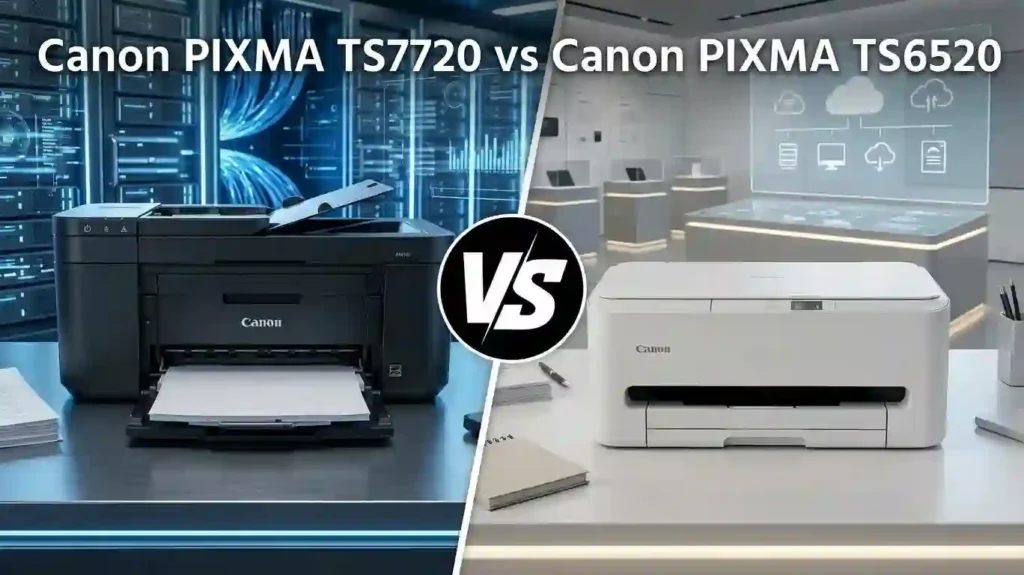
You need a printer that works when homework, forms, and photos pile up. Two Canon models keep showing up in US shopping lists: the Canon PIXMA TS7720 and the Canon PIXMA TS6520. Both are wireless all-in-one inkjets for home printing, document scanning, and everyday color printing.
Do not choose on price alone. Compare print speed, ink costs, paper handling, Wi-Fi, and ease of use. A low sticker price can cost more later. Our guide explains why cheap printers can cost more over time.
So which model gives the best balance of features, running costs, and value for your household? This guide uses Canon specifications and recent listings from US retailers such as Best Buy and Staples. We did not run lab tests, so every speed here is Canon’s rated number.
Canon PIXMA TS7720 vs TS6520: Key Differences at a Glance
Quick verdict: Pick the TS7720 for a bigger touchscreen and a second paper tray. Pick the TS6520 for plain everyday printing at a lower price. Both offer automatic duplex, flatbed scanning, dual-band Wi-Fi, and no document feeder. Ink cost per page is nearly the same.
The biggest gaps are screen size, paper feeding, black ink type, and small speed gains. Canon rates the TS7720 at 15 ipm black and 10 ipm color. It rates the TS6520 at 14 and 9 ipm.
Quick comparison of the main features
Both models print, copy, and scan. Both are all-in-one printers with automatic two-sided printing, USB, and mobile printing. Here are the main points side by side.
| Feature | Canon PIXMA TS7720 | Canon PIXMA TS6520 |
|---|---|---|
| Screen | 2.7-inch color touchscreen | 1.42-inch monochrome OLED |
| Paper input | 100-sheet cassette + 100-sheet rear tray | 100-sheet cassette |
| Speed (black / color) | 15 / 10 ipm | 14 / 9 ipm |
| Black ink | PG-285 | PG-295 |
| Wi-Fi | Dual-band | Dual-band |
| Weight | 13.8 lb | 11.6 lb |
Some details change by retailer or bundle, such as how Wi-Fi is labeled. Canon’s US sheet for the TS6520 lists 802.11 b/g/n/a on 2.4 GHz and 5 GHz. Check the box and Canon’s support page before you buy.
Which printer is better for different users?
Students and families
Both handle assignments, forms, and everyday documents. The TS6520 is the budget pick. See our picks for the best inkjet printer for students and a printer for school homework.
Remote workers
The TS7720 suits people who switch between plain paper, envelopes, and card stock. Its larger screen also helps when you copy or scan without a computer. Neither model has a document feeder.
Heavy or photo-focused users
If you print hundreds of pages or want gallery-grade photos, step up a category. First check how much printing a home printer should handle.
Design, Display, and Paper Handling Compared
The two printers have nearly the same footprint. The TS7720 measures about 14.8 x 13.8 x 6.7 inches and weighs 13.8 pounds. The TS6520 measures 14.8 x 14 x 6.7 inches closed and weighs 11.6 pounds.
A front cassette holds plain paper. A rear tray lets you feed photo paper without emptying the cassette. Leave room around either printer, and read where to place a printer at home for desk tips.
Display and control panel
The TS7720 has a 2.7-inch color touchscreen. The TS6520 has a 1.42-inch monochrome OLED display. A bigger screen makes it easier to check ink levels, choose print settings, and copy without a computer.
First-time owners may like the TS7720’s screen during first-time printer setup. On the TS6520, expect to lean on the Canon PRINT app more. Either way, you can learn to check printer ink levels correctly.
Paper capacity and supported media
The TS7720 holds 100 sheets in the front cassette plus 100 sheets in the rear tray. The TS6520 has one 100-sheet cassette. Both handle US Letter, #10 envelopes, photo paper, and greeting cards. Canon lists borderless sizes from 4 x 6 to 8.5 x 11 inches for the TS6520.
With the TS7720, plain paper can stay in front while photo paper loads in back. Its media list also includes semi-gloss, luster, magnetic photo paper, and card stock. The TS6520 list is shorter. Not sure what to buy? Compare glossy vs matte photo paper and see which paper works best with inkjet printers.
Print Speed and Print Quality
Canon rates speed in images per minute (ipm). It works like pages per minute, but it comes from a standard test. Learn the basics in what pages per minute means on a printer.
Sharpness depends on dpi, or dots per inch. Both models list up to 1200 x 1200 dpi. Our guide to printer resolution explained in simple terms shows why that number is only part of the story.
Black-and-white document printing
The TS7720 is rated at about 15 ipm in black. The TS6520 is rated at about 14 ipm. Canon lists the TS6520’s first page out at about 7.5 seconds. You will not notice a one-ipm gap on a three-page report.
Both use pigment black ink, which keeps small fonts and spreadsheets crisp. Draft mode, page coverage, and a slow computer can change real speed. If prints crawl, read why inkjet printing is so slow.
Color documents and photo printing
Color speed is about 10 ipm on the TS7720 and 9 ipm on the TS6520. Canon lists a 4 x 6 borderless photo in about 39 seconds on the TS6520. Both use four-color ink, so they suit charts, school projects, and family snapshots. They are not dedicated photo printers.
Use photo paper, pick the matching paper type in settings, and start with a sharp image. Those steps matter more than the model. See how to print professional-looking photos at home.
Automatic duplex printing
Both models support automatic duplex printing. The printer prints one side, flips the sheet, and prints the back. This cuts paper use on reports and long documents.
It takes longer than one-sided printing because the paper makes an extra trip. Even so, it beats flipping 20 pages by hand. Over a year, fewer sheets add up. See how to reduce home printing costs.
Ink Cartridges, Page Yield, and Running Costs
Printer price is only the start. Ink is where most of the money goes. Cartridge size, page yield, and print habits all shape your bill. This section uses Canon’s rated yields and US prices. For background, read inkjet printer running costs explained.
What ink cartridges do the TS7720 and TS6520 use?
The TS7720 uses PG-285 black and CL-286 color. The TS6520 uses PG-295 black and the same CL-286 color. The black cartridges are not interchangeable. Some retail pages mix up part numbers, so use our guide to check if a printer cartridge is compatible.
Standard and XL options
Both models take standard and XL sizes. Standard cartridges are rated near 180 pages. XL cartridges are rated near 400 pages. The TS6520’s standard tanks hold 6.7 ml of black and 9.9 ml of color. XL tanks for the TS7720 line hold 12.7 ml and 17.6 ml.
Pigment black and dye color ink
Pigment black sits on top of the paper, so text looks sharp. Dye color soaks in, so photos look bright. Weighing genuine against third-party ink? See original vs compatible printer cartridges.
Estimated page yield and cost per page
Canon’s XL cartridges for the TS7720 are rated at about 400 pages each, for black and color. Standard ones are rated at about 180 pages. The TS6520’s PG-295 and CL-286 follow the same 180 and 400 page pattern. These are estimates from standard tests, not promises.
Cost per page math
Divide the price by the rated pages. These estimates average one black and one color cartridge.
| Model and size | Price for the pair | Rated pages (each) | Estimated cost per page |
|---|---|---|---|
| TS7720 standard (PG-285 + CL-286) | $56.08 to $68.24 | 180 | 15.6 to 19.0 cents |
| TS7720 XL (PG-285XL + CL-286XL) | $93.49 to $115.00 | 400 | 11.7 to 14.4 cents |
| TS6520 standard (PG-295 + CL-286) | $64.98 | 180 | 18.1 cents |
| TS6520 XL (PG-295XL + CL-286XL) | $105.93 to $111.99 | 400 | 13.2 to 14.0 cents |
Prices come from Canon list prices and recent Walmart and 4inkjets listings. They change often.
Why real yields run lower
Photos, heavy color pages, cleaning cycles, and long gaps between jobs use extra ink. Try these tips to reduce ink usage when printing.
Which printer is cheaper to maintain?
Ink costs are close. XL pairs list at $115.00 for the TS7720 and $111.99 for the TS6520. The TS6520 usually wins on purchase price. Canon Canada’s page for the TS7720 also notes a replaceable maintenance cartridge. That is one more part to watch over the years.
Canon’s PIXMA Print Plan covers both models. Monthly plans cost $4.49 for 30 pages, $6.99 for 100 pages, and $10.99 for 200 pages. Extra pages cost 10 cents. Pay-per-print costs 20 cents a page, so it can cost more than XL cartridges.
Canon’s “up to 70%” savings claim is a best case from its own math. The plan needs Wi-Fi, a bank-issued card, and a contiguous US shipping address. Pick based on monthly pages and how often you print color.
Wireless Connectivity and Mobile Printing
Both printers offer Wi-Fi and USB. Mobile printing lets you print from a phone without a laptop. Below are the basics and quick fixes for connection trouble.
Wi-Fi and USB connectivity
Both models support dual-band Wi-Fi, which means 2.4 GHz and 5 GHz. The 2.4 GHz band reaches farther. The 5 GHz band is faster but weaker through walls. Keep the printer near your router for a stable link.
USB is a handy backup. Plug in a cable and print while you fix the router. If the connection fails, read why a printer won’t connect to Wi-Fi.
Printing from phones, tablets, and computers
Both support the Canon PRINT app, Apple AirPrint, and Mopria Print Service. Canon lists Chromebook support for the TS6520 and Windows and Mac software for both. Check Canon’s support page for current macOS versions. Need phone steps? See how to print from a phone at home. You can also learn how to connect a printer to a smartphone.
Quick checklist for an offline printer
- Turn the printer off and on.
- Put the printer and device on the same Wi-Fi network.
- Restart your router.
- Re-add the printer in the app or in system settings.
- Test with a USB cable.
Still stuck? Read why a printer keeps going offline.
Scanning, Copying, and Home Office Features
Both printers have a flatbed scanner. You lay each page on the glass. That works well for receipts, school assignments, and signed forms. It is slow for stacks. If scanning will not start, see how to install printer drivers correctly.
Scanner performance and document handling
Both list 1200 x 2400 dpi optical scan resolution with a contact image sensor (CIS). That is plenty for documents and snapshots. Both scan to a computer, attach to email, and save multi-page PDFs.
Neither has an automatic document feeder (ADF). Each page needs its own trip to the glass. For stacks, see the best multifunction printer for small offices.
Copying and everyday productivity
Both copy at about 7 ipm. Canon lists borderless copy, fit-to-page, and 25 to 400 percent zoom. These tools help with forms, school materials, and receipts.
For long copy jobs, a model with an ADF saves time. Our comparison of a laser printer vs inkjet for everyday documents can help you decide.
Canon PIXMA TS7720 vs TS6520: Detailed Comparison Table
Use this table as your main reference. It separates real hardware differences from shared features.
| Feature | Canon PIXMA TS7720 | Canon PIXMA TS6520 |
|---|---|---|
| Functions | Print, copy, scan | Print, copy, scan |
| Black print speed | Approx. 15 ipm | Approx. 14 ipm |
| Color print speed | Approx. 10 ipm | Approx. 9 ipm |
| Display | 2.7-inch color touchscreen | 1.42-inch monochrome OLED |
| Paper capacity | 100-sheet cassette + 100-sheet rear tray | 100-sheet cassette |
| Automatic duplex | Yes | Yes |
| Scanner | Flatbed | Flatbed |
| Optical scan resolution | 1200 x 2400 dpi | 1200 x 2400 dpi |
| Wireless connectivity | Dual-band Wi-Fi | Dual-band Wi-Fi |
| USB connectivity | Yes | Yes |
| Black ink cartridge | PG-285 | PG-295 |
| Color ink cartridge | CL-286 | CL-286 |
| Size (W x D x H, inches) | 14.8 x 13.8 x 6.7 | 14.8 x 14 x 6.7 |
| Weight | 13.8 lb | 11.6 lb |
| Power while printing | 22 W | 21 W |
| List price (MSRP) | $161.99 | $140.99 |
| Best comparison point | Larger touchscreen and flexible paper handling | Simpler controls and compact everyday printing |
Sources: Canon USA support specifications for the PIXMA TS6520, Canon specifications for the PIXMA TS7720 as shown by Best Buy, Office Depot, and Staples, and list prices from SHI. Checked October 2026. Prices change often.
What do the specifications mean for buyers?
The TS7720’s rear tray and larger display make mixed-media printing easier. Both models share the essentials: automatic duplex, flatbed scanning, and wireless printing.
A one-ipm speed gap should not decide your purchase. Weigh your needs and ink costs instead. For help with jargon, read printer specifications explained for beginners.
Price, Value, and Total Cost of Ownership
Compare current US prices, promotions, and warranty. Both come with a one-year Canon limited warranty. Best Buy, Staples, and other retailers change prices often, and sales end fast. Check prices again before you buy.
Which printer offers better value for money?
List prices are $161.99 for the TS7720 and $140.99 for the TS6520. Recent listings showed the TS7720 at $115.99 at Best Buy. The TS6520 was as low as $69.99 to $79.99 at Staples. Some Staples listings put the TS7720 near $85 to $100, which narrows the gap.
If you print plain documents, the TS6520 gives you the core features for less. If you swap paper types often, the TS7720 earns its extra cost. See the best home printer with cheap running costs for more options.
How to estimate the total cost of ownership
Start with your monthly pages. Add ink, paper, and the printer price. Then compare XL cartridges with any subscription. Our guide to the true cost of owning a printer explains the full method.
Example: 75 pages per month
Assumptions: 900 pages a year and XL cartridges at list price. Paper costs $8 per 500 sheets, with no duplex savings. Sample printer prices are $115.99 and $79.99.
| Cost item | TS7720 | TS6520 |
|---|---|---|
| Printer (sample price) | $115.99 | $79.99 |
| Ink for 900 pages | $129.60 | $126.00 |
| Paper (900 sheets) | $14.40 | $14.40 |
| First-year total | $259.99 | $220.39 |
At list printer prices, the totals are $305.99 and $281.39, so the gap is about $25. Starter cartridges lower first-year ink costs. At 50 pages a month, ink runs about $86 and $84 a year. At 100 pages, it runs about $173 and $168. The Moderate Print Plan costs $83.88 a year, about a third less than the ink estimate.
Pros and Cons of Each Canon PIXMA Printer
Here is the short list for each model.
Canon PIXMA TS7720 pros and cons
Pros
- Larger color touchscreen
- Two paper-feeding options
- Slightly higher rated document speeds
- Automatic duplex printing
Cons
- Costs more than the TS6520 in most listings
- Ink cost per page is about the same, so the extra money buys convenience, not savings
- Heavier at 13.8 pounds
The extra tray matters most when you switch between everyday documents and photo media.
Canon PIXMA TS6520 pros and cons
Pros
- Lower price in most listings
- Lighter at 11.6 pounds, with a similar footprint
- Straightforward all-in-one printing with Wi-Fi and duplex
- Eligible for PIXMA Print Plan
Cons
- Smaller monochrome display
- Only one 100-sheet paper cassette
- No ADF
These limits are fine if you print occasionally on standard paper. For a closer look at a related model, read our Canon PIXMA TS4320 vs TS6520 comparison.
How to Choose Between the TS7720 and TS6520
Match the printer to your monthly pages, paper types, workspace, and budget. Do not assume the more feature-rich model is the better buy. Convenience and total cost matter most.
Choose the TS7720 if…
- You often switch between plain paper and photo paper or card stock.
- You want a larger touchscreen and slightly faster rated printing.
- You want a second paper feed without moving up to an office printer.
Choose the TS6520 if…
- You mainly print everyday documents, school assignments, occasional photos, and household paperwork.
- A lighter all-in-one with Wi-Fi and duplex meets your needs.
- Its price makes it the better value for your monthly volume.
When should you consider another printer?
If you print hundreds of pages a month, look at ink-tank models. Read ink cartridge printer vs refillable tank first. If you scan stacks of paper, choose a model with an ADF. If photos come first, see how to choose a printer for photo printing. For heavy office work, check the best laser printer for a home office.
Common Setup and Troubleshooting Tips
Good setup prevents most problems. Install the ink, load paper, connect Wi-Fi, and run a test print. Skip factory resets and new cartridges until you check the basics. For firmware and drivers, use Canon’s support page for your exact model.
How to connect either printer to Wi-Fi
- Install the Canon PRINT app, or start wireless setup on the printer.
- Choose your home network and type the password exactly.
- Keep the printer and your device on the same network.
- Print a test page.
- If it fails, restart the router and printer, then check Canon’s support page.
Need more detail? Follow how to connect a printer to Wi-Fi.
How to fix poor print quality or missing colors
- Check ink levels.
- Confirm the paper type and print settings.
- Run a nozzle check.
- If lines are missing, run one cleaning cycle. Cleaning uses ink, so do it only when needed.
- If the problem stays, follow Canon’s troubleshooting guide for your model.
Menus differ by model, so do not assume both printers use the same steps. Streaks and bands? See why inkjet prints have lines. To learn what the part does, read about the inkjet printhead. If the printer sat idle, read why an inkjet printer dries out.
Frequently Asked Questions (FAQ)
Here are short answers to the questions US shoppers ask most.
1. What is the main difference between the Canon PIXMA TS7720 and TS6520?
The TS7720 has a 2.7-inch color touchscreen, a second 100-sheet rear tray, and slightly higher rated speeds. Both give you printing, scanning, copying, Wi-Fi, and automatic two-sided printing.
2. Is the Canon PIXMA TS7720 better than the TS6520?
It can be, if you value easier controls and flexible paper handling. The TS6520 may be the better value when its price is lower and its features cover your needs.
3. Which printer prints faster, the TS7720 or TS6520?
Canon rates the TS7720 at about 15 ipm black and 10 ipm color. The TS6520 is rated at about 14 and 9 ipm. Real speed varies with document type, quality settings, and Wi-Fi strength.
4. Do both Canon PIXMA printers support automatic double-sided printing?
Yes. Both print on the back of the page without you flipping it. That cuts paper use and manual handling.
5. What ink cartridges do the TS7720 and TS6520 use?
The TS7720 uses PG-285 black and CL-286 color. The TS6520 uses PG-295 black and CL-286 color. Check your exact model before you order.
6. Which Canon printer has cheaper ink?
They are close. XL pairs work out to roughly 12 to 14 cents a page for either model. Divide the cartridge price by the rated pages instead of comparing sticker prices.
7. Can I print from an iPhone or Android phone with either printer?
Yes. Use the Canon PRINT app, Apple AirPrint, or Mopria Print Service. Join the same Wi-Fi network first, and check that your phone’s software is up to date.
8. Are the Canon PIXMA TS7720 and TS6520 good for photo printing?
They suit casual color photos and supported borderless sizes. Results depend on photo paper, image resolution, and print settings. For gallery-grade prints, consider a dedicated photo printer.
9. Do either of these printers have an automatic document feeder?
No. Both use flatbed scanners without an ADF. For frequent multipage scanning, pick a model that has one.
10. Which printer is best for a home office?
Compare monthly pages, scanning needs, Wi-Fi, and ink costs. The TS7720 suits mixed paper and touchscreen use. The TS6520 suits simple, low-volume work. For bigger needs, see how to choose a printer for a small office.
Conclusion: Which Canon PIXMA Printer Should You Buy?
The Canon PIXMA TS7720 vs Canon PIXMA TS6520 choice comes down to convenience versus price. The TS7720 adds a larger touchscreen, a second paper tray, and slightly higher rated speeds. Both share the same core functions, similar ink costs, and no document feeder.
Choose the TS7720 if its screen and two paper feeds fit how you print. Choose the TS6520 for straightforward everyday printing. Check prices, cartridge fit, and your monthly pages first.
Final verdict and call to action
Compare the latest Canon USA listings and offers from Best Buy, Staples, and other US retailers before you buy. Estimate your monthly pages and run the cost math from this guide.
If the TS7720 costs only a little more, take it for the extra convenience. If the TS6520 is on sale, take it and put the savings toward XL ink. Compare both models today and choose the printer that fits your home or office. For more ideas, browse our best printer for family use guide.




