
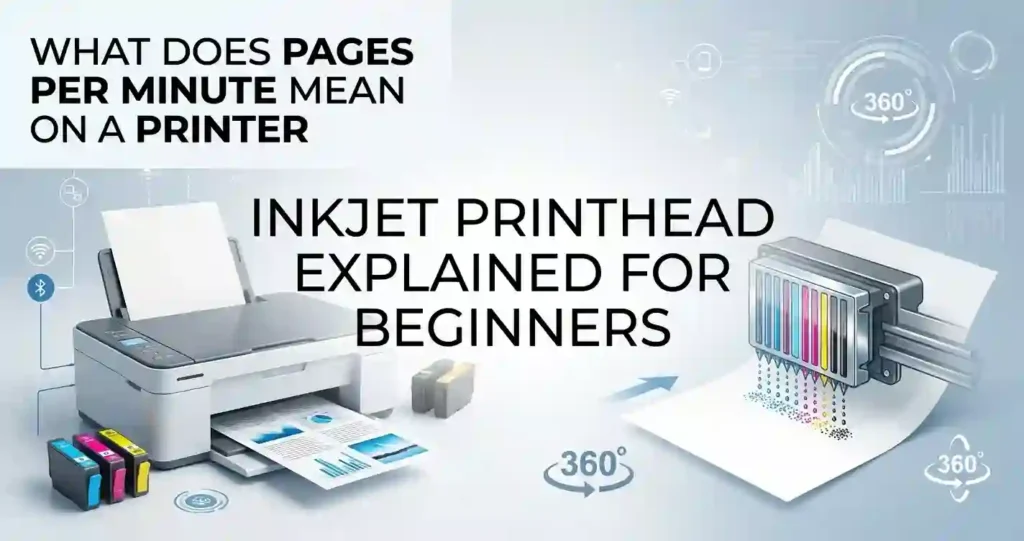
If your printer is producing streaky text, faded colors, or missing lines across your documents, the culprit is almost certainly the printhead. Understanding how this essential component works can save you hundreds of dollars in wasted ink, unnecessary cartridge replacements, and premature hardware upgrades.
In this comprehensive guide, we will break down the inkjet printhead explained for beginners, covering its core mechanics, common issues, step-by-step cleaning routines, and long-term maintenance strategies.
Introduction: What Is an Inkjet Printhead?
An inkjet printhead is the mechanical component inside an inkjet printer that fires tiny droplets of liquid ink onto paper to form text, graphics, and photographs.
While paper moves through the machine, the printhead moves back and forth (or remains stationary in high-speed page-wide printers), placing millions of microscopic ink dots with precision.
+-----------------------------------------------------------------+
|                        INK SUPPLY SYSTEM                        |
|   (Ink Cartridge or Refillable Tank stores liquid ink supply)   |
+-----------------------------------------------------------------+
                                |
                                v
+-----------------------------------------------------------------+
|                        INKJET PRINTHEAD                         |
|   (Houses electronic micro-actuators & fluid channels)          |
+-----------------------------------------------------------------+
                                |
                                v
+-----------------------------------------------------------------+
|                        PRINTHEAD NOZZLES                        |
|   (Thousands of microscopic openings firing micro-droplets)     |
+-----------------------------------------------------------------+
                                |
                                v
+-----------------------------------------------------------------+
|                           PAPER / MEDIA                         |
|   (Forms final text, photos, and high-resolution graphics)       |
+-----------------------------------------------------------------+
Key Differences: Printhead vs. Cartridge vs. Tank vs. Nozzle
To troubleshoot your printer effectively, you must first distinguish between these four components:
| Component | Primary Function | Replacement Frequency |
| Ink Cartridge / Ink Tank | Holds liquid ink supply. | Frequently (when empty). |
| Printhead | Delivers ink precisely onto the page. | Rarely (or with cartridges). |
| Printhead Nozzle | Microscopic opening that sprays ink. | Built into printhead (not user-replaceable). |
| Printer Controller | Electronic board commanding nozzle timing. | Permanent internal hardware. |
Why Printhead Condition Directs Everything
- Print Quality & Sharpness: Clogged or damaged nozzles cause jagged text edges, blurry graphics, and white bands.
- Color Accuracy: If one color channel fails, your printer cannot mix primary colors accurately, yielding off-color prints.
- Page Yield & Costs: A malfunctioning printhead forces repeated automatic cleaning cycles, which rapidly consume expensive liquid ink.
Printhead vs. Ink Cartridge
Understanding how ink storage connects to ink delivery helps explain why buying new ink does not automatically fix bad print quality.
Ink Delivery Designs
- Integrated Printhead Cartridges (Two-Cartridge Systems):Common in budget printers (e.g., entry-level Canon PIXMA or HP DeskJet models). The printhead is built directly into the bottom of the ink cartridge. Replacing the cartridge replaces the printhead.
- Permanent / Semi-Permanent Printheads (Ink Tank Systems):Common in refillable ink-tank printers (e.g., Epson EcoTank, Canon MegaTank, HP Smart Tank) and mid-to-high-end office printers. The printhead remains inside the printer, while external tanks feed ink through silicone tubing.
Why New Cartridges Don’t Always Fix the Problem
If your printer uses a permanent internal printhead, putting in a fresh ink cartridge or refilling an ink tank will not clear dried ink inside the printhead assembly. Liquid ink must pass through microscopic channels; if those channels are blocked, fresh ink simply remains stuck behind the clog.
How Does an Inkjet Printhead Work?
The printing process relies on a coordinated sequence of fluid dynamics and digital signal processing:
- Fluid Transfer: Ink flows from the reservoir (cartridge or tank) into the printhead manifold.
- Digital Activation: The printer controller sends electronic impulses to specific micro-actuators behind each nozzle.
- Droplet Ejection: The actuator forces a precise volume of ink (measured in picoliters) through the nozzle opening.
- Media Movement: The printhead carriage glides horizontally across the page via a belt-and-stepper-motor system while rollers feed the paper vertically, creating complete images line by line.
Thermal vs. Piezoelectric Printhead Technologies
Inkjet printers utilize one of two primary technologies to eject ink: Thermal or Piezoelectric.
  THERMAL INKJET MECHANISM                 PIEZOELECTRIC INKJET MECHANISM

+-------------------------+              +-------------------------+
|     Micro-Resistor      |              |   Piezo Element (PZT)   |
|     (Rapid Heating)     |              |  (Expands on Voltage)   |
+-------------------------+              +-------------------------+
             |                                        |
             v                                        v
+-------------------------+              +-------------------------+
|   Vapor Bubble Forms    |              |   Physical Displacement |
|  (Pushes Ink Droplet)   |              |  (Flexes Chamber Wall)  |
+-------------------------+              +-------------------------+
             |                                        |
             v                                        v
+-------------------------+              +-------------------------+
| Nozzle Fires Droplet    |              | Nozzle Fires Droplet    |
+-------------------------+              +-------------------------+
1. Thermal Inkjet Printheads
- How It Works: Tiny resistors apply intense heat to the ink, boiling it instantly to create a vapor bubble. As the bubble expands, it forces a droplet of ink out of the nozzle. The bubble then collapses, drawing fresh ink into the chamber.
- Common Brands: HP, Canon, Lexmark.
- Pros: Low manufacturing costs, high nozzle density.
- Cons: High heat subjects printhead components to thermal stress over time; requires heat-tolerant dye or pigment inks.
2. Piezoelectric Inkjet Printheads
- How It Works: Uses piezoelectric crystals (such as lead zirconate titanate) behind each nozzle. When an electrical voltage is applied, the crystal flexes, changing the volume of the ink chamber and forcing a droplet out.
- Common Brands: Epson, Brother.
- Pros: No heat involved; allows precise control over droplet size (variable droplet technology); compatible with a wider range of ink chemistries.
- Cons: Higher initial manufacturing cost.
What Are Printhead Nozzles and Why Nozzle Density Matters
Microscopic Precision
A single printhead contains hundreds to thousands of microscopic nozzles, each often measuring less than half the width of a human hair (typically 10 to 30 microns in diameter).
These nozzles drop droplets as small as 1 to 2 picoliters (one picoliter is one-trillionth of a liter) onto the paper surface at rates exceeding 20,000 drops per second per nozzle.
Nozzle Density and DPI
- Nozzle Density: Refers to how many individual nozzles are packed onto the printhead surface per linear inch.
- DPI (Dots Per Inch): Refers to the physical density of ink dots placed on paper. Higher nozzle density enables higher native DPI, resulting in smoother gradients, finer detail, and sharper vector text.
- Print Speed (PPM): More active nozzles firing simultaneously allow the printer to cover more surface area in a single pass, directly increasing PPM (Pages Per Minute).
Important Note: A higher advertised DPI does not guarantee better output. Factors like droplet placement accuracy, ink formulation quality, printhead alignment, and paper absorption play equally vital roles.
Why the Printhead Directs Print Quality and Color Accuracy
Inkjet color printing relies on the subtractive CMYK color model (Cyan, Magenta, Yellow, and Key/Black). Photo-specialized printers may add Photo Cyan, Photo Magenta, Light Gray, or Red to expand the color gamut.
       CMYK COLOR MIXING & NOZZLE HEALTH CHECK

[Cyan Nozzles]    +  [Magenta Nozzles]  --->  Pure Blue / Violet
[Yellow Nozzles]  +  [Magenta Nozzles]  --->  Vivid Red / Orange
[Cyan Nozzles]    +  [Yellow Nozzles]   --->  Clean Green

  * IF CYAN NOZZLES CLOG:
    Purples shift to Pink | Greens shift to Yellow
If even 5% of the nozzles in a single color channel (e.g., Cyan) become clogged, the printer cannot drop the correct proportion of ink. This leads to:
- Color Shifts: Skin tones appearing overly pink or green.
- Horizontal Banding: Regularly spaced white or light lines running across printed pages.
- Dull Highlights: Loss of contrast and dynamic range in color photographs.
Common Inkjet Printhead Problems
Here is a quick reference guide to identifying printhead issues:
| Problem | Symptoms | Primary Cause |
| Clogged Nozzle | Horizontal white streaks, missing text lines, off-key colors | Dried ink residue blocking nozzle openings. |
| Misaligned Printhead | Blurry text, doubled vertical lines, jagged margins | Mechanical shifts from movement, paper jams, or transport. |
| Dirty Printhead Face | Random ink smudges, streaks on paper edges | Dust, paper fibers, or excess ink accumulated on underside. |
| Air Locked Printhead | Completely blank pages despite full ink reservoirs | Air bubbles trapped inside fluid channels or ink tubes. |
| Damaged / Burnt Element | Permanent missing lines that cleaning cycles cannot fix | Thermal overload, dry firing (printing with empty cartridges). |
Detailed Breakdown of Printhead Issues
1. Clogged Printhead
The most common inkjet issue occurs when water or solvent evaporates from ink left sitting inside open nozzles, leaving behind dried pigment or dye solids.
2. Misaligned Printhead
Over time, physical vibrations, paper jams, or changing paper weights can throw off the mechanical alignment between printhead passes. The printer fires ink slightly too early or late during horizontal sweeps, creating a fuzzy appearance.
3. Damaged or Failing Printhead
Continuous printing with empty cartridges causes thermal inkjet resistors to overheat and burn out. Physical contact with curled paper can also scratch the nozzle plate, permanently damaging fluid channels.
How to Clean an Inkjet Printhead Step-by-Step
Before spending money on replacement hardware, execute a standard software cleaning process.
+-------------------------------------------------------------+
| Step 1: Print Nozzle Check Pattern                          |
| (Identify missing test lines or color gaps)                 |
+-------------------------------------------------------------+
                               |
                               v
+-------------------------------------------------------------+
| Step 2: Run Built-In Utility Cleaning Cycle                 |
| (Flushes fresh ink through channels to dissolve clogs)      |
+-------------------------------------------------------------+
                               |
                               v
+-------------------------------------------------------------+
| Step 3: Print Second Nozzle Check Pattern                   |
| (Compare test grid against initial baseline pattern)        |
+-------------------------------------------------------------+
               |                               |
        (If Clean)                      (If Still Clogged)
               |                               |
               v                               v
+-----------------------------+ +-----------------------------+
| Complete! Ready to print.   | | Step 4: Rest Printer 2-4 Hours|
+-----------------------------+ | (Allows ink to soak/soften) |
                                +-----------------------------+
                                               |
                                               v
                                +-----------------------------+
                                | Step 5: Run Deep Cleaning   |
                                +-----------------------------+
Detailed Steps
- Print a Nozzle Check Pattern: Open your printer driver settings on your computer (or access the control panel menu on the printer) and print a Nozzle Check diagnostic page.
- Identify Problem Channels: Examine the test pattern grid. Missing segments or gaps indicate clogged nozzles in specific color channels.
- Execute a Standard Cleaning Cycle: Run one software cleaning cycle via your printer app (HP Smart, Epson Print Admin, Canon IJ Printer Utility).
- Print a Second Nozzle Check: Compare the new pattern to the original test page.
- Allow Resting Time: If gaps persist, do not run 5 to 10 consecutive cleaning cycles. Let the printer sit powered on for 2 to 4 hours. This allows fresh ink to soak into and soften the dried residue.
- Run a Second Cleaning / Deep Cleaning Cycle: Perform one more cleaning pass after the resting period.
Caution: Do not use unapproved isopropyl alcohol, acetone, window cleaners, or paper towels to scrub manual printhead assemblies. These solvents can dissolve internal seals or scratch the delicate nozzle plate.
When Not to Keep Cleaning
Standard printhead cleaning cycles purge ink through the nozzles at high pressure to clear blockages. Running excessive cycles can be counterproductive:
- Wasted Ink: Running 4 to 6 continuous deep cleaning cycles can consume up to 25–50% of an ink cartridge’s total volume.
- Saturated Waste Ink Pads: Excess flushed ink is dumped into internal sponge pads (waste ink absorbers), which can fill up prematurely and trigger a service lock.
- Heat Buildup: Rapid cleaning cycles in thermal printheads cause heat buildup, which can damage thermal elements.
If two thorough cleaning passes with a 4-hour soak period do not improve nozzle output, the printhead is likely damaged electronically, severely air-locked, or permanently clogged.
How to Prevent Inkjet Printhead Clogs
Preventative maintenance helps keep liquid ink flowing smoothly and extends hardware life:
- Print Regularly: Print at least one color document or diagnostic page per week to keep liquid ink moving through the nozzles.
- Leave the Printer Plugged In: Modern inkjet printers run silent background maintenance routines during idle times. Unplugging the printer via a power strip prevents these routines from running.
- Always Use the Power Button: Shutting off the printer using its dedicated power button gives the carriage time to park in a sealed capping station, which guards the nozzles against air exposure and drying out.
- Store in Moderated Environments: Avoid placing your printer near heating vents, in direct sunlight, or in dry, dusty rooms.
       PREVENTATIVE INKJET MAINTENANCE ROUTINE

Frequency        Action Required
-------------------------------------------------------------
Weekly           Print at least 1 multi-color test page.
Always           Power off using printer button (allows auto-capping).
Monthly          Inspect driver ink levels & paper path dust.
Quarterly        Run visual nozzle check; perform alignment if needed.
Inkjet Printhead Impact on Ink Usage & Page Yield
Automatic cleaning cycles extract ink from your cartridges to clear fluid paths without outputting text on paper. Understanding how this process works helps clarify discrepancies between manufacturer yields and real-world usage.
Advertised ISO Yield vs. Real-World Yield
- ISO/IEC 24711 Standard: Manufacturer page-yield estimates (e.g., “Yields up to 500 pages”) are calculated based on continuous printing of standardized test documents with ~5% page coverage in controlled laboratory environments without interruptions or maintenance cycles.
- Real-World Household Yield: Intermittent printing, frequent power-cycling, and automatic printhead cleaning cycles consume ink outside of normal printing. As a result, actual page yield per cartridge or tank refill can be 20% to 50% lower than the rated ISO yield.
Printhead Considerations for Printer Buying Decisions
Evaluating printhead configurations can help lower total operating expenses over the lifetime of your device.
+-----------------------------------------------------------------+
|                      CARTRIDGE-BASED SYSTEM                     |
|  - Low upfront cost ($50 - $100 printer)                        |
|  - Integrated printhead in cartridge (new printhead each swap)  |
|  - High running costs (~$0.15 - $0.25 per color page)           |
+-----------------------------------------------------------------+

                                VS

+-----------------------------------------------------------------+
|                       REFILLABLE INK-TANK SYSTEM                |
|  - Higher upfront cost ($200 - $450 printer)                    |
|  - Permanent / User-replaceable printhead                       |
|  - Microscopic running costs (~$0.003 - $0.01 per color page)   |
+-----------------------------------------------------------------+
Feature Checklist Before Purchase
- Printhead Design Type:
- Integrated Cartridge: Ideal for infrequent printers (1–10 pages per month). If nozzles clog permanently, buying a new cartridge fixes the issue instantly.
- Permanent Ink-Tank: Best for moderate-to-high volume users (50+ pages per month). Offers low running costs, but requires regular use to avoid clogs.
- User-Replaceable Printheads: Check whether the printer allows you to buy and snap in a new printhead assembly (e.g., HP Smart Tank or Canon MegaTank replacement heads for ~$30–$60) without requiring a technician.
- Running Costs vs. Purchase Price: A low-cost $49 printer with integrated cartridges can quickly surpass the overall lifetime expense of a $249 refillable ink-tank printer due to cartridge replacement costs over 2 to 3 years.
How to Troubleshoot Poor Inkjet Print Quality
Use this step-by-step diagnostic workflow to isolate print quality issues:
[Issue: Poor Output / Blank Lines / Faded Print]
                       |
                       v
     +-----------------------------------+
     | Check Ink Levels in Driver / Tank |
     +-----------------------------------+
                       |
        +--------------+--------------+
        |                             |
  (Ink is Low)                   (Ink is Sufficient)
        |                             |
        v                             v
+------------------+         +-------------------------------+
| Replace Cartridge|         | Inspect Paper & Settings      |
| or Refill Tank   |         | (Match Glossy/Plain in driver)|
+------------------+         +-------------------------------+
                                      |
                                      v
                             +-------------------------------+
                             | Print Nozzle Diagnostic Page  |
                             +-------------------------------+
                                      |
                       +--------------+--------------+
                       |                             |
                (Broken Lines)                (Solid Pattern)
                       |                             |
                       v                             v
              +------------------+          +------------------+
              | Run Head Cleaning|          | Run Printhead    |
              | Cycle (Max 2x)   |          | Alignment Tool   |
              +------------------+          +------------------+
Fast Diagnosis Checklist
- Blank Pages: Check for protective yellow tape left on new cartridges; inspect for dry printheads or air-locked delivery tubes.
- Faded Output / Light Grays: Verify media settings match inserted paper (e.g., selecting “Plain Paper” while printing on heavy cardstock causes incorrect ink volumes).
- Horizontal White Lines: Run a nozzle check to identify clogged fluid channels.
- Vertical Jagged Lines / Blurry Text: Execute a printhead alignment calibration cycle.
- Ink Smudges on Back of Page: Clean the paper feed rollers and the underside of the carriage track.
Frequently Asked Questions
1. What is an inkjet printhead?
An inkjet printhead is the component inside an inkjet printer that converts liquid ink into microscopic droplets and places them onto paper to form text and images.
2. How does an inkjet printhead work?
It uses either thermal elements (heating ink to create an expanding vapor bubble) or piezoelectric elements (applying voltage to flex a crystal micro-actuator) to force precise ink droplets out of microscopic nozzles.
3. How do I know if my inkjet printhead is clogged?
Common signs include horizontal white lines running through text or images, faded colors, missing text segments, or prints that appear entirely wrong in hue (such as purple photos lacking yellow ink).
4. Can I clean an inkjet printhead myself?
Yes. The safest way is to use your printer driver’s built-in Printhead Cleaning or Nozzle Cleaning utility. Manual cleaning should only be done following official manufacturer guidelines to avoid damaging delicate electrical contacts.
5. How often should an inkjet printhead be cleaned?
Clean your printhead only when a printed Nozzle Check pattern shows gaps or streaks. Avoid running routine cleanings without cause, as each pass uses liquid ink.
6. Does a clogged printhead waste ink?
Yes. Clogged nozzles disrupt ink delivery, and running repeated deep cleaning cycles to clear those blockages consumes significant amounts of ink.
7. Can an inkjet printhead dry out?
Yes. If an inkjet printer sits unused for extended periods (weeks or months) or is unplugged without properly parking the carriage, residual ink inside the nozzles will dry out and cause blockages.
8. How long does an inkjet printhead last?
Permanent printheads are designed to last the full lifecycle of the printer (typically 3 to 5+ years or tens of thousands of pages), provided the machine is used regularly and maintained properly. Integrated cartridges replace the printhead with every cartridge swap.
9. Can I replace an inkjet printhead?
On many modern ink-tank models, printheads are modular and user-replaceable. On older or entry-level dedicated printers, replacing a permanent printhead can cost as much as buying a new machine.
10. Does the printhead affect print quality?
Yes. The printhead directly determines droplet placement accuracy, detail resolution, line sharpness, and color mixing consistency.
Conclusion: Understanding Your Inkjet Printhead
The inkjet printhead is the central engine of your printer’s image delivery system. Keeping its micro-nozzles clear through regular use, using proper power-down procedures, selecting appropriate paper types, and applying timely maintenance ensures consistent print quality and prevents unnecessary ink waste.
Before replacing a printer that outputs faint or streaky prints, run a diagnostic nozzle check and clean the printhead channels using the built-in software tools.
Calculate Your Real Inkjet Printing Costs
Want to know how much your printer is actually costing you per page once maintenance cycles and cleaning passes are factored in? Use a free online Printer Cost Calculator or Ink Usage Calculator to estimate your true price-per-page, evaluate ink-tank savings, and optimize your printing budget.




