
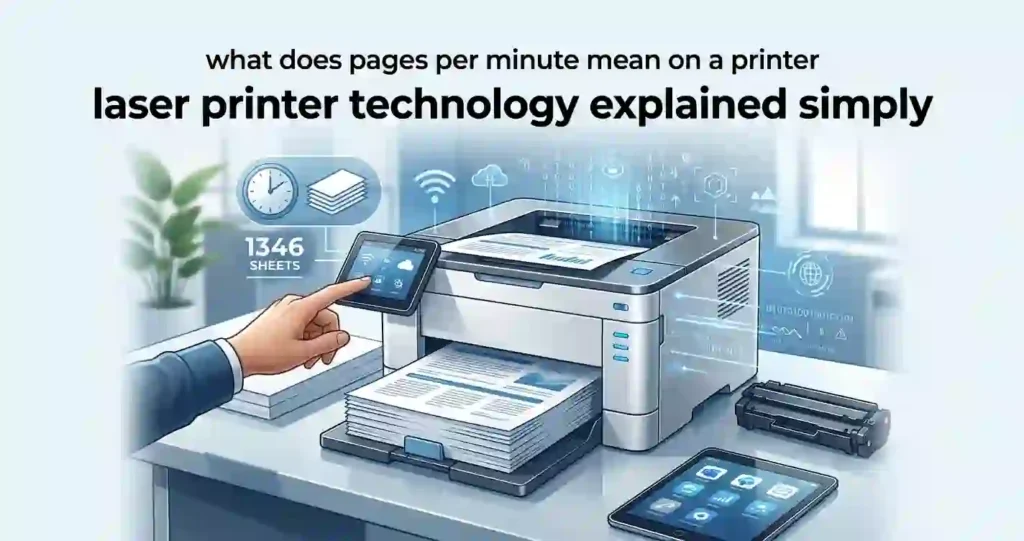
Choosing a printer often feels like navigating a minefield of dried-up ink cartridges, smudged pages, and frustrating print delays. Laser printer technology explained simply reveals why these machines remain the gold standard for crisp text, rapid output, and long-term cost savings in homes and offices across the US.
What Is Laser Printer Technology?
Definition: A laser printer uses a laser beam, electrically charged imaging components, toner powder, and heat to transfer text or images onto paper.
Unlike traditional inkjet printers that spray microscopic droplets of liquid ink, laser printers rely on static electricity and thermal heat. A laser printer acts more like a high-speed precision photocopier.
Instead of liquid ink, it uses toner powder—a fine dust made of plastic polymers, iron oxide, and colorants.
Key Components Overview
- Toner Cartridge: Holds the dry powder used to create text and images.
- Imaging Drum: A light-sensitive cylinder that draws the image using electrical charges.
- Laser Unit: Emits a light beam to alter the electrical charge on the drum.
- Fuser Unit: Heats and squeezes the toner powder to permanently melt it onto the paper.
- Paper Tray: Holds paper stock (such as Standard US Letter 8.5″ x 11″ or Legal 8.5″ x 14″).
How Does a Laser Printer Work?
Step 1: Sending the Print Job
When you print a document from a PC, Mac, iPhone, or Android device, the operating system uses a printer driver to convert the file into a language the printer understands (such as PostScript or PCL).
Modern laser printers accept print jobs via:
- Wired Connections: USB 2.0/3.0 cables or wired Ethernet for office networks.
- Wireless Networks: Wi-Fi (2.4 GHz / 5 GHz) and Wi-Fi Direct (direct device-to-printer pairing without a router).
- Mobile Ecosystems: Apple AirPrint, Mopria Print Service, and manufacturer-specific apps (such as HP Smart or Brother Mobile Connect).
Step 2: Creating the Image With a Laser
Inside the printer, a rotating cylindrical drum called the photoreceptor drum receives a uniform positive electrostatic charge.
- The laser unit shines a fine beam off a rapidly spinning mirror.
- The laser scans across the drum, discharging specific points.
- This creates a invisible, negatively charged electrostatic image of your document on the drum.
Note: The laser does not physically burn or draw toner onto the paper; it only outlines an invisible electrical blueprint.
Step 3: Applying Toner
As the drum rotates, it passes the toner hopper. The toner powder is given a positive electrical charge matching the drum’s original charge.
Because like charges repel and opposite charges attract, the positively charged toner powder clings only to the negatively charged areas written by the laser beam. Monochrome printers use black toner, while color laser printers use separate Cyan, Magenta, Yellow, and Black (CMYK) toner cartridges.
Step 4: Transferring Toner to Paper
The printer feeds a sheet of paper from the tray. The paper passes under a transfer roller that applies a strong negative charge to the back of the paper.
As the paper rolls past the drum, its strong electrostatic field pulls the positively charged toner powder off the drum and directly onto the paper surface in the exact shape of your text and graphics.
Step 5: Fusing Toner With Heat
At this stage, toner is merely sitting on the paper as loose powder.
The sheet enters the fuser unit, which consists of two heated rollers reaching temperatures over 390°F (200°C). The heat melts the plastic resin in the toner while pressure squeezes it directly into the paper fibers. This is why freshly printed laser pages feel warm to the touch and will never smudge when pulled from the tray.
Key Parts of a Laser Printer Explained
Toner Cartridge
The toner cartridge holds the dry plastic powder. Because it contains no liquid, toner cannot dry out or clog print heads—even if the printer sits unused for months.
Manufacturers offer both standard-yield and high-yield (XL) cartridges. High-yield cartridges cost more upfront at retailers like Staples or Amazon but dramatically drop your operating cost per page.
Imaging Drum
The drum (also called an OPC drum or photoreceptor) is responsible for holding the electrostatic image.
- Integrated Cartridges: Brands like HP often combine the drum and toner into a single cartridge. When you replace the toner, you replace the drum.
- Separate Units: Brands like Brother usually separate the drum unit from the toner cartridge. You might replace the toner 3 to 4 times before replacing the drum.
Worn Drum Symptoms: Ghost lines, repeating black dots, gray background shading, or light streak bands down the page.
Fuser Unit
The fuser unit melts the toner into the paper. Over time, heat rollers wear down or develop scratches. A failing fuser results in toner smearing off the page when rubbed, paper crinkles, or frequent heat-related error codes.
Paper Feed and Output System
This system consists of rubber pickup rollers, a separation pad to prevent double-feeding, an automatic duplexer (for printing on both sides), and output rollers. Keeping pickup rollers clean with isopropyl alcohol prevents common feed failures.
Laser Printer vs. Inkjet Printer
| Feature | Laser Printer | Inkjet Printer |
| Printing Material | Dry toner powder | Liquid ink |
| Text Quality | Razor-sharp, crisp edges | Good, but can bleed slightly |
| High-Volume Suitability | Excellent (Fast & high capacity) | Moderate to low |
| Photo Printing | Basic graphics/charts | Exceptional photo detail |
| Clogging / Drying Out | Never (Dry powder) | Frequent if left unused |
| Print Speed (PPM) | Very Fast (20–50+ PPM) | Slow to Moderate (8–15 PPM) |
| Long-Term Running Cost | Low cost per page | Higher cost per page |
Which Is Better: Laser or Inkjet?
- Choose Laser if: You primarily print black-and-white text, business reports, forms, school papers, or high volumes of documents and want a low-maintenance device.
- Choose Inkjet if: You regularly print high-resolution glossy photos, fine art prints, or complex color crafting projects.
Monochrome vs. Color Laser Printers
Monochrome Laser Printers
Monochrome printers use a single black toner cartridge. They are extremely compact, fast, affordable (often under $150–$200 USD), and ideal for invoices, contracts, and text documents.
Color Laser Printers
Color laser printers house four separate toner cartridges (CMYK). They use either an intermediate transfer belt or a single-pass process to print vibrant graphics, presentations, and color flyers. However, replacement toner sets are significantly pricier than single monochrome cartridges.
Why Are Laser Printers Known for Fast Printing?
Laser printers process pages continuously rather than line-by-line.
- Pages Per Minute (PPM): Measures how many pages the printer produces in one minute during a continuous run.
- First-Page-Out Time (FPOT): The time required from pressing “Print” to the first completed page hitting the tray. FPOT includes printer warm-up and processing time (typically 6–10 seconds).
Laser Printer Print Quality Explained
Print Resolution (DPI)
Dots Per Inch (DPI) indicates how many distinct points of toner the printer can place per linear inch.
- 600 x 600 DPI: Standard for crisp, professional text.
- 1200 x 1200 DPI: Ideal for fine vector graphics, thin line drawings, and micro-text.
Text and Graphics Quality
Because toner fuses plastic directly to the paper surface, text letters exhibit clean, sharp edges without the ink-feathering caused by paper fiber absorption.
Laser Printer Page Yield and Cost Per Page
What Is Toner Page Yield?
Toner yield is calculated using standardized ISO/IEC testing based on 5% page coverage (roughly an average short letter or memo).
If a cartridge is rated for 3,000 pages, full-page graphics or dense text will reduce the actual yield.
How to Calculate Laser Printing Cost
$$\text{Toner Cost Per Page} = \frac{\text{Cartridge Price (\USD)}}{\text{Estimated Page Yield}}$$
Example: A $60 monochrome cartridge yielding 3,000 pages costs 2.0 cents per page ($$60 \div 3,000$). Including paper and drum replacements, total cost of ownership stays exceptionally low compared to inkjets (which average 6–12 cents per text page).
Laser Printer Connectivity and Smart Features
- Wi-Fi & Mobile: Print directly from iOS/Android devices without turning on a computer.
- USB & Ethernet: USB offers zero-setup offline printing, while Ethernet allows reliable network sharing across office teams.
- Automatic Duplexing: Automatically flips paper to print on both sides, saving up to 50% on paper costs.
Common Laser Printer Problems and Troubleshooting
1.Faded or Light Prints:Toner distribution or print density settings.
Remove the toner cartridge and gently rock it side-to-side horizontally to redistribute remaining powder. Check your printer driver settings to ensure “EconoMode” or “Toner Save” isn’t accidentally enabled.
2.Black Lines or Repeating Marks:Damaged drum or dirty roller check.
Inspect the drum roller for scratches or toner buildup. If marks repeat at consistent intervals down the page, measure the distance between marks—the circumference matches either the drum or fuser roller.
3.Paper Jams:Roller maintenance and proper paper loading.
Always pull jammed paper out gently in the direction of the paper path. Clean gray rubber pickup rollers with a damp lint-free cloth to restore grip, and avoid overfilling paper trays past the fill line.
4.Toner Smearing / Rubbing Off:Fuser temperature or media selection.
Verify that your print settings match your paper weight (e.g., selecting “Cardstock” or “Heavy Paper” slows the printer down so the fuser can deliver more heat). If smearing persists on standard paper, the fuser needs replacement.
How Long Do Laser Printers and Toner Last?
Laser printers are built for longevity. A typical home-office laser printer lasts 5 to 10 years with minimal care.
Unlike inkjet cartridges that dry up within weeks of inactivity, toner powder has no expiration date and can sit inside an idle printer indefinitely without degrading.
What Laser Printer Specifications Actually Matter?
- Recommended Monthly Page Volume: Match your actual printing volume to this spec (ignore the maximum “Duty Cycle,” which is a stress test limit).
- First-Page-Out Time (FPOT): Crucial if you print short 1- to 2-page documents frequently.
- Total Cost Per Page: Divide replacement toner cost by page yield before purchasing cheap hardware with expensive consumables.
- Duplexing & Trays: Ensure built-in auto-duplexing and a tray size matching your batch sizes (e.g., 250-sheet tray = 1 full ream half-pack).
When Does a Laser Printer Make Sense?
A laser printer makes the most sense for:
- Home Offices & Students: Frequent printing of essays, shipping labels, and study notes without worrying about dried ink heads.
- Small Businesses: Quick printing of invoices, multi-page contracts, and client proposals.
- Occasional Printers: Anyone who prints once every few weeks and needs the printer to work instantly without maintenance routines.
How to Choose the Right Laser Printer
- Calculate Monthly Volume: Estimate how many reams (500 sheets) you use per month.
- Decide Mono vs. Color: If 90% of your documents are text, stick to monochrome to save hundreds of dollars.
- Check Replacement Costs: Research replacement toner pricing (both OEM and reputable third-party options) before buying the machine.
Frequently Asked Questions
How does a laser printer work in simple terms?
A computer sends data to the printer, where a laser beam “writes” an invisible static electrical image onto a drum. The drum picks up dry toner powder, transfers it onto paper, and a heated fuser melts the powder permanently into the page.
Does a laser printer use ink?
No. Laser printers use dry toner powder consisting of plastic resin, iron oxides, and pigments.
How does toner stick to paper?
Toner sticks to paper through static electricity during the transfer process, then bonds permanently through heat and pressure applied by the fuser unit.
Are laser printers better for text documents?
Yes. Laser printers produce sharper, crisper text edges than inkjets because toner melts onto the paper surface rather than soaking into fibers.
What is the difference between toner and ink?
Toner is a dry powder used in laser printers, whereas ink is a liquid used in inkjet printers. Toner will not dry out or clog.
How long does laser printer toner last?
Toner cartridges last until all powder is consumed—often thousands of pages. Unused toner inside a cartridge effectively lasts for years without spoiling.
Are laser printers expensive to operate?
Laser printers generally cost less per page than inkjets due to high-yield cartridges, making them more economical over time despite a slightly higher upfront hardware cost.
Can laser printers print in color?
Yes. Color laser printers use four separate toner cartridges: Cyan, Magenta, Yellow, and Black (CMYK).
What does DPI mean on a laser printer?
DPI stands for Dots Per Inch. Higher DPI values (e.g., 1200 DPI) indicate finer detail for text, lines, and graphics.
Do laser printers dry out if not used?
No. Because toner is dry powder, it never dries out, clogs, or expires due to inactivity.
Conclusion: Understanding Laser Printer Technology
Laser printer technology relies on a precise five-step sequence: Charge, Expose, Develop, Transfer, and Fuse. By using dry toner powder and electrostatic forces instead of liquid ink, laser printers deliver rapid print speeds, razor-sharp text quality, and unmatched long-term reliability.




