
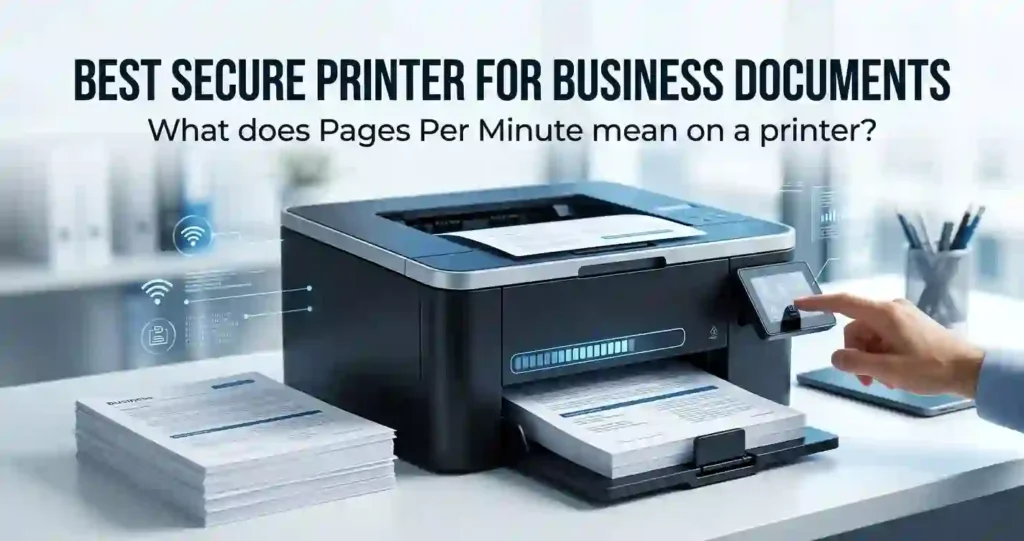
Every business prints something sensitive eventually. Contracts, invoices, payroll files, and customer records all pass through a printer at some point, often without a second thought. A printer left unsecured on the network can quietly become the weakest link in an otherwise careful security setup.
This matters more than most owners realize. A stack of forgotten pages in an output tray can expose salary details or client information to anyone walking by. An unpatched printer sitting on a shared network can even give attackers a way into other connected systems.
Choosing the best secure printer for business documents means looking past the price tag and the pages-per-minute number on the box. Authentication, encryption, and access controls deserve the same attention as speed and print quality.
This guide compares the security features that actually protect confidential paperwork, alongside the specifications that keep an office running smoothly. By the end, you will know exactly what to check before buying, whether you run a two-person office or a growing company with dozens of employees.
What Is a Secure Business Printer?
A secure business printer is a network-connected device built with hardware, software, and access-control features designed to protect sensitive documents. It does more than print pages. It manages who can print, who can retrieve those pages, and how the data behind them is stored and transmitted.
One of the simplest benefits is stopping unauthorized viewing. Documents sent to a shared printer often sit in the output tray for minutes, sometimes longer. Anyone passing by can pick them up. Secure printing holds the job until the right person shows up to release it.
Common technologies behind this protection include:
- PIN release, where a short code unlocks the print job
- Badge authentication, using an employee ID card at the printer
- Encryption, protecting data as it travels and while it sits in storage
- Secure boot, verifying the printer’s firmware hasn’t been tampered with
- Administrator controls, limiting who can change settings
Together, these features turn a printer from a passive office tool into an active part of the company’s security posture. Reviewing printer specifications explained for beginners can help newer buyers understand how these terms fit alongside speed and quality specs.
Why Printer Security Matters for Businesses
Financial statements, legal filings, customer records, and HR paperwork all move through office printers regularly. Each of these documents carries real consequences if it ends up in the wrong hands, from compliance violations to damaged client trust.
Many IT teams still treat printers as an afterthought. Firewalls, laptops, and servers get regular attention, while the printer quietly sits on the same network with outdated firmware and a default admin password. That gap makes it an easy target.
Size does not exempt a business from this risk. A five-person accounting firm handles client tax documents just as sensitive as anything a large corporation processes. Reviewing office printer security basics is worthwhile no matter how small the operation.
Printer security should be part of the same conversation as network security, not a separate afterthought handled later. Treating it that way from the start avoids costly gaps down the road.
Key Security Features to Look for in a Business Printer
Not every printer offers the same protection. Available features vary by model, manufacturer, firmware version, and how the device gets configured after purchase, so it pays to check the specification sheet closely.
Some manufacturers bundle strong protections into entry-level models, while others reserve advanced controls for higher-priced enterprise lines. Knowing the difference between basic network protection and enterprise-grade security saves time during comparison shopping.
The sections below break down the core technologies worth prioritizing.
Secure Print Release
Secure print release keeps a document in the printer’s queue until an authorized person authenticates at the device. Instead of printing immediately, the job waits, protected from anyone who happens to walk by.
PIN codes are the most common method. The user types a short number at the printer’s control panel to release the job. Many business printers also support badge taps, smart cards, or mobile app authentication, depending on the model and any add-on software installed.
This feature earns its keep most in shared office environments. When ten or more employees use one printer, secure release prevents mixed-up paperwork and keeps confidential files from sitting exposed.
User Authentication and Access Control
Authentication methods include user IDs, passwords, PINs, and badges, sometimes combined for extra protection. Role-based access lets administrators decide who can use which functions.
For example, an office might restrict color printing to marketing staff to control toner costs, while limiting scanning access to management for compliance reasons. These controls also support print tracking, so administrators can see who printed what and when.
That visibility matters for cost control and for spotting unusual activity, such as a sudden spike in printing from one account. Setting up tools to monitor office printer usage makes this kind of tracking far easier to maintain over time.
Data Encryption and Secure Storage
Encryption protects data both while it travels to the printer and while it sits inside the device. Without this protection, intercepted print jobs or accessed printer storage could reveal sensitive content.
Higher-end business printers often include encrypted hard drives, keeping stored documents unreadable to anyone without the right credentials. Look for automatic storage cleanup features too, since these clear cached print jobs after a set period.
Secure data deletion prevents old, forgotten jobs from lingering on the device indefinitely, which reduces the printer’s overall risk profile.
Network and Firmware Security
Printers connect to the network like any other device, which means they need the same baseline protections. Secure protocols, firewall capabilities, and regular firmware updates all reduce exposure to attacks.
Outdated firmware is one of the most common vulnerabilities found in office printers. Manufacturers release patches to fix known issues, but those patches only help if someone installs them.
Basic hygiene matters here too. Changing the default administrator password and disabling unused services or ports closes off entry points that attackers commonly probe first, a step also flagged in common office printing mistakes.
Important Printer Specifications for Business Documents
Security should never be evaluated in isolation. A printer that locks down every document but frustrates staff with slow speeds or frequent paper jams will not serve the business well over time.
Print speed, monthly duty cycle, recommended print volume, paper capacity, and duplex printing all affect daily productivity. Reviewing these specifications alongside security features gives a fuller picture of whether a printer fits.
One common mistake is choosing a machine based purely on its advertised pages-per-minute number. That figure rarely reflects real office conditions, so pairing it with duty cycle and print quality data paints a more accurate picture.
Print Speed and Monthly Print Volume
Pages per minute (PPM) measures how fast a printer produces output under ideal test conditions. Actual office speeds are often slower once network delays, multi-page jobs, and mixed content are factored in.
Duty cycle refers to the maximum number of pages a printer can handle per month without excessive wear. Recommended monthly volume is a more realistic number, usually set well below the duty cycle to account for long-term reliability.
Printing consistently near or above a printer’s recommended volume increases maintenance needs and shortens the device’s working life. Matching expected workload to these numbers avoids that strain, a step covered in more detail in how many pages an office printer can handle monthly and in what pages per minute actually means.
Print Quality and Resolution
Resolution, measured in DPI (dots per inch), affects how sharp text and graphics appear on the page. Higher DPI numbers sound impressive, but they don’t automatically translate into better real-world results.
Text sharpness matters most for contracts and reports, while grayscale detail and color accuracy become more important for presentations and marketing materials. Understanding printer resolution helps buyers avoid overpaying for specs they won’t notice in daily use.
Customer-facing documents deserve extra attention here, since a faded or blurry printout reflects poorly on the business.
Paper Capacity and Duplex Printing
Input tray size determines how often someone needs to refill paper, which matters more in busy offices. Optional trays can expand capacity for businesses with heavier printing needs.
Automatic duplex printing, which prints both sides of a page without manual flipping, cuts paper consumption significantly over time. It also speeds up double-sided reports and reduces the physical bulk of printed files.
Businesses that print letterhead, envelopes, or cardstock should confirm the printer supports those media types before buying, since not every model handles specialty paper well. A closer look at choosing paper for office documents covers the details worth checking.
Secure Business Printer Comparison
When comparing secure office printers, evaluate security controls alongside productivity and running costs. The table below can help readers identify which specifications matter most for different business environments.
| Feature | What to Look For | Why It Matters |
|---|---|---|
| Secure Print Release | PIN, badge, user authentication | Prevents documents from being viewed by unauthorized users |
| Data Encryption | Encrypted storage and transmission | Protects sensitive business data |
| Network Security | Secure protocols, firewall, secure boot | Reduces network-related risks |
| User Access Controls | User IDs, permissions, administrator controls | Limits printer functions by user |
| Print Speed | Appropriate PPM for workload | Reduces waiting time |
| Monthly Volume | Recommended monthly page range | Helps match printer to business demand |
| Print Quality | High-quality text and graphics | Produces professional documents |
| Connectivity | Ethernet, Wi-Fi, mobile/cloud options | Supports flexible office workflows |
| Running Cost | Toner yield and cost per page | Helps control long-term expenses |
| Firmware Updates | Regular manufacturer security updates | Helps address security vulnerabilities |
Best Printer Types for Secure Business Documents
Monochrome laser, color laser, and business inkjet printers each suit different workloads. Toner yield, ink costs, print speed, maintenance needs, and available security features all vary between these categories.
Text-heavy offices tend to favor monochrome laser models, while businesses producing client-facing graphics often need color capability. Reviewing laser printer vs inkjet for everyday documents is a helpful starting point before narrowing down a specific type.
Secure Monochrome Laser Printers
Monochrome laser printers handle contracts, invoices, and reports efficiently, with high page yields and fast output speeds. Their toner cartridges typically last longer than inkjet cartridges, keeping per-page costs low.
Offices with limited color printing needs often find these models practical, especially when paired with strong security controls. Understanding laser printer advantages and disadvantages can clarify whether this category fits a given workload.
Secure Color Laser Printers
Businesses producing reports, presentations, or marketing materials often need color output. Color laser printers deliver that capability while still supporting the same authentication and encryption features found on monochrome models.
Color toner costs more than black-only toner, so operating expenses tend to run higher. A best color laser printer for small business comparison helps balance color quality against those added running costs.
Business Inkjet Printers
Business-grade inkjet models can make sense for offices with color-heavy workflows and lower overall volume. Comparing ink yield, print speed, and paper handling against laser alternatives clarifies which category fits better.
Not every inkjet model offers the same business-grade protections, so checking available security features directly rather than assuming parity across the category avoids an unpleasant surprise after purchase. For text-heavy offices weighing color against monochrome, choosing between color and monochrome printing is worth reading first.
Connectivity Features for Secure Office Printing
Ethernet, Wi-Fi, USB, mobile printing, and cloud connectivity all affect how a printer fits into daily workflows. Network configuration is also part of printer security, since every connection method represents a potential access point.
Compatibility with Windows, macOS, and mobile devices matters for mixed-device offices. Confirming this compatibility upfront avoids workflow headaches after the printer arrives.
Wired Ethernet vs. Wi-Fi
Wired Ethernet connections offer reliability and simpler network management, making them a strong choice for printers that stay in one fixed location. Wi-Fi adds flexibility for offices that rearrange furniture or add printers in less convenient spots.
Secure Wi-Fi configuration, including strong passwords and updated encryption protocols, closes off a common entry point for unauthorized network access.
Mobile and Cloud Printing
Printing from smartphones, tablets, and cloud platforms adds convenience for hybrid and remote workflows. Authentication and access controls still need to apply here, just as they would for a desktop connection.
Enabling every available convenience feature is tempting, but each added service is another door left open. Reviewing what’s actually needed before turning on mobile or cloud printing keeps the printer’s attack surface smaller, and pairing it with a multifunction printer vs separate office devices comparison helps decide how much functionality one machine should really carry.
Toner Yield, Ink Costs, and Total Cost of Ownership
Purchase price tells only part of the story. Cartridge yield, replacement frequency, and cost per page all shape what a printer actually costs over its working life.
Toner, ink, paper, maintenance kits, and drums add up over months and years. Businesses that skip this calculation often end up paying far more than the sticker price suggested, a pattern explored in true cost of owning a printer.
Understanding Page Yield
Page yield estimates how many pages a cartridge can produce before running out, based on manufacturer testing standards. Real-world yields vary depending on document coverage, meaning image-heavy pages use more toner or ink than plain text.
Standard cartridges typically cost less upfront but run out faster. High-yield cartridges cost more initially but often lower the overall cost per page, a trade-off explained further in laser printer cost per page.
How to Calculate Business Printing Costs
A simple formula covers the basics: cartridge cost divided by page yield gives the cost per page for that consumable. Multiplying by monthly volume estimates ongoing toner or ink expenses.
Add paper, maintenance, and replacement parts to get a fuller annual figure. Working through calculating office printing costs step by step avoids underestimating the real number.
How to Choose the Best Secure Printer for Your Business
Step 1: Estimate Monthly Printing Volume
Start by reviewing current monthly page counts, separating black-and-white jobs from color ones. Factor in expected growth, since a printer sized for today’s needs may fall short within a year.
Matching workload to a printer’s recommended monthly volume, not just its maximum duty cycle, keeps the device running reliably. A guide on choosing a printer for your monthly print volume walks through this estimate step by step.
Step 2: Identify Security Requirements
Determine whether the office needs PIN release, badge authentication, encryption, or audit logging. Consider how sensitive the documents passing through the printer actually are.
Law firms and healthcare-related offices typically need stronger controls than a small retail shop, though every business benefits from at least basic protections.
Step 3: Compare Connectivity and Compatibility
Confirm the printer works with the existing network setup and every operating system in use. Ethernet, Wi-Fi, mobile printing, and cloud options should all align with how the team actually works.
IT staff availability matters too. A printer with complex firmware and security settings needs someone capable of managing it properly, and checking printer warranty terms upfront avoids confusion if a service issue comes up later.
Step 4: Calculate Total Printing Costs
Compare cartridge yields and cost per page across shortlisted models. Factor in paper capacity, maintenance requirements, and expected service needs over the printer’s lifespan.
Looking at five-year ownership costs rather than just the sticker price often changes which model comes out ahead. Businesses unsure whether purchasing outright makes sense can review buying or leasing a printer before committing either way.
Step 5: Evaluate Print Quality and Productivity
Text clarity, graphics quality, duplexing, and speed all affect daily satisfaction with the printer. Match paper handling capabilities to the documents the office actually produces most often.
Automatic document handling and other workflow features are worth prioritizing for busier offices, even if they add a bit to the upfront cost. Deciding which of these extras justify the price is easier after reading printer features worth paying extra for.
Common Mistakes When Buying a Secure Business Printer
Buying based only on price or advertised PPM is one of the most frequent printer buying mistakes businesses make. Speed numbers rarely reflect real conditions once network traffic and multi-page jobs enter the picture.
Ignoring firmware support, authentication options, and network security leaves the printer as an unmonitored weak point. Skipping the toner yield and cost-per-page math also leads to underestimated running costs down the road.
Reviewing what printer features actually matter before comparing models helps avoid paying for specs that won’t get used. Skipping the running-cost math is another frequent misstep worth avoiding by reducing printer expenses in a small business from the start.
How to Make an Office Printer More Secure
Existing printers can gain meaningful protection without a full replacement. Changing default administrator credentials is the simplest and most overlooked step, since factory passwords are widely published online.
Keeping firmware current according to manufacturer guidance closes known vulnerabilities as they’re discovered. Disabling unused network protocols and services further shrinks the printer’s exposure, and following a routine for how often an office printer should be maintained keeps both performance and security on track.
Secure the Printer Network Connection
Placing business printers on a controlled network segment, when the router or switch supports it, limits what other compromised devices could reach. Strong administrative credentials and secure wireless settings add another layer.
Restricting printer access to authorized employees and devices, rather than leaving it open to the whole network, closes an easy entry point. Learning how to share a printer across an office network safely covers this in more depth.
Enable Secure Print and User Authentication
Requiring PINs or badges for confidential documents prevents jobs from sitting exposed in output trays. Configuring automatic deletion of cached print jobs adds a further safety net.
Reviewing access permissions periodically catches former employees or unused accounts that shouldn’t still have printer access. Unaddressed access issues are also a common cause behind printer downtime problems in small businesses.
Who Needs a Secure Business Printer?
Small Businesses
Small offices handle customer information, invoices, and employee records just as sensitive business needs demand. Manageable security features paired with reasonable running costs make the most sense here.
Models offering centralized administration without excessive complexity fit well for teams without dedicated IT staff. A guide on choosing a printer for a small business, along with tips for choosing a printer for a small office, covers this scenario directly.
Professional Offices
Law firms, accounting practices, and healthcare-related businesses face heightened confidentiality requirements. Access control, document confidentiality, and network protection all deserve extra attention in these settings.
Reviewing applicable industry requirements before purchasing helps confirm a printer meets any relevant compliance obligations. A best laser printer for a home office roundup is a useful reference point for smaller professional practices weighing their options.
Larger Offices
Bigger organizations benefit from centralized printer management, authentication across multiple devices, and fleet-wide user tracking. Integration with existing IT and security infrastructure becomes a bigger factor at this scale.
Scalable paper capacity and higher-volume handling also matter more once print jobs multiply across departments, a topic covered in best laser printer for high volume printing. Larger fleets also benefit from tracking office printer energy consumption, since running costs scale quickly across many devices.
Frequently Asked Questions About Secure Business Printers
What is the most secure type of business printer?
Security depends more on the features actually implemented and configured than on whether a printer uses laser or inkjet technology. Authentication, encryption, secure boot, and ongoing firmware support all play a bigger role than the base printing method.
What makes a printer secure for confidential documents?
Authenticated print release, encryption, access controls, and secure storage all contribute to document confidentiality. Physical placement matters too, since a printer in a high-traffic area invites more opportunities for documents to be seen by the wrong person.
Are laser printers more secure than inkjet printers?
Security is model-dependent and configuration-dependent rather than tied to the underlying technology. Comparing the actual features offered by specific models under consideration gives a more accurate answer than assuming one category is inherently safer.
What is secure print release?
Secure print release holds a document in the printer’s queue until the intended recipient authenticates at the device, typically with a PIN or badge. The page only prints once that authentication succeeds.
Can business printers be hacked?
Yes. Network-connected printers can carry the same kinds of vulnerabilities as any other connected device. Regular firmware updates, strong administrative credentials, and disabling unnecessary services all reduce that risk substantially. Following laser printer maintenance requirements also helps catch issues before they become security gaps.
How can I protect sensitive documents when printing?
Using secure print release and requiring authentication prevents unauthorized viewing. Retrieving printed pages promptly and limiting printer access to authorized staff further reduces exposure.
How much does a secure business printer cost?
Pricing varies widely based on print speed, security features, paper capacity, and intended workload. Calculating total ownership costs, including toner or ink and maintenance, gives a more accurate picture than the purchase price alone.
What printer is best for high-volume confidential printing?
Look for a high recommended monthly volume, fast PPM, high-yield toner, secure release, and strong network security together. Matching these specifications to actual workload, rather than buying based on one number alone, produces the best long-term fit. Models built for low running costs tend to hold up well under sustained, high-volume demand.
Should a business printer have Wi-Fi?
Wi-Fi adds flexibility, while Ethernet often provides more reliable, easier-to-secure connections for fixed office printers. Whichever option gets used, securing the wireless connection and disabling unneeded access methods matters just as much as the choice itself.
How often should business printer firmware be updated?
Following the manufacturer’s security advisories and update schedule is the safest approach. Firmware updates address known vulnerabilities and often improve overall reliability at the same time.
Conclusion: Choosing a Secure Printer for Business Documents
Selecting the right printer comes down to balancing several factors together: secure print release, authentication, encryption, network protection, firmware support, print speed, page yield, connectivity, and print quality.
No single specification tells the whole story on its own. The best choice matches both the company’s security requirements and its actual printing volume, rather than optimizing for just one metric.
Comparing specific models based on total cost of ownership and documented security capabilities, alongside resources like office printer security basics and monochrome vs color laser printer, gives businesses the clearest path to a printer that protects their documents without slowing down daily work.




