
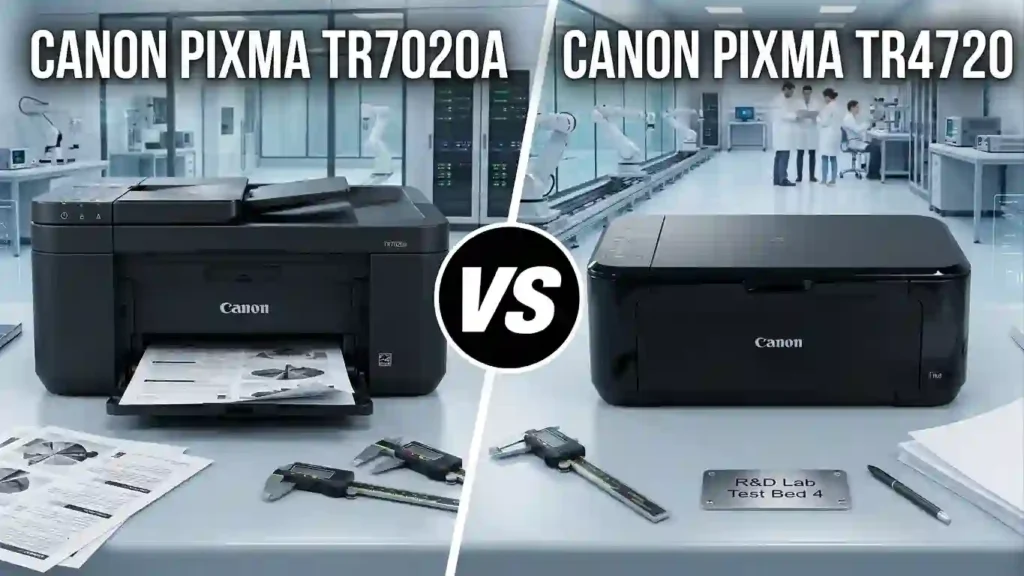
Choosing between two Canon all-in-one printers can feel confusing. The Canon PIXMA TR7020a and the Canon PIXMA TR4720 look alike. Both print, copy, and scan, and both sit in a similar price range.
Yet they act very differently day to day. One is faster and holds more paper. The other is smaller and includes a built-in fax. That is why so many US buyers compare them side by side.
This guide covers print speed, scanning, copying, connectivity, ink costs, and ease of use. You will also get four summary tables, simple troubleshooting steps, and a clear FAQ. New to printer jargon? Our printer specifications explained for beginners guide is a good warm-up.
The best choice depends on how much you print, where you work, and which features you will really use. Neither model wins for every household. Let’s find the one that fits you.
Canon PIXMA TR7020a vs Canon PIXMA TR4720: Quick Comparison
Here is the short answer. The TR7020a is the faster, roomier model with sharper scanning. The TR4720 is the more compact model that adds a fax function.
The TR7020a prints up to 13.0 ipm in black and 6.8 ipm in color. It holds 200 sheets and has a 35-sheet document feeder. It does not fax.
The TR4720 prints up to 8.8 ipm in black and 4.4 ipm in color. It holds 100 sheets and has a 20-sheet document feeder. It does fax.
Not sure you need a multifunction model at all? Read our all-in-one printer vs printer-only comparison first. Speeds, features, and bundled items can vary by retailer, so confirm them on Canon’s official US product pages before you buy.
Key Specifications at a Glance
- Print technology: Inkjet with two cartridges, one black and one color.
- Paper sizes: US Letter, Legal, 4 x 6 and 5 x 7 photo paper, and #10 envelopes.
- Connectivity: Wi-Fi and USB, plus Apple AirPrint and Mopria.
- Scanner: Flatbed glass plus an automatic document feeder (ADF).
- Display: A 1.44-inch OLED screen on the TR7020a and a 2-line LCD on the TR4720.
Some features need extra help. Wireless scanning, for example, needs the Canon PRINT app or a computer on your network. Plain USB printing only needs a driver. The specs here come from Canon’s US pages and major retailer listings, so check Canon’s manuals for the latest details.
Which Printer Is Better for Different Users?
The TR7020a suits home offices and busy families. It handles mixed jobs well, such as reports, forms, and photos. Two paper trays and faster speeds make that easy.
The TR4720 suits everyday home printing, scanning, and copying. It also fits small offices that still send faxes.
Do not choose on model numbers alone. Base your decision on your workload, current prices, and the features you will use. Our list of the best all-purpose printer for everyday documents helps you weigh both against other options.
Design, Size, and Paper Handling Compared
Size and paper handling shape daily comfort more than most people expect. A printer that fits your desk and holds enough paper saves time.
The TR7020a measures about 14.4 inches wide, 15.9 inches deep, and 8.2 inches tall. It weighs about 18.1 pounds. The TR4720 measures about 17.2 inches wide, 11.7 inches deep, and 7.5 inches tall. It weighs about 12.7 pounds.
The TR7020a has a front paper cassette and a rear paper feed. The TR4720 has one front tray. Two inputs mean fewer reloads and an easy way to keep plain paper and photo paper ready at once.
Paper Capacity and Supported Paper Sizes
The TR7020a holds up to 200 sheets. That is 100 in the front cassette and 100 in the rear tray. The TR4720 holds 100 sheets in its front tray.
Both support US Letter, Legal, and #10 envelopes. Both also take small photo sizes such as 4 x 6 and 5 x 7. The TR7020a also lists 8 x 10 photo paper.
Why do separate feeds help? You can leave photo paper in the rear tray while plain paper stays in the front. You skip the paper swap each time. Not sure which paper to buy? See what paper works best with inkjet printers.
Which Printer Fits a Small Workspace?
Measure first. The TR4720 is wider but shallower. The TR7020a is narrower but deeper.
Both need room around them. Paper trays slide out, the scanner lid lifts, and the document feeder needs space. The TR4720 reaches about 16.2 inches deep when its tray is extended.
Leave a few extra inches on every side. Our guides on what printer size is best for a small room and where to place a printer at home show easy ways to plan the spot.
Print Speed and Print Quality
Both printers share the same top print resolution of 4800 x 1200 dpi. So the gap in quality is small. The bigger gaps are speed and paper handling.
Resolution, ink type, paper quality, and print settings all shape the result. Pigment black ink usually gives crisp text on plain paper. Dye color ink gives bright graphics. If you want the basics, see how inkjet printers work.
Both are fine for homework, business forms, color charts, and the occasional photo. Streaky output usually means clogged nozzles. You can learn more in why inkjet prints have lines.
Black-and-White and Color Document Printing
The TR7020a prints up to 13.0 ipm in black and 6.8 ipm in color. The TR4720 prints up to 8.8 ipm and 4.4 ipm. On paper, that makes the TR7020a roughly 50 percent faster.
Real speed is lower. Complex pages and higher quality settings slow any inkjet. Draft mode is faster but lighter. Standard mode keeps small fonts sharp and clean.
Understanding ipm and PPM in Plain Words
ipm means images per minute. PPM means pages per minute. Both describe how many pages a printer can finish in 60 seconds.
Canon’s ipm numbers come from a standard test, so they show a best-case pace. Our guide on what pages per minute means on a printer explains the test. For the real-world slowdown, read why inkjet printing is so slow.
Photo Printing and Color Accuracy
Both models list borderless printing in their specs. You can print on glossy or matte photo paper in the common small sizes. Check Canon’s pages for the exact sizes each model supports.
Color on paper rarely matches your screen. Screens glow, while paper reflects light. Monitor brightness, paper choice, and print settings all change the look. Read why printed photos look different from screens for quick fixes.
For family snapshots and school projects, either printer is fine. Compare finishes in glossy vs matte photo paper. If photos are your main goal, our guide on how to choose a printer for photo printing covers better options.
Scanning, Copying, and Automatic Document Feeding
Both printers have a flatbed scanner and an ADF. The flatbed is a glass plate for single pages, books, and receipts. The ADF pulls in a stack of loose pages one by one.
The ADF helps with multi-page documents. You do not place each sheet on the glass. That is handy for contracts, tax forms, and multi-page PDFs.
Both can scan to a computer or the Canon PRINT app, and both can copy ID cards. If you are weighing one device against separate machines, see multifunction printer vs separate office devices.
Scanner Resolution and Document Handling
The TR7020a scans at up to 1200 x 2400 dpi optical. The TR4720 scans at 600 x 1200 dpi. Both flatbeds scan up to 8.5 x 11.7 inches. Both ADFs take Letter and Legal sheets, up to 8.5 x 14 inches.
The TR7020a ADF holds 35 sheets. The TR4720 ADF holds 20 sheets. The TR7020a ADF scans one side at a time.
Reading DPI Without the Jargon
DPI means dots per inch. More dots per inch means more detail. A 600 x 1200 dpi scan is plenty for plain text.
The higher setting helps with fine print, small photos, and old papers. The original still matters. A faded page stays faded. For more, see printer resolution explained in simple terms.
Copying Features for Home and Office Use
Both printers copy from 25 to 400 percent. Both offer two-sided copying, 2-on-1 copying, and collated copies from the ADF. The TR4720 lists up to 99 copies per job.
Use the flatbed for books, receipts, and fragile originals. Use the ADF for loose stacks. For many pages, the TR7020a’s bigger feeder saves trips to the glass.
Connectivity and Mobile Printing
Both printers offer Wi-Fi and USB. Both support Apple AirPrint and Mopria, and both work with Canon’s PRINT app. That lets you print from laptops, phones, and tablets on the same network.
Unsure about the phone side? Our guide on how to connect a printer to a smartphone covers each type. Laptop users can follow how to connect a printer to a laptop.
Wireless Setup and Printer Compatibility
Both printers use the 2.4 GHz Wi-Fi band. If your router combines bands under one name, split them or move closer to the printer during setup.
Quick Steps to Connect Over Wi-Fi
- Unbox the printer, remove the tape, install the cartridges, and load Letter paper.
- Power it on and pick your language.
- Install the Canon PRINT app on your phone, or download drivers on your computer.
- Select your 2.4 GHz network and enter the password.
- Add the printer on your device and print a test page.
Need more detail? See how to connect a printer to Wi-Fi and how to set up a printer for the first time. Check that your operating system is still supported before you buy an older model. Our guide to installing printer drivers correctly helps here.
Printing From a Smartphone or Tablet
iPhone and iPad users can print with AirPrint and no app. Android users can use Mopria or the Canon PRINT app. You can print documents, PDFs, and photos.
Open the file, tap share or print, pick the printer, and tap print. Both devices must be on the same network. Our walkthrough, how to print from a phone at home, adds more tips.
Fixing an Offline Printer
If the printer shows as offline, restart the printer and your router. Make sure your phone uses the same Wi-Fi network. Then try again.
Still stuck? See how to reconnect an offline printer. If it keeps happening, read why a printer keeps going offline.
Ink Cartridges, Page Yield, and Running Costs
Ink is where costs hide. A cheap printer with pricey ink costs more over time. Look at cartridge families, page yield, and how much color you print.
Standard cartridges cost less up front. XL (high-yield) cartridges hold more ink and usually cost less per page. Color pages and photos use far more ink than black text.
See inkjet printer running costs explained for the big picture. Then use how to calculate the true cost of owning a printer to compare total cost, not just sticker price.
TR7020a vs TR4720 Ink Compatibility
The TR7020a uses PG-260 black and CL-261 color cartridges. The TR4720 uses PG-275 black and CL-276 color cartridges. They are not interchangeable.
The TR4720’s standard cartridges hold 5.6 mL of black and 6.2 mL of color. Its XL cartridges hold 11.9 mL and 12.6 mL. XL versions also exist for the TR7020a family. Check stock and current prices before you order.
Third-party ink is another option. Read genuine vs compatible ink and how to check if a printer cartridge is compatible first.
How to Estimate Cost Per Page
Use this simple formula: cartridge price divided by page yield equals cost per page. Black text, color graphics, and photos all have different yields.
Actual yields vary with coverage, print settings, and cleaning cycles. Printers also use ink for upkeep. To see why, read why inkjet printers use so much ink.
Worked Example: Cost Per Page
These numbers are examples only. Say a black cartridge costs $20 and prints 200 pages. That is $0.10 per page.
Now say a color cartridge costs $25 and prints 150 pages. That is about $0.17 per page. Swap in real prices and Canon’s listed yields to compare the two models fairly.
Duplex Printing and Everyday Productivity
Both printers have automatic duplex printing. That means they print on both sides of the paper for you. It cuts paper use for reports, school assignments, and office paperwork.
Duplex saves paper, not ink. Each page still uses the same amount of ink. For more ways to trim your bills, see how to reduce home printing costs and save money.
Is the TR7020a or TR4720 Better for Regular Home Office Work?
Think about how often you print, how long your documents are, how much you scan, and how many people share the printer.
The TR7020a’s larger paper capacity, faster speeds, and 35-sheet ADF help frequent users. The TR4720 is enough for lighter workloads, especially if you still need fax. Small business owners can also read how to choose a printer for a small office.
A Note on Duty Cycle
Duty cycle is the most pages a printer should handle in one month. We did not see a duty cycle number on the spec pages we reviewed.
So judge by your real monthly volume. Our guide on how much printing a home printer should handle helps you size it.
Price, Availability, and Overall Value
Prices change often. In listings we saw, the TR4720 ranged from about $69 on sale to about $108 at regular price. Check Amazon, Best Buy, Staples, and Walmart for current prices on both models.
Both models have appeared as discontinued on Canon’s US store pages. Some retailers still list stock. Check the item condition, warranty, return policy, and seller before you buy. Our guide to printer warranty terms explained for beginners shows what to look for.
Also compare included starter cartridges and ink costs. Replacement parts and support can matter more for older models.
Is the More Feature-Rich Printer Worth the Extra Cost?
Weigh faster speeds, extra paper capacity, and better scanning against the price gap. Then estimate your monthly pages and ink spending. If you print a lot, speed and capacity earn their keep.
If you print rarely, the cheaper pick may be wiser. Pay for features that solve a real need. See which printer features are worth paying extra for and how much you should spend on a printer.
Comparison Tables for the TR7020a vs TR4720
The tables below use Canon’s published US specifications and major retailer listings. Verify them against Canon’s latest documents before you buy.
Main Specifications (Table 1)
| Feature | Canon PIXMA TR7020a | Canon PIXMA TR4720 |
|---|---|---|
| Printer type | Inkjet all-in-one | Inkjet all-in-one |
| Functions | Print, copy, scan | Print, copy, scan, fax |
| Black print speed | Up to 13.0 ipm | Up to 8.8 ipm |
| Color print speed | Up to 6.8 ipm | Up to 4.4 ipm |
| Maximum print resolution | 4800 x 1200 dpi | 4800 x 1200 dpi |
| Paper capacity | 200 sheets | 100 sheets |
| Automatic document feeder | Yes (35 sheets) | Yes (20 sheets) |
| Automatic duplex printing | Yes | Yes |
| Ink cartridges | PG-260 / CL-261 | PG-275 / CL-276 |
Source: Canon US product specifications and major US retailer listings.
Connectivity and Scanning (Table 2)
Both models support wireless printing. Their scanning specs differ, and that changes the daily experience for home users and small offices.
| Feature | TR7020a | TR4720 |
|---|---|---|
| Wi-Fi | Yes | Yes |
| USB connection | Yes | Yes |
| Apple AirPrint | Yes | Yes |
| Mopria support | Yes | Yes |
| Flatbed scanner | Yes | Yes |
| Optical scan resolution | 1200 x 2400 dpi | 600 x 1200 dpi |
| Fax function | No | Yes |
Source: Canon US product specifications and major US retailer listings.
Advantages and Limitations (Table 3)
| Comparison factor | TR7020a | TR4720 |
|---|---|---|
| Printing speed | Higher rated speed | Lower rated speed |
| Paper handling | Larger total capacity | Smaller total capacity |
| Faxing | Not included | Included |
| Scanning detail | Higher optical resolution | Lower optical resolution |
| Ink system | PG-260 / CL-261 | PG-275 / CL-276 |
| Best potential fit | Frequent home printing | Basic home and fax needs |
- Neither printer is the better buy for every household.
- The TR7020a offers more productivity, while the TR4720 offers fax.
- Confirm ink prices and local availability before you pick either model.
Should You Choose the TR7020a or TR4720? (Table 4)
| User requirement | Suggested choice | Reason |
|---|---|---|
| Faster everyday printing | TR7020a | Higher rated document speeds |
| More paper loaded at once | TR7020a | 200-sheet capacity |
| Built-in faxing | TR4720 | Fax function included |
| Detailed document scanning | TR7020a | Higher optical scan resolution |
| Lower initial purchase price | Compare current listings | Prices and stock vary |
| Lowest long-term ink cost | Calculate before buying | Depends on yield, usage, and ink prices |
- These are feature-based picks, not claims that one model is better overall.
- For discontinued printers, current price and condition may matter more than specs.
- Only buy from retailers with clear return terms and good seller ratings. To plan ink spending, see best printers for cheap replacement cartridges.
Pros and Cons of Each Printer
Each model shines in a different place. Here is a quick look at what you gain and what you give up with each one.
TR7020a Pros and Cons
Pros:
- Higher rated print speeds
- 200-sheet paper capacity with front and rear feeds
- Higher optical scan resolution
- Automatic two-sided printing and a 35-sheet ADF
- Wireless printing and flexible photo paper support
Cons:
- No built-in fax
- Discontinued status on some store pages
- Cartridge costs to check before you buy
TR4720 Pros and Cons
Pros:
- Print, scan, copy, and fax in one compact printer
- Wireless printing, automatic duplex printing, and a 20-sheet ADF
- Support for XL ink cartridges
Cons:
- Lower rated print speeds
- Smaller paper capacity
- Lower optical scan resolution than the TR7020a
Also weighing HP? See our HP DeskJet 2955 vs Canon PIXMA TR4720 comparison.
Common Problems and Troubleshooting Tips
Even good printers have off days. Try these safe steps before you call for service. For a wider list, see common inkjet printer problems and their causes.
Why Is My Canon PIXMA Printer Not Connecting to Wi-Fi?
Follow these steps in order:
- Confirm the printer and your device use the same 2.4 GHz network.
- Restart the printer and the router.
- Run the wireless setup again from the printer menu or the Canon PRINT app.
- Check the printer status screen for errors.
- Update your driver or operating system if needed.
Still no luck? Read why won’t my printer connect to Wi-Fi for more fixes.
Why Is My Canon Printer Printing Blank Pages?
First, check ink levels and make sure each cartridge is seated correctly. Remove any tape or plastic on new cartridges. Empty or dried cartridges are common causes.
Next, run a nozzle check and clean the printhead if lines are missing. For a full guide, see why inkjet printers print blank pages. If the printer claims an empty cartridge that is not, read why a printer says ink is empty when it’s not.
Nozzle Check and Cleaning Steps
- Open the printer settings on your computer or the printer menu.
- Choose Nozzle Check and print the pattern.
- If lines are missing, run one standard cleaning.
- Print the pattern again and compare.
Avoid repeated deep cleanings. They can use a lot of ink.
How Can I Reduce Ink Consumption?
- Use draft or economy mode for internal documents.
- Turn on duplex printing and print only the pages you need.
- Compare cartridge yields and prices before you buy replacements.
- Print at least a little each week so nozzles stay clear.
For more ideas, see how to reduce ink usage when printing.
Frequently Asked Questions
1. What Is the Main Difference Between Canon PIXMA TR7020a and TR4720?
The TR7020a offers faster rated printing, greater paper capacity, and higher optical scan resolution. The TR4720 includes a fax function.
2. Does the TR7020a Print Faster Than the TR4720?
Yes. Canon rates the TR7020a at up to 13.0 ipm in black and 6.8 ipm in color. The TR4720 is rated at 8.8 ipm and 4.4 ipm.
3. Does the Canon PIXMA TR7020a Have a Fax Function?
No. The TR7020a supports printing, copying, and scanning. The TR4720 adds fax capability.
4. Scanning Quality: Which Printer Is Better?
The TR7020a has a higher optical scan resolution of 1200 x 2400 dpi, compared with 600 x 1200 dpi for the TR4720. Results also depend on the original document and your scan settings.
5. Do Both Canon Printers Support Automatic Duplex Printing?
Yes. Both support automatic two-sided printing, which helps cut paper use on compatible documents.
6. Are Canon PIXMA TR7020a and TR4720 Ink Cartridges Interchangeable?
No. The TR7020a uses PG-260 and CL-261 cartridges. The TR4720 uses PG-275 and CL-276 cartridges. Check the exact model and cartridge number before you order.
7. Can I Print From My Phone With Either Printer?
Yes. Both support wireless printing, including Canon’s PRINT app and Apple AirPrint. Android users can also use Mopria.
8. Home Office Use: Which Printer Is Better?
The TR7020a may suit users who want speed, paper capacity, and scanning detail. The TR4720 may suit users who need built-in faxing.
9. Running Costs: Which Printer Is Cheaper?
Neither is guaranteed to be cheaper. Compare cartridge prices, page yields, monthly volume, and maintenance ink use to estimate cost per page. Our list of best affordable inkjet printers with cheap ink can help you compare.
10. Are These Canon PIXMA Printers Still Available in the USA?
Canon’s US store pages have marked both models as discontinued. Availability varies by retailer, so check stock, condition, warranty, and return policy first. If you are unsure an inkjet is right for you, read is an inkjet printer worth buying for home use.
Conclusion: Which Canon PIXMA Printer Should You Buy?
The TR7020a puts speed, paper capacity, and scanning detail first. The TR4720 offers built-in faxing in a compact body. Neither is a universal winner.
Before you decide, compare current US prices, compatible cartridges, warranty terms, and availability. Match the printer to your printing volume, document needs, and budget.
Still deciding? Browse our picks for the best inkjet printer for home use and the Canon TS4320 vs TS6520 comparison. To plan for the long run, see how long an inkjet printer usually lasts.




