
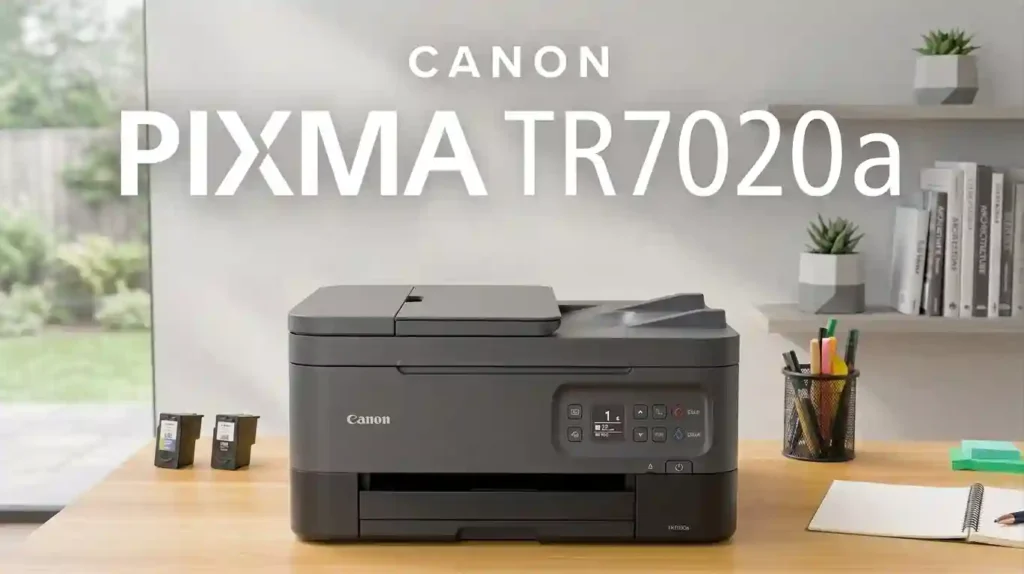
The Canon PIXMA TR7020a is a wireless all-in-one inkjet for light home and home-office use. It prints up to 13 images per minute in black.
It holds 200 sheets and prints on both sides of a page. Its weak spot is ink cost, so your cartridge choices matter.
This guide covers print quality, ink, Wi-Fi, setup, costs, and fixes. We built it from Canon’s specs, independent lab tests, and owner feedback.
We name the source when a number comes from Canon. Check price and stock before you buy, because Canon U.S.A. now lists this model as discontinued.
What Is the Canon PIXMA TR7020a?
The Canon PIXMA TR7020a is a compact wireless all-in-one inkjet printer. It prints, scans, and copies documents and photos at home or in a small office.
It is an all-in-one printer built on inkjet technology. sprays tiny drops of liquid ink onto paper.
A photo printer focuses on pictures. A monochrome laser fuses toner powder onto paper for fast black text.
Typical users include students, families, remote workers, and casual color printers. Print mostly black text?
A laser may fit better. Our laser printer vs inkjet comparison explains why.
Key Specifications at a Glance
Here are the core numbers, taken from Canon U.S.A.:
- Functions: print, copy, and scan with a flatbed and a 35-sheet auto document feeder (ADF)
- Print speed: up to 13 ipm black and 6.8 ipm color
- Paper capacity: 200 sheets, split between a 100-sheet front cassette and a 100-sheet rear tray
- Paper sizes: Letter, Legal, 4 x 6, 5 x 7, 8 x 10, and #10 envelopes
- Connectivity: Wi-Fi (2.4 GHz), USB, Wireless Direct, AirPrint, and Mopria
- Ink system: two cartridges, PG-260 black and CL-261 color
Speed sets how long a report takes. Paper capacity sets how often you refill.
Your monthly page count shows if a light-duty printer can keep up. See printer specifications explained for beginners and how much printing a home printer should handle.
Who Should Consider This Printer?
The TR7020a suits everyday needs:
- Students: homework, forms, and projects. See our notes on a printer for school homework.
- Remote workers: scanning signed contracts with the ADF.
- Families: one printer shared by phones, tablets, and laptops. Learn to manage multiple devices with one printer.
Heavy printers should look elsewhere. A refillable ink-tank printer or a laser may cost less per page.
On a tight budget? Compare the best inkjet printers for students.
Canon PIXMA TR7020a Features Worth Knowing
The TR7020a packs a lot into a small body. It has a 1.44 inch OLED screen, quiet mode, and auto power off. It measures 15.9 x 14.4 x 8.2 inches and weighs 18.1 lbs.
Two features stand out. The ADF handles multi-page copies and scans. Front and rear feeding lets you keep plain and photo paper loaded together.
Printing, Scanning, and Copying
Expect clean text, solid color graphics, and decent photos. Borderless prints go up to 8.5 x 11 inches.
Scan from the flatbed or the ADF. Use the flatbed for receipts and photos.
Use the ADF for contracts and long records. Canon says the ADF accepts Legal-size pages.
You can copy up to 99 times and scale from 25 to 400 percent. Collated copies work only through the ADF. Photo paper goes in the rear tray, so those jobs are not fully automatic.
Wireless Printing and Mobile Compatibility
Wi-Fi puts the printer on your home network. Any device on that network can send it jobs.
Canon supports three mobile routes: Apple AirPrint, Mopria Print Service for Android, and the Canon PRINT app. AirPrint needs no extra app on iPhone, iPad, or Mac. Our guide to printing from a phone at home covers all three.
Canon lists Wi-Fi at 2.4 GHz. Check Canon’s support page for current app rules.
Automatic Two-Sided Printing and Paper Handling
Auto duplex printing means the printer flips each sheet and prints both sides. It nearly halves paper use on long documents.
The front cassette holds 100 plain sheets. The rear tray holds 100 plain sheets or about 20 sheets of 4 x 6 photo paper. Compact printers have limits.
Paper weight and finish affect feeding. Thin or curled sheets can jam. Our guide to paper that works best with inkjet printers helps you choose.
Canon PIXMA TR7020a Print Quality and Performance
Quality depends on paper, settings, and cartridge condition. Fresh ink on good paper looks best. Canon’s speeds come from lab tests, so real jobs run slower.
How Good Is the Text and Document Quality?
Text is a strength. The black cartridge uses pigment ink, which sits on top of the paper and stays sharp. Consumer Reports rated text quality as very good, though not best in class.
For letters, invoices, and homework, Standard quality is enough. Use Draft for internal pages. Save High for final copies.
Can the Canon PIXMA TR7020a Print Good Photos?
Yes, for casual home photos. RTINGS found good photo quality and decent color accuracy. Canon says a 4 x 6 borderless photo takes about 43 seconds.
Use genuine photo paper and match the paper type in your print dialog. Compare glossy and matte photo paper before you choose. Our tips for printing professional-looking photos at home add more.
Colors may differ from your screen. See why printed photos look different from screens.
Canon claims up to 100 years of album life with ChromaLife100 inks, based on lab tests. Learn how long printed photos last.
What Is the Actual Printing Speed?
Canon rates the printer at 13 ipm in black and 6.8 ipm in color. Photos and busy pages run slower. See why inkjet printing is so slow.
ipm and PPM in Plain Words
PPM means pages per minute. ipm means images per minute, the test Canon uses. Both show speed after printing starts.
Our explainer on what pages per minute means adds detail. Also check first page out time.
What DPI Really Tells You
DPI means dots per inch. More dots can mean finer detail. The TR7020a reaches 4800 x 1200 dpi at its best setting.
That is not a quality score alone. Read about printer resolution in simple terms.
Duty Cycle and Monthly Volume
Duty cycle is the most pages a printer should handle in one month. Canon’s U.S. page lists none for this model, so treat it as light-use. Print hundreds of pages each week? Choose a bigger printer.
Canon PIXMA TR7020a Ink Cartridges and Printing Costs
Ink is the biggest cost of owning this printer. The price is low, but cartridges add up. Consumer Reports estimated $73 to $83 a year in ink for light use, which it called high for an inkjet.
You can control the cost with cartridge size, settings, and habits.
Which Ink Cartridges Does the Canon PIXMA TR7020a Use?
The printer uses two cartridges:
- PG-260: pigment black ink, or PG-260XL for higher yield
- CL-261: tri-color ink, or CL-261XL for higher yield
The color cartridge holds cyan, magenta, and yellow together. When one color runs out, you replace the whole cartridge.
Check the model number before you order. Similar PIXMA names do not always share cartridges.
Our guide on how to check if a printer cartridge is compatible shows how. If a new cartridge fails, read why a printer rejects new cartridges.
How Many Pages Can the Ink Cartridges Print?
Page yield is how many pages a cartridge prints in a standard test. Canon rates the XL set at about 400 black pages and 300 color pages. That test uses an ISO/IEC 24712 chart, not real documents.
Real yields vary. Photos use far more ink than text, and cleaning cycles use ink too.
Consumer Reports measured about 168 black text pages from one standard cartridge. That is low.
Our guide to inkjet printer running costs helps you build a budget. Does the printer say empty too soon?
See why a printer says ink is empty when it is not.
How Can You Reduce Ink Costs?
Small habits save real money:
- Print in Draft mode for internal pages.
- Print only the pages you need.
- Review color use before large jobs.
- Print weekly so the nozzles do not dry out.
Read our full list of ways to reduce ink usage when printing. For the bigger picture, see why printer ink costs so much.
Save With XL Cartridges
XL cartridges cost more up front but less per page. Canon’s store lists PG-260XL near $44.99 and CL-261XL near $41.99. Prices change, so compare before you buy.
Try Subscription and Alternatives
Canon’s PIXMA Print Plan charges by pages printed. Plans start near $4.49 a month.
Canon says it can save 20 to 70 percent versus buying ink the usual way. Terms and promotions change, so read the current details.
You can also weigh original vs compatible printer cartridges and the best compatible printer ink brands. Check warranty terms, because some third-party chips fail.
Canon PIXMA TR7020a Connectivity and Device Compatibility
Connectivity is how your devices talk to the printer. The TR7020a offers Wi-Fi, USB, Wireless Direct, and AirPrint or Mopria. Wireless Direct lets a phone connect straight to the printer without a router.
A stable network prevents most errors. Keep software updated and pick the right printer name in your print dialog.
How to Connect the Canon PIXMA TR7020a to Wi-Fi
Follow these steps:
- Place the printer near your router and turn it on.
- Connect your phone to your home 2.4 GHz network.
- Choose a setup method below.
- Print a test page to confirm the link.
Menu names can vary by firmware. Canon’s wireless help pages list the exact screens. Our guide to connecting a printer to Wi-Fi covers the general process.
Using the Canon PRINT App
Install the Canon PRINT app and open it. Tap the option to set up a new printer. Canon says the Wireless Connect feature finishes setup on Apple and Android phones.
Using the Printer Screen
Open the settings menu on the OLED screen and choose Wi-Fi setup. Pick your network and type the password.
Still stuck? See why your printer will not connect to Wi-Fi.
Printing From a Phone or Tablet
On an iPhone or iPad, open your file, tap Share, then Print, and pick the printer. On Android, use the Mopria Print Service or the Canon PRINT app.
Your phone and printer must share one network. Is the printer missing?
Restart both and update the app. Our walkthrough on how to connect a printer to a smartphone has more help.
Connecting the Printer to a Laptop or Desktop
Download the driver from Canon’s official software and drivers page. Avoid third-party driver sites, which can bundle unwanted software.
Canon’s spec sheet lists Windows 10, 8.1, and 7 SP1, plus macOS up to 10.15. Newer systems may use AirPrint or built-in drivers, so check Canon’s page for your version. See how to install printer drivers correctly and how to connect a printer to a laptop.
Computer cannot see the printer? Read printer not showing on computer.
Canon PIXMA TR7020a Setup: Step-by-Step Guide
Setup is quick for most people. These steps follow Canon’s general process, and your manual has model details. For a broad overview, see how to set up a printer for the first time.
Unbox and Prepare the Printer (Step 1)
Remove all tape and packing material. Place the printer on a flat surface near an outlet.
Leave room to open the scanner lid and pull out the paper cassette. Our advice on where to place a printer at home helps.
Load plain Letter paper in the front cassette. Then plug in the power cord.
Install the Ink Cartridges (Step 2)
Follow the screen prompts. Pull the protective tape off each cartridge. Do not touch the gold contacts or the nozzles.
Snap each cartridge into place. Then wait while the printer prepares the ink system.
This can take a few minutes. Do not turn the printer off.
Install Software and Connect to Wi-Fi (Step 3)
Visit Canon’s support site and search for your model. Download the setup software and run it. Follow the prompts to link the printer to your Wi-Fi.
When setup ends, check that your computer lists the printer. Confirm the connection type is correct.
Print a Test Page (Step 4)
Print a simple document first. Look for missing colors, streaks, blank pages, or odd margins. Then test a copy and a scan from the flatbed.
If the page looks poor, run a nozzle check from the printer menu. Canon’s manual shows the steps. To learn the cause, read about the inkjet printhead.
Common Canon PIXMA TR7020a Problems and Fixes
Start with simple checks, then go deeper. Follow Canon’s model steps before any reset.
Owner reviews on retailer sites mention Wi-Fi drops, high ink use, and paper tray confusion. Not every owner sees them. Our guide to common inkjet printer problems and their causes helps you sort faults.
Canon PIXMA TR7020a Not Printing
Try these checks in order:
- Confirm the power light and look for error messages.
- Check paper, ink status, and the print queue.
- Make sure your computer picked the right printer.
- Restart the printer, router, and computer.
- Print a simple test document.
These steps match our fix for a Canon TS3520 printer not responding.
Blank Pages From the TR7020a
Blank pages often point to a cartridge issue. Check that you removed all protective tape.
Make sure the printer sees both cartridges. Then run a nozzle check.
If the test pattern has gaps, run one cleaning cycle. Avoid repeated deep cleanings, because they burn ink.
Read why an inkjet printer prints blank pages. Dried ink is a common cause, so see why inkjet printers dry out.
Wi-Fi Drops and Offline Status
An offline printer is usually a network issue. Check that the printer and computer use the same network. Reconnect the printer if your router or password changed.
Some owners say the printer prints only part of the time over Wi-Fi. A router restart and a fresh setup often help. See why a printer keeps going offline and how to reconnect an offline printer.
Streaks and Faded Colors
Check ink levels first. Then print a nozzle check pattern and look for missing lines. Use Canon’s cleaning and alignment tools if gaps appear.
Test with the right paper and media setting before you replace cartridges. Our article on why inkjet prints have lines lists more causes.
Canon PIXMA TR7020a Pros and Cons
The TR7020a is a handy all-in-one for home printing. Its low price comes with higher ink costs.
Potential Advantages
- Prints, scans, and copies in one compact device
- Wireless printing with AirPrint, Mopria, and the Canon PRINT app
- 35-sheet ADF and automatic two-sided printing
- Front and rear feeding for plain and photo paper
- Good photo quality and sharp pigment black text
- ENERGY STAR certification and a one-year warranty
Potential Disadvantages
- Ink cost per page is high with standard cartridges
- Black-only printing can get costly because of low yields
- The color cartridge needs replacing when any one color runs out
- Some owners report Wi-Fi trouble and heavy ink use
- RTINGS rated its build quality as mediocre
- Canon U.S.A. lists the model as discontinued
For a wider view, read about inkjet printer advantages and disadvantages.
Canon PIXMA TR7020a vs. Other Home Printers
The right choice depends on price, ink cost, and how much you print. Use current prices from Amazon, Best Buy, Staples, or Canon when you shop.
Three types compete: cartridge inkjets like this one, refillable ink-tank models, and monochrome lasers.
Comparing the TR7020a With Other Canon PIXMA Printers
Many PIXMA models look alike but differ in paper handling, ADF, and ink.
RTINGS found that the older TR8620 had better page yields and a lower cost per print. Retailer listings show that the TS5320 and TS6420 families share PG-260 and CL-261 cartridges.
Verify this before you buy. For more Canon matchups, see our Canon TS4320 vs TS6520 comparison and HP DeskJet 2955 vs Canon PIXMA TR4720.
TR7020a Against an Ink-Tank Printer
An ink-tank printer uses refillable reservoirs instead of small cartridges. Ink bottles cost less per page. The printer costs more up front.
If you print often, a tank design can save money over time. Compare total cost of ownership across your years of use. Start with the best refillable inkjet printers for families.
Laser Printers Compared With the TR7020a
Lasers shine at fast, crisp black text. Toner lasts long and does not dry out like ink. Inkjets like the TR7020a win for color graphics and photos.
Choose by your document mix, not sticker price. If most pages are black text, see the best all-purpose printers for everyday documents.
Comparison Tables for Quick Buying Decisions
These tables put the key facts in one place. Specs come from Canon U.S.A.
Prices come from Canon’s store listings in October 2026. Prices change often, so treat them as a guide.
Canon PIXMA TR7020a Specifications (Table 1)
| Specification | Details |
|---|---|
| Printer type | Wireless color inkjet all-in-one |
| Main functions | Print, scan, copy |
| Print speed (ESAT) | Up to 13 ipm black, 6.8 ipm color |
| 4 x 6 photo | About 43 seconds, borderless |
| Max print resolution | 4800 x 1200 dpi |
| Connectivity | Wi-Fi (2.4 GHz), Hi-Speed USB, Wireless Direct, AirPrint, Mopria |
| Duplex printing | Automatic two-sided printing |
| Paper handling | 100-sheet front cassette plus 100-sheet rear tray |
| ADF | 35 sheets, supports Legal |
| Ink system | PG-260 black, CL-261 color (XL available) |
| Intended use | Home and light home-office printing |
Ink Cartridge Costs and Page Yield (Table 2)
Cartridge price alone does not tell the story. Divide the price by the page yield to find cost per page. Real results vary with content and settings.
| Cost factor | Information |
|---|---|
| Black cartridge | PG-260 about $24.99, PG-260XL about $44.99 |
| Color cartridge | CL-261 about $33.99, CL-261XL about $41.99 |
| Value pack | PG-260 and CL-261 standard set about $55.99 |
| Published XL yield | 400 black pages, 300 color pages (Canon test) |
| Black cost per page (XL) | $44.99 divided by 400, about 11 cents |
| Color cost per page (XL) | $41.99 divided by 300, about 14 cents (color cartridge only) |
| Replacement frequency | At 100 black pages a month, an XL black lasts about 4 months on paper |
Canon PIXMA TR7020a vs. Alternative Printers (Table 3)
| Factor | Canon PIXMA TR7020a | Ink-tank printer | Monochrome laser |
|---|---|---|---|
| Printing technology | Cartridge inkjet | Refillable inkjet | Laser toner |
| Color printing | Yes | Usually yes, check model | No |
| Photo printing | Good for casual use | Model dependent | Not ideal |
| Running costs | Higher per page | Often lower at high volume | Often low for text |
| Best use case | Mixed light home tasks | Frequent color printing | Mostly text documents |
Troubleshooting Quick Reference (Table 4)
| Problem | First check | Next step |
|---|---|---|
| Printer not printing | Power, queue, selected printer | Restart devices and test |
| Blank pages | Tape removed, cartridges seated | Run a nozzle check |
| Wi-Fi connection failure | Network name and 2.4 GHz band | Repeat wireless setup |
| Faded or streaky output | Ink levels and paper settings | Run Canon’s cleaning tool |
| Printer shown as offline | Correct printer selected | Reconnect or update software |
Is the Canon PIXMA TR7020a Worth Buying?
It depends on your habits. The TR7020a offers many features for a low price. The catch is ink, so add cartridge cost and monthly volume to your math.
Our guide to calculating the true cost of owning a printer walks you through it. Also check printer warranty terms and the return policy where you shop.
Best Reasons to Buy
- You want print, scan, and copy for everyday home or light office use.
- You value wireless printing and a built-in ADF.
- You print a modest number of pages and will buy XL cartridges.
- You can find it at a fair price from a trusted U.S. seller.
When to Consider Another Printer
- You print large volumes and want the lowest cost per page.
- You print mostly black text and want speed. Compare a laser.
- You need advanced photo quality or office-grade paper handling.
- You want a new unit with full Canon support. Check stock first.
Frequently Asked Questions About the Canon PIXMA TR7020a
1. Is the Canon PIXMA TR7020a a good printer for home use?
Yes, for light home use. It handles daily documents, scans, copies, and some photos well. Ink cost is the main drawback, so see our list of the best inkjet printers for home use for other options.
2. Does the Canon PIXMA TR7020a support wireless printing?
Yes. It has built-in Wi-Fi, plus Wireless Direct, AirPrint, and Mopria. Your device and the printer usually need to share one network.
3. Which ink cartridges does the Canon PIXMA TR7020a use?
It uses the PG-260 black and CL-261 color cartridges. XL versions are also sold. Check your printer’s model label before you buy.
4. How do I connect my Canon PIXMA TR7020a to Wi-Fi?
Use the Canon PRINT app or the printer’s screen menu. Join your phone to your home 2.4 GHz network first. Restart your router if setup fails.
5. Can the Canon PIXMA TR7020a print photos?
Yes. It prints good casual photos, including borderless 4 x 6 prints. Use genuine photo paper and the right paper type setting.
6. Why is my Canon PIXMA TR7020a printing blank pages?
Common causes are leftover tape, a loose cartridge, empty ink, or clogged nozzles. Run a nozzle check before you clean the printhead.
7. How do I fix a Canon PIXMA TR7020a that is not printing?
Check power, paper, ink, and the print queue. Then restart the printer, router, and computer. If it still fails, reinstall the driver from Canon’s support page.
8. Does the Canon PIXMA TR7020a print double-sided automatically?
Yes. Canon lists auto duplex printing.
Turn on two-sided printing in your print dialog. Thick paper or photo paper may need manual handling.
9. Is the Canon PIXMA TR7020a expensive to maintain?
Ink can be pricey. Consumer Reports called its yearly ink cost high for an inkjet. XL cartridges and weekly printing keep costs and clogs down.
10. Is the Canon PIXMA TR7020a compatible with Windows and Mac?
Canon’s spec sheet lists Windows 10, 8.1, and 7 SP1, plus macOS up to 10.15. AirPrint may work on newer Macs without a driver. Check Canon’s support page for your exact version.
Conclusion: Should You Choose the Canon PIXMA TR7020a?
The Canon PIXMA TR7020a is a well-equipped all-in-one for light home use. You get printing, scanning, copying, an ADF, Wi-Fi, and two-sided printing in a small body. Text looks sharp and casual photos look good.
The trade-off is ink. Standard cartridges give low yields, and the color cartridge is all or nothing. Buy XL cartridges, print a little each week, and look at Canon’s subscription plan.
Our advice is simple. Choose the TR7020a if you print a modest amount, want an ADF, and can find it at a fair price.
Pick an ink-tank printer or a laser if you print often. Confirm stock, price, and warranty before you buy.




