
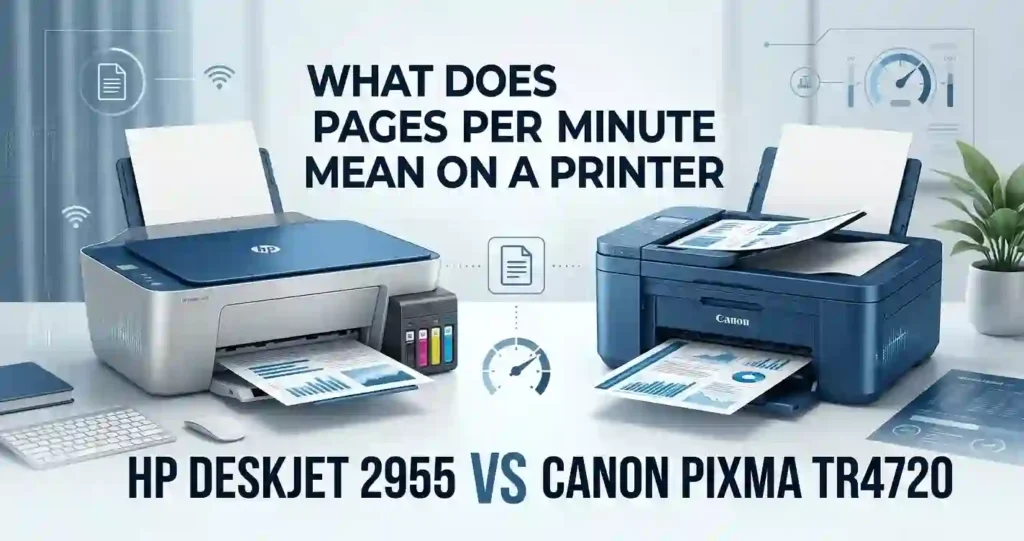
The Canon PIXMA TR4720 is the better pick for most households. It adds a 20-sheet automatic document feeder, automatic two-sided printing, and lower standard ink cost per page. The HP DeskJet 2955 wins on low upfront price and dual-band Wi-Fi. Your monthly page count decides the final call.
- Best for occasional printing: HP DeskJet 2955, especially at a sale price.
- Best for multipage scanning: Canon PIXMA TR4720, thanks to its ADF.
- Best for budget-conscious buyers: HP costs less on day one, but Canon costs less to feed.
HP DeskJet 2955 vs Canon PIXMA TR4720: Key Differences
The two printers aim at the same buyer. But the HP is a basic, low-volume model that replaced the DeskJet 2855e. The Canon is a small step up with more paper tools.
Four differences matter most:
- Document handling: Canon has a 20-sheet ADF. HP has a flatbed only.
- Two-sided printing: Canon does it automatically. HP needs manual flipping.
- Ink system: HP uses HP 68 and HP 68e. Canon uses PG-275 and CL-276, with XL options.
- Running cost: Canon’s standard cartridges cost less per page in our math.
Want the bigger picture on feature sets? Read all-in-one printer vs printer-only for a plain-language breakdown.
Quick Comparison of Printer Specifications
This table uses official US product pages and large US retailers. Speeds are manufacturer ratings, not real-world results. The HP model checked here is the A24HJA.
Table 1: HP DeskJet 2955 vs Canon PIXMA TR4720 Specifications
| Feature | HP DeskJet 2955 | Canon PIXMA TR4720 |
|---|---|---|
| Category | All-in-one inkjet | 4-in-1 inkjet with fax |
| Technology | Thermal inkjet | FINE inkjet |
| Rated speed | 7.5 ppm black, 5.5 ppm color | 8.8 ipm black, 4.4 ipm color |
| Max color resolution | 4800 x 1200 dpi optimized | 4800 x 1200 dpi |
| Paper tray | 60 in, 25 out | 100 sheets |
| ADF | No | Yes, 20 sheets |
| Auto duplex | No, manual | Yes, Letter plain paper |
| Borderless | No | Yes |
| Wi-Fi | Dual-band | 2.4 GHz |
| USB | USB 2.0 | USB 2.0 |
| Mobile printing | HP app, AirPrint, Mopria | Canon PRINT, AirPrint, Mopria |
| Cartridges | HP 68, HP 68e | PG-275, CL-276 |
| Best workload | Light home use | Everyday home, light office |
Do not mix this model with the DeskJet 2855e or other DeskJet numbers. For more help reading spec sheets, see printer specifications explained for beginners.
PPM, DPI, and Duty Cycle in Plain Words
PPM means pages per minute. It measures speed on simple test pages, so real speed is slower. Canon lists ipm, or images per minute, under a different test. Do not compare the two numbers one to one. See what pages per minute means.
DPI means dots per inch. More dots can mean finer detail, but paper and ink matter too. Here is printer resolution in simple terms.
Duty cycle is the most pages a printer should handle in a month. HP lists up to 1,000 Letter pages for the 2955. Treat that as a ceiling, not a target.
Wi-Fi, USB, and Mobile Printing Explained
Connectivity is how your printer talks to your devices. Wi-Fi lets phones and laptops print without cables. USB links one computer directly.
Both printers offer both. The HP supports 2.4 GHz and 5 GHz bands. The Canon supports 2.4 GHz only. The 5 GHz band is often less crowded. The 2.4 GHz band often reaches farther through walls.
Overall Value: Which Printer Offers More?
Start with price. The HP DeskJet 2955 has appeared at $49.99 on sale and $89.99 at regular price at Staples. The Canon PIXMA TR4720 lists near $79.99 at Staples.
A low sticker price is only part of the story. HP 68 cartridges hold fewer pages than Canon’s standard cartridges, so you refill sooner. Read why cheap printers can cost more over time before you buy on price alone. Our true cost of owning a printer guide shows the full math.
For occasional printing, the HP can make sense. For regular document work, the Canon usually gives better value.
Design, Build Quality, and Ease of Use
The HP is compact. It measures about 16.7 x 12 x 6.1 inches and weighs about 7.5 pounds. The Canon is a bit larger because of its ADF and 100-sheet tray.
Both fit on a desk or shelf. The HP uses an icon display with buttons. The Canon uses a two-line LCD with buttons. The Canon also works with Alexa and Google Home voice assistants.
Plan your space first. See what printer size is best for a small room for a quick guide.
Setup and Everyday Operation
Setup is simple on both. Some HP buyers report that cartridges are awkward to install. One Best Buy reviewer said you almost have to stand the printer upright.
Both makers push a phone app for setup. Always follow the steps for your exact model. New to printers? Read how to set up a printer for the first time and the 123.hp.com setup guide. If your computer needs software, learn to install printer drivers correctly.
First-Day Setup Checklist
- Remove all tape and packing film.
- Plug in the power cord and turn the printer on.
- Install the setup cartridges that came in the box.
- Load Letter paper (8.5 x 11 inches) in the tray.
- Install the HP app or the Canon PRINT app on your phone.
- Join your Wi-Fi network when the app asks.
- Print an alignment or test page.
Paper Handling and Document Management
Paper handling is where these printers split. The HP holds 60 sheets in and 25 out. The Canon holds 100 sheets in a front-loading tray.
The Canon ADF holds 20 sheets. It accepts originals up to 8.5 x 14 inches. That helps with contracts, tax forms, and school packets. The HP flatbed takes one page at a time.
Paper type matters too. Plain paper suits homework and forms. Photo paper suits pictures. See what paper works best with inkjet printers before you stock up.
Print Quality and Printing Speed
Print quality depends on ink, paper, and settings. Resolution alone does not guarantee a sharp page. Speed ratings come from simple test pages, so real jobs run slower.
I did not run side-by-side print tests. The table below mixes verified specs with independent review notes. Independent reviewer RTINGS calls the HP 2955 passable for casual photos and alright for scanning.
Table 2: Print Quality and Performance Comparison
| Factor | HP DeskJet 2955 | Canon PIXMA TR4720 |
|---|---|---|
| Black text | Pigment black, built for documents | Pigment black, built for documents |
| Color graphics | Dye color, fine for schoolwork | Dye color, fine for schoolwork |
| Casual photos | Passable, no borderless | Borderless, Canon photo papers |
| Rated black speed | 7.5 ppm | 8.8 ipm |
| Rated color speed | 5.5 ppm | 4.4 ipm |
| Borderless sizes | Not supported | Up to Letter |
| Scan quality | 1200 dpi hardware | 600 x 1200 dpi optical |
Text and Documents: Which Printer Looks Better?
Both use pigment black ink. Pigment sits on top of the paper, so text looks crisp and resists smearing. That suits invoices, charts, and essays.
Both are dye-based in color. Colors look bright on plain paper. Small fonts under 8 points can still look soft on any budget inkjet.
Settings change the result. Draft saves ink but looks lighter. Normal fits most jobs. Best slows printing and uses more ink. Test one real page, such as a form with a table, before you commit. If you see streaks later, read why inkjet prints have lines.
Photo Printing and Color Graphics
For casual photos, both work. Neither is a photo lab. Canon supports borderless printing, so you can print edge-to-edge snapshots. The HP does not.
Both printers use one tri-color cartridge. When one color runs out, you replace the whole cartridge. That raises photo cost.
If photos matter most, read how to choose a printer for photo printing.
Plain Paper vs Glossy Photo Paper
Plain paper soaks up ink and looks flatter. Glossy photo paper holds ink on top and looks richer. It also costs more per sheet. Add that cost to your photo math. Not sure which finish to buy? Compare glossy vs matte photo paper.
Ink Cartridges, Page Yield, and Cost per Page
HP DeskJet 2955 ink: HP 68 black (7FP21TN) yields about 160 pages. 120 pages printing printer HP 68 tri-color (7FP20TN) . HP 68e EvoMore black (7FP22TN) yields about 320 pages.
Canon PIXMA TR4720 ink: PG-275 black and CL-276 color. Retailers list standard yields near 180 pages each. The XL versions list near 400 pages for black and 300 for color.
Page yield is a lab estimate. It assumes only 5 percent of the page is covered with ink. Photos, charts, cleaning cycles, and rare use all lower the real number. See why inkjet printers use so much ink.
Buy by the exact cartridge number. Use this guide to check if a printer cartridge is compatible. HP states that the 2955 is meant for cartridges with original HP chips. Firmware updates can block others. If a new cartridge fails, read why a printer rejects new cartridges.
Replacement Ink: Which Printer Costs Less?
Here is a simple model. It uses standard cartridges from recent US listings. Canon’s color price is estimated from a $41.96 genuine combo pack minus the $23.58 black cartridge.
Table 3: Ink Cartridge Costs and Page Yield
| Cost factor | HP DeskJet 2955 | Canon PIXMA TR4720 |
|---|---|---|
| Black cartridge | HP 68 or 68e | PG-275 or XL |
| Color cartridge | HP 68 tri-color | CL-276 or XL |
| Standard yield | 160 black, 120 color | About 180 each |
| High yield | 68e black, 320 pages | XL, about 400 and 300 |
| Standard price | About $29 each | $23.58 black, about $18 color |
| Black cost per page | About 18 cents | About 13 cents |
| Color cost per page | About 24 cents | About 10 cents |
| Subscription | HP Instant Ink eligible | Canon plans listed, check terms |
Cost per Page Formula and Example
Cost per page = cartridge price ÷ page yield
Example: a $23.58 Canon PG-275 that prints 180 pages costs about 13 cents per page. Compatible XL packs can look cheaper, near 4 cents per page on one vendor’s listing. Those yields are vendor claims, so treat them with care. Also see best printers for cheap replacement cartridges and inkjet printer running costs explained.
How to Reduce Ink Costs
You can cut ink costs on either printer. Small habits add up.
- Use draft mode for internal documents.
- Print two pages per sheet when text stays readable.
- Pick grayscale unless you need color.
- Choose high-yield cartridges when you print often.
- Compare genuine and compatible ink with care. Compatible ink may block on HP or void support, so read original vs compatible printer cartridges.
Check levels often with this guide to checking printer ink levels. More tips: how to reduce ink usage when printing and how to reduce home printing costs.
Ink Subscriptions: HP Instant Ink and Canon Plans
HP lists the 2955 as eligible for Instant Ink. Retailers include a 3-month trial. After that, a monthly fee applies unless you cancel. Canon lists ink subscription plans for the TR4720. Do not assume a free trial or savings. Read the current terms and your monthly page limit first.
Wireless Connectivity and Mobile Printing
Both printers join your home Wi-Fi and take jobs from many devices. Windows PCs and Macs print through installed drivers or the maker’s software. iPhones and iPads use AirPrint. Android uses Mopria or each brand’s print service.
Wi-Fi setup is similar on both. Pick your network in the app and enter your password. Follow how to connect a printer to Wi-Fi if you get stuck.
Router layout matters. A printer far from the router may drop out. For phone tips, see how to print from a phone at home.
Canon PRINT and HP Smart Apps
The Canon PRINT app handles setup, printing, scanning, and cloud links. HP’s app does setup, scanning, and print management. Some HP features may need an account, such as Instant Ink.
Features can vary by operating system, region, and firmware. Check each app’s page for your phone. Need a walkthrough? Read how to connect a printer to a smartphone. Sharing with family? See how to manage multiple devices with one printer.
How to Fix Common Wireless Printing Problems
Most Wi-Fi problems have simple fixes. Start with the easy ones. If your printer keeps dropping, read why a printer keeps going offline.
Also check your router band. The Canon needs 2.4 GHz, so a 5 GHz-only network will block it.
Steps to Reconnect a Printer That Shows Offline
- Confirm the printer and your device use the same network.
- Restart the printer and the router.
- Update the printer firmware and your driver.
- Remove the printer from your computer’s printer list.
- Add it again from the HP or Canon app.
- Print a test page.
Still stuck? Try why a printer won’t connect to Wi-Fi or how to reconnect an offline printer.
Scanning, Copying, and Home Office Features
Both printers scan and copy from a flatbed glass. The HP flatbed scans at up to 1200 dpi and copies at 300 x 300 dpi. The Canon has a flatbed plus a 20-sheet ADF, a 600 x 1200 dpi optical scanner, and copying up to 99 pages.
The Canon also has fax. The HP has no fax hardware. These features help with school assignments, receipts, and contracts. For a broader look, see multifunction printer vs separate office devices.
Automatic Document Feeder vs Flatbed Scanning
An ADF pulls pages through one by one. You load a stack and press start. That saves time on multipage paperwork.
A flatbed is better for photos, books, and fragile paper. The glass holds the page flat and safe. The Canon has both. The HP has only the flatbed, and it scans one original at a time. The Canon ADF does not scan both sides in one pass.
Two-Sided Printing: Automatic or Manual?
Automatic duplex prints on both sides without your help. The Canon does this for Letter-size plain paper. Canon says it can cut paper use by up to half.
The HP uses manual duplex. You print one side, flip the pages, and feed them back in. Driver support guides you. Manual duplex works, but it takes patience on long files and can jam.
Reliability, Maintenance, and Troubleshooting
Inkjets need regular care. Printheads and nozzles can dry out when you print rarely. That causes streaks, faded colors, and blank pages. Learn why an inkjet printer dries out and how long an inkjet can sit unused.
A short print once a week helps. Run the built-in cleaning tool only when quality drops. Cleaning uses ink. For background on the parts, read inkjet printhead explained.
Use each maker’s support pages for error codes and maintenance steps.
Common HP DeskJet and Canon PIXMA Problems
Most problems fall in a few groups.
- Blank pages: Check for dried nozzles or empty ink. See why an inkjet prints blank pages.
- Faded colors or streaks: Run a nozzle check, then clean the printhead once.
- Paper jams: Use fresh, flat paper and do not overfill the tray.
- Cartridge errors: Reseat the cartridge and check the number.
These tips are general. The sibling DeskJet 2855e has a useful list in HP DeskJet 2855e not printing fixes. Always check your own manual for model-specific steps. More causes are in common inkjet printer problems.
Long-Term Ownership Considerations
Think about ink supply, software support, and warranty. Both brands sell ink at Amazon, Best Buy, Staples, and Walmart. HP’s chip rules may limit cheaper options.
RTINGS flags the HP 2955 for poor page yields and notes it is a poor choice for a small office. I found no like-for-like lifespan data for either model, so I make no lifespan claim. For general ranges, see how long an inkjet printer usually lasts.
Warranty and Support
Check each maker’s warranty on hp.com and usa.canon.com before you buy. Retailers sell extra protection plans, but read the terms. Learn the basics in printer warranty terms explained.
Price, Running Costs, and Overall Value
Here is a one-to-three-year estimate. It assumes 40 pages a month, with 90 percent black and 10 percent color. It uses standard cartridges and the prices above. Setup cartridges in the box will lower year one a little.
Estimated total cost at 40 pages a month
| Cost | HP at $49.99 | HP at $89.99 | Canon at $79.99 |
|---|---|---|---|
| Ink per year | About $90 | About $90 | About $61 |
| Year 1 total | About $140 | About $180 | About $141 |
| Year 3 total | About $320 | About $360 | About $265 |
At the sale price, the two tie after year one. After three years, the Canon saves about $55 to $95 in this model. Your results depend on coverage, cleaning, and prices.
Warranty, ink supply, and upkeep matter too. A cheap printer with costly ink is no bargain.
Best Printer for Students and Families
Students need homework, forms, and the odd project poster. Families need simple setup and steady Wi-Fi. They also need cheap refills.
The Canon suits busy homes with its bigger tray, ADF, and duplex. The HP suits light use, such as a few pages a week. Match the printer to your monthly volume, not your busiest week. Read how much printing a home printer should handle.
More picks: best inkjet printer for students, printer for school homework, and best printer for family use.
Best Printer for a Home Office
Home office work means scanning contracts, copying receipts, and printing multipage files. The Canon fits better here. Its ADF, duplex, and fax cut manual steps.
Neither model is built for heavy work. For help with picking, see how to choose a printer for a small office.
When a Higher-Volume Printer Makes Sense
If you print hundreds of pages a month, cartridge inkjets get costly. A refillable tank or a laser may cost less per page. Compare them in ink cartridge printer vs refillable tank.
Decision Table: Which Printer Should You Choose?
Table 4: Which Printer Should You Choose?
| Buyer need | What to prioritize | Better fit |
|---|---|---|
| Occasional home printing | Low upfront cost, simple setup | HP DeskJet 2955 |
| Multipage scanning | Automatic document feeder | Canon PIXMA TR4720 |
| Double-sided documents | Automatic duplex | Canon PIXMA TR4720 |
| Affordable color printing | Cartridge price, color cost per page | Canon PIXMA TR4720 |
| Wireless printing | Wi-Fi and mobile printing | Both work |
| Casual photos | Color quality, photo paper, borderless | Canon PIXMA TR4720 |
| Home office paperwork | Text, scanning, paper handling | Canon PIXMA TR4720 |
| Lowest long-term cost | Total cost at your monthly volume | Canon at regular prices |
What Should You Check Before Buying an All-in-One Printer?
Run through this short list first.
- Confirm cartridge numbers, page yields, Wi-Fi support, and your operating system.
- Check whether you need an ADF or automatic duplex.
- Estimate your monthly ink cost before checkout.
Read printer buying mistakes and how to avoid them and what printer features actually matter to avoid regrets.
Printer Running Costs: How Can You Compare Them?
Follow these steps for any two printers.
- Find the current price and page yield of each cartridge.
- Divide price by yield to get cost per page.
- Multiply by your expected monthly pages.
- Add paper and any subscription fees.
- Add the printer price to get a total.
Frequently Asked Questions
1. Is the HP DeskJet 2955 better than the Canon PIXMA TR4720?
It depends on your needs. The HP costs less to buy, while the Canon adds an ADF, auto duplex, and cheaper standard ink. For regular use, the Canon is the stronger pick.
2. Which printer is cheaper to operate?
In our model, the Canon costs less per page: about 13 cents black and 10 cents color, against about 18 and 24 cents on HP. Check current US prices, because they change.
3. Does the Canon PIXMA TR4720 have an automatic document feeder?
Yes. It has a 20-sheet ADF that takes originals up to 8.5 x 14 inches. It is handy for multipage scans and copies, though it does not scan both sides in one pass.
4. Can both printers print wirelessly from a phone?
Yes. Both support AirPrint for iPhone and iPad. Android uses Mopria or each brand’s service. Set up through the HP app or Canon PRINT.
5. Is one printer better for photos?
The Canon has an edge because it supports borderless printing. Neither is a photo printer. Judge by sample prints, not resolution numbers alone.
6. Do these printers support automatic double-sided printing?
The Canon does, on Letter plain paper. The HP does not and uses manual duplex. That means you flip and reload pages yourself.
7. Are these printers good for students and home offices?
Both suit students at low volume. The Canon fits home offices better because of its ADF, duplex, and fax. Factor in ink cost, not only price.
8. When should ink cartridges be replaced?
Replace them when print quality drops or the printer reports empty. Timing depends on volume and coverage. Store spares sealed and cool.
9. What should you do if either printer will not connect to Wi-Fi?
Restart the printer and router. Confirm the network band, then update firmware. If it persists, remove and re-add the printer, then follow the maker’s support steps.
10. Where can you find compatible ink cartridges for these printers?
Check the official HP and Canon US stores, plus Amazon, Best Buy, Staples, and Walmart. Always confirm your exact model and cartridge number before you order.
Final Verdict: HP DeskJet 2955 vs Canon PIXMA TR4720
The Canon PIXMA TR4720 wins for most buyers. It offers an ADF, automatic duplex, borderless printing, and cheaper standard ink. The HP DeskJet 2955 wins on low sticker price, dual-band Wi-Fi, and a small footprint for very light use.
Choose by your monthly workload and must-have features. Do not choose by price tag alone. Before you buy, check current US prices, exact cartridge numbers, and official specs on hp.com and usa.canon.com.
Still comparing? Browse the best affordable all-in-one printer picks, or read the related HP DeskJet 2855e vs Canon PIXMA TS4320 matchup.




