
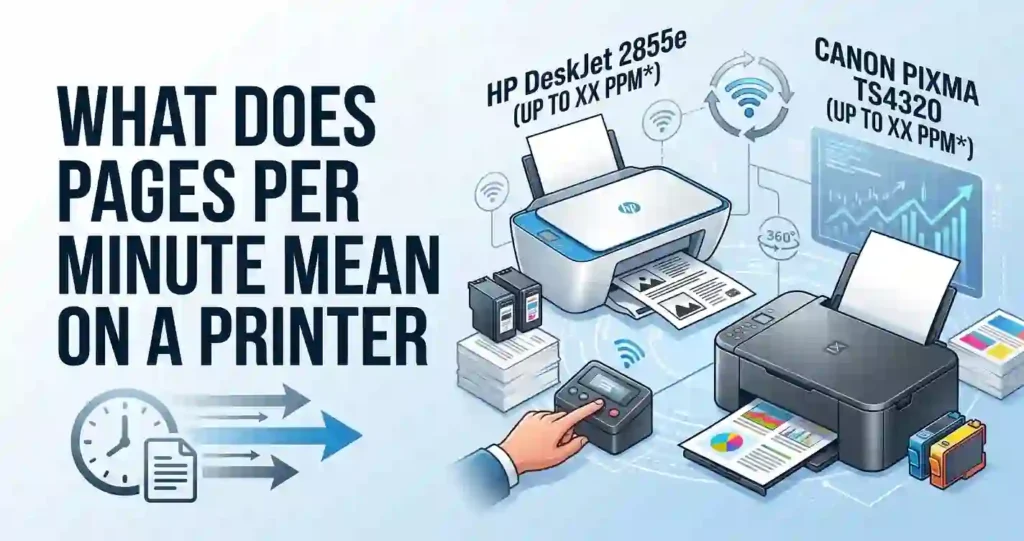
The HP DeskJet 2855e vs Canon PIXMA TS4320 choice looks easy at first. Both are low-cost all-in-one inkjet printers that print, scan, and copy.
But the price tag is only part of the story. Print quality, inkjet printer running costs, wireless setup, and ease of use matter just as much. Our guide on why cheap printers can cost more over time explains this trap.
This guide uses official specs and published ratings. It does not claim lab testing. You will learn the key differences and how to choose.
Quick Comparison: HP DeskJet 2855e vs Canon PIXMA TS4320
The Canon PIXMA TS4320 suits you if you want faster printing, automatic two-sided printing, a 100-sheet tray, and dual-band Wi-Fi. The HP DeskJet 2855e suits you if you want a lighter body, the HP Smart app, and an Instant Ink trial. Neither is a clear winner until you count ink costs.
- Both print, scan, and copy with a flatbed scanner.
- Both support Apple AirPrint and Mopria.
- Canon duplexes automatically. HP duplexes by hand.
- HP uses 2.4 GHz Wi-Fi only.
Want to see more models? Browse our pick of the best affordable all-in-one printer options.
Specs come from Canon USA’s support page, HP listings, and US retailers. Always confirm them on the maker’s site before you buy.
Key Specifications at a Glance
Rated speeds are lab numbers, not real-world promises. HP quotes ISO speeds, while Canon quotes ESAT speeds.
If the terms are new, read what pages per minute means on a printer. Speed also changes with print mode, and HP’s top color resolution needs select HP photo paper.
Specification comparison (Table 1)
| Specification | HP DeskJet 2855e | Canon PIXMA TS4320 |
|---|---|---|
| Printer type | All-in-one thermal inkjet | All-in-one inkjet, hybrid ink system |
| Print, scan, copy | Yes, flatbed, no feeder | Yes, flatbed, no feeder |
| Print technology | Two cartridges, HP 67 black and tri-color | FINE print head, two ink tanks |
| Maximum print resolution | Black 1200 x 1200, color up to 4800 x 1200 optimized dpi | Up to 1200 x 1200 dpi |
| Manufacturer-rated speed | 7.5 ppm black, 5.5 ppm color (ISO) | 14 ipm black, 9 ipm color (ESAT) |
| Wireless connectivity | Wi-Fi 802.11b/g/n, 2.4 GHz only, plus USB | Wi-Fi 2.4 and 5 GHz, WPA3, Wi-Fi Direct, plus USB |
| Mobile printing | HP Smart app, AirPrint, Mopria | Canon PRINT app, AirPrint, Mopria |
| Paper capacity and sizes | 60-sheet input, 3 x 5 to 8.5 x 14 in | 100-sheet cassette, 4 x 6 in to Letter |
| Automatic duplex | No, manual only | Yes |
| Dimensions and weight | 16.7 x 12 x 6.1 in, about 7.5 lb | 14.8 x 14 x 6.7 in closed, 11.4 lb |
| Ink cartridge system | HP 67 and 67XL | PG-295 and CL-286, plus XL sizes |
HP’s weight is converted from 3.42 kg.
Print Quality and Everyday Results
Both printers handle everyday pages well. Neither is built for gallery prints.
Higher dpi does not always mean better pages. HP’s 4800 x 1200 figure is an optimized number that needs select photo paper.
Canon’s 1200 x 1200 figure is a plain rating. For a plain explanation, see printer resolution explained in simple terms.
Paper and settings change the final page more than the dpi number does.
Text Printing for School and Home Office
Canon uses pigment black ink, which usually resists smudges. That helps with essays, forms, and invoices. HP also prints readable black text for plain documents.
Print mode matters. Draft mode is faster and uses less ink. Best mode is slower and uses more ink.
For daily pages, normal mode is enough. Our tips on how to reduce ink usage when printing can stretch each cartridge.
Color Graphics and Photo Printing
Canon lists borderless printing from 4 x 6 up to 8.5 x 11 inches. It also lists ChromaLife100 for fade resistance when used with Canon photo paper. A 4 x 6 photo is rated at about 39 seconds.
The HP specs I reviewed did not clearly confirm borderless printing. Check HP’s current documentation if you need it. HP lists a 4 x 6 color print at about 65 seconds in normal quality.
Photo paper choice matters on both. Read glossy vs matte photo paper before you buy. Then follow our steps to print professional looking photos at home.
Speed and Everyday Productivity
On paper, the Canon is much faster. It is rated at 14 ipm black and 9 ipm color. The HP is rated at 7.5 ppm black and 5.5 ppm color.
The two ratings use different test names, so treat the gap as a guide. Still, the gap is large.
Canon also lists a shorter first page time: 7.5 seconds black and 9.5 seconds color. HP lists 15 seconds black and 19 seconds color.
Wi-Fi and warm-up add delay. If your printer feels slow, read why inkjet printing is so slow.
Documents Per Minute in Real Life
Here are rough estimates from the published ratings. They are not lab tests.
- 10-page text file: HP about 85 seconds, Canon about 45 seconds.
- 5-page color slide deck: HP about 65 seconds, Canon about 35 seconds.
Real speeds differ for a few reasons. Heavy ink coverage slows a page.
Best quality slows it more. Duplex printing is slower than one-sided printing.
For one or two pages, the gap is small. For a 30-page report, it is not.
Performance comparison (Table 2)
| Performance metric | HP DeskJet 2855e | Canon PIXMA TS4320 |
|---|---|---|
| Black print speed | 7.5 ppm (ISO) | 14 ipm (ESAT) |
| Color print speed | 5.5 ppm (ISO) | 9 ipm (ESAT) |
| First-page-out time | 15 sec black, 19 sec color | 7.5 sec black, 9.5 sec color |
| Multi-page document performance | Estimate: 10 pages in about 85 sec | Estimate: 10 pages in about 45 sec |
| Borderless photo printing | Not confirmed in specs reviewed, 4 x 6 about 65 sec | Yes, 4 x 6 to 8.5 x 11, 4 x 6 about 39 sec |
| Automatic duplex printing | No, manual | Yes |
Ink Cartridges, Page Yield, and Running Costs
Ink is where budget printers make their money. Both models use one black and one color cartridge. When one color runs out, you replace the whole color cartridge.
Standard cartridges for both are small. Read why printer ink costs so much and how to save money for the bigger picture.
Page yield is the number of pages a cartridge can print. It is measured at about 5 percent page coverage. Real pages with graphics use more ink, so expect fewer pages.
DeskJet 2855e Ink Costs
The HP 2855e uses HP 67 cartridges. The high-yield HP 67XL is rated at about 240 black pages and about 200 color pages, based on a Costco listing of HP’s figures. The standard size prints roughly half as many.
HP’s retail listings say this printer uses dynamic security. It is meant to work only with cartridges that have original HP chips. Third-party cartridges may be blocked, so read original vs compatible printer cartridges and why a printer rejects new cartridges.
HP Instant Ink is a monthly plan based on pages printed. Listings often include a three-month trial. Renewal charges apply after the trial, and plan terms vary.
HP+ activation at setup also links the printer to HP ink and an HP account. Read each offer before you accept it.
PIXMA TS4320 Ink Costs
The Canon uses PG-295 pigment black and CL-286 color ink. The black tank holds 6.7 ml and the color tank holds 9.9 ml, per Canon USA.
Standard tanks are listed at about 180 pages each. The XL tanks are listed at about 400 pages each, according to US resellers citing ISO yields. Small standard tanks mean more frequent swaps.
Canon lists the PIXMA Print Plan and Auto Replenishment. Reseller list prices I found were $56.99 for a standard value pack and $106.99 for an XL value pack. Street prices are often lower, so check Amazon, Best Buy, and Staples.
How to Calculate Cost Per Page
Cost per page tells you what each printed sheet costs in ink. It is the fairest way to compare cartridges of different sizes.
Step-by-Step Formula
- Find the cartridge price in US dollars.
- Find the rated page yield for that exact cartridge.
- Divide the price by the yield.
- Repeat for black and for color.
Worked Example With Illustrative Prices
These prices are made up to show the math. Do not treat them as real.
- A $24 black cartridge rated at 200 pages costs 12 cents per page.
- A $30 color cartridge rated at 150 pages costs 20 cents per page.
- At 40 black pages and 10 color pages per month, ink costs $6.80 a month.
Real pages often use more ink than the 5 percent rating. See how to calculate the true cost of owning a printer for a full method.
Cost and page yield comparison (Table 3)
| Cost factor | HP DeskJet 2855e | Canon PIXMA TS4320 |
|---|---|---|
| Genuine cartridge model | HP 67 and 67XL | PG-295 and CL-286, plus XL |
| Black cartridge price | Varies by seller, check HP, Amazon, Best Buy, Staples | Reseller list price for PG-295XL: $51.99 |
| Color cartridge price | Varies by seller, check the same stores | XL value pack list price: $106.99 for both |
| Published page yield | 67XL: about 240 black, about 200 color | Standard: about 180 each, XL: about 400 each |
| Estimated black cost per page | 67XL price divided by 240 | XL at list price: about 13 cents |
| Estimated color cost per page | 67XL price divided by 200 | XL pack at list price: about 13 cents each |
| Subscription or savings options | HP Instant Ink, HP+ terms apply | PIXMA Print Plan, Auto Replenishment |
Canon figures use reseller list prices, so they are upper estimates. HP prices varied too much between listings to fix a number.
Total Ownership Costs Over One and Three Years
The formula is simple. Total cost equals printer price plus yearly ink cost times the years, plus any plan fees. Printer prices I saw were roughly $99 to $129 across US sellers.
Here is an illustrative example using the made-up prices above. At 600 black and 120 color pages a year, ink costs about $96. A $100 printer then totals $196 in year one and $388 over three years.
Small gaps add up. If one printer’s black page costs 3 cents less, it saves $54 over 1,800 black pages in three years. For light printers, the upfront price matters more.
See how to reduce home printing costs and save money for more ways to cut the bill.
Wireless Setup, Mobile Printing, and Connectivity
Both printers connect by USB and Wi-Fi. The big difference is the band.
The HP works on 2.4 GHz only. The Canon works on 2.4 and 5 GHz and offers Wi-Fi Direct.
Both support AirPrint for iPhone and iPad and Mopria for Android. HP also uses the HP Smart app.
Canon uses the Canon PRINT app. Our guide to print from a phone at home covers the basics.
Canon lists Windows 11, 10, 8.1, and 7 SP1, plus ChromeOS. HP listings show Windows 10 and 11, macOS, and ChromeOS.
Confirm your own system on each maker’s support page. If you are new to this, start with how to connect a printer to Wi-Fi.
Setting Up the HP DeskJet 2855e
- Remove the tape, install the HP 67 cartridges, and load Letter paper.
- Power on and follow the icon display.
- Install the HP Smart app, or follow our 123.hp.com setup guide.
- Choose your 2.4 GHz network and enter the password.
- Sign in to an HP account and read the HP+ and Instant Ink offers.
- Print a test page.
Fixing Common HP Connection Problems
Most failures come from a wrong password or a 5 GHz-only network. Some routers merge both bands under one name.
Move closer to the router and try again. For more steps, read why your printer won’t connect to Wi-Fi.
Setting Up the Canon PIXMA TS4320
- Unpack, install the PG-295 and CL-286 tanks, and load paper in the cassette.
- Power on the printer.
- Install the Canon PRINT app or download setup software from Canon support.
- Pick wireless setup and choose your network.
- Add the printer to your computer or phone.
- Print a test page.
Canon’s support page lists setup guides for Windows, Mac, iOS, Android, and ChromeOS. New to all this? Our first-time printer setup guide walks through the basics.
Fixing Common Canon Connection Problems
If the printer fails to join Wi-Fi, restart the router and the printer. Try Wi-Fi Direct as a backup. Missing drivers cause many errors, so see how to install printer drivers correctly and what to do when a printer is not showing on your computer.
Ease of Use Compared
The HP has a small icon display and a polished app. You do need an HP account for full features. The Canon has no screen at all, so you rely on buttons and the phone app.
If several people share one printer, plan the setup first. Our guide to managing multiple devices with one printer helps.
Test your operating system and home network before you commit.
Scanning, Copying, and Paper Handling
Both printers have a flatbed glass. Neither has an automatic document feeder. You scan or copy one page at a time.
It is slow for a 30-page contract. If you scan often, read all-in-one printer vs printer only.
Scanning Documents and Photos
Canon lists 1200 x 2400 dpi optical scanning. HP lists 1200 x 1200 dpi.
Optical resolution is what the sensor really captures. Interpolated resolution is a software guess, so do not compare them.
Canon supports scan to PC, email, multi-page PDF, and the Canon PRINT app. HP lists scan to PDF and the HP Smart app.
For copies, HP lists 300 x 300 dpi and about 6 black copies per minute. Canon lists about 7 copies per minute, enlarging up to 400 percent, and ID card copy.
Paper Capacity and Media Compatibility
The HP holds 60 sheets in and 25 sheets out. It handles sizes from 3 x 5 to 8.5 x 14 inches.
The Canon holds 100 sheets in a cassette. It lists 4 x 6, 5 x 7, 8 x 10, Letter, and #10 envelopes.
Canon handles plain paper from 64 to 105 gsm and photo paper near 275 gsm. HP lists paper up to about 300 gsm.
Always set the paper type in the print menu. A wrong setting wastes ink. Our guide on what paper works best with inkjet printers helps you match paper to the job.
Design, Footprint, and Home Office Convenience
Both printers are small. The HP is lighter at about 7.5 lb. The Canon weighs 11.4 lb.
You need a nearby power outlet and a strong Wi-Fi signal. Our advice on where to place a printer at home can save you trouble.
Canon lists about 47 dB noise on plain paper and a Quiet Mode. It uses 21 W while printing and 0.9 W on standby. I could not confirm HP’s noise level.
Fitting a Printer on a Small Desk
The HP measures 16.7 x 12 x 6.1 inches. The Canon measures 14.8 x 14 x 6.7 inches closed. Both need about 21 inches of space when paper trays are extended.
Measure your shelf, then add clearance for paper to exit. Our guide to the best printer size for a small room can help you plan.
Pros and Cons of Each Printer
Facts and opinions are different. The lists below rely on published specs.
Retail reviews for the HP praise easy setup but mention slow printing. Treat reviews as opinions, not specs.
DeskJet 2855e Strengths and Weaknesses
Pros
- Lighter body at about 7.5 lb.
- Icon display and HP Smart app.
- Instant Ink trial often included.
- Low upfront price at many sellers.
Cons
- Slower rated speeds.
- 2.4 GHz Wi-Fi only.
- Manual duplex and a 60-sheet tray.
- Dynamic security can block non-HP cartridges.
- Some resellers list it as end of life, so check stock.
Best for: light users who print a few pages a week and like app-based setup.
PIXMA TS4320 Strengths and Weaknesses
Pros
- Faster rated speeds and quicker first page.
- Automatic duplex and a 100-sheet cassette.
- Dual-band Wi-Fi with Wi-Fi Direct.
- Borderless printing up to 8.5 x 11 inches.
Cons
- No display screen.
- Heavier body.
- Standard tanks are small at about 180 pages.
Best for: families and students who print often and want less paper handling.
Buyer-focused pros and cons (Table 4)
| Buying consideration | HP DeskJet 2855e | Canon PIXMA TS4320 |
|---|---|---|
| Everyday document printing | Fine for light use, slower at 7.5 ppm black | Faster at 14 ipm black, auto duplex |
| Color and photo output | Optimized color on select HP paper | Borderless to 8.5 x 11 |
| Ink affordability | 67XL about 240 and 200 pages, non-HP chips blocked | Standard 180, XL 400 pages |
| Wireless convenience | 2.4 GHz only, AirPrint, Mopria, HP Smart | Dual-band, Wi-Fi Direct, AirPrint, Mopria |
| Home-office suitability | Good for light tasks, 60 sheets | Better for steady use, 100 sheets |
| Overall value | Best when price and size lead | Best when speed and paper handling lead |
Which Printer Is Best for You?
Match the printer to your habits, not the sticker price. Count your pages, your colors, and your photos. Then check current prices.
If speed, paper handling, and photos lead, lean Canon. If size, app setup, and a low entry price lead, lean HP. Ink costs can flip either choice.
Students and Homework
Students print in bursts before due dates. The Canon’s speed, 100-sheet tray, and auto duplex suit that pattern.
The HP works for a few pages a week in a small dorm space. It needs a 2.4 GHz network.
Read our guides on printers for school homework and the best inkjet printer for students. Choose by cost per page, not by price alone.
Remote Workers and Home Offices
Retail listings give the HP a duty cycle of 1,000 pages a month. Canon lists a recommended volume of 500 pages a month.
Duty cycle is the most a printer can take. Recommended volume is a healthy load.
Most homes print far less than either number. See how much printing a home printer should handle. If you print hundreds of pages monthly, compare an ink cartridge printer vs a refillable tank.
Canon gives a one-year warranty. See printer warranty terms explained, and confirm HP’s terms.
Photos and Creative Projects
The Canon has clearer photo specs, including borderless sizes. Photo paper and ink add up fast, though.
Compare a home photo printer vs a professional printing service. For frequent photo work, a dedicated model is better. Our guide on how to choose a printer for photo printing explains why.
Low-Volume Printing
Inkjets can clog when they sit idle. That wastes ink and money. Read why an inkjet printer dries out.
Print one color page every few weeks. See how often an inkjet printer should be used.
HP lists two print heads that match its two cartridges, so a clog may mean a new cartridge. Canon’s head is not user replaceable.
Look at the best inkjet printer for infrequent use if you print rarely.
Deciding Between the HP DeskJet 2855e and Canon PIXMA TS4320
Start by estimating your monthly pages. Count black pages, color pages, and photos. Our guide to choosing a printer for your monthly print volume helps.
Then check your operating system, Wi-Fi band, and cartridge prices. Compare Amazon, Best Buy, Staples, Walmart, Micro Center, HP.com, and Canon’s store. Include shipping and the return window.
A Simple Printer Buying Checklist
- Confirm you need print, scan, copy, and duplex.
- Check if your router supports 2.4 GHz for the HP.
- Calculate yearly ink cost using real page yields.
- Check return policy and software needs.
- Confirm genuine cartridges are in stock.
- Avoid the traps in printer buying mistakes and how to avoid them.
- Use how to check if a cartridge is compatible before buying ink.
Frequently Asked Questions (FAQ)
Is the HP DeskJet 2855e better than the Canon PIXMA TS4320?
Neither wins for everyone. The Canon prints faster, duplexes automatically, and holds 100 sheets.
The HP is lighter and often includes an Instant Ink trial. Ink prices decide long-term value, so compare cost per page and your own printing habits before you buy.
Does the Canon or the HP have cheaper ink cartridges?
It depends on current prices and cartridge size. HP’s 67XL is rated at about 240 black and 200 color pages.
Canon’s XL tanks are rated at about 400 pages each. Divide price by yield for each one, and note that HP may block non-HP chips.
Which printer produces better photo prints?
Canon lists borderless printing from 4 x 6 to 8.5 x 11 inches. The HP specs I reviewed did not clearly confirm borderless support.
Without side-by-side tests, no honest winner exists. Use real photo paper on either printer for the best results.
Are both printers wireless?
Yes. The HP uses Wi-Fi 802.11b/g/n on the 2.4 GHz band only. The Canon works on 2.4 and 5 GHz and adds Wi-Fi Direct.
Both also have USB for a wired link. If your router merges its bands, HP setup may need extra steps.
Can I print from my iPhone or Android phone?
Yes. Both support Apple AirPrint and Android’s Mopria.
HP also offers the HP Smart app, while Canon offers the Canon PRINT app. Your phone and printer must share the same network for most methods, and results depend on your device and software version.
Do the HP DeskJet 2855e and Canon PIXMA TS4320 support scanning and copying?
Yes. Both are flatbed all-in-ones with no automatic document feeder, so you place one page at a time.
Canon lists 1200 x 2400 dpi optical scanning, and HP lists 1200 x 1200 dpi. Both make quick copies of receipts and forms.
What printer works better for students and homework?
The Canon suits busy homework weeks thanks to speed, a 100-sheet tray, and auto duplex. The HP suits light use and small desks if the dorm network allows 2.4 GHz. Compare cost per page for either choice, since ink is the main ongoing expense.
How economical are these printers for occasional home printing?
For light use, the purchase price matters most. After that, drying and wasted ink matter.
Print a test page every few weeks. Check HP Instant Ink plan limits before signing up, since very light users may not need a monthly plan.
Will either printer duplex automatically?
The Canon does. The HP 2855e does not, since HP lists manual duplex only.
Manual duplex means you flip the pages by hand when the printer prompts you. Automatic duplex saves paper and effort on long documents like reports and school packets.
Where can I buy the HP DeskJet 2855e or Canon PIXMA TS4320 in the USA?
Try Amazon, Best Buy, Staples, Walmart, Micro Center, HP.com, or Canon’s US store. Compare printer price, ink bundles, shipping, and return terms.
Some resellers list the HP 2855e as end of life, so confirm stock and warranty. Store spare ink the right way.
Final Verdict: Which Printer Offers the Best Value?
The Canon PIXMA TS4320 offers more speed, a bigger tray, automatic duplex, and dual-band Wi-Fi. The HP DeskJet 2855e offers a lighter body, an easy app, and an Instant Ink trial.
Choose the Canon if you print weekly, run long documents, or need borderless photos. Choose the HP if you print little, have limited space, and accept HP’s ink rules.
Check current US prices before you buy. Replacement cartridges can turn an inexpensive printer into an expensive habit. If ink bills worry you, read our best home printer with cheap running costs list. You can also look at an ink tank model in our HP Smart Tank 7302 review.




