
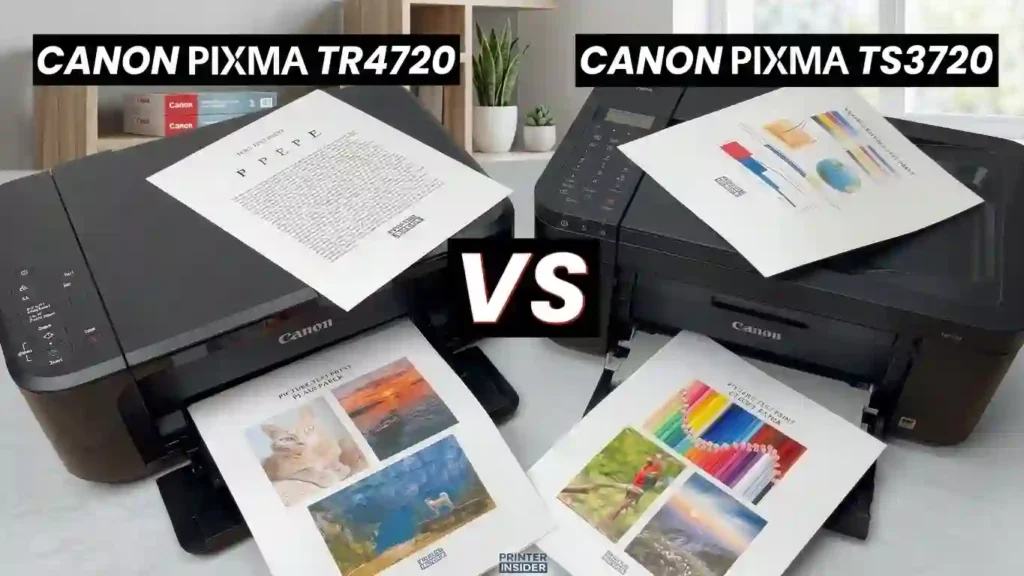
Nobody wants to pay for printer features they never use. Nobody wants to feed pages into a scanner one at a time, either. That is the heart of the Canon PIXMA TR4720 vs Canon PIXMA TS3720 question.
Both are wireless all-in-one inkjet printers. They print, copy, and scan for everyday home use. The TR4720 adds an automatic document feeder (ADF), built-in fax, and two-sided printing. The TS3720 keeps things simple and often costs less.
Quick answer: Pick the TR4720 if you scan multipage papers, need fax, or print two-sided pages. Pick the TS3720 if you mostly print homework, forms, and the odd photo.
We compared Canon’s US specifications with listings from major US retailers. We did not run lab tests, so speeds here are rated figures. New to the jargon? Read our guide to printer specifications explained for beginners first.
Quick Comparison Table: TR4720 vs. TS3720
This table gives you a fast, scannable answer. It focuses on features that change your daily routine, not just headline numbers. For more on that idea, see which printer features are worth paying extra for.
| Feature | Canon PIXMA TR4720 | Canon PIXMA TS3720 |
|---|---|---|
| Printer type | Wireless all-in-one inkjet | Wireless all-in-one inkjet |
| Functions | Print, copy, scan, fax | Print, copy, scan |
| Black print speed | Approx. 8.8 ipm | Approx. 7.7 ipm |
| Color print speed | Approx. 4.4 ipm | Approx. 4.0 ipm |
| Automatic document feeder | Yes, up to 20 sheets (Letter) | No |
| Automatic duplex printing | Yes, Letter plain paper | No |
| Paper capacity | 100 sheets, front tray | 60 sheets, rear tray |
| Maximum print resolution | Up to 4800 x 1200 dpi | Up to 4800 x 1200 dpi |
| Ink cartridge family | PG-275 / CL-276 | PG-275 / CL-276 |
| Best fit | Home office and document-heavy tasks | Basic home and student printing |
Source: Canon USA product pages. Print speeds are manufacturer-rated figures. Actual results vary by document, settings, and connection.
Biggest Differences Between the Two Models
- The TR4720 adds an ADF, fax, and two-sided printing for supported Letter plain paper.
- The TS3720 stays basic. It has a rear paper tray and simple print, copy, and scan tools.
- Both list 4800 x 1200 dpi and use the same PG-275 and CL-276 cartridge families.
That last point matters. Ink costs will look much alike for both models. The real gap is convenience, not print quality.
TR4720 Overview: Features and Benefits
The TR4720 is a true four-in-one. It prints, copies, scans, and faxes in a compact body. Weighing other options? Our guide on multifunction printer vs separate office devices shows when one machine is enough.
Key Specifications of the TR4720
- Functions: print, copy, scan, and fax.
- ADF: holds 20 Letter sheets or 5 Legal sheets.
- Paper tray: 100 sheets, loaded from the front.
- Duplex: two-sided printing on Letter plain paper.
- Speed: rated 8.8 ipm in black and 4.4 ipm in color.
- Fax: 33.6 kbps modem, about 50 pages of memory, and 20 speed dials.
- Connections: Wi-Fi and Hi-Speed USB, plus a small 2-line LCD.
Canon says duplex printing can cut paper costs by up to 50% on Letter documents. A 4 x 6 inch borderless photo takes about 65 seconds.
Who Should Consider the TR4720?
- Home-office users who scan multipage contracts, forms, receipts, or school paperwork.
- People who need fax support or want less manual paper flipping.
- Families and remote workers who want more document tools in one compact device.
If that sounds like you, read how to choose a printer for a small office. For general paperwork, see the best all-purpose printer for everyday documents.
Advantages and Limitations of the TR4720
Advantages: an ADF, fax, automatic duplex, and a larger paper tray.
Limitations: it is still a cartridge-based inkjet, not a high-volume business printer. Heavy users may prefer a tank model. See ink cartridge printer vs refillable tank.
Compare the purchase price and cartridge costs before you pay extra. Our guide to the true cost of owning a printer shows how.
TS3720 Overview: Features and Benefits
The TS3720 is the simple option. It prints, copies, and scans, and it connects over Wi-Fi. Still unsure if you need a multifunction model at all? Read all-in-one printer vs printer-only.
Key Specifications of the TS3720
- Functions: print, copy, and flatbed scan. There is no built-in fax and no ADF.
- Paper tray: 60 sheets, loaded from the rear.
- Speed: rated 7.7 ipm in black and 4.0 ipm in color.
- Resolution: up to 4800 x 1200 dpi.
- Wi-Fi: prints over Wi-Fi and from phones.
A 4 x 6 inch photo takes about 65 seconds, the same as the TR4720. A few retailer pages mention a document feeder for the TS3720. Canon’s specs list none, so confirm before you buy.
Who Should Consider the TS3720?
- Students and households that print homework, forms, basic documents, and occasional photos.
- Users who rarely scan many pages or send faxes.
- Buyers who prefer plain home printing over office extras.
Students will like our pick of the best inkjet printer for students. Parents can also see what to look for in a printer for school homework.
Advantages and Limitations of the TS3720
Advantages: easy use, Wi-Fi printing, and the basic copy and scan tools.
Limitations: no ADF, no built-in fax, and no two-sided printing.
Its simple design suits light printing. Final value depends on the selling price and ongoing ink costs. Read if it is worth owning a printer for occasional use. Then see why cheap printers can cost more over time.
Print Quality and Performance: TR4720 vs. TS3720
Both printers list the same top resolution and the same ink family. So print quality is closer than the price gap suggests. Your paper and settings matter more than the model name. Curious how ink reaches the page? See how inkjet printers work.
Black-and-White Document Printing
Both use pigment black ink. Pigment ink sits on top of the paper and gives sharp text. That suits school assignments, invoices, and forms.
Use draft mode for internal pages. standard mode for most work. Use high quality for pages you will share.
Rated speed is not a promise. Large files, busy Wi-Fi, and high-quality mode all slow output. Learn why inkjet printing is so slow.
DPI Explained in Plain English
DPI means dots per inch. More dots in each inch can mean finer detail. Both printers list 4800 x 1200 dpi, which is a maximum, not a daily setting. Our printer resolution explained in simple terms guide goes deeper.
Color Documents and Photo Printing
Both printers use dye-based color ink. That works well for charts, school projects, and family photos. Paper type, print settings, and image resolution all change the result.
Both support borderless photo printing, but sizes differ. Retailer listings show the TR4720 up to Letter size and the TS3720 up to 5 x 7 inches. Check Canon’s page for your size.
Photo fans should read how to choose a printer for photo printing. Also see glossy vs matte photo paper.
Which Printer Is Faster for Everyday Tasks?
The TR4720 is rated about 14% faster in black and 10% faster in color. That is roughly one extra page per minute. Most people will barely notice it.
The ADF changes more. Copying or scanning a ten-page form is far quicker when the printer pulls each sheet itself. Judge total workflow time, not one page.
Pages Per Minute vs. Images Per Minute
Many shoppers see PPM, meaning pages per minute. Canon uses ipm, or images per minute, based on a standard test. Use both numbers to compare models, not as a stopwatch. See what pages per minute means on a printer.
Paper Handling and Automatic Duplex Printing
Paper handling decides how often you reload and how much desk space you need. The two printers handle it differently.
Paper Tray Capacity and Loading Convenience
The TR4720 holds 100 sheets in a front tray. The TS3720 holds 60 sheets in a rear tray. A rear tray needs clear space behind the printer. A front tray needs room in front.
A bigger tray means fewer refills. Check Canon’s supported media list before you buy envelopes or photo paper. One retailer lists the TS3720 rear tray at 20 sheets of 4 x 6 photo paper.
Learn what paper works best with inkjet printers. Keep paper flat and dry with how to store printer paper at home.
Automatic Duplex on the TR4720: Does It Matter?
Duplex printing puts ink on both sides of a sheet. It cuts paper use for reports, drafts, and long documents. The TS3720 prints one side only, so you flip pages by hand.
Duplex does not work with every paper type or size. The TR4720 supports it on Letter plain paper. It also saves paper, not ink. For more ways to save, read how to reduce home printing costs and save money.
Scanning, Copying, and Faxing Comparison
Automatic Document Feeder vs. Flatbed Scanning
The TR4720 has both a flatbed and a 20-sheet Letter ADF. Load a stack, press start, and walk away. Legal originals work too, but the ADF takes only 5 sheets.
The TS3720 uses a flatbed only. You lift the lid, place one page, and scan it. That is fine for photos, single pages, and small documents.
Both can scan to a computer or the Canon PRINT app. One note: the TR4720 does not scan both sides of a page in one pass. Two-sided originals still need a manual flip.
Which Printer Is Better for Copying Documents?
For single pages, both copy well. The TR4720 pulls ahead with stacks. It lists up to 99 copies per job and can copy two-sided on Letter paper.
Think of a school form, a pile of receipts, or a three-page lease. The ADF handles them in one go. A flatbed still wins for books and delicate items, and both printers have one.
Faxing: Does Either Printer Support It?
The TR4720 has built-in fax. It uses a 33.6 kbps modem, stores about 50 pages, and saves 20 speed dials. You connect it to a standard phone line.
The TS3720 does not list fax among its functions. Ask yourself if you truly need fax. Many offices now accept email scans or e-signatures. If you share sensitive files, review office printer security basics.
Ink Cartridges, Page Yield, and Running Costs
Ink is the biggest long-term cost of any inkjet. Need a refresher on why? Read why printer ink costs so much and how to save money.
What Ink Cartridges Do These Canon Printers Use?
Both use the PG-275 pigment black cartridge and the CL-276 dye color cartridge. Each has a high-capacity XL version. XL cartridges last longer, so you replace them less often.
Third-party ink can cost less, but quality and fit vary. Read original vs compatible printer cartridges before you switch. Use how to check if a printer cartridge is compatible to avoid wrong buys.
If you consider recycled options, see remanufactured ink cartridges explained.
Canon TR4720 vs. TS3720 Ink Yield Comparison
| Ink option | Advertised yield for TS3720 | What buyers should know |
|---|---|---|
| Standard black PG-275 | Up to 100 pages | Actual yield varies with content and settings |
| Standard color CL-276 | Up to 100 pages | Color coverage affects consumption |
| XL black PG-275 XL | Up to 300 pages | May reduce replacement frequency |
| XL color CL-276 XL | Up to 300 pages | Compare cartridge price per page |
Canon’s published TS3720 specifications list these yields. The TR4720 uses the same cartridge family, so the same ratings apply. Always check current cartridge pricing before you buy.
How Much Does It Cost to Print with Each Model?
Use this simple formula: cost per page equals cartridge price divided by pages produced. For example, a $25 XL black cartridge rated at 300 pages costs about 8.3 cents a page. A $17 standard cartridge rated at 100 pages costs 17 cents. These prices are examples only.
Add the cost of plain paper, photo paper, and new ink for a true total. Advertised yields are only estimates. Our guide to inkjet printer running costs helps. So does checking printer ink levels correctly.
Low-Cost Printing: Which Model Wins?
The TS3720 suits occasional printing when its purchase price is lower. The TR4720’s duplex feature cuts paper use, but it does not cut ink use.
Do not assume the cheaper printer always costs less. Check real ink prices and your monthly page count first. Our list of the best home printer with cheap running costs shows other options. Then learn how to reduce ink usage when printing.
Wireless Connectivity and Mobile Printing
Wi-Fi Setup and Home Network Compatibility
Both printers join a home wireless network through Canon’s setup steps. They list 802.11b/g/n Wi-Fi, which points to 2.4 GHz networks. If setup fails, make sure your router’s 2.4 GHz band is on.
If you change routers, run the wireless setup again. Wi-Fi printing needs the right devices, network settings, and software. Follow how to connect a printer to Wi-Fi for general steps. If it still fails, read why won’t my printer connect to Wi-Fi.
An “offline” message is common. Fix it with how to reconnect an offline printer. Or learn why a printer keeps going offline.
Can You Print from an iPhone, Android Phone, or Laptop?
Yes. Canon’s PRINT app, Apple AirPrint, and Mopria Print Service cover most phones and tablets. Windows and macOS laptops work with Canon’s drivers.
Follow how to print from a phone at home or how to connect a printer to a smartphone. For a computer, use how to connect a printer to a laptop. Then see how to install printer drivers correctly. Check your system and driver support before you buy.
Connectivity Basics in Plain English
Wi-Fi links the printer to your router, so every device can reach it. USB links it straight to one computer with a cable. Do not assume you can print with no router unless Canon confirms that method. Compare setups in network printer vs USB printer for an office.
Connectivity Comparison Table
| Connectivity consideration | TR4720 | TS3720 |
|---|---|---|
| Built-in wireless printing | Yes | Yes |
| Canon mobile printing app | Supported | Supported |
| Apple AirPrint | Supported | Supported |
| Mopria Print Service | Supported | Supported |
| USB connection | Hi-Speed USB listed; verify current specifications | Hi-Speed USB listed; verify current specifications |
- Both models support common Wi-Fi printing methods.
- Check Canon’s site for exact ports and system needs.
Price, Value, and Total Cost of Ownership
Cheaper to Buy: TR4720 or TS3720?
Compare current US prices, not launch prices or old deals. At the time of writing, Staples lists the TS3720 at $86.99. Recent sales at Amazon, Best Buy, and Newegg have often landed near $50 to $65. The TR4720 usually costs more.
Refurbished units can save money. Make sure warranty and return terms are clear first. Our guide to printer warranty terms explained for beginners helps. Purchase price alone never decides long-term value.
Value for Money: Which Model Offers More?
Pick the TR4720 when the ADF, fax, and duplex will save you time or paper. Pick the TS3720 when basic print, copy, and scan are enough.
Here is example math for black text pages. It uses XL ink at 8.3 cents a page and paper at $8 per 500 sheets.
| Home printing level | Pages per year | Black ink | Paper, one-sided | Paper, duplex |
|---|---|---|---|---|
| Occasional (10 a week) | 520 | $43 | $8 | $4 |
| Moderate (30 a week) | 1,560 | $130 | $25 | $12 |
| Frequent (80 a week) | 4,160 | $347 | $67 | $33 |
Duplex saves only $4 to $33 a year here. So justify the TR4720 by its ADF and fax, not paper savings. Use how to choose a printer for your monthly print volume to size your own needs.
Is Either Printer Suitable for a Small Business?
Both handle light admin work, such as customer forms, receipts, and routine documents. Neither should be treated as a high-volume commercial printer. See how to choose a printer for a small business.
Heavy monthly workloads need a higher-capacity printer with a lower cost per page. Start with the best printer for high-volume office printing.
Duty Cycle in Plain Terms
Duty cycle is the most pages a printer is built to handle in a month. Going over it wears parts out faster. We found no duty cycle figure on the Canon pages we read. Treat both as light-use machines. For context, read how many pages an office printer can handle monthly.
Pros and Cons: TR4720 vs. TS3720
TR4720 Pros and Cons
- Pros: automatic document feeder, built-in fax, two-sided printing, and a higher paper input capacity.
- Cons: the extra features may not justify the price if you print only now and then.
- Best for: users who often handle multipage paperwork.
TS3720 Pros and Cons
- Pros: essential all-in-one functions, wireless printing, and straightforward home use.
- Cons: manual single-sided printing, and no ADF or built-in fax.
- Best for: households and students with basic printing needs.
Final Verdict: Which Canon Printer Should You Buy?
Choose the TR4720 If…
- You regularly scan multipage documents, need fax, or print two-sided pages.
- Your home office handles paperwork that benefits from a 20-sheet ADF.
- The extra tools are worth the price gap.
Choose the TS3720 If…
- You mostly print schoolwork, forms, simple color graphics, and occasional photos.
- You rarely scan many pages or send faxes.
- You want basic all-in-one function without paying for features you may not use.
Best Printer for Different User Types
| User type | Suggested choice | Reason |
|---|---|---|
| Student | TS3720 | Basic document and assignment printing |
| Remote worker | TR4720 | ADF and automatic duplex printing |
| Family with occasional printing | TS3720 | Straightforward everyday functionality |
| Home office with multipage paperwork | TR4720 | More convenient document handling |
| User who needs fax | TR4720 | Built-in fax capability |
| Photo hobbyist on a budget | Compare both | Check photo sizes, paper support, and ink costs |
These are use-case picks, not absolute rankings. Your workload and current prices still decide. Families can also browse the best printer for family use and the best affordable all-in-one printer.
How to Set Up and Maintain Your Canon PIXMA Printer
Set Up the TR4720 or TS3720 Step by Step
- Unpack the printer and remove all tape and packing film.
- Plug it in, power on, and follow the first prompts.
- Install the cartridges that came in the box.
- Load Letter plain paper in the front tray (TR4720) or rear tray (TS3720).
- Finish Wi-Fi setup with the Canon PRINT app or Canon’s setup tool.
- Print a test page. Then test copying, scanning, and mobile printing.
For a general walkthrough, see how to set up a printer for the first time.
Reduce Ink and Paper Waste
- Use draft mode for internal documents.
- Turn on two-sided printing on the TR4720 for supported pages.
- Print only the pages you need.
- Choose XL cartridges when their cost per page makes sense.
Store spare cartridges well. Learn how to store unused ink cartridges the right way. Also see how long unopened ink cartridges last. Print a little each week, since inkjet printers can dry out.
Common Problems and Troubleshooting Tips
Update drivers and check Canon’s official support pages before you try advanced fixes. Check ink levels first, and use only maintenance steps Canon approves.
Printer Shows Offline or Missing
Restart the printer, router, and computer. If the printer is missing, follow printer not showing on computer.
Blank Pages or Streaks
Run Canon’s nozzle check and head cleaning once. Then read why an inkjet printer prints blank pages. Also see why inkjet prints have lines and the inkjet printhead explained for beginners.
Jams and Misfeeds
Remove stuck paper gently and check for torn bits. Use fresh, flat paper. Fan the stack before loading.
Cartridge Not Recognized
Reseat the cartridge and check the model number. See why a printer rejects new cartridges. Own a sister model? Our Canon TS3520 not responding fix uses similar steps.
Frequently Asked Questions (FAQ)
What Is the Main Difference Between the Canon PIXMA TR4720 and TS3720?
The TR4720 adds an automatic document feeder, fax, and two-sided printing. The TS3720 focuses on basic printing, copying, and scanning. Most other things are alike.
Do Both Printers Offer the Same Print Quality?
Both list a maximum resolution of 4800 x 1200 dpi and use the same ink family. Real results depend on the file, paper, print settings, and image quality. Screens and paper also differ, as shown in why printed photos look different from screens.
Does the Canon PIXMA TS3720 Print Double-Sided Automatically?
No. The TS3720 prints single-sided, so you turn pages by hand to print on both sides.
Does the Canon PIXMA TR4720 Have an Automatic Document Feeder?
Yes. It has an ADF for up to 20 sheets of Letter plain paper. That makes multipage scanning and copying much easier.
Do the TR4720 and TS3720 Use the Same Ink Cartridges?
Yes. Both use the PG-275 black and CL-276 color cartridge families. Check compatibility and current standard and XL pricing before you buy. Our guide on genuine vs compatible ink can help you decide.
Cheaper to Maintain: Which Printer Costs Less?
Neither one is always cheaper. Compare cartridge prices, actual page yield, monthly volume, and paper use. See cheap printer vs low-cost printing.
Can Both Printers Print Wirelessly from a Smartphone?
Yes. Both support wireless printing through Canon’s app, Apple AirPrint, and Mopria. Check that your phone and apps will work first.
Is the Canon PIXMA TR4720 Worth the Extra Money?
It can be, if you often use the ADF, fax, and duplex printing. For basic home printing, those features may sit unused. Weigh them with whether an inkjet printer is worth buying for home use.
Best Choice for Students and Families?
The TS3720 fits basic assignments, forms, and occasional photos. Families who scan many multipage school papers may prefer the TR4720. See how to print children’s school projects at home.
Are the Canon PIXMA TR4720 and TS3720 Suitable for Heavy Printing?
Both are cartridge-based home inkjets. For steady high monthly volumes, compare running costs with ink-tank or business-class printers. Our best refillable inkjet printer for families is a good start.
Conclusion: Canon PIXMA TR4720 vs. Canon PIXMA TS3720
The core trade-off is simple. The TR4720 gives you more document tools. The TS3720 covers daily home printing for less.
Before you buy, compare current US prices at Amazon, Best Buy, and Staples. Check ink replacement costs, page yield, and the features you will really use. Our guide to printer buying mistakes and how to avoid them can save you money.
My direct advice: if you scan stacks of paper or need fax, buy the TR4720. If you print light and want the lowest entry price, buy the TS3720. Neither is better for everyone.
Still shopping across brands? Read our HP DeskJet 2955 vs Canon PIXMA TR4720 comparison. Then see the Canon TS4320 vs TS6520 breakdown.




