
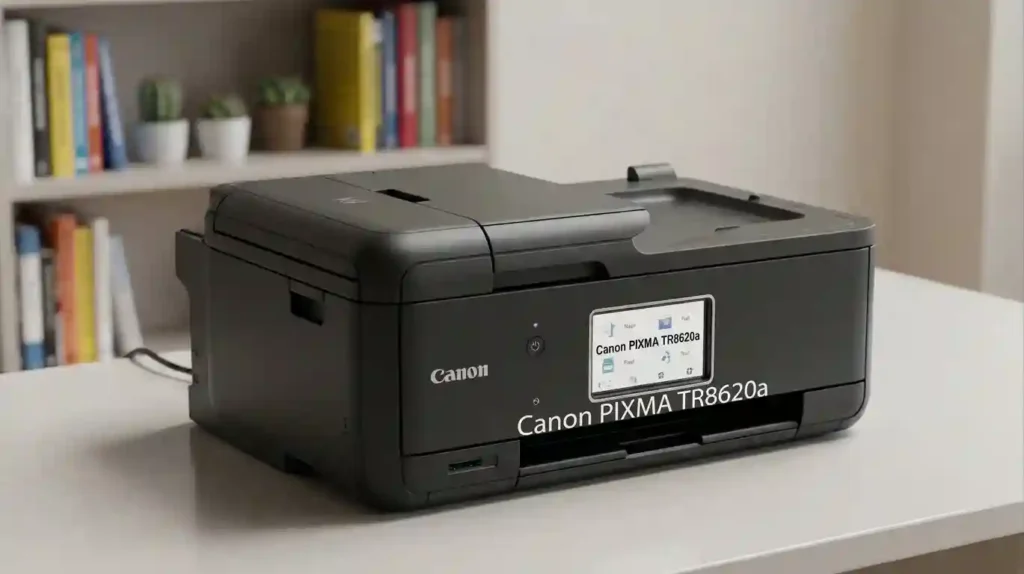
What Is the Canon PIXMA TR8620a?
The Canon PIXMA TR8620a is a wireless 4-in-1 inkjet printer. It prints, copies, scans, and faxes from one compact body. Canon pitches it as a home office all-in-one.
An all-in-one printer packs several office machines into a single box. That saves desk space and cash. Our guide to all-in-one printers versus printer-only models shows when the trade makes sense.
Key Features at a Glance
Here is what Canon lists for this model:
- Five separate inks: one pigment black and four dye tanks.
- Wired and wireless: Wi-Fi, Ethernet, and USB.
- 20-sheet ADF: scan or copy multipage documents hands-free.
- Auto duplex: prints on both sides of the paper.
- 4.3-inch touchscreen: simple menus and job control.
- Mobile printing: Canon PRINT app, Apple AirPrint, and Mopria.
Separate ink colors save money. When cyan runs out, you swap one tank instead of a whole color cartridge.
They also help with sharp text and rich photos. For the basics behind this, read how inkjet printers work.
Who Should Consider This Printer?
This printer fits people who do a bit of everything. Think weekly homework, a few contracts, and a family photo now and then.
- Remote workers who scan and fax paperwork
- Students and parents who print assignments
- Small offices with light to modest volume
Heavy users should slow down. Check ink costs and the duty cycle first.
Our guide on how much printing a home printer should handle helps you size your needs. If you run a team, see how to choose a printer for a small office.
Specifications of the Canon PIXMA TR8620a Explained
Specs look scary, but only a few matter. This section uses Canon’s U.S. product page.
Resolution shows how fine the dots are. Speed shows how fast pages come out. Connectivity shows how devices reach the printer.
Still confused? Our printer specifications explained for beginners guide breaks every term down. Ratings come from set tests, so real results vary.
Printing, Scanning, and Copying Capabilities
This printer does four jobs:
- Printing: documents and photos at up to 4800 x 1200 dpi
- Scanning: flatbed glass plus ADF, 1200 x 2400 dpi optical
- Copying: resize from 25% to 400%
- Faxing: Super G3 at up to 33.6 Kbps
The ADF (automatic document feeder) holds 20 letter sheets. It spares you from lifting the lid again and again. Auto duplex prints on both sides, which cuts paper use on long reports.
Wondering if one machine beats several? Read multifunction printers versus separate office devices.
Paper Handling and Display Features
You get two paper sources. The front cassette holds 100 plain sheets. The rear tray holds 100 plain sheets or 20 sheets of 4 x 6 inch photo paper.
This lets you keep plain paper loaded and feed photo paper from the back. No more constant swapping.
It handles Letter (8.5 x 11 in), Legal (8.5 x 14 in), 4 x 6, 5 x 7, and 8 x 10 sizes. It also takes U.S. #10 envelopes. The touchscreen lets you pick paper size and manage print jobs.
Unsure what paper to buy? See what paper works best with inkjet printers.
Print Quality and Speed on the Canon PIXMA TR8620a
Canon rates this model at about 15 ipm in black and 10 ipm in color. Those are test numbers, not promises.
Plain pages look sharp. Photos look good on the right paper. Real speed shifts with print settings, paper type, and file size.
Photo Printing: Is the Canon PIXMA TR8620a Good for Photos?
Yes, it does well for a home printer. Canon lists borderless printing up to 8.5 x 11 inches. In Canon’s test, a 4 x 6 inch borderless photo takes about 37 seconds.
Use Canon photo paper or a trusted glossy, semi-gloss, or matte stock. Our guide to glossy versus matte photo paper helps you choose. Then follow how to print professional-looking photos at home for better results.
We did not test color accuracy or skin tones. If photo quality is your top need, compare sample prints first.
Understanding DPI in Plain Words
DPI means dots per inch. More dots can give finer detail. But your image quality, paper, and ink matter just as much.
A 4800 dpi rating on a blurry photo still gives a blurry print. See printer resolution in simple terms or learn how to avoid blurry photo prints.
Everyday Document Printing: How Well Does It Do?
Text should look crisp. The black ink is pigment-based, so it sits on top of the paper and resists smudging. Color charts and graphics use dye inks.
Pick Standard mode for most jobs. Use Draft for quick notes.
Use High for client reports. Grayscale and duplex printing cut ink and paper use.
We did not test tiny fonts or dense spreadsheets. Print one sample page of your smallest type before you rely on it.
Reading Speed Ratings
ipm means images per minute. It is close to ppm (pages per minute), but it follows a standard test method.
Canon uses ISO/IEC 24734 for the default one-sided mode. See what pages per minute means for more.
Ink Cartridges and Running Costs for the Canon PIXMA TR8620a
This printer uses Canon PGI-280 pigment black and CLI-281 dye-based inks. That makes five tanks in all.
Over time, ink can cost more than the printer. Cost per page depends on tank size, page coverage, cleaning cycles, and your habits. Read inkjet printer running costs explained and why printer ink costs so much for the bigger picture.
Cartridge Numbers and Sizes the TR8620a Accepts
The tanks are PGI-280 PGBK (pigment black) plus CLI-281 BK, C, M, and Y. Match the number to your model every time. A tank made for another printer may not fit.
Use how to check if a printer cartridge is compatible before you buy. If the printer refuses a tank, read why a printer rejects new cartridges.
Weighing store brands? See original versus compatible printer cartridges.
Standard, XL, and XXL Sizes
Canon lists these fill volumes. PGI-280 comes in 11.2 ml (standard), 18.5 ml (XL), and 25.7 ml (XXL). CLI-281 comes in 5.6, 8.3, and 11.7 ml.
Bigger tanks usually cost less per page but more upfront. Check stock first, since XXL tanks are not sold everywhere.
How Can You Reduce Ink Costs?
Small habits add up fast:
- Use Standard or Draft quality for routine pages.
- Print in grayscale when color is not needed.
- Turn on duplex to save paper.
- Choose XL tanks if you print often.
- Compare prices and tested yields, not box claims.
Read how to reduce ink usage when printing for more tricks. Keep spare tanks fresh with how to store unused ink cartridges.
Wireless Connectivity and Mobile Printing on the Canon PIXMA TR8620a
Connectivity means how your devices talk to the printer. This model offers Wi-Fi, Ethernet, and USB. It also supports the Canon PRINT app, Apple AirPrint, and Mopria for Android.
Canon’s spec page lists Windows 10 and older, plus macOS up to 10.15 Catalina. On newer systems, check Canon’s support page for drivers. Our guide on how to print from a phone at home covers mobile printing.
Connecting the TR8620a to Wi-Fi Step by Step
- Place the printer near your router and turn it on.
- Open the wireless setup option on the touchscreen.
- Pick your network name and enter the password.
- Install the Canon driver on your computer, or use the Canon PRINT app.
- Print a test page to confirm the link works.
New to this? Our guides on how to connect a printer to Wi-Fi and how to install printer drivers correctly cover the basics.
Laptop user? Read how to connect a printer to a laptop.
Wi-Fi Bands Explained
A band is a radio lane. The 2.4 GHz band travels farther and passes through walls. The 5 GHz band is faster at short range.
Canon’s feature list says dual-band. Its interface line lists 2.4 GHz only. If setup fails, try the 2.4 GHz network first.
What to Do When Wireless Printing Fails
Work through these steps in order:
- Confirm the printer is on and shows a Wi-Fi connection.
- Check that your device is on the same network.
- Restart the printer and the router.
- Check the print queue, the selected printer, and any error message.
- Update or reinstall the driver.
Still stuck? Read why won’t my printer connect to Wi-Fi and why does my printer keep going offline. Our guides on how to reconnect an offline printer and fixing a printer not showing on your computer also help.
Scanning, Copying, and Faxing with the Canon PIXMA TR8620a
This printer works like a mini office. It has a flatbed glass and a 20-sheet ADF. Use the ADF for stacks of pages and the glass for photos and IDs.
Several people share it? See how to manage multiple devices with one printer.
Document and Photo Scanning Tips
Optical resolution is the real hardware limit, 1200 x 2400 dpi here. The saved file’s resolution is a setting you choose.
- Text documents: 200 to 300 dpi is usually enough.
- Photos you may enlarge: try 600 dpi.
Save contracts as PDFs and photos as JPEGs. On a computer, Canon’s IJ Scan Utility offers Auto Scan mode. You can also scan to a memory card or the Canon PRINT app.
Copying and Faxing for Home Offices
Copying resizes from 25% to 400%. It offers 2-on-1 and 4-on-1 layouts, ID card copy, and collated copies with the ADF.
Faxing needs a working phone line and the right setup. Canon lists 33.6 Kbps speed, about 3 seconds per black page, and memory for about 250 pages. Test it before you rely on it.
Freelancers and small shops care most about the ADF, duplex, and fax. Our guide to choosing a printer for a small business goes deeper.
Pros and Cons of the Canon PIXMA TR8620a
Here is the balanced view. Features come from Canon. Judgments are our reading of that data, not hands-on tests.
Main Advantages
- Print, scan, copy, and fax in one device
- Auto duplex, touchscreen, and two paper sources
- Separate ink tanks, so you replace only what runs out
- Wide media support, from photo paper to envelopes
- ENERGY STAR and EPEAT Silver listings, plus a 1-year warranty
Warranty terms vary by seller. Read printer warranty terms explained before you buy.
Limitations to Consider
- Cartridge ink can cost more than tank ink. See ink cartridge printers versus refillable tanks.
- Speed suits home use, not a busy office.
- Canon’s store marks the model as discontinued.
- Canon’s listed OS support stops at Windows 10 and macOS 10.15.
- Unused inkjets can dry out. Read why an inkjet printer dries out.
For a wider view, see inkjet printer advantages and disadvantages.
Quick Specifications Table for the Canon PIXMA TR8620a
Use this table for a fast check. It separates measurable hardware facts from opinion.
| Specification | Canon PIXMA TR8620a |
|---|---|
| Printer type | Wireless all-in-one inkjet |
| Functions | Print, copy, scan, fax |
| Print resolution | Up to 4800 x 1200 dpi |
| Rated print speed | About 15 ipm black, 10 ipm color |
| Ink system | Five individual tanks, 4,096 nozzles |
| Ink family | PGI-280 pigment black, CLI-281 dye color |
| Paper capacity | 200 sheets (100 front, 100 rear) |
| Automatic duplex | Yes |
| Automatic document feeder | 20 letter sheets or 5 legal sheets |
| Display | 4.3-inch LCD touchscreen |
| Connectivity | Wi-Fi, USB, Ethernet |
| Borderless photo printing | Yes, up to 8.5 x 11 inches |
| Size and weight | 17.3 x 13.8 x 7.5 in, 17.4 lbs |
| Warranty | 1-year limited, with InstantExchange |
Source: Canon U.S.A. product page, checked October 25, 2026. Canon may change specs without notice.
Comparing the Canon PIXMA TR8620a with Other Home Office Printers
A fair comparison looks at total cost of ownership. That means the printer, ink, paper, and upkeep. Do not judge by headline features alone.
Our guide on how to calculate the true cost of owning a printer shows the math.
Which Features Matter Most When Comparing Printers?
- Running costs: cartridge prices, tested yields, and monthly volume
- Productivity: speed, ADF, duplex, and paper capacity
- Versatility: photo quality, wireless printing, scanning, faxing, and media support
Rank these by your real workload. Our page on what printer features actually matter can help you decide.
Home Office Fit: Is the TR8620a a Good Choice?
For light to modest work, yes. One multifunction inkjet can replace a printer, scanner, copier, and fax. That is a big win in a small space.
Things change with hundreds or thousands of pages a month. Cost per page may matter most to you.
Then look at a laser printer for a home office. Or try the best home printers with cheap running costs.
Duty Cycle Explained Simply
A duty cycle is the most pages a printer should handle in a month. Think of it like a safe yearly mileage for a car.
Canon’s U.S. spec sheet for this model does not list one, so treat it as a light-duty machine. For a rough guide, read how many pages an office printer can handle monthly.
Setup and Maintenance Guide for the Canon PIXMA TR8620a
Setup is easy if you go in order. Do not rush the ink steps.
For model-specific drivers and manuals, use Canon’s official U.S. support page. A general walkthrough lives in how to set up a printer for the first time.
First-Time Setup Steps
- Unpack the printer and remove all tape and protective material.
- Plug it in, power on, and pick your language and region.
- Open the scanning unit. Press each tank into its matching slot until it clicks.
- Load plain Letter paper in the cassette.
- Let the printer finish its startup and alignment routine.
- Connect to Wi-Fi and install the driver.
- Print a test page. Check color, alignment, and connection.
Maintaining Print Quality Over Time
Check ink levels now and then. Our guide on how to check printer ink levels correctly shows how.
Print something every week or two, as in how often an inkjet printer should be used. Clean the print head only when needed, since cleaning uses ink.
Keep the printer in a clean, dry spot. See where to place a printer at home.
Nozzle Check Steps
- Load plain Letter paper.
- Open the maintenance menu and print the nozzle check pattern.
- Look for gaps or missing lines.
- If you see gaps, run one cleaning and check again.
- Still poor? Read why inkjet prints have lines.
Common TR8620a Problems and Fixes
Printer Not Printing
Check the queue, the selected printer, the paper, ink status, and error messages. Getting blank sheets? Read why an inkjet printer prints blank pages.
Seeing a false empty warning? See why a printer says ink is empty when it is not.
Poor Print Quality
Run a nozzle check. Match the paper type setting to your paper. Replace low tanks.
Connection Problems
Verify the network, driver, and device support before you reinstall anything. Our list of common inkjet printer problems and their causes can speed up your search.
Buying Guide: Is the Canon PIXMA TR8620a Worth It?
Canon’s U.S. store page labels the TR8620a discontinued and says it is no longer available. When we checked, Best Buy listed it at $149 against a $215 comparable value. Prices and stock change quickly.
Check Amazon, Best Buy, Staples, and Canon before you buy. Confirm new stock, ink supply, and warranty. Be careful with used or refurbished units.
Who Should Buy the Canon PIXMA TR8620a?
- Home users who want printing, scanning, copying, and faxing in one machine
- People who value photo printing, mobile printing, and flexible paper handling
- Small offices with modest volume and a need for multifunction features
Not sure how long it lasts? See how long an inkjet printer usually lasts.
Buyers Who Should Consider an Alternative
- High-volume users who need lower running costs
- People who print mostly black-and-white text. Read laser versus inkjet for everyday documents.
- Shoppers who want a current model with long-term support
- Anyone who wants refill-style savings. See the HP Smart Tank 7302 review.
Comparison Table: TR8620a vs. Alternative Printer Types
This table shows which printer type fits your workload. Compare real cartridge or toner costs, tested yields, speed, and upkeep before you decide.
| Factor | PIXMA TR8620a | Monochrome laser | Ink-tank inkjet |
|---|---|---|---|
| Best use | Mixed home office tasks | Text-heavy documents | Frequent color printing |
| Photo printing | Suitable for home photos | Generally limited | Often economical for frequent photos |
| Ongoing costs | Depends on cartridge use | Often competitive for text | Often low per page |
| Initial investment | Depends on current stock | Varies by model | Often higher than basic cartridge printers |
| Maintenance | Ink and print head care | Toner and drum care varies | Ink system care |
| Key buying factor | Versatility | Text volume | Long-term color cost |
- No type is cheapest for everyone. Compare your expected monthly pages.
- Yield figures for cartridges, toner, and ink tanks are not directly comparable unless test methods match. Our guide to printer ink versus toner explains why.
- When you build a shortlist, add real model names and verified prices.
Ink Yield and Cost Comparison Table
Page yield is how many pages a tank prints at a standard 5% page coverage. This table helps you see why the cheapest tank is not always the best value.
| Ink option | Approx. yield | Price seen | Rough ink cost per page | Buying tip |
|---|---|---|---|---|
| PGI-280 Standard Black | 200 to 250 pages | Varies by seller | Compare before buying | Fine for light use |
| PGI-280 XL Black | About 400 pages | About $31 | About 7.8 cents | Best for text-heavy users |
| PGI-280 XXL Black | About 600 pages | Varies by seller | Check stock and price | Good if you print daily |
| CLI-281 Standard Color | 237 to 256 pages | $14.99 per tank | About 5.9 cents per color | Replace only the empty color |
| CLI-281 XL Color | 474 to 515 pages | $24.99 per tank | About 4.9 cents per color | Strong mix of cost and size |
| CLI-281 XXL Color | 760 to 824 pages | About $33 (cyan) | About 4.0 cents per color | Lowest cost, highest upfront |
- Canon names PGI-280 pigment black and CLI-281 dye-based inks as the matching families.
- Yields come from U.S. retailer listings that use the ISO 5% method. Prices come from Canon’s store and U.S. retailers in October 2026. Verify both.
- A color page uses cyan, magenta, and yellow together. With XL tanks, that is about 15 cents of ink per page. Photos and cleaning cycles use more.
- Example: 100 black pages and 20 color pages a month cost about $10.80 in XL ink. That is roughly $130 a year, before paper and cleaning cycles.
Frequently Asked Questions About the Canon PIXMA TR8620a
1. Is the Canon PIXMA TR8620a a good printer?
Yes, for light to modest home office use. It prints, scans, copies, and faxes, and it handles photos well. Value depends on ink costs, your workload, and current stock.
2. Which ink cartridges does the Canon PIXMA TR8620a use?
It uses PGI-280 pigment black plus CLI-281 black, cyan, magenta, and yellow tanks. Standard, XL, and XXL sizes exist. Match the numbers to your model before you order.
3. Does the Canon PIXMA TR8620a support wireless printing?
Yes. It supports Wi-Fi, the Canon PRINT app, Apple AirPrint, and Mopria. If printing fails, check your network and driver.
4. Can the Canon PIXMA TR8620a print photos?
Yes. It supports borderless photo printing on matching paper. Use photo paper and a higher quality setting for better results.
5. Does the Canon PIXMA TR8620a print on both sides automatically?
Yes. It has built-in auto duplex printing. That can cut paper use on reports and schoolwork.
6. How fast does the Canon PIXMA TR8620a print?
Canon rates it at about 15 ipm in black and 10 ipm in color. Real speed varies with the document, settings, and connection.
7. Why is my Canon PIXMA TR8620a not connecting to Wi-Fi?
Common causes are the wrong network, changed router settings, or a driver issue. Restart the printer and router, then rerun setup. Try the 2.4 GHz network first.
8. Can I use the TR8620a for a small business?
Yes, for modest volume. Compare your monthly pages and running costs first. Heavy workloads suit business-class machines better.
9. Has Canon discontinued the PIXMA TR8620a?
Yes. Canon’s U.S. store page marks it discontinued and no longer available. Retailers may still sell it, so verify stock, warranty, and ink supply.
10. Is the Canon PIXMA TR8620a worth buying today?
It can be, if the price and condition are right. PGI-280 and CLI-281 ink is widely sold at U.S. retailers. Compare it with current models on total ownership cost.
Conclusion: Should You Choose the Canon PIXMA TR8620a?
The Canon PIXMA TR8620a is a capable home office all-in-one. It prints, scans, copies, and faxes. Wi-Fi, auto duplex, and a 20-sheet ADF make daily work easier.
The trade-offs are real. Ink costs add up for heavy users. Canon also marks the model as discontinued.
Our advice is simple. Compare the total cost of ownership, confirm driver support for your computer, and check stock, price, and warranty.
If cost per page is your top worry, look at ink-tank or laser models first. Before you pay, skim our guide to printer buying mistakes and how to avoid them.




