
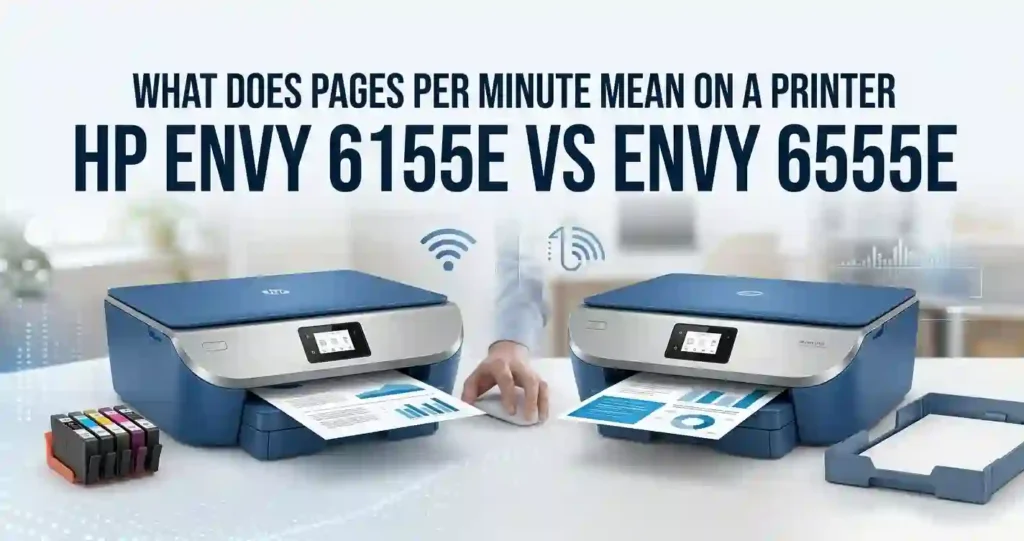
HP Envy 6155e vs Envy 6555e: Key Differences
Quick verdict: the Envy 6555e is the Envy 6155e plus an automatic document feeder (ADF). That is the one big hardware gap. Both printers share the same speeds, ink, touchscreen, and Wi-Fi. If you never scan stacks of paper, the cheaper one is usually the smarter buy.
Here is the short version.
- Same: 10 ppm black and 7 ppm color print speeds, HP 68 and 68e ink, automatic two-sided printing, a 100-sheet paper tray, and a 2.4-inch touchscreen.
- Different: the 6555e adds a 35-sheet ADF. The 6155e has a flatbed scanner only.
- Price: the gap is often small, so check current prices before you decide.
Think about your week. Printing homework, recipes, and shipping labels? Either printer works. Copying a ten-page lease or scanning tax papers? The ADF starts to matter.
Reviewers at RTINGS reach the same view. They call the two models very similar and name the ADF as the main difference.
Quick comparison at a glance
Here are the core facts, based on HP’s published figures as listed by major US retailers.
- Type: thermal inkjet all-in-one with two cartridges, one black and one tri-color.
- Functions: print, scan, copy, and mobile fax (send only).
- Speed: up to 10 ppm black and 7 ppm color (ISO).
- Connectivity: Wi-Fi 5 (802.11ac), USB 2.0, HP Smart app, and Mopria support.
- Paper: 100-sheet input tray and automatic duplex printing.
- Scanner: flatbed on the 6155e. Flatbed plus a 35-sheet ADF on the 6555e.
- Ink: HP 68 and HP 68e cartridges on both.
What do the two printer names mean?
HP’s Envy line sits above the budget DeskJet line. It adds a touchscreen, automatic two-sided printing, and a more polished design. The trailing e marks a printer that is eligible for HP+ and Instant Ink.
The numbers help a little. Here, the 6155e is the base model and the 6555e adds the document feeder. Similar names do not mean identical hardware, so always read the full model number on the box.
On a tighter budget? Our comparison of the HP DeskJet 2855e vs Envy 6155e shows what the extra money buys. You can also read how the DeskJet 2955 compares with the Envy 6155e.
Specifications Compared: Envy 6155e vs 6555e Side by Side
A spec sheet shows what HP rates, not what you will see at home. Rated speeds come from lab tests with simple pages. Real jobs usually take longer.
Keep that in mind as you read the numbers below. We separate rated figures from real-world results wherever we can.
Print speed, resolution, and print quality
Both printers list up to 10 pages per minute in black and 7 in color under ISO test rules. HP also lists a first-page time near 19 seconds for black and 22 seconds for color. Real speed drops with photos, two-sided mode, and weak Wi-Fi.
Reviewers call both printers slow by modern standards. A busy family may wait during big jobs. Our guide on why inkjet printing is so slow explains the causes.
PPM explained in plain language
PPM means pages per minute. It is a speed rating, not a promise. A 10 ppm printer finishes about ten simple pages in one minute. For more detail, read what pages per minute means on a printer.
DPI explained in plain language
DPI means dots per inch. More dots can mean sharper detail. Both models list 1200 x 1200 dpi for black and up to 4800 x 1200 optimized dpi for color. The top color figure needs the right photo paper. For a simple walkthrough, see printer resolution explained.
Paper capacity and supported media
Both printers hold 100 sheets of plain paper. The 6555e listing adds a 25-sheet output tray and sizes from 3 x 5 inches up to 8.5 x 12 inches. Envelopes are supported too. Check HP’s spec sheet for the 6155e tray details.
US Letter (8.5 x 11 inches) is the everyday size. A 100-sheet tray is one fifth of a 500-sheet ream. That is fine for light use. You will refill more often if you print daily.
Paper choice matters as much as capacity. See which paper works best with inkjet printers and how to store printer paper at home.
Scanner, copier, and display features
Both printers scan at up to 1200 dpi optical on a flatbed glass. Place a page face down, close the lid, and scan. That works well for photos, books, and single pages.
The 6555e adds a 35-sheet ADF. It feeds stacked pages one by one, up to 8.5 x 14 inches, and scans one side only. RTINGS notes that ADF scans often come out crooked. Do not expect office-grade feeding.
Copy speed is 8 copies per minute in black and 3.5 in color on both. Both have a 2.4-inch color touchscreen. Not sure you need these functions at all? Read all-in-one printer vs printer-only and multifunction printer vs separate office devices.
Design, Setup, and Ease of Use
Both printers are compact desktop models. They suit a desk, a shelf, or a shared family workspace. The 6555e’s ADF adds some bulk on top, so measure your space before you order.
Check HP’s spec sheet for exact size and weight. Our guides on printer size for a small room and where to place a printer at home can help you plan.
Which printer is easier to set up?
It is a tie. Both use the HP Smart app, which walks you through Wi-Fi, ink, and an HP account. The touchscreen makes later changes simple. First-time owners can follow our first-time printer setup guide.
Setup steps with the HP Smart app
- Unbox the printer, remove all tape, and plug it in.
- Load plain US Letter paper in the input tray.
- Install the included HP 68 setup cartridges, one black and one tri-color.
- Download HP Smart on your phone or computer.
- Add the printer and join your home Wi-Fi network.
- Sign in to or create an HP account, then accept any firmware update.
- Print a test page.
If the app asks for a code, follow the steps in our 123.hp.com setup guide. For computers, learn to install printer drivers correctly.
Troubleshooting a failed Wi-Fi connection
- Restart the printer and your router.
- Move the printer closer to the router during setup.
- Confirm your phone is on the same network as the printer.
- Install any firmware update offered in the app.
- Reset the printer’s network settings from the touchscreen menu, then try again.
Still stuck? Read why a printer won’t connect to Wi-Fi and how to reconnect an offline printer.
Everyday home use: which printer is better?
For homework, recipes, invoices, travel documents, and the occasional photo, both printers do the job equally well. They use the same engine, the same tray, and the same ink. Refill and cartridge swap frequency is identical.
The 6555e wins only when a household copies or scans multi-page papers. Think insurance forms, school packets, or mortgage documents. Otherwise the ADF sits unused.
Shared use is easy on both. Multiple computers and phones can print over Wi-Fi. See how to manage multiple devices with one printer. Families may also like our picks for the best printer for family use and school homework printing.
Print Quality: Text, Graphics, and Photos
Both printers share one print engine, so output looks alike. RTINGS rates document quality as excellent on the 6155e and color range as decent. The 6555e tests as a good family printer for sharp documents.
Your results still depend on paper, print settings, and cartridge condition. A dry or clogged cartridge causes streaks. Our guide to why inkjet prints have lines shows how to spot the cause.
Choose based on what you print most. Mostly text? Quality is a non-issue. Mostly crafts and photos? Read the photo section below.
Better-looking documents: which printer produces them?
Neither one. Both use pigment black ink, which gives crisp small text, tidy tables, and clean spreadsheets. Black reports look sharp on plain paper.
Print settings change the look. Draft uses less ink and looks lighter. Normal suits everyday pages. Best uses more ink and slows the job, so save it for important pages.
Reduce waste with draft mode for routine pages. See how to reduce ink usage when printing. Always check independent print samples before declaring a winner.
Photos and color graphics: which printer is better?
Again, they tie. Both support borderless printing and list up to 4800 x 1200 optimized dpi for color. Photo speed is rated at about 7 ppm on the 6155e listing.
Use glossy photo paper and the photo-quality setting for best results. Matte paper suits invitations and school projects. Read glossy vs matte photo paper before you buy a pack.
These are family-photo printers, not studio tools. For serious photo work, see our guide to choosing a printer for photo printing. For tips at home, read how to print professional-looking photos at home.
Wireless Connectivity and Mobile Printing
Both printers offer Wi-Fi 5 (802.11ac) and USB 2.0. Wireless is the easy path for most homes. HP Smart handles printing, scanning, and copying from your phone.
Mopria support appears on both listings. Windows PCs, Macs, iPhones, iPads, and Android devices can all print. Confirm support for your exact model on HP’s product page before you buy.
Can you print from an iPhone or Android phone?
Yes. Both printers support mobile printing. Here is the quick method.
- Join the same Wi-Fi network as the printer.
- iPhone or iPad: open a file, tap Share, then Print, and pick the printer through AirPrint.
- Android: use Mopria Print Service or the HP Print Service Plugin.
- Either phone: install HP Smart for scanning and extra features.
If the printer does not appear, restart both devices and confirm the same network. See how to print from a phone at home and how to connect a printer to a smartphone. Laptop owners can use how to connect a printer to a laptop.
Home office use: which printer is better?
For a light home office, the 6555e is the better fit if you scan contracts, receipts, or client forms. The ADF saves time on stacks. If your work is mostly outgoing prints and single scans, the 6155e is enough.
Neither is an enterprise network printer. They suit one to a few users. For bigger needs, read how to choose a printer for a small office and network printer vs USB printer.
Duty cycle explained in plain language
Duty cycle is the most pages a printer can handle in one month without extra wear. It is a ceiling, not a target. Retail listings show up to 1,000 pages for the 6555e and a recommended 400 pages for the 6155e.
Stay well below the ceiling. Our guide on how much printing a home printer should handle gives easy rules. Heavier users should check how many pages an office printer can handle monthly.
Ink Cartridges, Page Yield, and Running Costs
The sticker price is only the start. Ink often costs more than the printer over its life. Both models also ship with small setup cartridges, rated at about 120 black pages and 75 color pages.
Expect to buy replacements soon after setup. RTINGS flags the Envy 6155e for a very high cost per print because of its low page yields. Our guides on why printer ink costs so much and inkjet printer running costs explain why.
Do the HP Envy 6155e and 6555e use the same ink?
Yes. Both use HP 68 and HP 68e cartridges.
- HP 68 black (7FP21TN): about 160 pages.
- HP 68 tri-color (7FP20TN): about 120 pages.
- HP 68e EvoMore black (7FP22TN): about 320 pages.
There is no high-yield tri-color option. HP 67 and HP 62 cartridges will not fit. Confirm the number printed on your cartridge or follow our guide to check if a printer cartridge is compatible.
Running the numbers: which printer costs less to operate?
Neither, because they share the same ink. The running cost is identical. Here is the math at one US retailer’s recent prices. Prices change, so verify before you buy.
- HP 68 black: $26.99 for 160 pages, about 17 cents per page.
- HP 68 tri-color: $26.99 for 120 pages, about 22 cents per page.
- HP 68e black: $53.99 for 320 pages, about 17 cents per page.
The 68e costs the same per page but needs fewer swaps. Consumer Reports measured about 176 black text pages per cartridge on the 6555e. Plan for slightly more or fewer depending on use.
The tri-color cartridge is wasteful. You replace the whole cartridge when one color runs out. Photo-heavy and school-project printing drains it fastest. See why cheap printers can cost more over time and how to calculate the true cost of owning a printer.
Instant Ink and HP+ terms in plain language
HP Instant Ink is a subscription. HP mails ink based on pages printed each month. Retail listings include three free months with HP+ activation.
HP+ needs an HP account, a steady internet connection, and Original HP cartridges for the life of the printer. That limits your ink choices. Weigh it against your habits with our guide to original vs compatible printer cartridges. Terms can change, so read HP’s current rules first.
How can you reduce ink expenses?
- Use draft mode for routine pages.
- Print two-sided to save paper.
- Choose the 68e black cartridge if you print black pages often.
- Compare yield, not just sticker price.
- Print something every week or two so heads do not dry out.
Dry heads waste ink on cleaning cycles. Learn why an inkjet printer dries out and how often an inkjet printer should be used. For more savings, read how to reduce home printing costs.
Heavy printer? A refillable tank may beat both. Compare refillable ink vs replacement cartridges or see our HP Smart Tank 7302 review.
Price, Warranty, and Overall Value
Launch prices are outdated, so use today’s price. Recent US listings show the 6155e at $99.99 on sale (regular $159.99) at Office Depot and $119.99 at Staples. The 6555e has appeared at $99.99 on sale (regular $179.99) at Adorama. Consumer Reports lists it near $120.
Check Amazon, Best Buy, Staples, Walmart, and HP.com for today’s deal. Sales move fast. Compare the final cart price, not the list price.
Warranty and returns matter too. HP covers new printers with a limited warranty, and retailers set their own return windows. Read printer warranty terms explained before checkout.
Value for money: which printer offers more?
Value depends on the price gap. Because the ink is identical, ownership cost differs only by the purchase price. The question becomes simple: is the ADF worth the gap to you?
Here is an example with made-up prices to show the method. Say you print 30 black and 10 color pages each month.
- Black: 30 pages x $0.17 is about $5.10.
- Color: 10 pages x $0.22 is about $2.20.
- Monthly ink: about $7.30. Two years: about $175.
If the 6555e costs $30 more, you pay $30 for the ADF. That is cheap if you scan stacks weekly. It is wasteful if you do not. The less expensive printer is not always the cheapest choice, as our best home printer with cheap running costs list shows.
Before you buy: what should you check?
- The exact model number (714L5A for the 6155e and 714N5A for the 6555e).
- Whether the box includes setup cartridges (it does, but they are small).
- Any Instant Ink trial that requires enrollment or auto-renews.
- Your Wi-Fi setup and device compatibility.
- Your preferred paper sizes.
Not sure which features deserve your money? Read which printer features are worth paying extra for and what printer features actually matter.
Comparison Tables for the HP Envy 6155e and 6555e
These four tables turn the facts above into quick answers. Use them to decide in minutes. Figures come from HP’s published specs as listed by US retailers. Always confirm on HP’s product page before you buy.
Specifications table: HP Envy 6155e vs Envy 6555e
Table 1 lists confirmed hardware. Notice that the scanner is the only real gap.
| Specification | HP Envy 6155e | HP Envy 6555e |
|---|---|---|
| Printer type | Thermal inkjet all-in-one | Thermal inkjet all-in-one |
| Print, scan, copy | Yes, plus mobile fax (send only) | Yes, plus mobile fax (send only) |
| Black print speed | Up to 10 ppm | Up to 10 ppm |
| Color print speed | Up to 7 ppm | Up to 7 ppm |
| Print resolution | 1200 x 1200 dpi black, up to 4800 x 1200 optimized dpi color | 1200 x 1200 dpi black, up to 4800 x 1200 optimized dpi color |
| Wireless connectivity | Wi-Fi 5, USB 2.0, Mopria | Wi-Fi 5, USB 2.0, Mopria |
| Automatic duplex printing | Yes | Yes |
| Scanner type | Flatbed | Flatbed plus ADF |
| Automatic document feeder | No | Yes, 35 sheets |
| Input tray capacity | 100 sheets | 100 sheets |
| Borderless photo printing | Yes | Yes |
| Ink cartridge family | HP 68 and 68e | HP 68 and 68e |
Buying comparison: feature by feature
Table 2 turns specs into everyday benefits.
| Buying factor | What to evaluate | Why it matters |
|---|---|---|
| Document printing | Text clarity and rated speed | Reports and homework |
| Photo printing | Color quality and paper support | Family photos and crafts |
| Connectivity | Wi-Fi and mobile printing | Printing from multiple devices |
| Paper handling | Tray capacity and supported sizes | Frequent or varied print jobs |
| Ink expenses | Cartridge price and page yield | Long-term affordability |
| Scanning | Flatbed features and ADF availability | Multi-page documents |
| Ease of use | Setup and control-panel design | Everyday convenience |
| Overall value | Price plus running costs | Total ownership expense |
Estimated ink costs and cost per page
Table 3 uses one US retailer’s recent prices and HP’s rated yields. The formula is cartridge price divided by rated page yield. Treat it as an estimate, since real use varies with coverage and settings.
| Cost factor | HP Envy 6155e | HP Envy 6555e |
|---|---|---|
| Black cartridge price (HP 68) | $26.99 | $26.99 |
| Color cartridge price (HP 68 tri-color) | $26.99 | $26.99 |
| Black page yield | About 160 pages | About 160 pages |
| Color page yield | About 120 pages | About 120 pages |
| Estimated black cost per page | About $0.17 | About $0.17 |
| Estimated color cost per page | About $0.22 | About $0.22 |
| Optional ink subscription | HP Instant Ink eligible | HP Instant Ink eligible |
Final table: which printer should you choose?
Table 4 matches each reader to a printer.
| User type | What matters most | Recommendation |
|---|---|---|
| Students | Homework and affordable documents | Envy 6155e, since the ink is the same and the price is lower |
| Families | Mixed documents and color projects | Envy 6155e, unless you copy multi-page forms often |
| Remote workers | Scanning and wireless access | Envy 6555e for its ADF |
| Photo enthusiasts | Color output and photo paper | Either, but consider a dedicated photo printer |
| Occasional users | Low upfront and ongoing costs | Envy 6155e, and print weekly to avoid dried ink |
| Frequent printers | Page yield and running costs | Neither is ideal, so consider a tank printer |
Which Is Better: HP Envy 6155e or 6555e?
- Choose the Envy 6155e if you do not need an ADF and the price is lower.
- Choose the Envy 6555e if you scan or copy multi-page documents and the price gap is small.
- Compare both on ink cost, paper handling, Wi-Fi, and your monthly page count.
For most households, the 6155e is the better value. For paperwork-heavy homes, the 6555e is worth the small premium.
What Is the Main Difference Between the HP Envy 6155e and 6555e?
The 35-sheet ADF on the 6555e is the main difference. The 6155e has a flatbed scanner only.
That matters for copying and scanning stacks of pages. It does not change print speed, print quality, ink, or Wi-Fi. Those are the same on both models, so we call them shared features, not differences.
How to Choose Between the HP Envy 6155e and 6555e
- Estimate your monthly black and color page counts.
- Decide whether you need mobile printing, scanning, photos, or multi-page copying.
- Compare total cost, including ink, paper, and any subscription.
- Pick the 6555e only if the ADF saves you real time.
For a deeper method, read how to choose a printer for your monthly print volume. Families can also use our guide to choosing a printer for school and family use.
Calculating your monthly printing costs
- Count black and color pages separately.
- Multiply black pages by about $0.17.
- Multiply color pages by about $0.22.
- Add paper and any subscription fees.
The total is your realistic monthly budget. For an office view, see how to calculate office printing costs.
Checking ink compatibility before ordering
- Find the model number on the printer or in HP Smart.
- Confirm the cartridge number, HP 68 or 68e, on HP’s support page.
- Check stock and return terms with the retailer.
Store spare cartridges well. See how to store unused ink cartridges and how long unopened ink cartridges last.
Buying Mistakes: What to Check Before Making Your Final Decision
- Do not shop on price alone. Ink costs add up fast.
- Do not assume similar names mean the same hardware. Here, the ADF is the real gap.
- Do not trust unverified speed claims. Rated speeds are best-case numbers.
- Do not skip the HP+ fine print. It limits you to Original HP ink.
- Do not forget paper and storage. Poor paper hurts quality.
Avoid the common traps in our printer buying mistakes guide. Also compare original ink and cheaper options before you commit.
People Also Ask About the Envy 6155e and 6555e
Is the Envy 6555e worth the extra money?
Only if you scan or copy stacks of paper. The ADF is the single added feature. Print quality, speed, and ink are the same. If the price gap is small, it is a cheap convenience. If not, buy the 6155e and use the flatbed.
Does the Envy 6155e have a document feeder?
No. The 6155e has a flatbed scanner only, so you place one page at a time. The 6555e adds a 35-sheet ADF. That feeder scans one side only and can skew pages, so verify the quality on a test scan.
Are these printers good for school work?
Yes. Both print sharp text, handle color projects, and print two-sided. Homework, reports, and posters work well. Watch ink costs, since the cartridges are small. Our guide on the best home printer for school projects offers more ideas.
Will HP+ lock me into HP ink?
Yes, if you activate HP+. It requires Original HP cartridges for the life of the printer, plus an HP account and internet connection. Think about this before you accept the free Instant Ink trial. Read the current terms on HP’s site first.
Frequently Asked Questions
Short answers to the questions readers ask most.
1. What is the difference between the HP Envy 6155e and 6555e?
The main difference is the automatic document feeder. The 6555e has a 35-sheet ADF, while the 6155e is flatbed only. Speed, resolution, ink, Wi-Fi, and touchscreen are the same. The ADF helps with copying and scanning multi-page documents, but changes nothing for everyday printing.
2. Which is better, the HP Envy 6155e or 6555e?
It depends on your use. The 6155e is better value for most homes, since the print features match. The 6555e is better if you scan or copy multi-page papers often. Weigh the current price gap against how often the ADF would save you time.
3. Do the HP Envy 6155e and 6555e use the same ink cartridges?
Yes. Both use HP 68 black (about 160 pages), HP 68 tri-color (about 120 pages), and the HP 68e high-yield black (about 320 pages). Confirm the number on your cartridge or on HP’s support page before ordering. HP 67 and HP 62 cartridges will not fit.
4. Which HP Envy printer has lower ink costs?
Neither. They use identical cartridges with the same rated yields, so cost per page matches. At recent prices, black costs about 17 cents per page and tri-color about 22 cents. Real costs vary with page coverage, print settings, and how often you print.
5. Can both printers print from a smartphone?
Yes. Both support mobile printing through the HP Smart app. iPhones and iPads can use AirPrint, and Android phones can use Mopria or the HP Print Service Plugin. Join the same Wi-Fi network as the printer, then print from your file or photo app.
6. Do the HP Envy 6155e and 6555e support automatic duplex printing?
Yes. Both print automatically on two sides of a page. That cuts paper use and keeps stacks thin. Duplex printing runs slower than one-sided printing, so save it for longer documents. Scanning on both sides is not supported, even with the 6555e ADF.
7. Which printer is better for students and families?
For most students and families, the 6155e is the better pick. Printing, color projects, and ink cost match the 6555e, usually at a lower price. Choose the 6555e if your household often copies multi-page forms. Always budget for ink, since the cartridges are small.
8. Are these printers suitable for a home office?
Yes, for light use. Wi-Fi, mobile printing, and a flatbed scanner cover most solo work. The 6555e’s ADF helps with contracts and receipts. Neither suits heavy volume. Print speeds are slow and cartridges are small, so a busy office needs a higher-capacity model.
9. Can either printer print borderless photos?
Yes. Both support borderless printing and list up to 4800 x 1200 optimized dpi for color. Use glossy photo paper and the photo-quality setting for best results. Check the supported photo sizes in HP Smart before you buy a large pack of paper.
10. Is HP Instant Ink worth it for these printers?
It can be, if you print steadily. Plans charge by pages per month, not by cartridge. It requires an HP account and, with HP+, Original HP ink only. Compare the plan price with your real monthly page count and read HP’s current terms first.
Bottom Line: Our Pick for Most Homes
The Envy 6155e and Envy 6555e are the same printer in every way that matters for printing. One adds a document feeder. That is the whole story.
Buy the 6155e for homework, recipes, shipping labels, and occasional photos. Buy the 6555e if you scan or copy stacks of paper each week and the price gap is small.
Either way, watch the ink. Plan a budget, choose the 68e black cartridge if you print black pages often, and keep an eye on current prices. For more ideas, browse our list of the best affordable all-in-one printers.




