
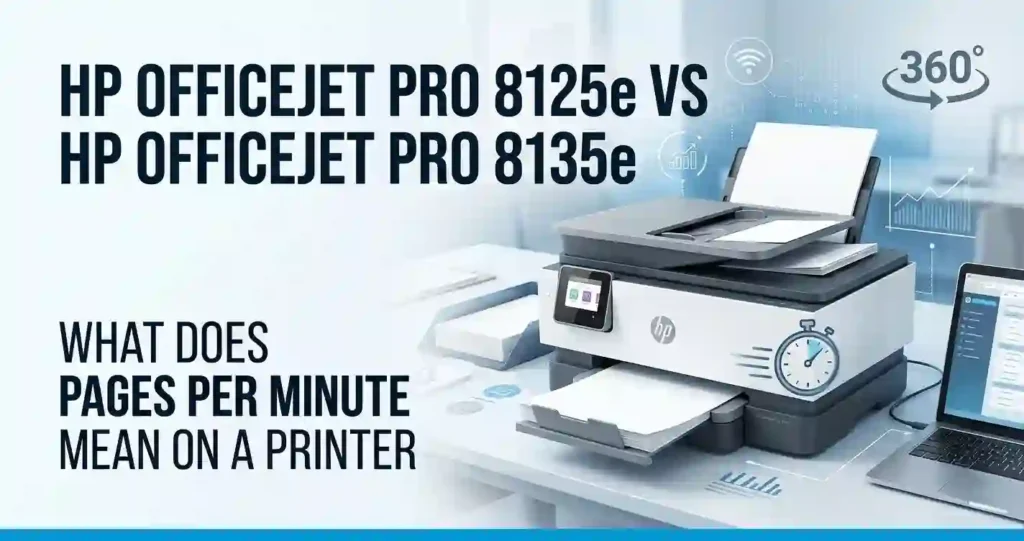
HP OfficeJet Pro 8125e vs HP OfficeJet Pro 8135e question comes up so often. The two all-in-one printers look almost identical on paper.
Here is the short story. Both print up to 20 pages per minute in black and 10 in color. Both use the same ink and the same 35-sheet document feeder. The big difference is fax, which only the 8135e includes.
This guide compares speed, print quality, paper handling, ink, and total cost. You will also find setup steps, fixes for common Wi-Fi problems, four decision tables, and a full FAQ. New to printers? Start with our guide on how to choose a printer for the first time.
Quick verdict: Pick the 8125e if you print, scan, and copy but never fax. Pick the 8135e only if you still send faxes. Compare final prices first, because the cheaper unit often wins.
HP OfficeJet Pro 8125e vs 8135e: Quick Comparison
Both printers are color inkjet all-in-ones from HP’s OfficeJet Pro line. They use HP thermal inkjet technology with four cartridges. In daily use, they feel the same.
The real hardware gap is small. The 8135e adds a fax modem and phone-line ports. Retail bundles, free ink trials, and part numbers can differ, so do not mistake a bundle for a hardware upgrade.
For daily work, both give you automatic duplex printing, a 35-sheet automatic document feeder (ADF), mobile printing, and a color touchscreen. Want to know which specs deserve your attention? See what printer features actually matter.
Key Specifications at a Glance
- Type: Color inkjet all-in-one with four cartridges
- Functions: The 8125e prints, scans, and copies. The 8135e adds fax.
- Speed (ISO): Up to 20 ppm black and 10 ppm color
- Resolution: Up to 1200 x 1200 dpi in black, and up to 4800 x 1200 optimized dpi in color on compatible photo paper
- Paper: 225-sheet input tray, 60-sheet output tray, 35-sheet ADF
- Duplex: Automatic two-sided printing on both
- Connections: Dual-band Wi-Fi, Ethernet, and USB
- Display: 2.7-inch color touchscreen
- Size: About 18.1 x 13.3 x 9.2 inches. The 8125e weighs about 17.6 lb.
- Software: HP lists Windows 10 and 11, plus macOS 11 to 13 drivers. Newer systems may print through AirPrint, so check HP’s support page.
- Warranty: HP usually offers a one-year limited warranty. Confirm it for your exact unit.
Not sure what these terms mean? Our printer specifications explained for beginners guide breaks them down.
The Biggest Differences Between the Two Models
Only a few things truly differ. Fax is the main one.
- Truly different: The 8135e has a 33.6 Kbps fax modem and two phone-line ports. The 8125e has neither.
- Shared: Speed, resolution, trays, ADF, duplex printing, Wi-Fi, Ethernet, ink, and the 800-page recommended monthly volume.
- Needs checking: The 8125e lists no two-sided scanning. I could not confirm this for the 8135e, so verify it before you rely on it.
Check the official US product pages and manuals. At US retailers, the 8125e appears as part 405T6A and the 8135e as part 40Q35A.
For light home use, none of this matters. For offices that still fax, it matters a lot. Our guide on which printer features are worth paying extra for helps you decide.
Design, Build Quality, and Everyday Usability
Both models are about 18 inches wide and 13 inches deep. That fits most desks but not a tiny shelf. Our guide on what printer size is best for a small room helps you measure first.
The touchscreen sits on the front. You tap through menus like a phone. Paper loads from the front tray. Ink cartridges sit behind a front door, and the scanner lid lifts for flatbed jobs.
Because the designs match, upkeep is the same on both. Swapping a cartridge takes about a minute. For help choosing a spot, read where you should place a printer at home.
Control Panel and Ease of Use
The color touchscreen handles print, scan, and copy. Menus are simple and icon based. You can start a copy in two taps.
The HP app goes further. You can print, scan to your phone, and check ink levels from the couch. The on-device screen works best for quick copies and scans at your desk.
First-time owners should set aside about 20 minutes for setup. Keep your Wi-Fi password handy. Our walkthrough on how to set up a printer for the first time covers the basics.
Paper Handling and Automatic Document Feeder
Paper handling is identical on both models. Here is what you get.
Input, Output, and ADF Capacity
Both hold 225 sheets in the input tray and 60 sheets in the output tray. The ADF holds 35 sheets and accepts Legal size originals.
Automatic duplex means the printer flips each page for you. Two-sided jobs use half the sheets, so long reports cost less in paper.
Supported Paper Sizes
Both printers handle US Letter and Legal. They also take envelopes and photo paper. HP lists heavy media up to about 280 g/m².
The limit is Legal size, which is 8.5 x 14 inches. Tabloid sheets will not fit. Not sure which paper to buy? See what paper works best with inkjet printers.
Print Speed and Print Quality Comparison
On paper, speed and quality match. HP rates both at up to 20 ppm black and 10 ppm color using ISO test standards. Those figures come from standard test pages, not draft mode.
Text looks sharp. Charts look clean. Color stays even on plain paper. Both suit business documents, school work, and flyers.
Real results shift with paper type, print mode, file size, and Wi-Fi strength. A heavy PDF over a weak signal will always feel slower than the rated speed.
Which Printer Prints Faster?
Neither one. Both are rated at up to 20 ppm in black and 10 ppm in color. Data sheets list first page out at about 15 seconds in black and 18 seconds in color.
Not sure what PPM means? Read what pages per minute means on a printer.
Real speed drops with color, photos, and Best quality mode. Our guide explains why inkjet printing is so slow in some cases.
If speed matters, test a typical 10-page document and time it with your phone.
Text, Graphics, and Photo Printing
Black text is crisp at up to 1200 x 1200 dpi. Color charts and slides print well on plain paper. For photos, HP lists up to 4800 x 1200 optimized dpi on compatible photo paper.
DPI means dots per inch. More dots can mean finer detail. But ink, paper, and print mode matter just as much, as our piece on printer resolution explained in simple terms shows.
Borderless printing can vary by model and media, so check HP’s spec sheet. If photos are your main job, read how to choose a printer for photo printing.
Which Printer Is Better for High-Volume Printing?
Neither has an edge. Both carry the same ratings.
Duty cycle is the most pages a printer can handle in one month. For both, it is up to 20,000 pages. The recommended monthly volume is much lower, at up to 800 pages. Stay near that number for the longest life.
Most home offices print under 200 pages a month. A small office may reach 500. See how many pages an office printer can handle monthly and how to choose a printer for your monthly print volume.
Over 800 pages a month? Look at the best laser printer for high volume printing.
Features and Functions: What Do You Get?
Both machines print, scan, and copy. The 8135e adds fax. That is the key split in the HP OfficeJet Pro 8125e vs HP OfficeJet Pro 8135e match-up.
If you are still deciding between formats, read all-in-one printer vs printer only first.
Fax Support: The Main Difference to Check
The 8135e includes a 33.6 Kbps fax modem. Retail listings show two RJ-11 ports, one for the phone line and one for a handset. Some internet phone services do not work well with fax, so check your provider.
If you never fax, you pay for a feature you will not use. Some medical, legal, and real estate offices still depend on it, though.
Verify the exact US model number and retailer listing before you buy. Fax-dependent buyers should be sure they are getting the 8135e.
Another route is a separate fax device. Our guide on multifunction printer vs separate office devices weighs that choice.
Scanning and Copying Capabilities
Both have a flatbed scanner plus the ADF. HP lists scan resolution up to 1200 x 1200 dpi for the 8135e. Its copy speeds reach 12 copies per minute in black and 6 in color.
The ADF makes multipage jobs easy. Load up to 35 sheets and walk away. The 8125e does not scan both sides automatically, so double-sided originals need a manual flip.
Common uses include invoices, forms, receipts, and contracts. You can send scans to your phone, computer, or email through the HP app.
Wireless and Mobile Printing
Both support dual-band Wi-Fi (2.4 GHz and 5 GHz), Ethernet, and USB. Printing works from Windows PCs, Macs, iPhones, and Android phones. For Chromebooks, check HP’s current support list.
Need help with phones? Follow how to print from a phone at home. Using a computer instead? See how to connect a printer to a laptop.
If the printer disappears after a router change, run Wi-Fi setup again from the touchscreen. Keep the printer and your device on the same network.
Ink Cartridges, Page Yield, and Running Costs
Ink drives long-term cost more than the sticker price. Both models use the same cartridges, so your running costs will match.
Learn the full picture in inkjet printer running costs explained. Then use our guide on how to calculate the true cost of owning a printer.
Which Ink Cartridges Do the HP 8125e and 8135e Use?
In the US, both use HP 923 ink. UK and EU listings show HP 924, so do not copy part numbers from overseas sites.
Standard Yield HP 923
The black cartridge (4K0T3LN) prints up to 500 pages. The cyan, magenta, and yellow cartridges (4K0T0LN, 4K0T1LN, 4K0T2LN) print up to 400 pages each.
High Yield HP 923e EvoMore
The black cartridge (4K0T7LN) prints up to 1,000 pages. The color cartridges (4K0T4LN, 4K0T5LN, 4K0T6LN) print up to 800 pages each. The “e” marks the high-yield version.
Always check your printer’s exact product number before ordering. Our guide on how to check if a printer cartridge is compatible shows how.
Page Yield and Cost Per Page
Page yield is how many pages a cartridge should print under HP’s test. Real yield changes with text coverage, graphics, cleaning cycles, and print settings. See why inkjet printers use so much ink for the reasons.
Cost Per Page Formula
Cost per page equals cartridge price divided by rated page yield.
Example: A $32.99 HP 923 black cartridge divided by 500 pages is about 6.6 cents per page. An $18.99 color cartridge divided by 400 pages is about 4.7 cents. A full color page can use all three colors, so color costs more.
Example Monthly Ink Costs
This is a labeled example using standard HP 923 prices from US retailers. Treat it as a rough upper-end estimate.
- Light: 50 black pages cost about $3.30.
- Moderate: 150 black and 50 color pages cost about $17.
- Heavy: 500 black and 200 color pages cost about $61.
These are estimates, not guaranteed savings. Trim your bill with how to reduce ink usage when printing.
HP Instant Ink and Cartridge Restrictions
Ink rules matter as much as ink prices on these printers.
How Instant Ink Billing Works
HP Instant Ink is a subscription. You pay by pages per month, not by cartridge. HP ships ink before you run out. Many bundles include a free trial of about three months.
Plans and prices change, so check HP’s current US terms before you enroll.
What HP+ Requires
Both printers are HP+ enabled. HP+ requires an HP account, an ongoing internet connection, and Original HP ink for the life of the printer.
Both also use dynamic security. Firmware updates can block cartridges with non-HP chips, even ones that worked before. Third-party sellers warn that their 923 cartridges will not work in HP+ or Instant Ink printers.
Read original vs compatible printer cartridges before you shop. If a new cartridge fails, see why a printer rejects new cartridges.
Connectivity, Software, and Printer Setup
Both printers connect the same way. Choose Wi-Fi for flexibility, Ethernet for a steady office link, or USB for one computer. Our comparison of network printer vs USB printer for an office shows when each fits.
You will also want the HP app and the right driver.
How to Set Up the HP OfficeJet Pro 8125e or 8135e
- Unpack the printer and remove all tape and packing film.
- Plug in the power cord and turn the printer on.
- Open the ink door and install the setup cartridges.
- Load US Letter paper into the input tray.
- Follow the touchscreen prompts. Decide on HP+ here, since it ties the printer to Original HP ink.
- Join Wi-Fi, or plug in Ethernet or USB. See how to connect a printer to Wi-Fi.
- Install the HP app or driver from HP’s official site. Our 123.hp.com setup guide and how to install printer drivers correctly help here.
- Print a test page, then test scanning, copying, and network discovery.
HP App, AirPrint, and Mopria Compatibility
The HP app prints and scans from your phone or computer. AirPrint lets iPhones and Macs print without extra software. Mopria does the same for many Android phones.
Features and steps vary by operating system, firmware, and network. Keep the printer firmware updated.
If your phone cannot see the printer, read how to connect a printer to a smartphone.
Common Connectivity Problems and Fixes
Most problems fall into three groups.
Printer Shows Offline
Restart the printer, the router, and the computer, in that order. Confirm all three use the same network. See why your printer keeps going offline and how to reconnect an offline printer.
Wi-Fi Setup Fails
Move the printer closer to the router. Try the 2.4 GHz band if 5 GHz fails. Re-enter the password carefully. Our guide on why a printer will not connect to Wi-Fi goes deeper.
Computer Cannot Find the Printer
Install the correct HP driver. Try a USB cable to see whether the network is the cause. If it still fails, reset network settings on the printer and run setup again. See printer not showing on computer.
HP OfficeJet Pro 8125e vs 8135e: Price and Overall Value
Skip old MSRP numbers. Compare today’s US price at Amazon, Best Buy, Staples, Office Depot, and HP.com.
Retail listings I checked showed the 8125e at $129.99 on sale at Staples, against a $179.99 regular price. Office Depot showed the 8135e at $149.99 on sale against $239.99, but that deal ended in May 2026. Your prices will differ.
Total ownership cost equals the purchase price plus ink, paper, upkeep, and any subscription. Read why cheap printers can cost more over time before chasing a low sticker price.
Which Printer Offers Better Value for Money?
Choose the 8125e if you need print, scan, and copy without fax. Choose the 8135e only if you need fax and have a compatible phone line.
If the 8135e costs the same or less after discounts, you get fax for free. If it costs $50 more and you never fax, skip it. That $50 is only an example.
Compare final prices and what is in the box, such as starter cartridges and free Instant Ink months. Our piece on cheap printer vs low-cost printing explains why.
Hidden Costs Buyers Should Consider
- Replacement ink: High-yield cartridges cost more up front.
- Specialty paper: Photo and heavy paper add up fast.
- Subscriptions: Instant Ink fees recur every month.
- Promo bundles: Bundled cartridges can hide a higher printer price.
- Warranty and returns: Check coverage first. See printer warranty terms explained for beginners.
- Replacement cost: Repairs may cost more than a new unit. Read why your home printer may not be worth repairing.
Comparison Tables for Quick Decisions
Use these four tables to scan the key facts. Specs come from HP data sheets and US retailer listings. Confirm your exact SKU before buying, and check prices close to purchase.
HP OfficeJet Pro 8125e vs 8135e Specifications (Table 1)
The core printing and paper-handling specs match. Fax is the clear split.
| Feature | HP OfficeJet Pro 8125e | HP OfficeJet Pro 8135e |
|---|---|---|
| Printer type | Color inkjet all-in-one | Color inkjet all-in-one |
| Print, scan, copy | Yes | Yes |
| Fax | No | Yes (33.6 Kbps) |
| Black print speed | Up to 20 ppm | Up to 20 ppm |
| Color print speed | Up to 10 ppm | Up to 10 ppm |
| Automatic duplex printing | Yes | Yes |
| Automatic document feeder | 35 sheets | 35 sheets |
| Input tray | 225 sheets | 225 sheets |
| Output tray | 60 sheets | 60 sheets |
| Display | 2.7-inch touchscreen | 2.7-inch touchscreen |
| Recommended monthly volume | Up to 800 pages | Up to 800 pages |
Source basis: HP data sheets and US retailer listings. Confirm exact SKU details before you buy.
Print Quality, Connectivity, and Productivity Features (Table 2)
Resolution, connections, and document handling show how each printer fits your workflow. Most of them match here too.
| Feature | 8125e | 8135e |
|---|---|---|
| Black print resolution | Up to 1200 x 1200 dpi | Up to 1200 x 1200 dpi |
| Optimized color resolution | Up to 4800 x 1200 dpi on photo paper | Up to 4800 x 1200 dpi on photo paper |
| Dual-band Wi-Fi | Yes | Yes |
| USB connection | Yes | Yes |
| Ethernet | Yes | Yes |
| Mobile printing | HP app and mobile standards | HP app, AirPrint, Mopria |
| Flatbed scanning | Yes | Yes |
| Two-sided scanning | No | Verify before buying |
| Fax connection | No | Yes |
Source basis: HP specifications and retailer listings. Check the US product page for SKU differences.
Ink Costs and Total Cost of Ownership (Table 3)
A low purchase price does not guarantee low long-term cost. Both printers use the same ink, so the numbers are the same.
| Cost factor | 8125e | 8135e |
|---|---|---|
| Compatible cartridges | HP 923 or 923e | HP 923 or 923e |
| Black yield | 500 pages (923), 1,000 pages (923e) | 500 pages (923), 1,000 pages (923e) |
| Color yield (each) | 400 pages (923), 800 pages (923e) | 400 pages (923), 800 pages (923e) |
| Black ink cost per page | About 6.6 cents at $32.99 | About 6.6 cents at $32.99 |
| Color cartridge cost per page | About 4.7 cents at $18.99 | About 4.7 cents at $18.99 |
| Subscription eligibility | Instant Ink, verify current terms | Instant Ink, verify current terms |
| Monthly ink expense | Based on your print volume | Based on your print volume |
Formula: Ink cost per page equals cartridge price divided by rated page yield. Color documents, cleaning cycles, and heavy coverage raise real costs. This is a labeled example, not a promise of savings.
Which Printer Should You Buy? (Table 4)
Use this table to turn specs into a decision.
| Buyer requirement | Suggested choice | Reason |
|---|---|---|
| Basic home-office printing | 8125e | Print, scan, and copy are enough |
| Fax-dependent workflow | 8135e | Fax is a listed function |
| Frequent multipage scanning | Either | Both have a 35-sheet ADF |
| Wireless document printing | Either | Both offer dual-band Wi-Fi |
| Lowest upfront price | Whichever has the better deal | Compare final checkout prices |
| Lowest long-term ink cost | Either | Both use the same ink |
| Small business with fax needs | 8135e | Built for fax-dependent tasks |
Pros and Cons of the HP OfficeJet Pro 8125e and 8135e
Both printers share most strengths and most weaknesses. The lists below point out what is unique to each.
HP OfficeJet Pro 8125e: Pros and Cons
Pros:
- Prints, scans, and copies in one box
- Automatic duplex printing
- 35-sheet ADF for multipage jobs
- Dual-band Wi-Fi and Ethernet
- Often the lower price
Cons:
- No fax
- No two-sided scanning
- HP+ and dynamic security limit your ink choices
This model suits remote workers and households that print everyday documents. It gives you the main features without paying for fax.
HP OfficeJet Pro 8135e: Pros and Cons
Pros:
- Prints, scans, copies, and faxes
- Automatic duplex printing
- Wi-Fi, Ethernet, and USB
- Same 35-sheet ADF and 225-sheet tray
Cons:
- Fax adds little for print-and-scan buyers
- Often costs more
- Same HP+ and ink restrictions
This model suits small offices with workflows that still require faxing.
Which Printer Is Better for Different Users?
The right pick depends on your daily tasks. Our research on how often people actually use home printers shows most people print less than they expect.
Best for Home Offices and Remote Workers
Think about occasional printing, work documents, forms, and receipt scans. Easy setup, steady wireless printing, and fair ink costs matter most.
The 8125e’s listed functions are enough for this group. If you print mostly black text, a laser may cost less per page. See the best laser printer for a home office.
Best for Small Businesses
Look at monthly page volume, invoices, document scanning, and fax needs. Ethernet and the ADF suit a shared office setup. Stay near the 800-page recommended volume.
Read how to choose a printer for a small business and the best multifunction printer for small offices. Also review office printer security basics.
Confirm the business-critical features before buying either model.
Students and Families: Which Model Is Best?
School assignments, worksheets, forms, and occasional color pages are easy work for either printer. The 8125e is usually enough.
Automatic two-sided printing cuts paper use. Check cartridge availability, ink costs, and desk space too. Our picks for the best printer for family use and tips on a printer for school homework can help.
How to Choose Between the HP 8125e and 8135e
Start with three questions. How many pages do you print each month? What is your budget? Do you need fax?
Then compare current prices and the full cost of ink, not only the purchase price. Confirm the product number, included accessories, and compatibility before ordering. Not sure about budget? Read how much you should spend on a printer.
A Simple Three-Step Buying Checklist
- Identify your essential features. Decide if fax is necessary, or if print, scan, and copy are enough.
- Calculate ownership costs. Compare the printer price, ink yields, paper costs, and subscription options.
- Verify compatibility. Check operating system support, network connections, warranty terms, and the official US specifications.
Common Buying Mistakes to Avoid
- Assuming a higher model number means faster printing or better quality
- Comparing draft speeds with standard ISO speeds
- Buying ink or a bundle without checking the exact model
- Ignoring HP+ rules until after setup
For more traps to dodge, see printer buying mistakes and how to avoid them.
Frequently Asked Questions (FAQs)
Here are quick answers to the questions buyers ask most.
1. What is the main difference between the HP OfficeJet Pro 8125e and 8135e?
Fax is the main documented difference. HP lists print, scan, and copy for the 8125e. The 8135e adds fax. Confirm the exact US model number before you buy.
2. Is the HP OfficeJet Pro 8135e faster than the 8125e?
No. Both list up to 20 ppm in black and 10 ppm in color. Real speed depends on print settings and document complexity.
3. Do both printers support automatic two-sided printing?
Yes. Both list automatic duplex printing. The 8125e does not scan both sides, so check the 8135e’s scanning spec if that matters to you.
4. Which ink cartridges do the HP OfficeJet Pro 8125e and 8135e use?
US models use HP 923 (standard yield) or HP 923e (high yield). UK and EU models use HP 924. Confirm the cartridge for your exact model on HP’s US support page.
5. Which printer has a lower cost per page?
Neither. They use the same ink. Divide the cartridge price by the rated page yield, then adjust for your mix of black and color pages.
6. Can I print from my phone using either printer?
Yes. Both work with the HP app and supported mobile printing standards. Follow HP’s setup steps for Wi-Fi, AirPrint, or Mopria.
7. Are the HP OfficeJet Pro 8125e and 8135e suitable for small businesses?
Both can suit small offices with moderate workloads of up to 800 pages a month. Pick the 8135e only if you must fax.
8. Do both printers support Wi-Fi and Ethernet?
Yes. Both list dual-band Wi-Fi, Ethernet, and USB. Use the right setup steps for your network.
9. Which printer is better for photo printing?
Neither stands out. Both list up to 4800 x 1200 optimized dpi on compatible photo paper. For serious photo work, see the best photo printer for home use in 2026.
10. Is the HP OfficeJet Pro 8125e or 8135e the better buy?
The 8125e is the better buy if you do not fax and it costs less. The 8135e wins for fax-dependent work. Compare current prices, warranty terms, and running costs first.
Conclusion: HP OfficeJet Pro 8125e vs HP OfficeJet Pro 8135e
The HP OfficeJet Pro 8125e vs HP OfficeJet Pro 8135e choice is simpler than it looks. Both give you all-in-one printing, wireless connectivity, automatic duplex, and a 35-sheet document feeder. Both use the same HP 923 ink.
Fax is the key documented difference. Price and ink rules decide the rest. Remember that HP+ ties both printers to Original HP ink.
Check the specs for your exact US model. Compare current offers from Amazon, Best Buy, Staples, and Office Depot. Then pick the one that fits how you really print.
Want a cheaper option? See our comparison of HP DeskJet 2955 vs HP Envy 6155e.




