
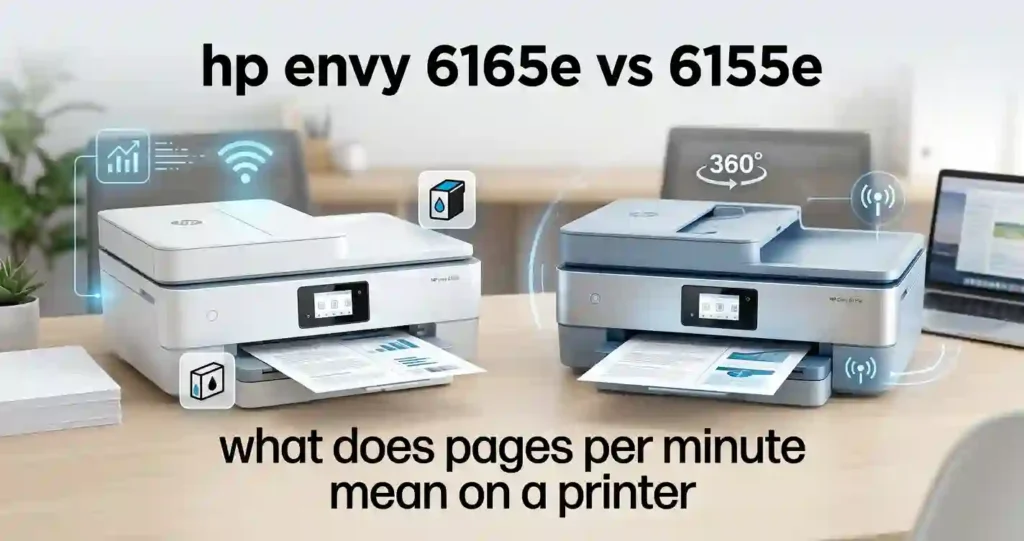
Here is the short version. These two are very close. Both are compact all-in-one inkjet printers that print, scan, copy, and print on both sides of the page. The real gaps are the color, the retailer bundle, and the price you pay on the day you buy. If you are still deciding between an all-in-one printer versus a printer-only model, settle that first.
This guide covers specs, print quality, Wi-Fi, ink costs, paper handling, and value. It draws on HP specifications, US retailer listings, RTINGS data, and Consumer Reports notes. We did not run our own lab tests, and we say so where it matters. Prices and promos change fast, so confirm them at checkout. Details were last checked on October 13, 2026.
Quick answer: Buy whichever model costs less once you count the ink trial. If the price is equal, the 6165e is the safer pick. It is the newer listing and often ships with a longer Instant Ink trial. New to printer shopping? Start with our guide on how to choose a printer for the first time.
Quick Comparison Table: HP Envy 6165e vs 6155e
Line up the specs that matter in daily use. The table below uses manufacturer figures and US retailer listings. Both models share almost every core feature. That is why the retail package and price often matter more than raw performance.
| Feature | HP Envy 6165e | HP Envy 6155e |
|---|---|---|
| Printer type | All-in-one inkjet | All-in-one inkjet |
| Main functions | Print, scan, copy, mobile fax | Print, scan, copy, mobile fax |
| Black print speed | Up to 10 ppm | Up to 10 ppm |
| Color print speed | Up to 7 ppm | Up to 7 ppm |
| Black print resolution | Up to 1200 x 1200 rendered dpi | Up to 1200 x 1200 rendered dpi |
| Optimized color resolution | Up to 4800 x 1200 dpi on supported photo paper | Up to 4800 x 1200 dpi on supported photo paper |
| Wireless | Dual-band Wi-Fi | Dual-band Wi-Fi |
| Wired | Hi-Speed USB 2.0, Ethernet listed | Hi-Speed USB 2.0, Ethernet listed |
| Automatic duplex | Yes | Yes |
| Input tray | Up to 100 sheets | Up to 100 sheets |
| Scanner | Flatbed, no feeder listed | Flatbed |
| Touchscreen | 2.4 inch color | 2.4 inch color |
| Recommended monthly volume | 100 to 400 pages | 100 to 400 pages |
| Ink family | HP 68 series | HP 68 series |
| Common color | White | Portobello or white |
| Instant Ink trial seen at US retail | 6 months (Best Buy deal) | 3 months, plus 1 bonus month with code (Best Buy deal) |
Specs can vary by region and exact product number. Always verify your listing before you pay.
What Is the Difference Between HP Envy 6165e and 6155e?
The main difference between the HP Envy 6165e and 6155e is the retail package, not the hardware. HP lists the same speeds, resolution, paper capacity, and ink family for both. We found no HP document that shows a faster engine, a better scanner, or a bigger tray on either model.
What does change from store to store:
- Color: The 6165e is sold in white. The 6155e appears in Portobello and white.
- Instant Ink trial: Best Buy deals showed 6 months with the 6165e. The 6155e showed 3 months plus 1 bonus month with a code.
- Labels: Some 6165e listings say “AI-enabled.” Some 6155e listings say “AI-capable.” Treat that as marketing until HP shows a hardware gap.
- Availability: One ink retailer reports that HP has discontinued the 6155e. Stock may thin out.
Do not pay extra for a new number alone. Weighing a cheaper step down? See our HP DeskJet 2955 vs HP Envy 6155e comparison.
Design, Size, and Control Panel
Both printers use a 2.4 inch color touchscreen. Both have a compact body made for a desk, dorm room, or small home office. Consumer Reports notes that the 6165e takes up very little space. We found no listed difference in control panel layout or ink access.
Measure your shelf before you buy. The output tray and lid need clearance. Our guide on what printer size is best for a small room shows how much space to leave.
Print Speed and Everyday Productivity
Both models list up to 10 ppm for black and 7 ppm for color. That is fast enough for homework, forms, recipes, and the odd invoice. It will not feel quick on a 40 page report.
Real speed is lower than the rating. Complex graphics, best-quality mode, duplex printing, and weak Wi-Fi all slow things down. If speed is a pet peeve, read why inkjet printing is so slow.
PPM Explained in Plain English
PPM means pages per minute. It shows how many pages a printer finishes in one minute during a standard test. The test pages are simple, so your files may print slower. Our guide on what pages per minute means on a printer goes deeper.
Scanning and Copying Features
Both printers use a flatbed scanner with optical resolution up to 1200 dpi. You can scan documents up to 8.5 by 11.7 inches. Copies top out at 300 dpi. Retailer data lists up to about 8 black copies per minute.
That covers IDs, receipts, school papers, and household forms. Neither model lists an automatic document feeder, so you place each page by hand. RTINGS says the pricier Envy 6555e adds a feeder.
Mobile fax works through the HP app. It does not mean a phone-line fax port is built in. Want to compare one box with separate machines? Read multifunction printer versus separate office devices.
Print Quality: Documents, Graphics, and Photos
Print quality depends on ink, paper, and settings as much as on the printer. Both models use the same HP 68 ink and list the same resolution. We would expect very similar output.
RTINGS rated the 6155e document quality as excellent and its photo quality as satisfactory. Full independent data for the 6165e was still limited when we checked.
Which Printer Produces Better Text and Graphics?
On paper, neither model wins. Text should look sharp on both. Charts and colored graphics should look alike. Pick the cheaper bundle unless a side by side sample proves otherwise.
You can improve results on either printer. Use plain paper made for inkjets. Choose Normal for everyday pages. Switch to Best only for final copies. Seeing streaks? Check why inkjet prints have lines.
DPI Explained Simply
DPI means dots per inch. More dots can mean finer detail. The 1200 x 1200 black figure is a rendered resolution. The 4800 x 1200 color figure is an optimized number. It only applies on supported HP photo paper. Learn more in printer resolution explained in simple terms.
Photo Printing and Borderless Output
Both printers list borderless photos, with 4 x 6 inch and 8 x 10 inch sizes. Glossy paper gives rich color. Matte paper hides fingerprints. Our guide to glossy versus matte photo paper helps you choose.
Color on a screen rarely matches color on paper. That is normal. See why printed photos look different from screens for the fix.
For frequent photo work, a dedicated photo printer will beat either Envy. For occasional prints, learn how to print professional looking photos at home.
Connectivity and Mobile Printing Comparison
Both models list dual-band Wi-Fi, USB, and Ethernet. Mobile printing runs through the HP app and Apple AirPrint. Retail pages also mention Mopria and Chrome OS support. Check your phone or laptop operating system before you buy.
Wireless Setup and Wi-Fi Reliability
HP says its Wi-Fi can spot and fix some connection problems on its own. That helps. Your router still decides how stable the link feels. Place the printer within easy reach of the router for a strong signal.
Wi-Fi, Ethernet, and USB in Plain Terms
Wi-Fi lets any device on your network print. Ethernet uses a cable to your router and stays steady. USB links one computer directly. Dual-band means the printer can use 2.4 GHz for range or 5 GHz for speed.
Basic Steps to Connect to Home Wi-Fi
- Unbox the printer, add the ink, and load plain paper.
- Install the HP app on your phone and sign in.
- Add your printer in the app and pick your home network.
- Enter the Wi-Fi password and wait for the confirmation screen.
- Print a test page.
You can also follow the 123.hp.com setup guide or our walkthrough on how to connect a printer to Wi-Fi. If it fails, read why your printer won’t connect to Wi-Fi.
Printing From a Phone, Tablet, or Laptop
Most people print from a phone first. Open a PDF, photo, email, or web page. Tap share, then pick your printer. AirPrint and Mopria work without a separate driver on many devices. Our guides on how to print from a phone at home and how to connect a printer to a smartphone cover each step.
On a laptop, the printer usually appears after setup. If Windows or macOS asks for software, see how to install printer drivers correctly or how to connect a printer to a laptop.
Troubleshooting Checklist for Missing Printers
- Confirm your device and printer share the same Wi-Fi network.
- Restart the printer, the router, and your device.
- Update the HP app and the printer firmware.
- If it shows offline, follow how to reconnect an offline printer and learn why a printer keeps going offline.
- Remove the printer and add it again. Still stuck? Try our fix for a printer not showing on your computer.
Ink Cartridges, Page Yield, and Running Costs
Ink is where these printers cost real money. Both use the HP 68 family, and the yields are small. RTINGS warns that low page yields mean high recurring costs if you print a lot. To see why, read why inkjet printers use so much ink.
Which Ink Cartridges Do the HP Envy 6165e and 6155e Use?
Both printers take the same three cartridges:
- HP 68 Black (7FP21TN): about 160 pages
- HP 68e EvoMore Black (7FP22TN): about 320 pages
- HP 68 Tri-Color (7FP20TN): about 120 pages
Do not confuse HP 68 with HP 67 or HP 65. They do not fit. RTINGS notes there is no high-yield tri-color option. Use our guide on how to check if a printer cartridge is compatible before you order.
Understanding Standard and EvoMore Yields
Page yield is the number of pages a cartridge should print in a standard test. Real pages vary with coverage and settings. The EvoMore black doubles the listed yield, so it often lowers your cost per page. Compare prices before you buy. Also learn how to check printer ink levels correctly so you reorder on time.
Original Ink Rules Under HP+
HP+ ties your printer to an HP account and the internet. It also expects Original HP ink. The printer may refuse cartridges with non-HP chips. If a new cartridge gets rejected, read why a printer rejects new cartridges. For the trade-offs of other ink, see original versus compatible printer cartridges.
How Much Does Each Printer Cost to Run?
Both models use the same ink, so they cost the same to run. Use this simple math: price divided by page yield equals cost per page.
One retailer lists original HP 68 cartridges at $33.69 each. That works out to about 21 cents per black page. A tri-color cartridge page costs about 28 cents. Consumer Reports paid $27 per cartridge in testing, which is about 17 and 23 cents. Real costs shift with coverage.
Our inkjet printer running costs explained guide shows how. Then how to calculate the true cost of owning a printer adds paper and power.
Cartridges Versus Instant Ink
HP Instant Ink is a subscription priced by pages per month, not by ink used. Many deals bundle a free trial. A paid fee starts after the trial unless you cancel. Check HP’s current plan prices before you commit.
Light users may spend less by buying cartridges. See why printer ink costs so much and how to save money. For empty cartridges, read how to recycle old printer cartridges.
How to Estimate Monthly Ink Expenses
Your own habits beat any rating. Photos, full-color graphics, and cleaning cycles all use extra ink. Track real use for a month instead of trusting maximum yields.
Simple Monthly Ink Formula
- Count the pages you print in four weeks.
- Split them into text pages and color pages.
- Multiply each group by its cost per page.
- Add about 20 percent for cleaning cycles and mistakes.
Example: 40 text pages at 21 cents is $8.40. Add 20 percent and you land near $10 a month. Cut waste with how to reduce ink usage when printing.
Paper Handling, Duplex Printing, and Supported Media
Both printers have a 100-sheet input tray that also holds about 10 envelopes. Retail listings for the 6155e show a 25-sheet output tray. Both handle US Letter paper, envelopes, cards, and photo paper up to 8 x 10 inches.
Heavy paper, crooked stacks, and damp sheets cause jams. Keep your paper dry with how to store printer paper at home.
Automatic Two-Sided Printing
Automatic duplex printing means the printer flips each sheet and prints both sides for you. It cuts paper use and saves time on school reports, household files, and work handouts.
Duplex usually works with plain Letter or A4 paper, not with envelopes or photo paper. Check the paper rules in your manual. More savings tips live in how to reduce home printing costs and save money.
Best Paper Types for Each Use
Use plain inkjet paper for everyday pages. Use matching photo paper for pictures. Envelopes and cards work for invitations and labels.
Always pick the right media type in the print window. A wrong choice can smudge ink and dull colors. Our guide on what paper works best with inkjet printers lists safe picks. For crafts, see printer paper types for creative projects.
Pros and Cons of HP Envy 6165e vs 6155e
Here is the honest scorecard. The two models share most strengths and most weaknesses, so the lists overlap on purpose.
HP Envy 6165e Pros and Cons
Pros
- All-in-one print, scan, and copy
- Automatic duplex and dual-band Wi-Fi
- Often bundled with a 6 month Instant Ink trial
- Seen near $80 on sale at Best Buy
- Compact footprint
Cons
- Low ink yields raise running costs
- Flatbed scanner with no feeder listed
- HP+ expects Original HP ink
- Ink can dry if you print rarely, so read why an inkjet printer dries out
- Less independent test data so far
Pros and Cons of the HP Envy 6155e
Pros
- Same core features as the 6165e
- RTINGS rated document quality as excellent
- Portobello color option
- Often discounted
Cons
- Reported as discontinued, so stock may vary
- Shorter Instant Ink trial in the deals we saw
- Same low-yield ink
- Flatbed scanner only
A lower price makes the 6155e the better value only if the gap is real. Either model should serve you for years with regular use. See how long an inkjet printer usually lasts.
Choosing the Right HP Envy Printer for Your Needs
Match the printer to your habits, not the model number. Think about monthly pages, ink cost, photos, and warranty. Our guide on how to choose a printer for your monthly print volume helps you size it right.
Best for Students and Home Users
Homework, forms, and the odd color poster are easy work for either model. Wireless setup, auto duplex, and affordable ink matter most. Pick the cheaper bundle if the specs match.
See our best inkjet printer for students and printer for school homework guides. On a tight budget, compare the HP DeskJet 2855e vs Envy 6155e.
Home Offices and Remote Work
A home office needs steady output, quick scans, and low downtime. The flatbed scanner works for single pages. It slows you down on long contracts. If you print daily, ink costs will sting.
A tank printer can cost less over time. See our HP Smart Tank 7302 review and ink cartridge printer versus refillable tank. For a shared setup, read about the best multifunction printer for small offices.
Duty Cycle Versus Monthly Volume
Duty cycle is the most pages a printer can handle in one month. One retailer lists 1,000 pages for the 6155e. HP’s recommended range is 100 to 400 pages per month. Stay near the recommended range for a long life.
Learn more in how much printing a home printer should handle and how many pages an office printer can handle monthly.
Photos and Creative Projects
Occasional family photos look fine on either model. Frequent prints cost more because photo paper and color ink add up. Compare real sample prints before you pay extra for any model.
If photos are your main goal, see how to choose a printer for photo printing. Our list of the best photo printer for creative projects shows stronger options.
Price, Warranty, and Overall Value
Compare US prices on the day you buy. TechRadar reported the 6165e at $79.99 at Best Buy, down from $159.99, with a 6 month Instant Ink trial. Office Depot listed the 6155e at $99.99 during a sale that ended July 11, 2026. Its regular price was $159.99. Those deals may be gone. Check Amazon, Best Buy, Staples, and Office Depot.
Cheap printers can hide big ink bills. Why cheap printers can cost more over time explains how. HP limited warranties are usually one year, but confirm yours in printer warranty terms explained for beginners. Check the return window too.
Is the HP Envy 6165e Worth the Extra Money?
Often the 6165e costs the same or less, so the question does not come up. When it costs more, ask what you get. A longer ink trial may be worth $5 to $10 a month if you would buy ink anyway. If the extra cost is higher than that value, skip it.
Our best affordable all-in-one printer roundup shows other options.
When Is the HP Envy 6155e the Better Buy?
Choose the 6155e when it is clearly cheaper. It also wins when an open-box or bundle deal beats the 6165e, or when you prefer Portobello. Confirm warranty status, condition, and returns first.
Do not assume an older model is cheaper. Do not assume a newer one is better. Hunt for ink savings with how to find low cost printer consumables.
Comparison Table: Best Printer by Buyer Type
Use this table to turn your habits into a buying plan. Base each choice on your printing habits, verified specs, and total cost. For households, see our best printer for family use guide.
| Buyer type | What matters most | Recommended decision approach |
|---|---|---|
| Students | Homework, documents, affordability | Choose the lower total-cost option |
| Families | Color printing, photos, wireless access | Compare photo output and ink costs |
| Remote workers | Scanning, duplex printing, reliability | Prioritize document workflow |
| Occasional printers | Low upfront cost, easy setup | Compare price and included ink |
| Frequent printers | Page yield and long-term costs | Calculate monthly ink expenses |
| Photo enthusiasts | Borderless output, color quality | Compare sample prints and media costs |
Steps to Choose Between the Two Printers
- Write down your monthly pages, document types, devices, and budget.
- Compare exact specs and cartridge compatibility for the US versions of both printers.
- Price both models, and include the Instant Ink trial.
- Add up the printer, ink, paper, and any subscription over one to three years.
- Pick the lower total cost, unless a feature you need is missing.
Set a ceiling first with how much you should spend on a printer.
A Quick Printer-Buying Checklist
- Confirm Wi-Fi, mobile printing, and operating system support.
- Check HP 68 ink availability and prices.
- Review the return window and warranty.
- Read recent independent reviews.
Avoid common traps with printer buying mistakes and how to avoid them.
Setting Up Your New HP Envy Printer
- Unpack the printer and remove all tape and packing film.
- Install the supplied cartridges and load plain paper.
- Download the HP app and follow the prompts to join your Wi-Fi.
- Print a test page and check alignment and quality.
- Test scanning and automatic duplex.
First time owning a printer? See how to set up a printer for the first time.
Frequently Asked Questions (FAQ)
What Is the Main Difference Between the HP Envy 6165e and 6155e?
The main difference is the retail package. HP lists the same speeds, resolution, paper tray, and ink for both. Color, trial months, and price differ by store. For most buyers, the gap is small.
Is the HP Envy 6165e Faster Than the 6155e?
No. Both are rated up to 10 ppm for black and 7 ppm for color. Real speed depends on page complexity, print mode, and Wi-Fi.
Do the HP Envy 6165e and 6155e Use the Same Ink Cartridges?
Yes. Both use HP 68 Black, HP 68e EvoMore Black, and HP 68 Tri-Color. Match the cartridge number to your exact printer listing before you order.
Does One Printer Have Lower Ink Costs?
No. They use the same ink, so cost per page is the same. Your plan (cartridges or Instant Ink) and how much you print drive the bill.
Can Both Printers Print Photos Without Borders?
Yes. Both list borderless photos up to 8 x 10 inches on supported HP photo paper. Choose the right paper type and size in your print settings.
Do the HP Envy 6165e and 6155e Support Wireless Printing?
Yes. Both list dual-band Wi-Fi, USB, and mobile printing through the HP app and Apple AirPrint. Confirm your Windows, macOS, Android, or iOS version works before you buy.
Can Either Printer Automatically Print on Both Sides?
Yes. Both offer automatic two-sided printing. It usually needs plain Letter or A4 paper, not envelopes or photo paper.
Are These HP Envy Printers Suitable for a Home Office?
Yes for light use. They suit about 100 to 400 pages a month. Heavy printers should look at a tank or laser model. Print at least weekly to keep ink healthy, as shown in how often an inkjet printer should be used.
Does HP+ Affect Cartridge Choices or Printer Setup?
Yes. HP+ needs an HP account, an internet connection, and Original HP ink. Read the current terms before you activate, since they can change.
Should I Buy the HP Envy 6165e or 6155e?
Compare today’s price, trial length, and warranty. If the specs match, buy the cheaper bundle. The 6165e is the safer default when prices are equal.
Conclusion: HP Envy 6165e vs 6155e: Which One Wins?
The HP Envy 6165e vs 6155e choice comes down to value, not performance. Both match on speed, print quality, wireless features, duplex printing, and HP 68 ink. Both also share high ink costs and a flatbed-only scanner.
Our recommendation: buy the cheaper bundle. If prices tie, pick the 6165e for the longer Instant Ink trial and the newer listing. Pick the 6155e only when a real discount appears. Heavy printers should skip both and read our picks for the best inkjet printer for home use.
Sources checked: HP and retailer listings (Best Buy, Office Depot, B&H, Micro Center), RTINGS, Consumer Reports, and TechRadar. Prices and promos may have changed since October 13, 2026.




