
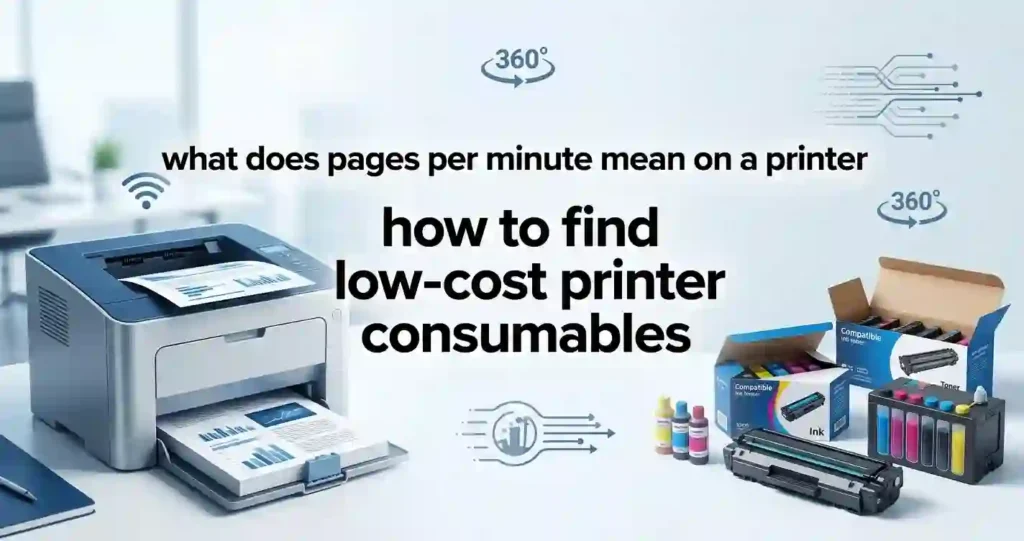
Printer consumables are the parts and supplies that run out or wear down as you print. The big ones are ink cartridges and toner cartridges. Others include drums, maintenance kits, and specialty paper.
Ink and toner have the biggest effect on your ongoing costs. A printer can be cheap to buy and still be costly to feed. That gap is the reason many buyers feel tricked. Our article on why cheap printers can cost more over time explains it well.
Each printer type uses different supplies. Inkjet printers use liquid ink. Laser printers use dry toner powder, and many also use a drum. All-in-one printers follow the rules of their print engine. Photo printers often use extra ink colors and special paper. If you are not sure which family you own, our ink vs toner comparison clears it up fast.
Common Types of Printer Consumables
Here is a quick tour of what you will see on store shelves. Knowing these terms helps you compare products fairly.
Ink Cartridges and Ink Tanks
Standard ink cartridges are the most common choice for home printers. Refillable ink tanks hold much more ink and let you refill from bottles. Tank models cost more up front but often cost less to run. See our breakdown of an ink cartridge printer vs a refillable tank printer for details.
Toner Cartridges and Drums
Toner cartridges hold the powder that laser printers fuse onto paper. Some printers add a separate drum that lasts longer than toner. Others combine both in one unit. Our guide to laser printer drum vs toner cartridge shows which parts you will replace and when.
Yield Levels and Supply Sources
Most cartridges come in standard-yield and high-yield (often called XL) sizes. You can also buy OEM, compatible, remanufactured, or refill options. OEM means the printer maker built it. We will compare all of these below.
Check Printer Compatibility Before Buying
Start with your exact printer model number. You can usually find it on the front or top of the printer. A model like “Envy 6055” and “Envy 6055e” may use different cartridges.
Next, match the cartridge number, printer series, and region. Check the manufacturer’s specs page too. A cheap cartridge that does not fit is not a bargain. It is a return label waiting to happen.
Use our step-by-step guide on how to check if a printer cartridge is compatible before you click “buy.” It takes about two minutes and can save you a lot of hassle.
Why Compatibility Matters
A bad match can cause several problems. You may see recognition errors, weak print quality, leaks, or a cartridge that will not seat properly. Any of these wastes ink, paper, and time.
Retailer tools help here. Amazon, Best Buy, Staples, and Office Depot all have “find ink by printer” lookups. Still, confirm the result against the manufacturer’s page. Two sources are safer than one.
If your printer keeps refusing a new cartridge, read why a printer rejects new cartridges. The cause is often simpler than you think.
Wireless Printers and Cartridge Chips
Wi-Fi and network printers often get firmware updates over the internet. On some models, an update can change how the printer treats third-party cartridges. Before you buy off-brand supplies for a connected printer, read recent reviews for your exact model. Look for comments from buyers who own the same printer and have updated it.
Signs of a Compatibility Problem
Watch for a “cartridge not recognized” message, instant “low ink” warnings, or ink that leaks in the carriage. Poor color or missing lines right after install also point to a mismatch. If you spot any of these, stop and recheck the part number.
Compare Cost Per Page Instead of Sticker Price
Cost per page (CPP) is the best way to compare supplies. A $20 cartridge that prints 100 pages costs more per page than a $30 cartridge that prints 300. The cheaper box is not the cheaper choice.
Always compare black-and-white and color printing separately. Many people print mostly black text. In that case, the black cartridge cost matters most. Color cost matters if you print flyers, school projects, or photos.
Our inkjet printer running costs explained guide shows how these numbers add up over a year. For laser owners, our laser printer cost per page explained article does the same.
How Do You Calculate Printer Cost Per Page?
Cost per page = cartridge price ÷ page yield.
Follow these steps:
- Find the cartridge price in US dollars.
- Find the rated page yield on the box or product page.
- Divide the price by the yield.
- Repeat for each cartridge you are comparing.
Compare cartridges that use the same yield testing standard. Real-world results vary with your habits, so treat the number as a guide.
A Worked Example in US Dollars
These prices are examples only. Check current prices at your favorite store.
| Cartridge (example) | Price | Rated Yield | Cost Per Page |
|---|---|---|---|
| Standard black ink | $24.99 | 200 pages | About 12.5 cents |
| XL black ink | $39.99 | 500 pages | About 8 cents |
| Standard black toner | $59.99 | 1,500 pages | About 4 cents |
| High-yield black toner | $89.99 | 3,000 pages | About 3 cents |
In the ink example, the XL cartridge saves about 4.5 cents per page. Over 1,000 pages, that is roughly $45.
Look for High-Yield Ink and Toner Cartridges
High-yield, XL, or extended-yield cartridges hold more ink or toner. They cost more at the register. They usually cost less for each page you print.
Compare the upfront price with the extra pages you get. If the extra pages cost less than the standard size would, the bigger cartridge wins. That is the math behind most savings.
High-yield supplies make the most sense when you print often. If you print a few pages a month, a big cartridge may sit unused. Ink can dry out and toner can clump over time. Our guide on how long unopened ink cartridges last helps you judge that risk.
Standard vs High-Yield Cartridges
Compare three things: purchase price, estimated page yield, and cost per page. High-yield options are often more economical for frequent printing. Light users should think about shelf life and storage as well.
Good storage protects your savings. Keep cartridges sealed, cool, and out of direct sun. Our tips on how to store unused ink cartridges and toner storage mistakes to avoid make this easy.
Comparing OEM, Compatible, and Remanufactured Consumables
These three types are not the same, so it helps to define them.
- OEM cartridges come from the company that made your printer.
- Compatible cartridges are new, third-party products built to fit your printer.
- Remanufactured cartridges are used OEM shells that were cleaned, refilled, and tested.
Compare price, reliability, warranty, page yield, and print quality. Do not choose by price alone. Pick a reputable seller with clear return terms.
Our deeper guide to original vs compatible printer cartridges walks through real trade-offs.
Are Compatible Cartridges Cheaper?
Usually, yes. Third-party makers skip the research and brand costs that OEM prices include. That is why compatible cartridges often sell for much less.
The trade-off is consistency. Print quality, chip recognition, and yield can differ from seller to seller. Check reviews, read the return policy, and confirm the cartridge fits your exact model.
Questions to Ask a Third-Party Seller
Ask whether the seller offers a satisfaction guarantee. Check how long the warranty lasts. Ask if the listing names your printer model. A seller who answers clearly is a good sign.
Are Remanufactured Cartridges Worth It?
Remanufactured cartridges are previously used cartridges that a company cleans, refills, and tests. Done well, they can save money and cut waste. Done poorly, they can leak or print weakly.
Look for suppliers that offer a guarantee. Our full guide to remanufactured ink cartridges explained covers what quality control looks like. You can also help the cycle by learning how to recycle old printer cartridges.
Shop Multiple Sources to Compare Consumable Prices
Never buy from the first page you see. Check manufacturer websites, office-supply stores, online marketplaces, and specialty cartridge sellers. In the US, that often means Amazon, Best Buy, Staples, Office Depot, Walmart, and brand stores.
Look at the final price, not the listed price. Add shipping, sales tax, and any discount codes. Subscription savings can change the math too.
Compare the same cartridge model and the same yield. A listing for a standard cartridge can look cheaper than an XL listing, even though it is not. Our home printing cost tips show how to keep these checks simple.
What Should You Compare Before Buying?
Use this short list:
- Cartridge price and page yield
- Cost per page and shipping costs
- Warranty, return policy, reviews, and seller reputation
If a deal skips any of these, slow down. Great prices matter only when the product works.
Use Page Yield to Find the Best Value
Page yield is the number of pages a cartridge can print before it runs out. Makers test it using international standards. For color inkjets, the standard is ISO/IEC 24711. For black laser toner, it is ISO/IEC 19752.
These standards use set test pages under set conditions. That makes yields fair to compare between brands. Still, the tests use plain paper and typical documents, so your pages may differ.
Coverage, document type, color use, and print frequency all change real-world results. Our guide to how many pages a laser printer can print shows how yield works for toner.
Why Page Yield Can Be Misleading
A low-priced cartridge may have a much lower yield than you expect. Always check the number before you check the price.
Color documents can use several cartridges at the same time. Photo printing uses far more ink than a text page. You can learn more in why inkjet printers use so much ink.
Also remember that some ink goes to cleaning cycles and startup. That ink never reaches paper. It is one reason real yields often fall short of the box rating.
Choose Consumables Based on Your Printing Volume
Estimate how many pages you print each month. Count a typical week, then multiply by four. This number guides every other choice.
Frequent home-office and business users often save with higher-yield cartridges or ink-tank systems. Occasional users face a different risk. Their cartridges may dry out before they run out. Our article on why an inkjet printer dries out explains that problem.
For a fuller plan, see how to choose a printer for your monthly print volume.
Pages Per Minute (PPM) in Plain Language
PPM tells you how fast a printer prints. A 20 PPM printer finishes about 20 pages in a minute. Speed does not set your ink cost, but faster printers often take bigger, pricier cartridges. Learn more in what pages per minute means on a printer.
Duty Cycle in Plain Language
Duty cycle is the most pages a printer is built to handle in one month. It is a ceiling, not a daily goal. Printing near the limit can wear parts faster and raise your supply costs. Our guide on how many pages an office printer can handle monthly gives clear ranges.
Best Options for Different Printing Needs
- Occasional printing: standard cartridges or economical compatible supplies.
- Regular home printing: high-yield cartridges or refillable ink tanks.
- High-volume office printing: high-yield toner or business-focused printing systems.
Families often do well with tank models. Our list of the best refillable inkjet printers for families is a good place to start. Offices can use our guide to the best office printer for low running costs.
Check Print Quality Before Choosing Cheap Consumables
Cheap supplies must still print well. Compare text sharpness, black density, color accuracy, and consistency. Think about what you print most, such as documents, graphics, or photos.
Avoid products with steady complaints about streaking, fading, smearing, or color shifts. If you see those words often in reviews, move on. Our guide to why inkjet prints have lines and why a laser printer prints faded pages can help you tell a bad cartridge from a printer fault.
Paper plays a role as well. The wrong paper can make good ink look bad. See what paper works best with inkjet printers.
DPI and Print Quality in Plain Terms
DPI means dots per inch. More dots can mean finer detail. But a higher DPI setting does not make ink cheaper, and photo modes often use more ink. Our printer resolution explained in simple terms article covers this in depth.
When Paying More Can Be Worth It
Some jobs deserve better supplies. Professional documents need steady, clean output. Photo printing often looks best with higher-quality ink and paper, as our guide to printing professional-looking photos at home shows.
Poor consumables can also raise your total cost. Reprints waste paper and ink. A slightly pricier cartridge that works the first time can be the cheaper choice.
Low-Cost Printer Consumables Compared
Understanding the trade-off between price, yield, quality, and reliability helps you choose supplies that deliver genuine long-term savings.
| Consumable Type | Typical Cost | Page Yield | Quality Consideration | Best For |
|---|---|---|---|---|
| OEM Standard-Yield | Higher | Standard | Consistent | Occasional users |
| OEM High-Yield | Medium-High | High | Consistent | Frequent printing |
| Compatible | Low-Medium | Varies | Varies by supplier | Budget-conscious users |
| Remanufactured | Low-Medium | Varies | Depends on quality control | Cost-conscious regular users |
| Refillable Ink | Low running cost | High potential | Depends on system | High-volume inkjet users |
Use this table as a starting point. Then run the cost-per-page math for your own printer.
Look for Discounts, Multipacks, and Subscription Savings
Compare single cartridges with multipacks and value packs. Look for real retailer promotions, manufacturer rebates, and loyalty programs. Many US stores run seasonal sales, such as back-to-school and Black Friday deals.
Consider an ink or toner subscription if your monthly printing is steady. Plans from printer makers send cartridges based on pages printed. They can save money for predictable users. They can also lock you into one ecosystem, so read the terms first.
Our tips for reducing printer expenses in a small business include more ways to save.
Do Multipacks Always Save Money?
Not always. Work out the effective cost per cartridge and the cost per page. Then ask whether you need every color in the pack.
Avoid buying more than you can use before the cartridges age. Unused supplies lose value fast. A smaller pack that you finish is better than a big one that dries out.
Avoid Hidden Costs When Buying Cheap Ink or Toner
Cheap ink can carry hidden costs. Include shipping fees, replacement frequency, and possible returns in your total. A $9 cartridge that yields 60 pages costs 15 cents per page. That is worse than a $25 cartridge that yields 200 pages at 12.5 cents.
Poor-quality supplies also waste paper through reprints. Check whether inexpensive cartridges deliver lower-than-expected yields. Reviews often reveal this quickly.
Watch for false warnings too. Some printers say “empty” while ink remains. Read why your printer says ink is empty when it is not and learn how to check printer ink levels correctly.
Calculate the True Cost of Printer Consumables
Add up these four items for a clear picture:
- Cartridge purchase price
- Estimated pages printed
- Paper waste and reprinting
- Replacement frequency and maintenance costs
Divide the total by the pages you actually printed. That is your true cost per page. For a bigger view, try our guide on how to calculate the true cost of owning a printer. Businesses can use how to calculate office printing costs and how to compare office printer running costs.
Tips for Buying Low-Cost Printer Consumables Online
Online shopping offers the widest choice and the best price checks. It also has more risk. Use these habits to stay safe.
First, verify the exact cartridge number and your printer model before ordering. Second, read recent reviews. Focus on page yield, print quality, leaks, and recognition issues. Third, buy from established sellers with clear return and warranty policies.
Be careful on marketplaces where many sellers share one listing. Check who ships and who sells. Fake or poorly made cartridges do show up, and a low price alone is not proof of quality.
If you prefer a different path, compare buying supplies with using a copy shop. Our article on printer vs print shop for home use shows when that wins.
Quick Checklist for Affordable Printer Supplies
- Check compatibility.
- Compare cost per page.
- Compare page yields.
- Consider OEM, compatible, and remanufactured options.
- Check reviews and seller reputation.
- Include shipping and return costs.
- Buy only the quantity you are likely to use.
Common Mistakes to Avoid When Buying Cheap Consumables
Most savings go wrong in the same few ways. Avoid these traps:
- Choosing the lowest cartridge price without checking page yield.
- Buying incompatible or questionable third-party cartridges with no seller track record.
- Ignoring print quality, warranty, return policies, and customer reviews.
- Stocking up on supplies that may sit unused for months.
One more mistake is ignoring the printer itself. Some models are designed so that supplies cost a lot. Our guide on cheap printers vs low-cost printing explains how to spot them. If you plan to upgrade, see the best home printer with cheap running costs and which home printer saves the most money on ink.
You can also cut waste at the source. Try these tips on how to reduce ink usage when printing.
Frequently Asked Questions About Low-Cost Printer Consumables
Which Type of Printer Ink Is Cheapest?
Refillable ink tanks usually have the lowest running cost per page. Compatible and remanufactured cartridges often cost less than OEM. OEM cartridges cost more but can be steady in quality. Operating cost matters more than purchase price, so compare cost per page.
Is Buying Compatible Ink Cartridges Worth It?
Often yes, if you pick a reputable seller. Savings can be large. Quality and chip recognition vary, so check reviews, the return policy, and your exact printer model before you buy.
Is Remanufactured Toner Cheaper Than OEM Toner?
Usually it is cheaper up front. Page yield and reliability depend on the supplier. Choose a seller with a guarantee, and compare cost per page rather than price alone.
Can I Reduce My Printer Ink Costs?
Yes. Use high-yield cartridges, compare cost per page, and print in grayscale or draft mode when you can. Skip unneeded color pages. Our home printing cost tips go deeper.
Does Buying Ink in Bulk Save Money?
It can, but only if you use the ink before it ages. Multipacks make sense for steady printers. They lead to waste if cartridges sit unused or you do not need every color.
Can I Calculate Ink Cost Per Page With a Simple Formula?
Yes. Divide the cartridge price by the rated page yield. For example, $24.99 divided by 200 pages is about 12.5 cents per page. Compare only cartridges rated with the same standard.
Do Cheaper Printer Cartridges Reduce Print Quality?
Not always. Quality depends on the maker, cartridge type, and supplier. Some low-cost options match OEM results. Others streak or fade, so reviews matter.
Should I Buy OEM or Third-Party Printer Cartridges?
OEM offers steady results and simple warranty support. Third-party supplies cost less but vary. For important documents or photos, OEM may be worth it. For everyday text, a trusted third-party option can save money.
Ink Cartridge Lifespan: How Long Do They Last?
It depends on yield, storage, use, and cartridge type. A cartridge ends when its rated pages are used or when ink dries out. Unopened ink can last a long time when stored well, as shown in our guide on how long unopened ink cartridges last. Toner timing is covered in how long printer toner lasts.
Before Buying Cheap Toner, What Should You Check?
Check printer compatibility, cartridge yield, reviews, seller reputation, and the return policy. If your toner runs out fast, see why laser printer toner runs out so quickly.
Conclusion: Find Consumables That Offer Real Savings
The cheapest cartridge is not always the lowest-cost way to print. A low sticker price can hide a low yield, weak quality, or a bad fit. Real savings come from smart comparison.
Check cost per page, page yield, compatibility, print quality, and total ownership costs. Choose supplies based on your real monthly volume, not on price alone. Do that and you will pay less for every page.
Ready to go further? Explore how to choose a laser printer with low running costs, the best affordable inkjet printers with cheap ink, or the best affordable laser printer with low toner costs. If you manage a team, our guide to monitoring office printer usage helps you control supply spend.




