
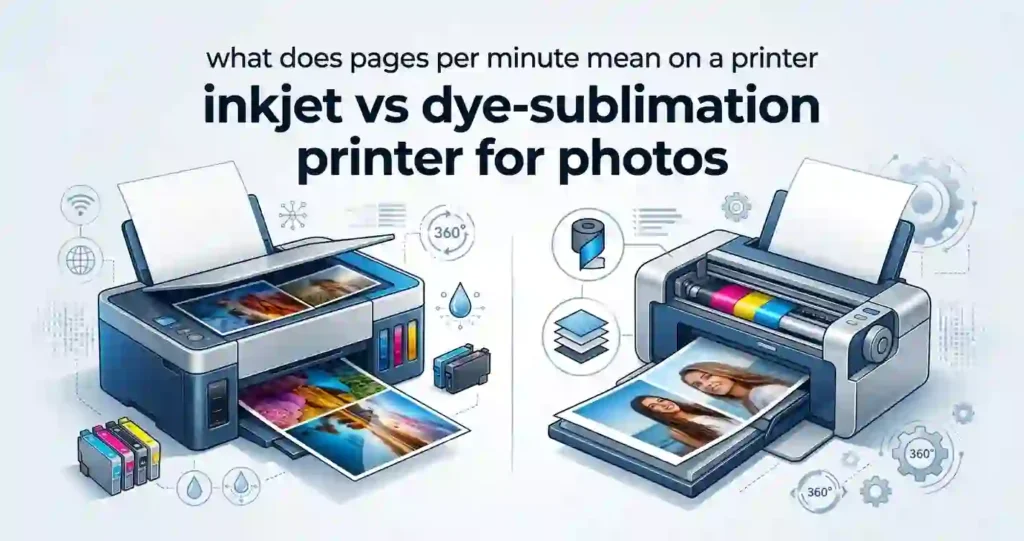
An inkjet printer sprays tiny drops of liquid ink onto paper. A dye-sublimation printer (often shortened to dye-sub) uses heat to move solid dye from a ribbon onto special coated paper. Both can make excellent photos.
Inkjet is the more flexible choice. It handles many paper types and sizes, and it prints documents too. Dye-sub is built around one job, which is fast and consistent photo output.
Quick answer: Choose inkjet for versatility and larger-format or photo-art printing. Choose dye-sub for compact, fast, consistent photo prints.
What Is an Inkjet Photo Printer?
An inkjet photo printer places microscopic drops of ink on paper to build an image. Most home models use one of two firing methods.
Thermal Inkjet
Thermal printheads heat a tiny amount of ink until it forms a bubble. The bubble pushes a droplet out of the nozzle. This design is common in budget and midrange home printers.
Piezoelectric Inkjet
Piezo printheads use a crystal that flexes when electricity flows through it. The flex pushes ink out without heat. This design allows very precise droplets, and you will find it in many photo-focused models.
Extra Photo Inks
Basic printers use four colors called CMYK (cyan, magenta, yellow, and black). Photo models add more, such as light cyan, light magenta, gray, or photo black. Extra inks help with smooth skin tones and soft shadows. If you want to see the moving parts, read how inkjet printers work and our inkjet printhead guide.
Inkjets also accept glossy, matte, fine-art, cardstock, and other specialty media.
What Is a Dye-Sublimation Photo Printer?
A dye-sub photo printer heats a ribbon coated with colored dye. The heat transfers the dye onto specially coated photo paper. Strictly speaking, the process is thermal dye transfer, but “dye-sub” is the name everyone uses.
Most models make several passes. The paper moves back and forth while the printer lays down yellow, magenta, and cyan in turn. A final pass adds a clear protective overcoat.
One key point: dye-sub printers need matched proprietary media. Regular inkjet photo paper will not work. You buy a ribbon and paper kit made for your exact model.
Inkjet vs Dye-Sublimation: Key Differences at a Glance
A side-by-side comparison helps you see the practical differences before you shop. The table below focuses on what matters for home photo printing, photography, events, and small businesses. For a wider look at the technology, see these inkjet printer advantages and disadvantages.
| Feature | Inkjet Photo Printer | Dye-Sublimation Photo Printer |
|---|---|---|
| Printing technology | Liquid ink droplets | Heat-transfer dye |
| Photo quality | Excellent to professional | Excellent and consistent |
| Color detail | Very high with photo inks | Smooth continuous-tone appearance |
| Print speed | Varies by model | Often fast for standard photo sizes |
| Media flexibility | High | More limited |
| Large-format printing | Available on many models | Generally limited |
| Ink/consumables | Ink cartridges or tanks | Dye ribbons/media kits |
| Page/photo yield | Varies by cartridge/tank and coverage | Usually specified per media pack |
| Drying time | May require drying | Typically dry immediately |
| Smudge resistance | Depends on ink and paper | Generally resistant after finishing |
| Connectivity | USB, Wi-Fi, Ethernet, mobile printing | USB/Wi-Fi on many models |
| Best for | Versatile photo and document printing | Dedicated photo printing |
How Inkjet and Dye-Sublimation Photo Printing Work
The two technologies build a photo in very different ways. That is why they differ in image quality, speed, color transitions, and print durability.
How a photo gets printed, in short:
- Inkjet: The printhead moves across the paper and fires tiny ink droplets.
- Inkjet: Droplets of different colors overlap to create millions of shades.
- Inkjet: The ink soaks into or sits on the paper coating and dries.
- Dye-sub: The ribbon and paper move under a heated printhead.
- Dye-sub: Yellow, magenta, and cyan dye transfer in separate passes.
- Dye-sub: A clear overcoat seals the print, and it comes out dry.
Inkjet Printers: How They Create Photos
An inkjet builds an image from thousands of dots. The printer cannot mix ink like paint, so it uses dithering. That means it places dots of different colors close together, and your eyes blend them into smooth shades.
Three specs matter here. Printhead resolution shows how finely the nozzles are spaced. Droplet size shows how small each dot is. Color channels shows how many inks the printer uses. Our guide to printer resolution in simple terms explains DPI, which means dots per inch.
Color accuracy also depends on the ICC profile, the printer driver, the ink, and the paper. An ICC profile is a small file that tells software how a paper and ink combination behaves. Wrong settings can shift colors quickly.
Dye-Sublimation Printers: How They Create Photos
A dye-sub printer works in stages. Each pass transfers one color layer, and the last pass adds the protective coat. The heat lets the dye sink into the coated surface instead of sitting on top.
Because the dye blends into the surface, tones melt into each other. There are no visible dots. This is why dye-sub prints often look smooth, like a classic lab print.
The process is also very repeatable. The same ribbon and paper kit give the same result every time.
Photo Print Quality: Inkjet vs Dye-Sublimation
Neither technology wins every time, because results depend on the model, media, ink or ribbon, and source image. To compare fairly, look at sharpness, color accuracy, gradients, skin tones, shadow detail, and fine textures. Inkjet often shines with fine detail and rich color range. Dye-sub often shines with smooth tones and steady results.
Curious about laser? It can print photos, but it is not the best fit. See whether laser printers can print photos well for the trade-offs.
Color Accuracy and Skin Tones
Color gamut is the range of colors a printer can produce. Photo inkjets with extra inks usually have a wider gamut.
Your screen matters too. If your monitor is too bright or not calibrated, prints will look dark or off. Color management, such as soft proofing in editing software, closes that gap.
Professional photographers should judge the whole system. That means printer, ink, paper, and profile together, not a spec sheet alone. Our guide to printer specifications for beginners helps you read those numbers with care.
Detail, Gradients, and Fine Textures
High-quality inkjets can show tiny details such as fabric weave, hair, and leaves. Dye-sub prints handle smooth gradients, like sunsets and studio backdrops, very well.
Do not trust advertised DPI alone. A printer with a huge DPI number can still print worse than one with better ink and dot placement.
Glossy Photo Finish and Consistency
Inkjet glossy papers vary a lot between brands. Dye-sub uses one dedicated coated media, so the finish stays the same from print to print.
Inkjet photos can suffer from banding (light stripes), grain, bronzing (a metallic sheen on dark areas), and metamerism (colors that shift under different lights). Good paper and correct settings reduce these problems.
Dye-sub avoids most of them because the media and consumables are matched. For repeat output, such as 100 prints at a party, that consistency is a real advantage.
Print Speed and Workflow Efficiency
Speed has two parts. First-print time is how long you wait for the first photo. Pages or photos per minute describes steady output after that.
Print size and quality settings change everything. A draft-quality 4 × 6 prints far faster than a full-quality 8 × 10.
Dye-sub is convenient for batches of standard-size photos. It is a good match for events, photo booths, retail counters, and busy family gatherings.
Which Printer Is Faster for Photo Printing?
It depends on the model and the print size. Many compact dye-sub printers finish a 4 × 6 in under a minute. Many inkjets take longer for full-quality photos.
Do not rely on technology alone. Compare the manufacturer’s rated photo speeds. Our explainer on what pages per minute means shows why document PPM is a poor guide for photos. If your inkjet feels slow, read why inkjet printing is so slow.
For busy setups, look at queue management and automatic paper handling too.
Photo Print Durability and Longevity
Durability covers fading, moisture, fingerprints, and handling. Longevity depends on the ink or dye chemistry, the paper or media, storage, UV exposure, and framing.
If archival quality matters, check the manufacturer’s print permanence ratings.
Are Dye-Sublimation Photos More Durable?
Many dye-sub prints carry a protective overcoat. That coat helps resist fingerprints, moisture, and light scuffs. So they often feel tougher when handled.
Still, not every dye-sub print lasts the same. Media quality and storage matter. Compare this with inkjet photo papers, where the coating and ink type drive the outcome.
How Long Do Inkjet Photo Prints Last?
Ink type is the biggest factor. Pigment inks sit on the paper as tiny solid particles and often resist fading better. Dye-based inks give vivid color but can fade sooner in strong light.
Archival paper and proper storage extend life. Avoid direct sunlight, humidity, heat, and air pollutants. Our tips on storing printer paper at home also protect unused photo paper from curling and moisture.
Inkjet vs Dye-Sublimation Printer Cost
Cost has four parts: the printer price, consumables, maintenance, and cost per photo. Cost per print is usually more useful than the price of one ink cartridge. It shows what each photo really costs.
To work it out, include paper or media yield, ink coverage, how often you replace supplies, and waste from failed prints. Photos use far more ink than text pages.
How to Work Out Cost Per Print
- Add the price of the ink set or ribbon kit.
- Divide by the number of prints the maker rates it for.
- Add the price of one sheet of photo paper (skip this for dye-sub kits).
- Add a small buffer for test prints and mistakes.
Example: A dye-sub kit that costs $40 and makes 108 4 × 6 prints comes to about 37 cents per print, paper included. Check current kit prices.
For a wider method, use our guide to calculating the true cost of owning a printer.
Inkjet Ink and Photo Paper Costs
Cartridge printers are cheap to buy but can be pricey to run. Refillable ink tank printers cost more up front, yet the ink is far cheaper per print. See ink cartridge vs refillable tank printers for a full comparison.
Photo coverage eats ink fast. Learn why inkjet printers use so much ink and read our inkjet running costs explained guide.
Dye-Sub Ribbon and Media Costs
Dye-sub supplies usually come as matched ribbon and paper kits. Each pack lists a number of prints, such as 36, 54, or 108.
Compare that number to the photo size you plan to print. A pack rated for 4 × 6 prints will not give you the same count in a larger size.
Predictable costs help businesses. If you sell 500 prints a month, a fixed cost per print makes pricing simple. There is no guessing about ink levels.
Cheap upfront can cost more later. Read why cheap printers can cost more over time and use our tips to reduce home printing costs.
Print Size, Paper Options, and Media Compatibility
Inkjet printers support a wide range of paper sizes and types. Dye-sub uses a smaller, more specialized media set. Media availability should shape your buying choice.
Common US photo sizes include 4 × 6 inches, 5 × 7 inches, and 8 × 10 inches. Letter size, 8.5 × 11 inches, is the everyday paper size for documents. Many photo inkjets print all of these, while most compact dye-sub models focus on 4 × 6.
Before you buy, check that your favorite size and finish are sold at Amazon, Best Buy, or Staples.
Inkjet Paper Options
Inkjets work with many photo papers. Look at paper weight (thickness), finish, and brightness. Also confirm your printer supports the paper. Our guide to what paper works best with inkjet printers covers the basics.
Glossy and Luster Papers
Glossy paper gives punchy color and a shiny finish. Luster sits in the middle, with less glare and fewer fingerprints.
Matte and Fine-Art Papers
Matte and fine-art papers have a soft, textured feel. Canvas and cotton rag papers suit gallery-style prints. Many photo inkjets support borderless printing and custom paper sizes.
Dye-Sublimation Media
Dye-sub media comes as a ribbon and paper pair, made for a certain printer model. Standard sizes include 4 × 6 and sometimes 5 × 7 or 6 × 8 on larger units. Do not mix brands, since the wrong kit can cause color errors. This narrow media range is the main trade-off.
Connectivity and Photo Printing Convenience
Photo printers connect in many ways. Common options include Wi-Fi, USB, Ethernet, Wi-Fi Direct, Bluetooth, and mobile printing. Which ones you get depends on the model.
You can print from phones, tablets, laptops, cameras, and cloud services. Look for Apple AirPrint, Mopria, and the maker’s app. Also check Windows and macOS support.
Best Connectivity Features for Home Photo Printing
Casual users need reliable Wi-Fi and a solid mobile app. Follow our steps to print from a phone at home for a simple setup.
USB still helps when you have one dedicated computer or want a direct link that skips the network. Watch for driver compatibility and network stability.
If several people share the printer, see how to manage multiple devices with one printer.
Connectivity for Events and Small Businesses
Busy sites need multi-user access, wired Ethernet, reliable wireless, and print queues. Read network printer vs USB printer and how to share a printer across an office network.
Simple media loading and predictable supply swaps can matter as much as raw speed. Think of photo booths, event photography, ID-photo workflows, and retail counters. At those places, a jam or a mid-event ribbon change costs money.
Inkjet vs Dye-Sublimation for Different Photo Printing Needs
The best printer depends on your workload. So match the technology to how you print, not to a brand.
A note on crafts: “sublimation” also names a craft method used for mugs and T-shirts. Those printers use special liquid ink and transfer paper. They are a different product from dye-sub photo printers.
Home Photo Printing: Which Technology Fits?
Do you print both documents and photos? Then an inkjet is usually the better fit. It handles school forms, recipes, and family photos in one machine.
Flexible media and multifunction features matter here. Compare an all-in-one vs printer-only model before you decide. Families who print often should look at refillable inkjet printers for families or the best inkjet printer for home use.
If you only want 4 × 6 snapshots for an album, a small dye-sub printer is a fair pick.
Professional Photographers: Which Technology Fits?
Pros care about color management, wide gamut, fine-art media, large formats, and archival needs. A dedicated photo inkjet fits that broader workflow.
It also works with professional editing software and custom ICC profiles. You can print a 13 × 19 proof, then switch to a fine-art paper for the final.
Photo Booths and Events: Which Technology Fits?
Booths and events need fast output, a compact body, steady media costs, and consistent prints. Portable dye-sub printers were designed around common event photo sizes.
Wireless connectivity and easy media changes help a lot. For business planning, see how to choose a printer for a small business.
If you only need prints a few times a year, a print shop may be cheaper than owning a printer.
Pros and Cons of Inkjet vs Dye-Sublimation Photo Printers
Each type has clear strengths and weaknesses. Use the lists below as a fast checklist.
Inkjet Printer Advantages
- Wide selection of paper types, sizes, and finishes.
- Flexible use for documents, graphics, photos, and specialty printing.
- Professional support on high-end models for photo and fine-art workflows.
Inkjet Printer Disadvantages
- Variable costs for ink and paper.
- Drying time means some prints need careful handling.
- Maintenance matters. Nozzle clogging can hurt long-term convenience. Learn why an inkjet printer dries out, how long it can sit unused, and how often to use it.
Dye-Sublimation Printer Advantages
- Consistent output from a dedicated photo system.
- Fast production of common photo sizes on compatible models.
- Dry prints that come out ready to handle, with a smooth continuous-tone look.
Dye-Sublimation Printer Disadvantages
- Limited flexibility in paper and size.
- Proprietary media can raise ongoing costs.
- Narrow use makes it a poor fit for documents or large-format work.
How to Choose Between Inkjet and Dye-Sublimation
Use this simple framework. It works from your real printing needs, not from brand names or hype. Our printer buying mistakes guide lists errors to avoid.
Choose Inkjet If You Need
- Several paper sizes, finishes, and specialty media.
- Both photo and everyday document printing.
- Large-format or professional photography capabilities.
For documents only, compare laser vs inkjet for everyday documents.
Choose Dye-Sublimation If You Need
- Fast, consistent, standard-size photo printing.
- A dedicated photo printer for events or photo booths.
- Simple workflows with matched photo media and predictable output.
Questions to Ask Before Buying
- How many photos will you print each month?
- What photo sizes and paper finishes do you need?
- What is the cost per photo, including ink or ribbon and paper?
- Do you need Wi-Fi, mobile printing, USB, or Ethernet?
- Will you also print documents or graphics?
Your monthly volume matters most. Use our guide to choosing a printer for your monthly print volume to size it up.
Inkjet vs Dye-Sublimation: What to Check Before Buying
Before you click “buy,” compare manufacturer specs for photo speed, supported media, size, and connectivity. Check the real cost of replacement ink, cartridges, ribbons, and photo paper.
Also read independent reviews and look at sample prints. That matters most when color accuracy or professional quality is on the line. Our list of printer features that actually matter helps you skip the fluff.
Watch the duty cycle too. It is the maximum number of pages a printer is built to handle in a month. For photo printers, it is a safe-use ceiling, not a target. Our guide on monthly page limits explains it.
Important Printer Specifications
- Print resolution and printhead technology. Higher is not always better, but it helps.
- Borderless printing and supported photo sizes. Make sure your size is listed.
- Ink or ribbon yield and estimated cost per print. Ask for the maker’s rated numbers.
- Wi-Fi, USB, Ethernet, and mobile printing. Match these to your devices.
Common Photo Printing Problems and Troubleshooting
Most photo problems come from settings, not broken hardware. Common issues include color shifts, banding, streaks, blurry images, paper jams, and connectivity drops.
The most frequent cause is the wrong media setting. If the printer thinks you loaded plain paper, it uses the wrong amount of ink. Always set the paper type to match what is in the tray.
For a broader list, see common home printer problems.
Why Do Photo Prints Look Different From the Screen?
Screens glow with light. Paper reflects light. So they never match perfectly.
Common causes are high monitor brightness, no calibration, the wrong color space, and mismatched printer profiles. Room lighting changes how you judge a print too.
To get closer:
- Lower your monitor brightness to a moderate level.
- Calibrate the screen if you can.
- Use soft proofing with the correct ICC profile.
- Compare the print under steady, neutral light.
Why Are Inkjet Photos Streaky or Banding?
Streaks usually mean clogged nozzles. They can also come from the wrong paper setting or low-quality ink. Read why inkjet prints have lines and common inkjet printer problems and their causes.
Quick Fix Steps
- Run a nozzle check from the printer menu.
- Run one printhead cleaning cycle if gaps appear.
- Confirm the paper type and quality settings.
- Use compatible ink and photo paper.
What Causes Lines or Color Problems on Dye-Sublimation Photos?
Start with the ribbon and media. Make sure the correct kit is loaded and that the ribbon is not wrinkled.
Then look for overheating, dust, transport damage, or wrong settings. Dust on the paper path often leaves thin lines. Follow the maker’s cleaning steps, and use only the cleaning tools they approve.
Frequently Asked Questions About Inkjet vs Dye-Sublimation
Is inkjet or dye-sublimation better for photo printing?
It depends on your needs. Inkjet wins on size range, media choice, and flexibility. Dye-sub wins on speed for standard sizes, consistency, and simple workflow. For many homes, a good inkjet is the safer all-round pick. See our guide to the type of printer you need for home use.
Do dye-sublimation printers produce better photos than inkjets?
Not always. Dye-sub gives smooth tones and steady results. Quality inkjets offer a wider range of colors and media, including fine-art papers. The better result depends on the model and paper.
Is dye-sublimation cheaper than inkjet for photos?
Sometimes. Dye-sub cost per print is easy to predict. Ink-tank inkjets can be cheaper per photo, especially at higher volume. Add up ribbon or ink, paper, maintenance, and waste to compare. Our cheap-ink inkjet picks are a good starting point.
Which printer is better for 4 × 6 photo prints?
A compact dye-sub printer is built for this size. Compact and standard inkjets can also print 4 × 6 well, and they add flexibility for other sizes.
Do dye-sublimation photos fade?
All prints can fade over time. UV light, humidity, poor storage, and low-quality media speed it up. The overcoat on many dye-sub prints helps, but results vary by model and media.
Can an inkjet printer print on dye-sublimation paper?
No. Dye-sub paper is made for dye-sub systems and works with a ribbon and heat. It is not interchangeable with ordinary inkjet paper.
Can dye-sublimation printers print documents?
Most dedicated dye-sub photo printers cannot. They are made for photos, not office work. If you need both, an inkjet is the better choice. It is also worth reading whether an inkjet is worth buying for home use.
Which printer has lower maintenance: inkjet or dye-sub?
Dye-sub is often simpler day to day, since you mainly handle ribbon and paper. Inkjets need nozzle care and can clog if left idle. See how long an inkjet printer usually lasts with good care.
Are dye-sublimation printers good for professional photographers?
They are handy for quick, standard-size prints at shoots. But pros often need larger media, color-management tools, and fine-art papers. Those are stronger points for professional inkjets.
What should I consider when buying a photo printer?
Think about photo quality, print size, speed, cost per print, consumables, connectivity, durability, and media compatibility. Our guide on how much to spend on a printer can help, and the best printer for family use list is useful for busy homes.
Final Verdict: Inkjet vs Dye-Sublimation for Photos
Here is the practical difference. Inkjet gives you versatility and media flexibility. Dye-sub gives you dedicated, consistent photo production.
| If you want | Pick |
|---|---|
| One printer for photos and documents | Inkjet |
| Large prints, fine-art paper, pro workflow | Inkjet |
| Fast 4 × 6 prints at events | Dye-sublimation |
| Predictable cost and dry, ready prints | Dye-sublimation |
Compare total cost of ownership, your monthly photo volume, the sizes you need, and the connectivity you require. Remember that the model, media, consumables, and workflow can change real-world results a lot.




