
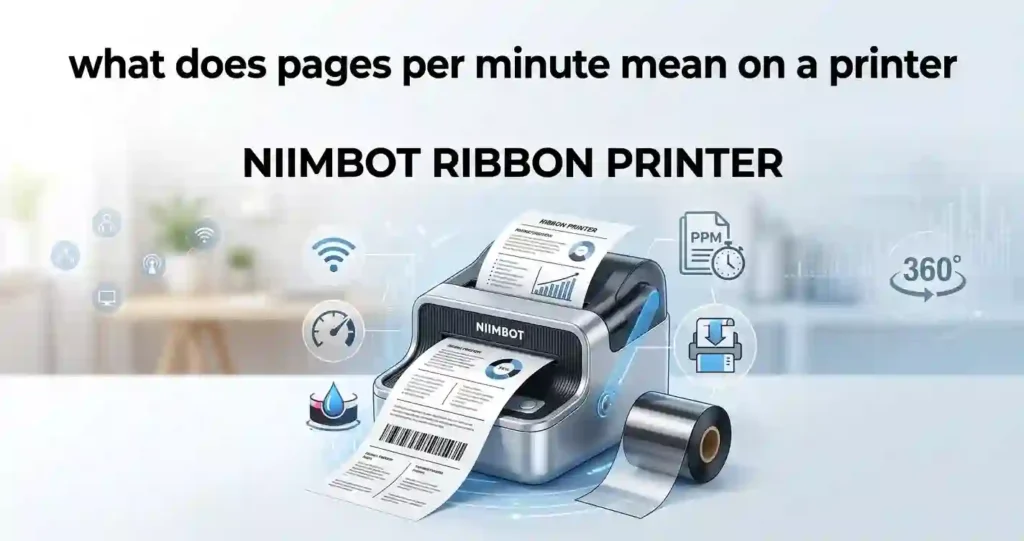
A NIIMBOT label printer is a compact thermal printer. It makes labels for bins, cables, products, shelves, and small packages. Many models fit in one hand or a desk drawer.
The words “ribbon printer” need care. A true ribbon printer uses thermal transfer printing. A heated printhead melts ink from a ribbon onto the label. A direct thermal printer skips the ribbon, because the label itself darkens under heat.
Most NIIMBOT models are direct thermal. A few, such as the B18 at the time of writing, use a ribbon cartridge. Product lines change, so always confirm your exact model on the official product page.
Common uses include:
- Home organization, such as pantry jars and school supplies
- Retail price tags and small product labels
- Shipping preparation, such as sorting tags and return labels
- Small-business inventory and asset labels
Smart supply buying matters here too. Our guide on how to find low-cost printer consumables applies well to label rolls.
How Does a NIIMBOT Ribbon Printer Work?
Thermal printing uses heat instead of liquid ink. The printhead holds tiny heating dots. Each dot warms for a split second to draw text, graphics, or barcodes.
Direct thermal labels have a coating that turns dark under heat. Thermal transfer printing melts wax or resin from a ribbon onto the label. Both methods give crisp, smudge-resistant results when set up well.
Three things shape the final look:
- Label material: Coated paper, film, and sticker stock all react differently.
- Print resolution: More dots per inch gives sharper small text.
- Printer settings: Darkness and speed change how clean the edges look.
Think of toasting bread. Too little heat leaves a pale mark. Too much heat smears the edges. A little care with printhead cleaning and basic printer maintenance keeps the heat even.
Key Features to Look for in a NIIMBOT Label Printer
Spec sheets can feel noisy. Focus on the few features that change your daily results. The next three sections cover quality, connection, and label choices.
Print Quality and Resolution
Print quality decides whether tiny text and barcodes scan well. Sharp edges and even darkness matter most for retail and inventory labels. A blurry barcode can cost you time at checkout.
Do not assume all models match. Check the listed specifications for your chosen model before buying.
DPI in Plain English
DPI means dots per inch. It counts how many dots fit in one inch of print. More dots mean finer detail.
Many compact label printers use about 203 DPI. Some models offer higher values, such as 300 DPI. Our explainer on printer resolution and DPI goes deeper.
PPM and Print Speed
PPM means pages per minute. Office laser printers use it to show speed. Label printers usually list speed in millimeters per second instead.
For a home user, speed rarely matters. For a shop printing 100 labels a day, it can save real time. See our guide to PPM and printer speed for a clear comparison.
Duty Cycle and Daily Volume
Duty cycle is the amount a printer can handle in a set period without wearing out early. Office printers list it as pages per month. Compact label printers rarely publish it.
Treat small portable models as light to medium duty. If you print hundreds of labels daily, read our duty cycle explainer and consider a desktop model.
Connectivity and Device Compatibility
Connection options decide how easy daily use feels. Never assume every model supports every option. Check the listing for each one.
Bluetooth and App Printing
Most NIIMBOT models pair with a phone over Bluetooth. You design the label in the official app, then send it to print. Check the app store listing for the minimum iOS and Android versions.
Pairing trouble is common, so our guide on connecting a printer to a smartphone is worth a quick read.
Computer, USB, and Wi-Fi Options
Some models work with a computer app or a USB cable. Others only support phones. Wi-Fi is rare on compact label printers.
Look for the words “desktop client” or “PC software” on the product page. If they are missing, plan on phone-only printing.
Label Size, Design, and Customization
Label width sets the limit on what you can print. Roll types include continuous labels and pre-cut labels. Continuous rolls give flexible lengths. Pre-cut labels give a tidy, repeatable look.
Most apps let you add text, symbols, borders, QR codes, and barcodes. Our walkthrough on printing barcodes and QR codes explains scanning tips.
Confirm label and consumable compatibility before you buy supplies. Wrong rolls waste money and cause feeding errors. The same rule applies to paper, as our guide to printer paper types shows.
What Can You Print With a NIIMBOT Printer?
A compact label printer handles small jobs very well. Remember that US letter paper measures 8.5 by 11 inches. NIIMBOT labels are far smaller, so these printers do not replace a desktop office printer.
Home use:
- Pantry labels and spice jars
- Storage bins and garage shelves
- School supplies and lunch boxes
- Cables and chargers
Business use:
- Product labels and price tags
- Inventory identifiers
- Small-item labels for jewelry, candles, and cosmetics
Creative projects:
- Craft labels and gift packaging
- Handmade-product branding
- Event organization and seating tags
For photo prints, stay with a photo printer. Our picks in best photo printer for creative projects cover that need.
NIIMBOT Ribbon Printer vs. Direct Thermal Label Printer
In plain English, the difference is where the dark color comes from. The ribbon supplies the ink in thermal transfer printing. In direct thermal, it comes from the label.
Compare the two on supplies, durability, upkeep, and use cases. Do not assume every NIIMBOT model uses a ribbon. Many do not.
Browse our best label printers roundup if you want more options.
Thermal Transfer Printing
A heated printhead transfers ink from a ribbon onto a compatible label surface. This method suits jobs that need durable, long-lasting labels.
Ribbon type and label material affect performance. A mismatch can cause smearing or faint prints. Always buy supplies the manufacturer approves.
Direct Thermal Printing
Heat-sensitive label material darkens under the printhead. You need no ink cartridge and no ribbon. That keeps setup simple.
The tradeoff is aging. Heat, sunlight, friction, and storage conditions can shorten the life of some direct thermal labels. Keep them away from hot cars and sunny windows.
NIIMBOT Printer Comparison Table
This table compares printing methods so you can match the technology to your job. A good buying guide separates real specifications from marketing claims.
| Feature | Ribbon-Based Thermal Transfer | Direct Thermal NIIMBOT Model |
|---|---|---|
| Printing method | Transfers ink from a ribbon | Uses heat-sensitive labels |
| Separate ribbon | Required | Not normally required |
| Label supplies | Compatible labels and ribbon | Compatible thermal labels |
| Durability | Can provide durable prints with suitable materials | Depends on label construction and environment |
| Common applications | Durable product, asset, and inventory labels | Shipping, organization, and short-term labeling |
| Maintenance | Ribbon replacement and printhead care | Label replacement and printhead care |
| Running costs | Labels plus ribbon | Labels; no separate ribbon |
| Best suited for | Applications requiring suitable long-lasting labels | Everyday labeling and convenient printing |
Important: This table compares general printing technologies, not verified specifications for every NIIMBOT model. Confirm the exact model’s documentation before making product-specific claims.
How to Set Up and Use a NIIMBOT Printer
Setup takes about ten minutes. Follow the four steps below in order. Keep the manual or quick-start card nearby for your exact model.
Charge or Power On the Printer (Step 1)
Check how your model gets power. It may use a rechargeable battery, replaceable batteries, or an external adapter.
Follow the manufacturer’s charging instructions on first use. Then check the indicator lights or error messages before you continue.
Install the Label Roll or Ribbon (Step 2)
Load the compatible label roll exactly as the device instructions show. Align the roll so labels feed straight.
On ribbon-based models, install the correct ribbon and confirm it sits flat. Close the cover firmly. Then feed or calibrate the labels if your model offers that function.
Connect the Printer to Your Phone (Step 3)
Install the official NIIMBOT app from a trusted app store if your model needs it. Turn on Bluetooth, then follow the in-app pairing steps.
Make sure your phone shows the correct printer name before you design anything. If pairing fails, see the troubleshooting section below.
Design and Print a Test Label (Step 4)
Enter your text and pick the label dimensions. Choose a readable font size. Preview the layout and check margins, barcode clarity, and alignment.
Print one test label first. Adjust the settings if the result looks unclear or off-center. This saves labels and money.
Ongoing Costs of Using a NIIMBOT Printer
The printer price is only the start. Labels, ribbons where used, and accessories add up. Compare total ownership cost, not just the sticker price. The same thinking helps with remanufactured ink cartridges and with knowing how long printer toner lasts.
Cost per label depends on supply price, usable labels per roll, material type, and wasted labels. Our printer cost calculator can help you compare setups. The ideas in leasing vs buying a printer also apply when you plan a bigger label operation.
Cost Per Label Formula
Use this simple formula:
Cost per label = Cost of label supplies ÷ Number of usable labels
For ribbon-based printing, add the allocated ribbon cost to the supplies. For a more accurate estimate, count misprints and unusable labels too.
A Real-World Example in USD
Say a label roll costs $9 and holds 200 labels. You waste 20 on test prints and jams. That leaves 180 usable labels, so your cost is $0.05 per label.
Now add a ribbon. If a $12 ribbon covers 400 labels, it adds $0.03 per label. Your ribbon-based cost becomes about $0.08 per label. These are example numbers only, so check current prices on Amazon, the NIIMBOT store, and any Best Buy or Staples listing that carries your model.
Common NIIMBOT Printer Problems and Troubleshooting
Most problems have simple fixes. Start with the easy checks before you call support. Our broader printer troubleshooting guide covers issues beyond labels.
Printer Will Not Connect to Bluetooth
Verify that Bluetooth is on and the battery has enough charge. Check app permissions, device compatibility, and the pairing steps in the manual.
Restart both the printer and your phone, then pair again. For more help, read our guide on Bluetooth printer connection problems.
Labels Print Faintly or Incorrectly
Check label orientation, supply compatibility, and print settings. Clean the printhead as the manufacturer advises.
On direct thermal printers, confirm the label material is compatible and loaded the right way up. Printing on the wrong side is a classic cause of blank labels.
Printer Skips Labels or Feeds Incorrectly
Confirm the roll sits correctly and the label guides line up. Use the calibration or label-detection feature if your model has one.
Inspect the roll for damaged labels, sticky residue, or loading problems. A single bent label can throw off the whole feed.
Pros and Cons of Buying a NIIMBOT Label Printer
No printer fits everyone. Weigh the good and the limits against your real needs. A fair look now prevents regret later.
Advantages
- Compact designs suit desks, storage areas, retail counters, and mobile workflows.
- App-based design makes text, symbols, and supported barcodes easy to print.
- Some models avoid ink cartridges, so you manage fewer consumables.
Limitations
- Label sizes and materials are limited to what your model supports.
- Some models need a mobile app and may not print directly from a computer.
- Direct thermal labels may not suit long-term, outdoor, or high-temperature use.
Choosing the Best NIIMBOT Printer for Your Needs
Match the printer to your job, not to the loudest ad. Here is a simple way to decide.
- For home organization: Prioritize easy setup, compact size, and readily available compatible labels. See best home office printers for a wider view of home gear.
- For small businesses: Consider barcode support, label dimensions, print clarity, supply availability, and label volume. Our guide to the best printers for small business helps here.
- For durable labeling: Confirm the printing technology, compatible label materials, environmental needs, and ribbon availability where it applies.
If your label volume is high, compare against high-volume office printers. If you handle sensitive data, a secure business printer may also belong in your plan.
Buying Checklist for a NIIMBOT Printer
Run through this list before you click buy:
- Verify the exact model number, printing technology, supported label sizes, and connectivity options.
- Check supply costs, label availability in the US, warranty terms, app compatibility, and customer support.
- Review current specifications and independent user feedback.
- Confirm where you will buy, such as Amazon, the official NIIMBOT store, or a local retailer.
- Check the shelf life of your supplies, because labels age. Our guide on printer consumable expiry dates explains why.
Old gear can also hold you back. Read when to replace an old printer if your current setup keeps failing.
People Also Ask About NIIMBOT Printers
Quick answers to the questions US shoppers search most.
Technology and Ink Questions
Does a NIIMBOT printer use ink or ribbon? Most models use neither. They print with heat on thermal labels. A few use a ribbon cartridge.
Is a NIIMBOT printer thermal or inkjet? It is thermal. It does not spray liquid ink like an inkjet. Learn the gap in our thermal vs inkjet comparison.
Can I use a NIIMBOT printer with a computer? It depends on the model. Some offer desktop software or USB. Others only print from a phone.
Can NIIMBOT printers print barcodes and QR codes? Many can through the app. Test scan every code before you print a full roll.
Why is my NIIMBOT printer printing faint labels? Weak darkness settings, a dirty printhead, or wrong labels are the usual causes. Clean the head and try a fresh roll.
Connection, Labels, and Cost Questions
How do I connect my NIIMBOT printer to my phone? Turn on Bluetooth, open the official app, and choose your printer from the list. Our smartphone printer connection guide shows the process.
What labels are compatible with NIIMBOT printers? Use rolls listed for your exact model. Size and sensor type both matter.
How long do NIIMBOT labels last? It depends on label type and storage. Heat and sunlight shorten the life of direct thermal labels.
Are NIIMBOT printers worth buying for small businesses? They can be, for light labeling and organization. High-volume shipping usually needs a larger thermal printer.
How much does it cost to print labels with a NIIMBOT printer? Often a few cents per label. Use the formula above with your real roll price.
Frequently Asked Questions
Basics and Connection Questions
1. What is a NIIMBOT ribbon printer used for? It can describe a NIIMBOT-compatible setup for product identification, inventory, retail, or organization. Confirm the model, because some NIIMBOT printers use direct thermal technology rather than ribbons.
2. Does every NIIMBOT printer require a ribbon? No. Direct thermal models use heat-sensitive labels and generally need no separate ribbon. Ribbon-based thermal transfer models require compatible ribbons.
3. Can I connect a NIIMBOT printer to my smartphone? Many models support smartphone printing through Bluetooth and the manufacturer’s app. Check your model’s compatibility needs.
4. Can a NIIMBOT printer print barcodes? Some models and app versions support barcodes. Verify the barcode formats, label sizes, and scanning needs for your device.
Supplies and Quality Questions
5. Can I use third-party labels with a NIIMBOT printer? Compatibility depends on the model, label size, material, and any identification or calibration needs. Check manufacturer guidance first. Our piece on genuine vs compatible ink shows how to weigh savings against risk.
6. Why are my NIIMBOT labels printing too faintly? Likely causes include incompatible labels, wrong print settings, a dirty printhead, or poorly loaded supplies. Follow the device’s troubleshooting steps.
7. Are NIIMBOT printers good for small businesses? They suit businesses that need compact labels for inventory, products, or organization. The right pick depends on label volume, durability needs, software, and ongoing supply costs.
Durability and Buying Questions
8. How long do NIIMBOT printed labels last? Life depends on the printing method, label material, adhesive, and exposure to heat, sunlight, moisture, and friction. Check material specifications for long-term jobs.
9. Do NIIMBOT printers need regular maintenance? Basic care includes cleaning the printhead, keeping the label path clear, checking the supply compartment, and following storage instructions.
10. Where can I buy a NIIMBOT printer and compatible supplies in the USA? Check NIIMBOT’s official US sales channels, authorized sellers, and reputable retailers such as Amazon. Verify the exact model and supply compatibility before ordering. See our wireless printer picks if you also need a full-size printer.
Conclusion and Next Steps
NIIMBOT label printers can simplify home organization, product labeling, and small-business workflows. They are compact, app-friendly, and easy to learn.
Before you buy, confirm whether your model uses direct thermal or thermal transfer printing. Compare compatible label supplies, then review connectivity and maintenance needs.
Ready to crunch the numbers? Try our printer cost calculator and compare your label costs today. You can also explore a seasonal deal like the Bambu Lab Halloween printer sale if you are shopping for other printing gear.




