
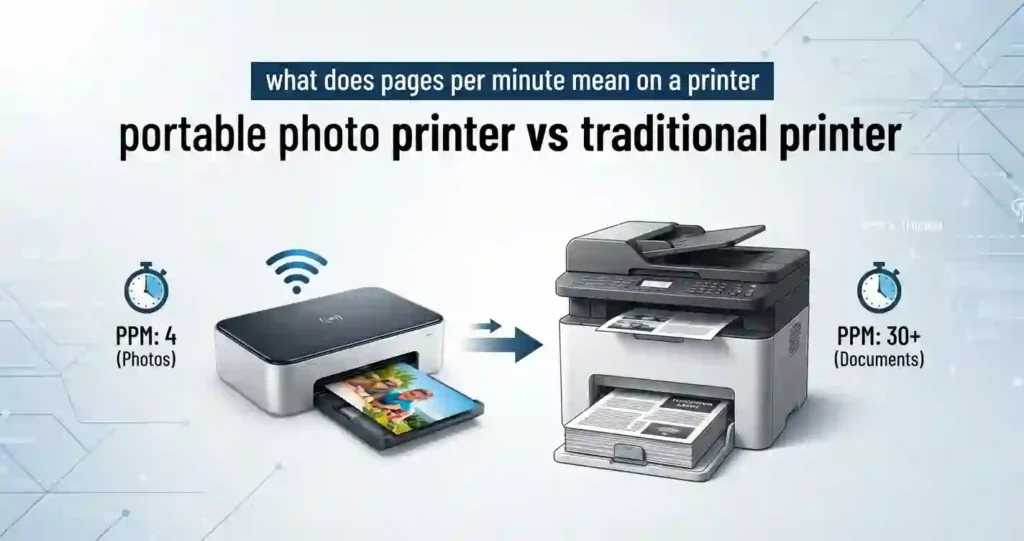
You want prints of your favorite phone photos. But should you buy a pocket-size printer or a full-size home printer? The wrong pick can waste money on paper, ink, and desk space.
The right choice depends on four things: how much you print, how good the photos must look, where you print, and your budget. If you are still sorting out the basics, start with our guide on what type of printer you need for home use. Then use your numbers from how to choose a printer for your monthly print volume.
A portable photo printer is a small, battery or USB powered printer that prints compact photos, usually from a smartphone. A traditional printer is a desktop inkjet or laser machine that prints documents, graphics, and often full-size photos.
Here are the factors we compare in this guide:
- Print quality and photo longevity
- Print speed and page yield
- Operating costs per photo and per page
- Connectivity for phones, tablets, and networks
- Paper size and media support
- Convenience at home, at work, and on the go
Quick answer: Pick a portable printer for travel, parties, and small snapshots. Pick a traditional printer for documents, larger photos, and heavy use. Many US households end up owning both.
Portable Photo Printer vs Traditional Printer: What’s the Difference?
Portable photo printers are built for one job. They print small photos fast, straight from a phone. Traditional printers do far more. They handle Letter-size (8.5 x 11 inch) documents, school forms, labels, and photos too.
If spec sheets confuse you, read printer specifications explained for beginners first.
Here are the main printing technologies:
- Dye-sublimation: Heat turns dye into gas and transfers it onto glossy paper in layers. Many 4 x 6 portable models use it.
- ZINK: Heat activates color crystals already inside the paper. There is no ink cartridge.
- Inkjet: Tiny nozzles spray liquid ink. See how inkjet printers work.
- Laser: Heat and pressure fuse toner powder onto paper. See how a laser printer works.
Paper handling differs a lot. Portable printers often accept only one brand of paper in one or two sizes. Traditional printers take plain paper, cardstock, envelopes, and photo paper in several sizes.
What Is a Portable Photo Printer?
A portable photo printer is a compact machine made for printing photos from smartphones and tablets. Some run on a rechargeable battery. Others run on USB power or a wall adapter.
Most models offer Bluetooth, Wi-Fi, or both. A free mobile app handles editing, layouts, and filters. You can print without a laptop, a router, or a cable.
Common photo sizes are small. Think 2 x 3 inches for sticker style prints and 4 x 6 inches for classic snapshots. You cannot print a Letter-size page on most of them.
Dye-Sublimation Models
These print in several passes and often add a clear protective layer. Prints come out dry and look smooth. They usually use a matched ribbon and paper kit.
ZINK Models
These use special paper with built-in color crystals. Setup is simple, and there is nothing to refill. The paper often costs more per print.
Mini Inkjet Models
Some pocket printers use tiny inkjet cartridges. They are often small format and sticker style. Check the cartridge price before you buy.
What Is a Traditional Printer?
A traditional printer is a desktop or office printer for documents, graphics, and sometimes high-quality photos. It plugs into a wall outlet and stays in one place.
There are two main types. Inkjet models suit color pages and photos. Laser models suit fast, sharp text. Our laser printer vs inkjet comparison for everyday documents explains which fits which job.
These printers have bigger paper trays, several paper sizes, and higher monthly page limits. Many are multifunction models. They add scanning, copying, and sometimes faxing. Learn the tradeoffs in all-in-one printer vs printer-only.
If you print photos at home, a photo-friendly inkjet is a strong choice. Browse our picks for the best inkjet printer for home use.
Portable Photo Printer vs Traditional Printer: Key Differences
Before choosing a printer, compare the specifications that affect real-world use, not just the advertised print speed or resolution. Consumable costs, paper compatibility, connectivity, and print volume can have a major impact on long-term value.
| Feature | Portable Photo Printer | Traditional Printer |
|---|---|---|
| Primary Use | Small photos and snapshots | Documents, photos, graphics |
| Portability | Highly portable | Primarily desktop-based |
| Power | Battery/USB or AC | Usually AC power |
| Print Size | Usually compact formats | Multiple paper sizes |
| Print Speed | Designed for quick individual photos | Better for batch printing |
| Photo Quality | Good to excellent depending on technology | Excellent with a quality photo inkjet |
| Page Yield | Often limited by photo media/consumables | Higher for document printing |
| Connectivity | Bluetooth, Wi-Fi, mobile apps | Wi-Fi, USB, Ethernet, mobile printing |
| Scanning/Copying | Usually unavailable | Common on multifunction models |
| Best For | Travel, events, instant photos | Home offices, businesses, mixed workloads |
Not every feature deserves your money. See what printer features actually matter before you compare models.
Print Quality: Which Printer Produces Better Photos?
Photo quality comes from five things: resolution, color accuracy, tonal range, detail, and sharpness. The printer is only part of the story. Paper, ink, and the original image file matter just as much.
DPI means dots per inch. It counts how many dots fit in one inch of print. But DPI numbers are not always comparable across technologies. A 300 DPI dye-sublimation print can look as smooth as an inkjet print with a much higher number, because dye-sublimation blends color continuously. Our post on printer resolution explained in simple terms covers this in depth.
Paper choice can change the result more than the printer brand. See what paper works best with inkjet printers.
A larger photo inkjet often gives more control. You can pick the size, paper, and quality mode. That matters if you want gallery-style prints.
Featured Snippet answer: Which has better photo quality? Traditional photo-oriented inkjet printers generally offer greater control over photo size, color, resolution, and paper selection, while portable photo printers prioritize convenience and compact prints.
Portable Photo Printer Photo Quality
Dye-sublimation and ZINK handle color in different ways. Dye-sublimation layers cyan, magenta, and yellow, then adds a clear coat. The result is smooth color and fine detail for a small print.
ZINK creates color inside the paper with heat. Results are good for casual sharing. Colors can look softer, and heavy heat may cause discoloration.
Small prints also change how you see sharpness. A 2 x 3 inch photo hides flaws well, but it cannot show fine detail. A 4 x 6 inch print shows more.
Durability varies. Many dye-sublimation prints are laminated, which helps resist smudges, water, and scratches. Always check the maker’s claims for your model.
Traditional Inkjet Photo Quality
Many photo inkjets use more than four inks. Extra shades, such as light cyan or gray, create smoother gradients and better shadow detail. This is why some home printers rival lab prints.
You also get borderless printing, high-resolution modes, and dedicated photo paper. Set the paper type in the print dialog. The wrong setting can make photos look dull or streaky.
Keep the machine healthy too. Nozzle checks and head alignment protect quality. Our guide to the inkjet printhead explained for beginners shows how.
Print Speed and Printing Volume
Speed depends on what you print. One phone photo is quick on almost any printer. A stack of documents is a different story.
PPM means pages per minute. It measures how fast a printer makes text pages in draft or standard mode. It does not measure photo speed. Portable printers list seconds per photo instead. If you want the full picture, read what pages per minute means on a printer.
A duty cycle is the maximum number of pages a printer can handle in a month. The recommended monthly volume is lower and is the number to trust. Our post on how many pages an office printer can handle monthly explains how to read both.
When a Portable Printer Is Faster
A portable printer wins for one or two phone photos. Open the app, pick the photo, and tap print. Many 4 x 6 dye-sublimation models finish in about a minute.
There is no computer to boot and no paper tray to set up. That saves time at parties, on trips, at weddings, and during scrapbooking sessions.
When a Traditional Printer Is Faster
A traditional printer wins for batches. It holds more paper, often 100 sheets or more. Many models add an automatic document feeder, and duplex printing that prints both sides.
If you need 30 photos for an album or 50 pages for a class, a traditional printer finishes the job while a portable one is still on print number five.
Ink, Toner, Paper, and Page Yield
Traditional printers use ink cartridges, refillable tanks, or toner. Portable printers use small cartridges, thermal media, ZINK paper, or dye-sublimation kits. The cost structure is very different.
Page yield is how many pages one cartridge prints. Yield numbers usually come from standard test pages with light coverage. A full-page photo uses far more ink, so photo yield is much lower than the box suggests.
That is why you should compare cost per print, not cartridge price. Our guide to inkjet printer running costs explained shows the math.
Portable Photo Printer Consumable Costs
Portable printers often sell paper and color together in a kit. Many models accept only the maker’s media. That means you cannot shop around for a cheaper option.
Prices change often, so check listings at Amazon, Best Buy, Staples, and Walmart. As a rough guide, small prints cost about 30 to 50 cents each. Frequent printers should track this number closely.
Traditional Printer Ink and Toner Costs
Cartridges come in standard, high-yield, and XL sizes. Higher yield usually costs less per page. Refillable tanks can lower the cost even more. See ink cartridge printer vs refillable tank.
Black-and-white laser toner is often cheapest for text. Read laser printer cost per page explained for details. Color photos are better on inkjet.
Some brands offer ink subscription plans. Not every printer supports them, and third-party cartridges may not work in all models. Check the manufacturer’s rules first. If ink drains fast, see why inkjet printers use so much ink.
Connectivity and Mobile Printing
You can connect a printer in several ways:
- Bluetooth: A short-range link between your phone and the printer.
- Wi-Fi: Prints through your home router.
- Wi-Fi Direct: The printer makes its own network, so no router is needed.
- USB and Ethernet: Wired links for computers and office networks.
- AirPrint: Apple’s built-in printing for iPhone, iPad, and Mac.
- Mopria: A standard that lets many Android phones print without extra drivers.
For direct phone printing, Bluetooth, Wi-Fi Direct, AirPrint, and Mopria are the most useful. Many printers also offer a maker app and cloud printing. New network setups may need a driver or firmware update. Follow our walkthrough on how to print from a phone at home.
Portable Printer Connectivity
Portable printers focus on Bluetooth and dedicated apps. Some also create a Wi-Fi hotspot, which lets several phones print at once. Either way, you can print without a computer.
Compatibility depends on the model. Most support iPhone, iPad, and Android phones and tablets. Confirm your device and OS version on the product page before you buy.
Bluetooth Pairing Steps
- Charge the printer and load the paper.
- Turn on Bluetooth on your phone.
- Open the printer’s app and select your model.
- Choose a photo, then tap Print.
Wi-Fi Direct Hotspots
Join the printer’s own Wi-Fi name from your phone settings. Then open the app. This works well when you have no router nearby, such as outdoors.
Traditional Printer Connectivity
Traditional printers use Wi-Fi and Ethernet for home and office networks. USB is still useful for one computer and for simple, stable setups.
Network printing lets many people share one printer. Learn how in how to manage multiple devices with one printer. For work setups, see how to share a printer across an office network and network printer vs USB printer for an office.
AirPrint and Mopria
Most new Wi-Fi printers support these. Your phone finds the printer automatically. You often need no app at all.
Portability, Size, and Power Requirements
A portable printer can weigh a pound or two and fit in a bag. A traditional desktop printer can weigh 15 to 30 pounds and needs a shelf or desk.
Think about charging too. Battery models need regular charging, and some batteries are sold separately. Traditional printers need an outlet but never run out of battery mid-print.
Portability matters most for travel, events, classrooms, mobile businesses, and temporary workspaces. It matters less for a home office that stays put.
Best Use Cases for Portable Photo Printers
- Travel and vacations: Print a memory on the spot and share it.
- Parties, weddings, and events: Guests love instant prints.
- Scrapbooking, journaling, and instant photo sharing: Small prints fit journal pages perfectly.
Best Use Cases for Traditional Printers
- Home offices and remote work: Contracts, forms, and reports need Letter-size paper. See how to choose a printer for school and family use.
- Small businesses and shared workspaces: Read how to choose a printer for a small business.
- High-volume document and photo printing: Bigger trays and lower page costs win.
Paper Sizes and Media Compatibility
Common portable formats are 2 x 3 inches and 4 x 6 inches. A few models print square or 3 x 4 sizes. Most cannot print Letter, Legal, or envelopes.
Traditional printers accept Letter (8.5 x 11), Legal (8.5 x 14), envelopes, cardstock, labels, and photo paper. Many also print 4 x 6 and 5 x 7 photos.
Borderless printing prints to the very edge with no white margin. It matters for photos because a white border can spoil the look. Not all printers offer it at every size.
Paper weight and finish change the result. Glossy paper boosts color. Matte paper reduces glare. Use manufacturer-approved media whenever you can, and keep paper flat and dry. Our tips on how to store printer paper at home prevent curling and jams.
Cost Comparison: Portable vs Traditional Printers
Upfront price is only half the story. Many portable printers cost about $60 to $200. Many traditional inkjets cost about $60 to $300, and refillable tank models often cost more. Prices vary, so check current listings.
The long-term bill comes from paper, ink, and accessories. A cheaper printer can cost more per photo. Our post on why cheap printers can cost more over time shows how this happens.
Add the extras too. Batteries, chargers, replacement cartridges, specialty paper, and maintenance supplies all count.
| Cost Item | Portable Photo Printer | Traditional Inkjet |
|---|---|---|
| Typical printer price | About $60 to $200 | About $60 to $300 |
| Cost per 4 x 6 photo | About 30 to 50 cents | About 15 to 40 cents |
| Paper choice | Often brand-locked | Many brands and sizes |
| Document printing | Usually not supported | Included |
These figures are rough ranges based on current retail listings. Always confirm before buying.
Total Cost of Ownership
Total cost of ownership adds three things:
- Printer purchase price
- Cost per photo or page
- Replacement consumables and maintenance over time
Follow the steps in how to calculate the true cost of owning a printer. You can also trim spending with how to reduce home printing costs and save money.
Which Is More Economical for Frequent Photo Printing?
Low volume favors convenience. High volume favors efficiency. A dedicated photo printer can make sense if you print photos often and never need documents. Otherwise, a photo inkjet usually wins on cost per print.
Calculate your expected monthly print volume before you buy. Also compare a lab option. Our post on printer vs print shop for home use helps you decide.
Simple Cost Per Photo Formula
Cost per photo = (paper cost + ink or ribbon cost) divided by number of prints.
Real-World Example
Say you print 40 photos a month, or 480 a year. These are sample prices, not quotes.
| Item | Portable Printer | Inkjet All-in-One |
|---|---|---|
| Printer price | $130 | $150 |
| Cost per photo | $0.38 | $0.25 |
| Photos per year | 480 | 480 |
| Year one supplies | $182.40 | $120.00 |
| Year one total | $312.40 | $270.00 |
The portable printer costs more in year one. But if you would never buy an all-in-one, the portable one may still be right. For light use, read is it worth owning a printer for occasional use and see the best inkjet printer for infrequent use.
Pros and Cons of Portable Photo Printers
Portable printers shine when convenience matters more than versatility. They are simple, small, and fun. But they trade away flexibility and often cost more per photo.
Advantages
- Compact and easy to carry.
- Convenient smartphone connectivity.
- A simple way to print small photos almost anywhere.
Limitations
- Limited paper sizes and functionality.
- Often higher cost per photo.
- Usually unsuitable for regular document printing, scanning, or copying.
Pros and Cons of Traditional Printers
Traditional printers are the all-rounders. They print almost anything, but they take space and need care.
Advantages
- Greater versatility and paper-size support.
- Better suited to documents and larger photo prints.
- Multifunction models can scan, copy, and print.
Limitations
- Larger footprint and less convenient portability.
- More setup and maintenance requirements. Inkjets can clog if left idle. Learn why an inkjet printer dries out.
- May be excessive for users who only print occasional small photos.
Portable Photo Printer vs Traditional Printer: Which Should You Buy?
Use the reader’s printing habits rather than a one-size-fits-all recommendation. Set a realistic budget first. Our guide on how much you should spend on a printer gives a useful range.
Choose a Portable Photo Printer If You:
- Primarily print small photos from a smartphone.
- Need a lightweight printer for travel or events.
- Value convenience and instant printing more than document versatility.
Choose a Traditional Printer If You:
- Need to print documents, photos, envelopes, or other media.
- Print frequently or in larger batches.
- Need scanning, copying, duplex printing, or network sharing.
Looking for a budget all-rounder? See the best affordable all-in-one printer.
Consider Owning Both If You:
- Want instant portable photo printing plus a full home-office printer.
- Frequently travel but also need regular document printing.
- Have different printing needs across family members or a small business.
How to Choose the Right Printer for Your Needs
Follow these steps:
- Estimate monthly pages and photos before comparing models.
- Check specs: print resolution, page yield, print speed, paper capacity, connectivity, and supported media.
- Calculate the estimated cost per print and verify that replacement consumables are easy to find.
- Read return and warranty terms before you order.
- Compare prices at Amazon, Best Buy, Staples, and Walmart.
Printer Buying Checklist
- Printing type and expected monthly volume.
- Paper sizes and photo media compatibility.
- Connectivity and mobile operating-system support.
- Consumable costs and estimated page/photo yield.
- Warranty, software support, and maintenance requirements. See printer warranty terms explained for beginners.
Common Mistakes to Avoid When Buying a Photo Printer
The biggest errors are easy to avoid:
- Choosing based solely on the printer’s purchase price.
- Ignoring proprietary paper, cartridge, or photo-media costs.
- Assuming every wireless printer offers the same mobile compatibility and print quality.
Read more in printer buying mistakes and how to avoid them. Check return windows before you open the box.
Quick Troubleshooting for Both Printer Types
Most photo problems have simple fixes. Try these before you call support or buy new supplies.
Faded or Streaky Photos
Run the built-in nozzle check and cleaning cycle. Confirm the paper type setting matches your paper. For lines across prints, see why inkjet prints have lines. For blank sheets, see why an inkjet printer prints blank pages.
Bluetooth Will Not Connect
Turn Bluetooth off and on. Forget the printer in your phone settings, then pair again. Keep the phone within a few feet, and update the app.
Paper Jams and Feed Errors
Use fresh, flat, approved paper. Do not overload the tray. Remove stuck sheets gently, in the direction of paper travel. For more fixes, read common home printer problems.
Unused inkjets clog. Learn how long an inkjet printer can sit unused to avoid surprise repairs.
Frequently Asked Questions
Is a portable photo printer better than a regular printer?
It depends on what you value most. A portable printer is better for instant small photos and travel. A regular printer is better for versatility, larger prints, and documents. Many people find one type covers their needs, and some own both.
Do portable photo printers use ink?
Some do, and some do not. Mini inkjet models use small ink cartridges. Dye-sublimation models use a color ribbon or cartridge and special paper. ZINK models use no ink, because color crystals are built into the paper.
Are portable photo printers worth it?
They are worth it if you value convenience and print small photos often. They cost less upfront than many people expect. But the cost per print is often higher than a photo inkjet or a lab print, so check your print frequency first.
Which printer is cheaper for photo printing?
It depends on the whole picture. Media cost, ink use, page yield, and print volume all matter. For regular photo printing, a photo inkjet or refillable tank model is often cheaper per print. For rare use, a low-cost portable printer can be fine.
Can a portable photo printer print documents?
Usually no. Most print only small photo formats on special paper. A few compact mobile printers can print text pages, but they are the exception. If you need Letter-size documents, choose a traditional printer.
Can traditional printers print high-quality photos?
Yes. Photo-focused inkjet printers can produce detailed, high-resolution photographs on photo paper. Laser printers can print photos too, but usually with less smooth color. See can laser printers print photos well.
How long do portable photo prints last?
Longevity depends on the print technology, paper quality, storage, sunlight, humidity, and manufacturer specifications. Some dye-sublimation makers claim up to 100 years under ideal storage. Independent tests suggest pigment inkjet prints can last even longer. Keep prints out of direct sun and hot cars.
Can I print photos directly from my phone?
Yes. Use Bluetooth, Wi-Fi, AirPrint, Mopria, or the maker’s mobile app. Portable printers often pair by Bluetooth. Many home printers support AirPrint for iPhone and Mopria for Android.
Do portable photo printers need Wi-Fi?
Many do not. They use Bluetooth or Wi-Fi Direct, so a traditional home Wi-Fi network is not required. Some models only work over Wi-Fi, so check the specs before you buy.
What should I look for in a photo printer?
Look at resolution, color reproduction, print size, media cost, connectivity, print speed, and cost per print. Then confirm paper availability and app support for your phone. Warranty and return terms matter too.
Final Verdict: Portable Photo Printer vs Traditional Printer
The two printer types solve different problems. Portable models win on portability, speed for single photos, and fun. Traditional printers win on print size, versatility, connectivity options, and cost for regular use.
Photo quality is close for small prints and favors a good photo inkjet for larger ones. Consumables matter more than the sticker price, so always calculate cost per print.
The best option depends on your printing volume, photo needs, workspace, and budget rather than printer type alone. If you print a few snapshots a month, go portable. For weekly document and photo printing, go with a traditional printer. If you do both, own both.
Research Notes and Editorial Standards
This guide draws on manufacturer specifications, independent print-permanence research, and current US retail listings. Prices are estimates and can change. Learn more on our About page, and read our editorial policy, fact-checking policy, and review policy.




