
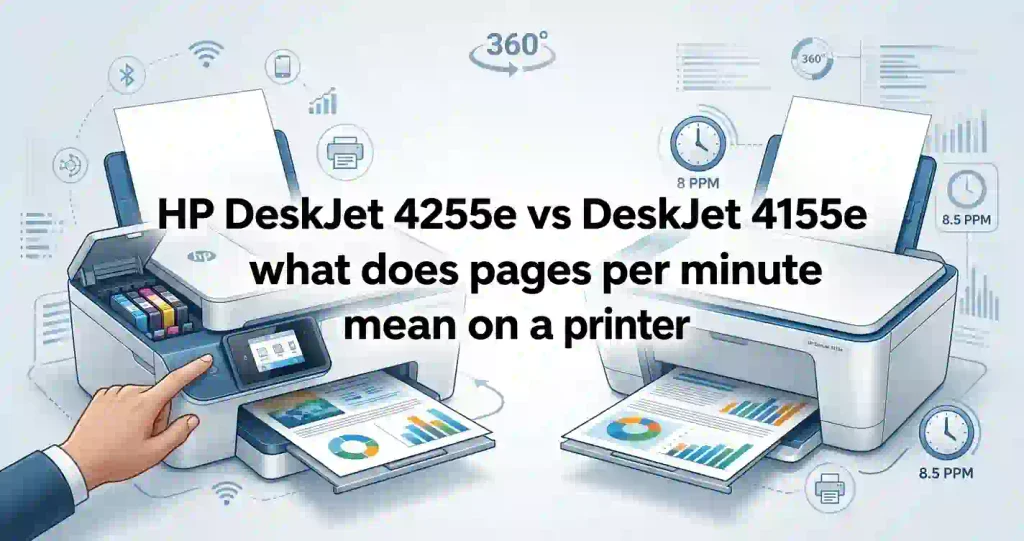
The HP DeskJet 4255e and DeskJet 4155e are compact, entry-level all-in-one inkjet printers. Both print, scan, and copy. Both suit light home use, like forms, recipes, school pages, and travel documents.
We compare six things here: print speed, print quality, scanning, copying, wireless setup, and ink cost. Ink matters most. A low sticker price can hide high refill costs, which our article on why cheap printers can cost more over time explains well.
Quick verdict: Buy the 4255e if you want the current model. Pick the 4155e only when its price is clearly lower. Your monthly page count matters more than the model number.
Key Differences at a Glance
The two models are closer than their names suggest. Here is what actually differs, based on HP-sourced listings from Best Buy, Office Depot, and Micro Center.
- Age: The 4255e is the newer version. Independent lab RTINGS lists it as the replacement for the 4155e.
- Wi-Fi band: The 4255e is listed as 2.4 GHz only. Some 4155e listings mention dual-band Wi-Fi.
- Smart features: The 4255e is marketed as AI-enabled, with HP AI tools that tidy web page printouts.
- Shared basics: Both have a 35-page document feeder, the same speeds, and HP 67 ink.
Similar specs do not guarantee identical daily use. Setup flow, app features, and firmware can differ. Students and families will likely be fine with either. Home offices should read our guide on how to choose a printer for a small office first.
HP DeskJet 4255e vs 4155e Specifications
The table below lists specs as shown in retailer listings built from HP data. Always confirm them on HP’s product pages before you buy, since bundles and regional models can differ.
| Feature | HP DeskJet 4255e | HP DeskJet 4155e |
|---|---|---|
| Printer type | All-in-one thermal inkjet | All-in-one thermal inkjet |
| Core functions | Print, scan, copy, mobile fax via app | Print, scan, copy, mobile fax |
| Automatic document feeder | 35-page feeder | 35-page feeder |
| Wireless connectivity | Wi-Fi 2.4 GHz only, plus USB 2.0 | Wi-Fi (some listings say dual-band), plus USB 2.0 |
| Mobile printing | HP app, AirPrint, Mopria, Chrome OS | HP Smart app, mobile and wireless printing |
| Print speed (ISO) | 8.5 ppm black, 5.5 ppm color | 8.5 ppm black, 5.5 ppm color |
| Print resolution | Up to 1200 x 1200 dpi black, 4800 x 1200 dpi color | Up to 1200 x 1200 dpi black, 4800 x 1200 dpi color |
| Ink cartridges | HP 67 and 67XL | HP 67, 67XL, and 67XXL |
| Paper capacity | 60-sheet input, 25-sheet output | 60-sheet input |
| Monthly duty cycle | Up to 1,000 pages | Up to 1,000 pages |
| Best use case | Light home printing, newer model | Light home printing, older stock |
Duty cycle is the most pages a printer can handle in one month. It is a ceiling, not a target. HP suggests 100 to 300 pages a month for the 4155e, and that is a sensible range for both.
Design, Dimensions, and Paper Handling
Both printers are small. A retailer listing shows the 4155e is about 13 inches deep, so it fits on a desk or shelf. Leave room above it for the lid and feeder.
Each model holds 60 sheets of US letter paper. The 4255e listing also names legal, 4″ x 6″, 5″ x 7″, 8″ x 10″, and No. 10 envelopes. Output tray size is listed as 25 sheets for the 4255e.
Slide the paper guides snug against the stack. For paper advice, see our guide on what paper works best with inkjet printers. For tight spaces, see what printer size is best for a small room.
Printing, Scanning, and Copying Features
Both models have a flatbed scanner and a document feeder. Optical scan resolution is up to 1200 dpi on the 4255e. The flatbed handles letter-size pages, while the feeder takes up to 8.5″ x 14″ legal sheets.
Copying tops out at 300 x 300 dpi and nine copies per job on the 4255e. That is fine for forms, receipts, and homework.
Neither printer prints on both sides automatically. ENERGY STAR lists the 4255e as having no automatic duplex, and RTINGS says the same of the 4155e. You flip pages by hand. For help choosing a type, read all-in-one printer vs printer-only.
What the Automatic Document Feeder Does
An automatic document feeder (ADF) pulls a stack of pages through the scanner one at a time. You skip lifting the lid for every sheet.
Both printers hold up to 35 pages. That helps with tax papers, school forms, or contracts. Without a feeder, a 10-page scan means ten lid lifts.
Print Quality and Speed Compared
Print quality comes from three things: text sharpness, color accuracy, and fine detail. Paper type and print settings also change the result.
PPM (pages per minute) is a speed rating. Both printers are rated at 8.5 ppm in black and 5.5 ppm in color under ISO testing. HP also lists faster draft speeds of 20 ppm black and 16 ppm color. Draft mode uses less ink but looks lighter.
Real speed is lower than the rating, and photos take longer still. Our explainer on what pages per minute means on a printer shows why. If slow output bugs you, see why inkjet printing is so slow.
Which Printer Produces Better Text and Documents?
Neither one wins. They use the same ink family and carry nearly identical print specs. Expect readable letters, forms, and homework from both.
RTINGS lab testing rates both models as poor for black-and-white printing and describes a weak cartridge system. These are budget machines, not office workhorses.
Draft mode saves ink, but text looks pale. To compare fairly, print the same document on both at the same settings. If you see streaks, read why inkjet prints have lines.
Plain-Language Guide to DPI
DPI (dots per inch) counts the ink dots packed into one inch of paper. More dots can mean finer detail.
Both printers list the same numbers. Higher DPI does not guarantee better photos, though. Paper and ink quality matter just as much. Our piece on printer resolution explained in simple terms covers this.
Which Printer Is Better for Color Graphics and Photos?
Both handle school posters, charts, and casual snapshots. Neither is a photo printer.
RTINGS calls the 4155e sub-par for photos and says the 4255e produces disappointing ones. A two-cartridge system mixes cyan, magenta, and yellow in one tri-color tank. That limits color range and wastes ink when one color runs out first.
For frequent photo work, look at a dedicated model. Start with how to choose a printer for photo printing. Choose paper wisely, too, using glossy vs matte photo paper.
Wireless Connectivity and Mobile Printing
Both printers join your home Wi-Fi and print from phones, tablets, and computers. Setup runs through the HP app. The 4255e supports only 2.4 GHz, so keep it near your router.
The HP app lets you print, scan, copy, and manage settings from supported devices. Both models also include a USB 2.0 port, which is handy when Wi-Fi acts up. Our guide on how to print from a phone at home covers the everyday options.
How to Connect an HP DeskJet Printer to Wi-Fi
Follow these numbered steps for either model:
- Power on the printer and place it near your router.
- Download the HP app on your phone or computer.
- Open the app and choose to add a printer.
- Pick your 2.4 GHz network and type the password.
- Wait for the printer to confirm the connection.
- Print a test page.
You can also start at HP’s setup site, covered in our 123.hp.com setup guide. For other brands, see how to connect a printer to Wi-Fi.
Common Wi-Fi Fixes
Wrong passwords are the top culprit, so retype yours. Next, check signal strength.
If the printer shows offline, restart both the printer and the router. Our guides on why a printer will not connect to Wi-Fi and why a printer keeps going offline walk through more fixes.
Printing From iPhone, Android, and Windows
iPhone and iPad: Both printers work with AirPrint on supported devices. Choose Print from the share menu, and pick the printer.
Android: Mopria printing and the HP app both work. Chrome OS is supported too, based on the 4255e listing.
Windows and Mac: The 4255e lists Windows 10 and 11, plus macOS 10.14 through 15. Install the HP software to unlock scanning. Check your operating system before buying. If a driver misbehaves, follow how to install printer drivers correctly. For phones, also see how to connect a printer to a smartphone.
Ink Cartridges, Page Yield, and Running Costs
Both printers use the HP 67 family: one black cartridge and one tri-color cartridge. That means ink costs are the same on either model.
Setup cartridges in the box are small. A retailer listing for the 4155e shows about 120 black pages and 65 color pages. Expect to buy a refill soon.
Page yield is the number of pages a cartridge should print under standard testing. Your real yield depends on coverage, settings, and how often you print. Our article on inkjet printer running costs explained breaks this down. To understand the bigger picture, see why printer ink costs so much.
HP Instant Ink is a subscription priced by pages printed, not by cartridge. It can help regular printers, but light users may overpay. Read the terms. Enrolling in HP+ requires original HP cartridges for the life of the printer, according to US retailer listings.
Which Printer Is Cheaper to Maintain?
Neither, because they take identical ink. Savings come from your choices: cartridge size, HP+ enrollment, and how much you print.
The XL cartridge costs more up front but less per page. Casual users who print a few pages a month may still prefer standard size so ink does not dry out.
Avoid judging value by the printer price alone. Our guide on how to calculate the true cost of owning a printer gives a simple method. You can also weigh cheap printer vs low-cost printing before you decide.
HP DeskJet 4255e vs 4155e Ink Cartridge Compatibility
Both printers use these original HP cartridges, according to HP-sourced listings:
- Black: HP 67 (3YM56AN, about 120 pages), HP 67XL (3YM57AN, about 240 pages)
- Tri-color: HP 67 (3YM55AN, about 100 pages), HP 67XL (3YM58AN, about 200 pages)
- Extra high yield: HP 67XXL black (3YM59AN, about 400 pages) and tri-color (6ZA16AN, about 330 pages), listed for the 4155e
Confirm XXL support for the 4255e on HP’s compatibility page.
Do not assume all DeskJet cartridges fit. Other models use HP 63, 65, or 68. Check the number printed on your cartridge. See how to check if a printer cartridge is compatible. If a new one is refused, read why a printer rejects new cartridges. To weigh brands, see original vs compatible printer cartridges.
Price and Overall Value for Money
Prices move often. In recent US listings, the 4255e appeared at about $50 to $80 on sale at Best Buy and Office Depot, against a list price near $110. The 4155e listed at $99.99 at Office Depot and $59.99 at Quill.
A low price can backfire if ink costs more than you planned. Over one to three years, ink usually costs more than the printer itself. Multiply your monthly pages by the cost per page to see your real total.
Warranty also matters. Check the seller’s return window and HP’s coverage. Our guide to printer warranty terms explained for beginners shows what to look for.
Total Cost of Ownership Comparison
This table assumes 40 pages a month: 30 black and 10 color, using XL cartridges. Prices come from a Walmart listing and may change.
| Cost factor | HP DeskJet 4255e | HP DeskJet 4155e |
|---|---|---|
| Initial purchase price | About $50 to $110, depending on sales | About $60 to $100 where still in stock |
| Included ink | HP 67 setup cartridges, often with a trial offer | HP 67 setup cartridges (about 120 black, 65 color pages) |
| Replacement black ink | HP 67XL, about $36 | HP 67XL, about $36 |
| Replacement color ink | HP 67XL tri-color, about $35 | HP 67XL tri-color, about $35 |
| Estimated monthly ink cost | About $7.70 | About $7.70 |
| Paper and maintenance | About $6 a year for 480 sheets | About $6 a year for 480 sheets |
| Estimated annual ownership cost | About $98 a year, plus printer price | About $98 a year, plus printer price |
The ink bill is the same. Only the purchase price and warranty differ.
How to Calculate Cost Per Page
Use this simple formula:
- Find the cartridge price.
- Find its rated page yield.
- Divide the price by the yield.
Do this for black and color separately. ISO-based yields are standardized estimates, not a promise of your own page count.
Worked Example Using HP 67XL Prices
HP 67XL black at $35.89 and 240 pages costs about 15 cents per page. The 67XL tri-color at $34.89 and 200 pages costs about 17 cents per page.
The standard cartridges cost more per page: about 19 cents for black and 24 cents for color. So XL saves roughly 4 to 6 cents on every page. Print 40 pages a month and that adds up. For more ways to cut costs, try how to find low-cost printer consumables.
HP DeskJet 4255e vs 4155e: Pros and Cons
The pros and cons overlap a lot, but small differences matter. Each model is covered below, based on specs, retailer data, and lab reviews.
HP DeskJet 4255e Pros and Cons
Pros
- Newer model that is easier to find at major US retailers
- 35-page feeder for quick scans and copies
- Supports AirPrint, Mopria, and Chrome OS
- AI-assisted web page formatting helps cut wasted pages
- ENERGY STAR certified, with low sleep power
Cons
- Slow at 8.5 ppm black and 5.5 ppm color
- 2.4 GHz Wi-Fi only
- No automatic two-sided printing
- Ink runs out fast, and RTINGS rates the cartridge system poorly
Best for light home users who want the current model.
HP DeskJet 4155e Pros and Cons
Pros
- Same print, scan, copy, and feeder features
- Extra high yield HP 67XXL cartridges are listed
- Often cheaper as stock clears
- Simple setup through the HP Smart app
Cons
- Older design that HP has replaced
- No automatic duplex
- Fewer places sell it new
- Same slow speeds and small setup cartridges
It makes sense when you find a clearly lower price from a seller with good returns. Students and remote workers who print little can manage with it.
Which Printer Should You Buy?
Match the printer to your habits. Think about monthly pages, the share of color, and desk space.
If the prices are within about $10 of each other, take the 4255e. It is newer, easier to return, and better supported. If the 4155e is far cheaper, that saving may be worth more than any feature gap.
Best Choice for Students and Families
Homework, permission slips, and the occasional poster suit either printer. Setup is easy, ink is easy to find, and phone printing works.
Pick the XL cartridges if your kids print weekly. If printing is rare, standard cartridges are safer. Our guides on the best inkjet printer for students and printers for school homework can help you compare options.
If your family prints several hundred pages monthly, consider a higher-volume model.
Best Choice for Remote Workers and Home Offices
Remote workers need fast scans, steady Wi-Fi, and low page costs. The feeder helps with contracts and invoices. But slow speeds and pricey ink make both models a weak fit for heavy paperwork.
If you print mostly black text, a monochrome laser can cost less per page. Read laser printer vs inkjet for everyday documents and the best laser printer for a home office. Another option is a refillable tank model, covered in ink cartridge printer vs refillable tank.
Which Model Offers Better Long-Term Value?
Compare the purchase price against your ink spending over the years you will own it. At about $98 a year in ink and paper for modest use, ink dominates the bill.
Convenience features matter only if you use them. Scan stacks of pages? The feeder earns its keep. Print rarely? A simple printer is enough.
Conditional verdict: Choose the model with the lowest price from a trusted seller, as long as it has the features you need and you are happy with HP 67 ink. If you want more choice, browse the best affordable all-in-one printer guide. One retailer review also reports that HP has replaced the 4255e with the DeskJet 4355, which uses different ink. Compare it before you commit.
HP DeskJet 4255e vs 4155e Feature Comparison Table
Use this table to judge the practical differences. The last column reflects published specs and lab reviews, not new tests.
| Comparison factor | What to evaluate | Why it matters | 4255e vs 4155e |
|---|---|---|---|
| Text printing | Sharpness and readability | Everyday documents | Near-identical |
| Color printing | Color accuracy and detail | Schoolwork and graphics | Near-identical, basic quality |
| Scanning | Resolution and document handling | Digitizing paperwork | Same 35-page feeder |
| Connectivity | Wi-Fi and mobile compatibility | Convenient printing | 4255e is 2.4 GHz only |
| Ink efficiency | Cartridge yield and price | Long-term affordability | Same HP 67 ink |
| Ease of use | Setup and control options | First-time printer owners | Both use the HP app and an icon display |
| Maintenance | Cleaning and troubleshooting | Reliable everyday use | Both need regular use |
Setup, Maintenance, and Troubleshooting Tips
Good habits prevent most printer headaches. Print something every week or two, store spare cartridges sealed, and keep the printer away from heat.
HP’s support site has model-specific manuals and software downloads. Search your exact model number there.
How to Set Up Your HP DeskJet Printer
- Unpack the printer and remove all tape.
- Install the supplied setup cartridges.
- Load plain letter paper in the tray.
- Install the HP app and follow the Wi-Fi prompts.
- Print a test page.
- Check scanning and copying before regular use.
New to this? Our walkthrough on how to set up a printer for the first time fills in the details.
How to Fix Common HP DeskJet Printing Problems
Start simple. Check ink levels, paper position, the print queue, and any error message on the display.
For streaks or missing colors, run the printhead cleaning or alignment from the HP app. Learn what the part does in inkjet printhead explained for beginners.
For connection issues, restart the printer and router, confirm the network, and update the software. The same ink family appears in the 2855e, so those fixes help too: see HP DeskJet 2855e not printing and fixing black ink problems. Blank sheets? Try why an inkjet printer prints blank pages.
How to Extend Cartridge Life
Small habits save real money:
- Use draft mode for internal documents.
- Skip color unless you need it.
- Pick the right paper type and quality setting.
- Print weekly so the nozzles stay wet.
Follow our tips on how to reduce ink usage when printing. Learn how to check printer ink levels correctly and how to store unused ink cartridges. When a cartridge is empty, see how to recycle old printer cartridges.
Frequently Asked Questions (FAQ)
1. What Is the Difference Between HP DeskJet 4255e and 4155e?
The 4255e is the newer model. Both print, scan, and copy, use HP 67 ink, and have a 35-page feeder. Listings show the 4255e as 2.4 GHz Wi-Fi only and AI-enabled. The 4155e is older and often cheaper.
2. Is the HP DeskJet 4255e Better Than the 4155e?
Slightly, as the current model. Performance and ink costs are nearly identical. The better buy is whichever has the lower price from a seller with a good return policy.
3. Do HP DeskJet 4255e and 4155e Use the Same Ink Cartridges?
Yes. Both use HP 67 black (3YM56AN) and tri-color (3YM55AN), plus XL versions (3YM57AN and 3YM58AN). XXL cartridges are listed for the 4155e. Confirm XXL support for the 4255e on HP’s site.
4. Which HP DeskJet Printer Has Lower Ink Costs?
They are equal. HP 67XL costs about 15 cents per black page and 17 cents per color page at recent Walmart prices. XL cartridges beat standard ones by roughly 4 to 6 cents a page.
5. Can Both Printers Print Wirelessly?
Yes. Both connect to home Wi-Fi and also have USB 2.0. The 4255e uses the 2.4 GHz band only. Print from phones, tablets, and computers through the HP app or built-in tools.
6. Can I Print From My iPhone or Android Phone?
Yes. iPhones use AirPrint, and Android phones use Mopria or the HP app. Keep both on one network.
7. Do the HP DeskJet 4255e and 4155e Support Automatic Two-Sided Printing?
No. ENERGY STAR lists the 4255e without automatic duplex, and RTINGS says the 4155e lacks it too. You must flip pages by hand to print on both sides.
8. Which Printer Is Better for Students and Home Offices?
For students, either works. Home offices may outgrow both because of slow speeds and small cartridges. Heavy users should consider a laser or refillable tank model instead.
9. Are HP DeskJet 4255e and 4155e Good for Photo Printing?
Only for casual snapshots. RTINGS rates both poorly for photos. Use proper photo paper and the best quality setting. For serious photos, read can laser printers print photos well or pick a dedicated photo model.
10. How Do I Fix an HP DeskJet Printer That Will Not Connect to Wi-Fi?
Check your password and signal strength. Make sure you use a 2.4 GHz network. Restart the printer and router, then rerun setup in the HP app. Reset the printer only as a last step.
Final Verdict: HP DeskJet 4255e vs DeskJet 4155e
These printers are twins in practice. They share speeds, scanning, the feeder, and HP 67 ink. The 4255e adds AI print tools and wider availability. The 4155e may add a lower price.
For light home use, buy the cheaper one from a seller with easy returns. If prices match, choose the 4255e. Before you pay, confirm cartridge compatibility, warranty terms, and your yearly ink budget of roughly $98 at modest use.
Still undecided? Compare other budget HP and Canon options in HP DeskJet 2855e vs Envy 6155e, HP 2855e vs HP 2827e, and HP DeskJet 2855e vs Canon PIXMA TS4320. Two more matchups worth reading are HP DeskJet 2955 vs Canon PIXMA TR4720 and HP DeskJet 2955 vs HP Envy 6155e.




