
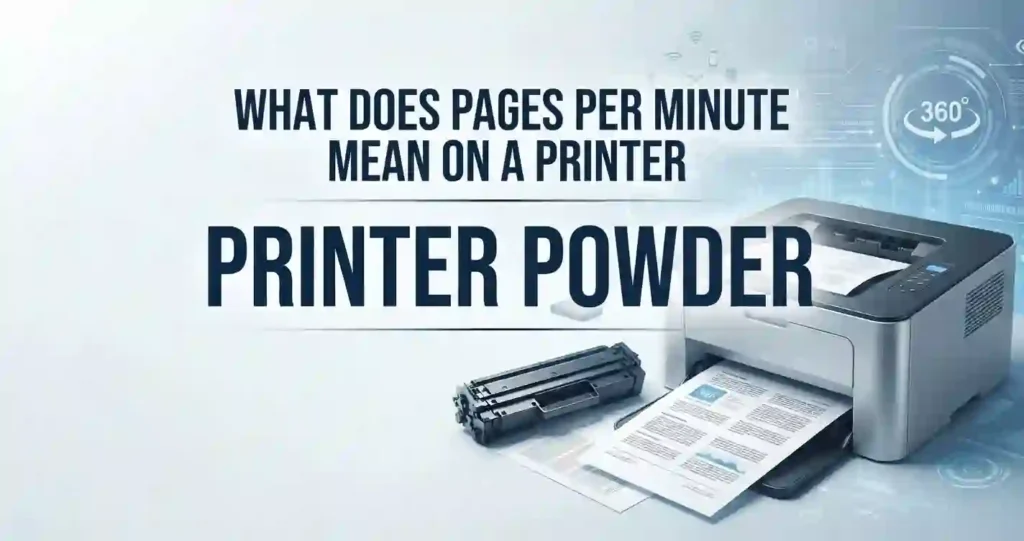
Printer powder is a fine, dry toner material used by laser printers to create text and images on paper. People also call it toner, toner powder, or laser powder.
Each grain is tiny. Many toner particles are only a few micrometers wide, far thinner than a human hair. That small size helps the printer draw sharp edges.
A typical toner formula includes:
- Resin: a plastic binder, often polyester, that makes up most of the powder and melts onto the page.
- Pigment: carbon black for monochrome, or cyan, magenta, and yellow for color.
- Wax: helps the toner release from hot rollers.
- Additives: charge control agents and fine silica that help the powder carry a charge and flow smoothly.
These terms often get mixed up, so here is the difference:
- Toner powder: the loose dry powder itself.
- Printer ink: a liquid used by inkjet printers.
- Toner cartridge: the sealed unit that holds toner and feeds it to the printer.
- Refill toner: loose powder sold to top up a cartridge.
How Does Printer Powder Work?
Laser printing is a dry process. A laser (or an LED array) draws an invisible pattern of static charge on a light-sensitive imaging drum. Toner clings only to the charged spots, then moves to the paper. For a plain-English walkthrough, read how a laser printer works.
The Six Steps of Laser Printing
- Charge: The drum gets an even static charge.
- Expose: The laser removes charge where the image will be.
- Develop: Toner sticks to those spots on the drum.
- Transfer: The paper picks up the toner image.
- Fuse: Heat and pressure melt the toner into the paper fibers.
- Clean: The drum is wiped, and the cycle starts again.
This is why laser printers make sharp text and fast document output. The toner sits on the page as a thin plastic layer, so letters stay crisp and do not bleed. You can dig deeper in laser printer technology explained simply. To see which part wears out first, check laser printer drum vs toner cartridge.
What Printers Use Powder Instead of Ink?
Three common device types use toner:
- Laser printers, both monochrome and color.
- LED printers, which swap the laser for a row of tiny lights.
- Multifunction laser printers, which print, scan, and copy.
Inkjet printers use liquid ink because they spray tiny droplets through nozzles. Dry powder cannot flow through those nozzles. If you want the full picture, see how inkjet printers work.
Monochrome and color machines differ in toner needs. A monochrome printer uses one black toner. A color printer uses four: cyan, magenta, yellow, and black. Our guide to monochrome vs color laser printer helps you pick.
Is Printer Powder the Same as DTF Powder?
No. DTF (direct-to-film) transfer printing uses an adhesive powder that is sprinkled on wet ink. It is a craft and apparel product, not laser toner. This guide covers toner only.
Printer Powder vs. Ink: What’s the Difference?
Both toner and ink put color on paper, but they work in opposite ways. Toner is a dry powder fused with heat. Ink is a liquid sprayed through tiny nozzles. Toner usually wins on speed, sharp text, and heavy document work. Inkjet usually wins on photos and low printer prices.
That is why offices lean toward toner for contracts, reports, and invoices. Laser pages are dry the moment they land, so they resist smearing and highlighter smudges. Our comparison of laser printer vs inkjet for everyday documents shows how this plays out at home.
Photos are a different story. Inkjet printers blend fine ink droplets and can use special photo inks, which gives smoother color shifts. Laser printers can print decent images, but photos often look flatter. See can laser printers print photos well, or how to choose a printer for photo printing if photos matter most.
Toner Powder vs. Liquid Ink
Here is a quick side-by-side view:
| Feature | Toner Powder | Liquid Ink |
|---|---|---|
| Print speed | Fast and steady | Often slower |
| Text sharpness | Very crisp | Good to very good |
| Drying time | None, fused dry | Short wait on some paper |
| Page yield | Often high per cartridge | Often lower per cartridge |
| Storage | Does not dry out | Can dry and clog nozzles |
| Best for | Documents | Photos and graphics |
Cartridge price alone can mislead you. A toner cartridge costs more up front but often prints many more pages. Always compare cost per page instead. Our guide to laser printer cost per page explained walks you through it.
Maintenance differs too. Liquid ink can dry in the printhead if you print rarely. Toner does not dry out, but parts such as the drum and fuser still wear over time.
PPM, DPI, Duty Cycle, and Connectivity in Plain English
Four spec terms show up on every laser printer box:
- PPM (pages per minute): how many pages the printer finishes in one minute. Higher is faster. See what pages per minute means.
- DPI (dots per inch): how many dots fit in one inch. More dots mean finer detail. Read printer resolution explained.
- Duty cycle: the most pages a printer is built to handle in a month. Stay well below it. Use your monthly print volume to pick a model.
- Connectivity: how the printer links to your devices, such as USB, Ethernet, or Wi-Fi. Learn how to connect a printer to Wi-Fi.
For more terms, browse printer specifications explained.
Types of Printer Powder and Toner
Not all toner is the same. There are four main kinds: OEM, compatible, remanufactured, and refill powder. Toner formulas change from one printer model to the next. They also change with cartridge design.
Please do not assume that generic toner powder fits every machine. Powder that melts at the wrong temperature or carries the wrong charge can cause faded pages or messy spots. For a full side-by-side, read original vs compatible printer cartridges.
OEM Toner Powder
OEM means original equipment manufacturer. The printer maker designs the toner and the cartridge as a matched pair. That gives you steady print quality and good reliability.
The main downside is price. OEM toner often costs more up front.
Warranty is a common worry. In the US, the Magnuson-Moss Warranty Act generally stops a maker from voiding your warranty only because you used another brand of supplies. But if a bad cartridge damages the printer, that repair may not be covered. This is general information, not legal advice, so read printer warranty terms explained and your own warranty.
Compatible and Remanufactured Toner
Compatible toner is a new cartridge built by a third party for specific printer models. Remanufactured toner starts with a used OEM cartridge shell. The maker cleans it, replaces worn parts, and refills it. Learn more in remanufactured cartridges explained.
Quality ranges from excellent to poor. Check three things before you buy: printer compatibility, stated page yield, and seller reputation. Look for clear return policies and real reviews at stores such as Amazon, Staples, or Best Buy. For a balanced view of savings and risk, see cheap ink vs genuine cartridges.
Toner Refill Powder
Refill toner is loose powder used to top up certain cartridges. It can save money. It also carries risks. The wrong powder or a messy fill can lead to leaks, streaks, or poor quality.
Many cartridges also have a chip that tracks toner use. After a refill, you may need a new chip or a reset. Some printers refuse cartridges that look used. If that happens, read why a printer rejects new cartridges.
Printer Powder Comparison: Which Type Is Best?
Different toner options can look similar on paper, but formulation, cartridge quality, yield, and compatibility can significantly affect results. Comparing these factors helps buyers avoid poor print quality and unnecessary replacement costs.
| Toner Type | Best For | Print Quality | Typical Cost | Main Consideration |
|---|---|---|---|---|
| OEM Toner | Reliability & business use | Consistent | Higher | Higher upfront price |
| Compatible Toner | Budget-conscious users | Good to very good | Lower | Check compatibility |
| Remanufactured Toner | Lower-cost printing | Varies | Lower | Buy from reputable suppliers |
| Refill Toner Powder | Certain refillable cartridges | Varies | Low | Correct formulation is critical |
No single type wins for everyone. If you print rarely and want zero fuss, OEM is a safe pick. If you print a lot and watch costs, a trusted compatible cartridge may fit better. Browse affordable printer toner options to compare.
How to Choose the Right Printer Powder
Follow three simple moves:
- Start with the printer’s exact model number and cartridge number.
- Compare toner formulation, page yield, print quality, and cost per page.
- Check whether the printer maker permits or supports third-party toner.
Our guide on how to choose the right toner cartridge for your printer goes deeper. Many US buyers shop at Amazon, Best Buy, and Staples. Match the cartridge number first, then compare prices.
Check Toner Cartridge Compatibility
Match the toner to your exact printer model and cartridge series. A family name such as “Pro” or “Plus” is not enough.
Look for the cartridge numbers the manufacturer lists in the manual or on the label inside the printer. Avoid buying based on looks or general brand alone, because two similar printers may use different cartridges. Use this guide on how to check if a printer cartridge is compatible before you order.
Consider Page Yield
Page yield is the number of pages a cartridge should print. Makers often rate it at about 5 percent page coverage, which is roughly a normal text page. A photo-heavy page uses much more toner.
Compare standard-yield and high-yield (often called XL) cartridges. High-yield versions usually cost less per page. Your real yield will vary with page coverage, document type, and printing habits. To plan ahead, read how many pages a laser printer can print.
Consider Print Quality
Good toner gives you steady results page after page. Look for:
- Consistent blacks with no gray patches.
- Sharp text with clean edges.
- Clean graphics and smooth grayscale.
On color laser printers, check the quality of all four colors: cyan, magenta, yellow, and black. Weak toner can cause faded output, streaks, spots, or uneven coverage.
How Much Does Printer Powder Cost?
Loose toner powder is sold by weight, such as a bottle. A toner cartridge is a complete unit. They are not priced alike. Many monochrome cartridges for home laser printers sell for roughly $40 to $100 in the US, and color sets cost more. Prices change, so check current listings.
The better metric is cost per page. Count shipping, how often you replace cartridges, and page yield. Powder that looks cheap can cost more once you add mess, chips, and failed fills. For savings ideas, see how to reduce home printing costs and how to find low-cost printer consumables.
How to Calculate Toner Cost Per Page
Use this formula:
Cartridge Price ÷ Estimated Page Yield = Cost Per Page
Higher-yield cartridges can give better long-term value, because the price rises less than the page count. Actual costs vary with page coverage and printer settings.
The printer itself matters too. Some low-cost machines have pricey cartridges. See affordable laser printers with low toner costs and how to choose a laser printer with low running costs.
Worked Example: Two Cartridges Compared
Say a standard cartridge costs $60 and prints 1,500 pages. That is $60 ÷ 1,500 = $0.04, or 4 cents per page.
A high-yield cartridge costs $95 and prints 3,000 pages. That is about 3.2 cents per page. Add $6 shipping to the first one and it climbs to 4.4 cents. These prices are examples only.
How to Refill a Toner Cartridge With Printer Powder
Only refill a cartridge that is designed or suitable for refilling. Check the cartridge model first. Then use the correct toner formulation. Follow the cartridge maker’s or the refill supplier’s instructions.
Be honest about the trade-off. For many home users, a replacement compatible cartridge is easier and less messy than a DIY refill.
Basic Toner Refill Steps
- Set up a clean, ventilated workspace. Wear gloves and a dust mask.
- Confirm the cartridge is refillable and the powder is the right type.
- Open or access the cartridge the way its design allows.
- Add the correct toner amount. Do not overfill.
- Wipe the cartridge clean and close the fill hole.
- Reset the chip if required, reinstall the cartridge, and print a test page.
Check the test page for leaks, streaks, or gray backgrounds before you print anything important.
Safety Precautions When Handling Toner Powder
Toner is not liquid, but it is a very fine dust. Treat it with care:
- Avoid breathing loose toner dust and minimize unnecessary handling.
- Keep toner away from children, pets, and food, and away from areas where powder could spread.
- Keep it away from flames and sparks. Toner is a combustible powder.
- Follow the product’s safety instructions. Dispose of waste responsibly.
- If toner gets on skin, wash with soap and cold water. If it gets in eyes, flush with water.
What to Do if You Spill Toner
- Stop and keep fans off, so the dust stays put.
- Do not blow or sweep hard. That lifts the powder into the air.
- Wipe it up with a damp paper towel, or use a vacuum made for toner.
- Rinse skin or fabric with cold water. Hot water can melt toner into the fibers.
- Seal the waste in a bag and throw it out as the manufacturer advises.
Common Printer Problems Caused by Toner
Incorrect, contaminated, or nearly empty toner can ruin a page. But other parts can cause the same symptoms: the drum, the fuser, the paper, or the print driver. Use this table to narrow it down:
| Symptom | Possible Toner Cause | Other Possible Cause |
|---|---|---|
| Faded prints | Low or defective toner | Economy mode, worn drum |
| Black streaks | Leaking or damaged cartridge | Scratched drum, dirty rollers |
| Toner spots | Loose toner inside the unit | Dirty paper path |
| Gray background | Too much toner released | Worn drum, damp paper |
| Uneven coverage | Clumped or low toner | Driver or paper settings |
If several problems appear together, see common laser printer problems.
Why Is My Printer Printing Faded Pages?
Faded pages are the most common toner complaint. The cause is often simple, such as low toner or a saving mode. Our guide to a laser printer printing faded covers more cases.
Fixes to Try in Order
- Check the toner level and the cartridge installation. Make sure the seal tape is gone.
- Remove the cartridge and rock it gently side to side. Do not shake it hard.
- Review the density or print-quality settings. Turn off economy mode.
- Print a test page to see if the fade is even.
- Replace an old or defective toner cartridge.
Why Are There Black Lines or Spots on Prints?
Start by checking the toner cartridge and the imaging drum for damage or contamination. Look for toner leaks or built-up powder inside the printer.
Then note the pattern. If marks repeat at equal spacing down the page, a drum or roller is the likely cause. Also ask whether the problem appears on every page or only certain print jobs. For more help, read about a laser printer leaving black marks.
Why Is Toner Not Sticking to Paper?
The fuser unit is the part that bonds toner to paper for good. It uses heat and pressure. If the toner rubs off, the fuser may not be doing its job.
Check that your paper type setting matches the paper you loaded. Heavy paper, labels, and envelopes need different settings. If the problem continues, suspect a fuser or temperature fault. Our laser printer maintenance requirements guide explains what wears out and when.
How to Get Better Print Quality With Toner
Small habits make a big difference:
- Use the correct paper type and matching printer settings.
- Keep the cartridge area and printer interior clean, following the manufacturer’s instructions.
- Use the printer’s recommended resolution and print-density settings.
Paper matters more than most people expect. Damp or rough paper can cause weak fusing and speckles. For help, see how to choose paper for office documents. In the US, standard letter size is 8.5 by 11 inches, so make sure your tray and software settings agree.
Printer Settings That Affect Toner Output
Four settings shape your results:
- Print quality: sets the overall output level.
- Toner density: controls how dark the print looks.
- Resolution: sets detail, usually in DPI.
- Paper type: tells the fuser how much heat to use.
Draft or economy mode uses less toner and prints lighter. Standard or high-quality mode uses more. These choices change how fast you burn through a cartridge, and they change your real page yield. For office tips, read how to reduce printer expenses in a small business.
How to Store Printer Powder and Toner Cartridges
Good storage protects print quality:
- Keep unused toner in its original packaging until you need it.
- Store cartridges in a dry, temperature-controlled space away from direct sunlight.
- Avoid heat, humidity, and knocks. Damaged cartridges can leak.
Avoid these common slips by reading toner storage mistakes. If the whole printer will sit idle, see how to store a laser printer when it sits unused.
Does Toner Powder Expire?
Toner usually has a long storage life, often a couple of years or more. Even so, follow the manufacturer’s guidance and check the box for dates.
Poor storage, contamination, or a damaged cartridge can cause trouble long before any date. Heat can make powder clump. Humidity can change how it flows. For more detail, see printer consumable expiry dates.
Printer Powder Buying Checklist
Run through this list before you click buy:
- Printer compatibility: Confirm your exact model and cartridge number.
- Toner type: Choose OEM, compatible, remanufactured, or refill powder based on your needs.
- Page yield: Compare estimated pages and cost per page.
- Print quality: Look for consistent text, graphics, and grayscale.
- Seller reputation: Check product reviews, return policies, and warranty coverage.
Shopping for a new machine too? See the best laser printer for a home office and printers with cheap replacement cartridges.
Frequently Asked Questions About Printer Powder
Here are quick answers to the questions people ask most.
What is printer powder called?
Printer powder is commonly called toner powder, or simply toner. It is mainly linked with laser and LED printers. Inkjet printers use liquid ink instead.
Is printer powder the same as toner?
Yes, in most cases. Printer powder generally means toner powder. The difference is that loose toner powder is just the powder, while a toner cartridge is the complete unit that holds it.
Can you refill a toner cartridge with powder?
Some cartridges can be refilled. Others are not built for it. Use the correct toner formulation for your cartridge type, and follow the supplier’s steps. A wrong powder can cause leaks and poor prints.
Can I use any toner powder in my printer?
No. Toner is not universally interchangeable. Formulas differ by printer and cartridge system. Match the powder to your specific printer and cartridge before you buy.
Is toner powder better than ink?
It depends on what you print. Toner is better for high-volume documents, speed, and sharp text. Ink is often better for photos. Operating cost depends on page yield and use. See the laser printer advantages and disadvantages for more.
How many pages can printer powder print?
It depends on the cartridge and the printer. Standard-yield cartridges print fewer pages than high-yield ones. Page coverage matters too. Read how long laser printer toner lasts for typical ranges.
Why is my laser printer printing faded pages?
Common causes are low toner, economy settings, a cartridge fault, or worn imaging parts. Check the toner level and printer settings first. If toner seems to vanish fast, read why laser printer toner runs out so quickly.
Does toner powder dry out like ink?
No. Toner is a dry powder, so it does not dry out the way liquid ink can. Poor storage, contamination, and old cartridges can still cause trouble. Compare that with why an inkjet printer dries out.
Is compatible toner powder safe to use?
Reputable compatible toner can work well when it is correctly formulated. Verify compatibility and supplier quality first. Cheap, unknown powder is where most problems start.
How should I dispose of used toner?
Use a manufacturer or retailer recycling program when one is available. HP runs a free Planet Partners program, and many stores such as Staples and Best Buy accept cartridges, though rules vary by location. Do not treat cartridges as ordinary household waste when recycling exists. See how to recycle old printer cartridges.
Conclusion: Choose the Right Printer Powder for Reliable Printing
Printer powder usually means toner powder, the dry printing material used in laser and LED printers. It sticks by static charge and bonds by heat.
When you choose toner, focus on compatibility, page yield, print quality, cost per page, and cartridge quality. Check your printer model and cartridge number before you buy or refill. Handle powder with care, and recycle empties.
Setting up a new machine? Start with how to set up a printer for the first time.




